
1. Įvadas
This manual provides essential instructions for the safe and efficient use of your AGM M10 Basic Flip Phone. Please read this manual thoroughly before operating the device and retain it for future reference.
The AGM M10 is a rugged 4G LTE flip phone designed for durability and essential communication. It features IP68/IP69K water and dust resistance, MIL-STD-810G drop protection, large buttons, and a loud speaker.
2. Pakuotės turinys
Patikrinkite, ar pakuotėje yra visi reikalingi daiktai:
- 1 x AGM M10 Phone
- 1x pakrovėjas
- 2 x Baterija
- 1 x dirželis
- 1 x Naudotojo vadovas (šis dokumentas)
Video: Unboxing the AGM M10 Basic Flip Phone and its accessories. This video demonstrates the contents of the package and provides a first look at the device.
3. Įrenginys baigtasview
Familiarize yourself with the physical components of your AGM M10 phone.

Vaizdas: priekis, šonas ir galas views of the AGM M10 Basic Flip Phone. This image shows the phone in its closed and open states, highlighting its robust design.
Pagrindinės funkcijos:
- Large Buttons & Font: Designed for ease of use, especially for users who prefer larger interfaces.
- 98dB Speaker: Ensures clear audio even in noisy environments.
- Išorinis ekranas: Shows incoming calls, messages, and battery status without opening the phone.
- SOS mygtukas: For emergency contacts.
- Žibintuvėlis: Integruota patogumui.
4. Sąranka
4.1 Akumuliatoriaus įdėjimas
The AGM M10 comes with two replaceable batteries. Before first use, ensure the battery is properly installed and any protective stickers are removed from the battery contacts.
- Nuimkite galinį telefono dangtelį.
- Raskite akumuliatoriaus skyrių.
- If present, peel off the yellow protective sticker from the battery's metal contacts.
- Insert the battery into the compartment, aligning the contacts.
- Replace the back cover, ensuring it clicks securely into place to maintain water and dust resistance.

Image: The AGM M10 phone with its back cover removed, revealing the battery compartment and slots for SIM and SD cards. This illustrates where to insert the battery and cards.
4.2 SIM ir SD kortelių įdėjimas
The AGM M10 supports dual Nano SIM cards and expandable memory via an SD card (up to 128GB, sold separately).
- With the back cover and battery removed, locate the SIM card slots. The phone supports two Nano SIM cards.
- Insert your Nano SIM card(s) into the designated slot(s) with the gold contacts facing down.
- If using an SD card for additional storage, insert it into the dedicated SD card slot.
- Įdėkite bateriją ir galinį dangtelį.

Image: A close-up of the AGM M10's internal components, specifically highlighting the dual Nano SIM card slots. This image helps users identify where to insert their SIM cards.
4.3 Telefono įkrovimas
Charge your phone using the provided USB Type-C charger or a compatible charging dock (available separately).
- Prijunkite USB C tipo laidą prie telefono įkrovimo prievado.
- Prijunkite kitą laido galą prie maitinimo adapterio, tada įjunkite adapterį į sieninį lizdą.
- Alternatively, place the phone into a compatible charging dock.
- The phone will indicate charging status on its display.

Image: The AGM M10 Basic Flip Phone placed in its charging dock. This image demonstrates how to charge the phone using the optional dock.
5. Naudojimo instrukcijos
5.1 Maitinimo įjungimas/išjungimas
- Norėdami įjungti: paspauskite ir palaikykite maitinimo / skambučio baigimo mygtuką, kol ekranas įsijungs.
- Norėdami išjungti: paspauskite ir palaikykite nuspaudę maitinimo / skambučio baigimo mygtuką, tada iš parinkčių pasirinkite „Išjungti“.
5.2 Skambinimas ir skambučių priėmimas
- Norėdami paskambinti: Įveskite telefono numerį naudodami klaviatūrą ir paspauskite žalią skambinimo mygtuką.
- Norėdami gauti skambutį: When the phone rings, press the Green Call button to answer.
- Norėdami baigti skambutį: Paspauskite raudoną mygtuką „Baigti skambutį“.

Image: The AGM M10 Basic Flip Phone open, showcasing its large, easy-to-read buttons and clear display. This highlights the user-friendly interface for dialing and texting.
5.3 Sending and Receiving Text Messages
- Eikite į meniu „Žinutės“.
- Pasirinkite „Naujas pranešimas“ arba „Sukurti pranešimą“.
- Įveskite gavėjo numerį ir naudodami klaviatūrą parašykite žinutę.
- Paspauskite parinktį „Siųsti“.
5.4 SOS avarinis mygtukas
The dedicated SOS button can be configured to dial emergency contacts in critical situations.
- Access the phone's settings to set up emergency contacts for the SOS function.
- In an emergency, press and hold the SOS button (typically located on the back or side of the phone) to activate.
- The phone will automatically dial the pre-set emergency numbers.
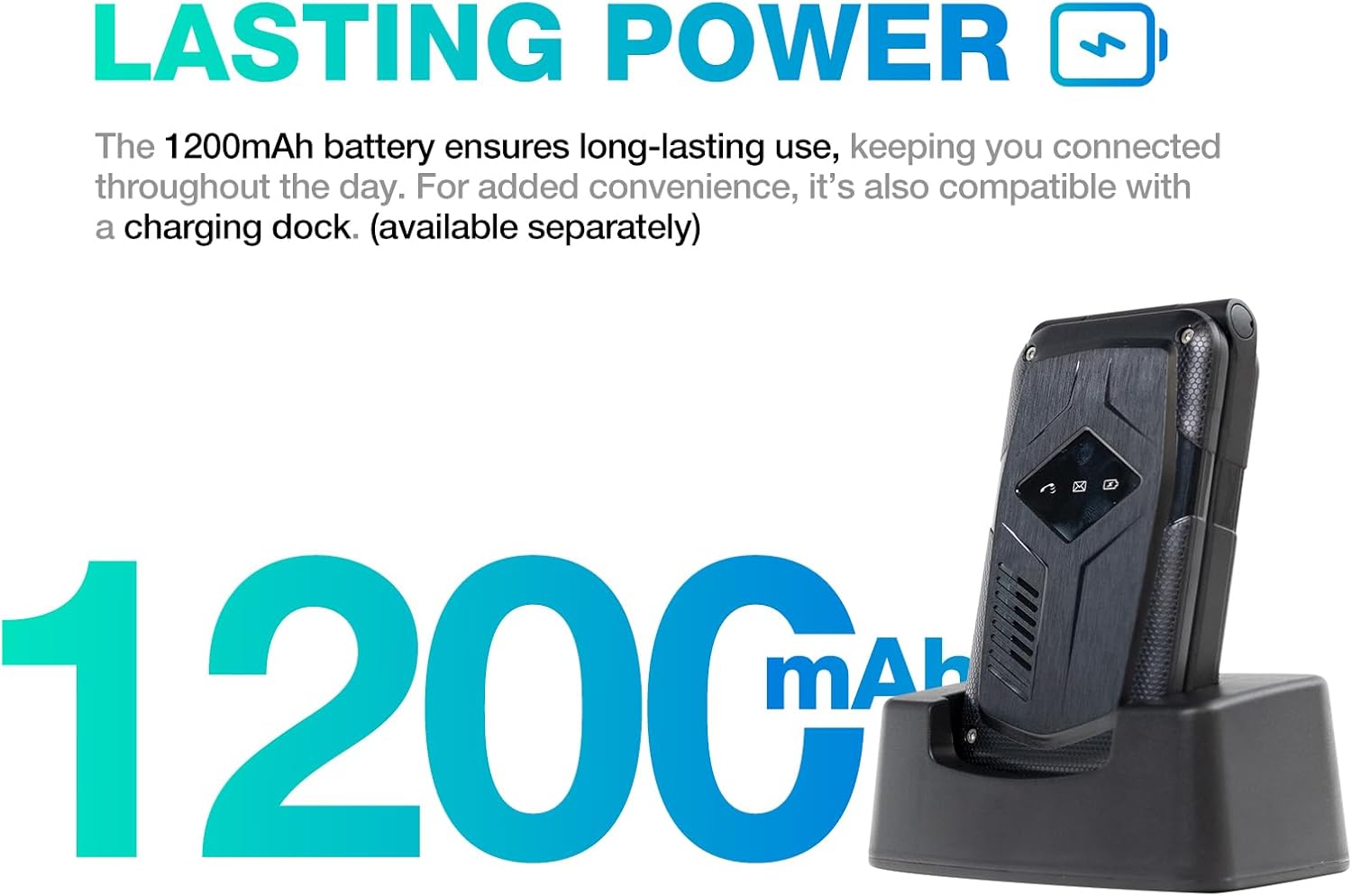
Image: A close-up of the AGM M10's keypad, with visual indicators pointing to the SOS button, FM radio function, and flashlight. This helps users locate these essential features.
5.5 Žibintuvėlis
To activate the built-in flashlight, locate the dedicated flashlight button or access it through the phone's menu, as indicated in the device overview.
5.6 FM radijas
The AGM M10 includes an FM radio function. Access it through the main menu. Headphones may be required to act as an antenna for optimal reception (if the phone has a 3.5mm jack, otherwise it might use internal antenna).
5.7 „Bluetooth“ ryšys
The phone supports Bluetooth 5.0 for connecting to compatible wireless accessories such as headsets or car kits.
- Go to "Settings" and then "Bluetooth".
- Įjunkite Bluetooth.
- Ieškokite available devices and select the device you wish to pair with.
- Vykdykite ekrane pateikiamus nurodymus, kad užbaigtumėte susiejimą.
6. Priežiūra ir priežiūra
6.1 Patvarumo savybės
The AGM M10 is engineered for rugged use with IP68/IP69K water and dust resistance and MIL-STD-810G drop protection. This means it can withstand:
- Panardinimas į vandenį: Iki 1.5 metro 30 minučių.
- Dulkių patekimas: Visiškai apsaugotas nuo dulkių.
- Lašai: Resistant to drops from a certain height onto hard surfaces.
To maintain these protections, ensure all port covers are securely closed and the back cover is properly sealed after battery or SIM card installation.

Image: The AGM M10 Basic Flip Phone partially submerged in water, demonstrating its waterproof capability.
6.2 Bendroji priežiūra
- Nuvalykite telefoną minkšta, damp audinys. Venkite stiprių cheminių medžiagų.
- Do not expose the phone to extreme temperatures for prolonged periods.
- Avoid disassembling the phone, as this may void the warranty and compromise its rugged features.
7. Problemų sprendimas
7.1 Tinklo ryšio problemos
The AGM M10 is designed to be T-Mobile compatible in the US. However, some users may experience limited network access, reduced coverage, or slower data speeds depending on specific network configurations or regional variations.
- Ensure your SIM card is properly inserted and activated.
- Check your network settings to confirm the correct network is selected.
- If issues persist, contact your network provider for assistance.
7.2 Phone Not Powering On
- Įsitikinkite, kad akumuliatorius yra tinkamai įdėtas ir visiškai įkrautas.
- Verify that the protective sticker has been removed from the battery contacts.
- Attempt to charge the phone for at least 30 minutes before trying to power it on again.
7.3 Kiti klausimai
For other operational difficulties, refer to the detailed user manual included in your package or contact AGM customer support.
8. Specifikacijos
| Funkcija | Detalė |
|---|---|
| Prekės ženklas | AGM |
| Modelio pavadinimas | M10A |
| Operacinė sistema | RTOS |
| Įdiegtos RAM atminties dydis | 48 MB |
| Atminties talpa | 0.12 GB (išplečiama iki 128 GB naudojant SD kortelę) |
| Ekrano dydis | 4.33 colių |
| Belaidis nešiklis | T-Mobile (US), Global (outside US) |
| Korinio ryšio technologija | 4G LTE |
| Spalva | Juoda |
| SIM kortelių lizdų skaičius | Dual SIM (Nano) |
| Jungties tipas | C tipo USB |
| Formos faktorius | Foldable Case (Flip Phone) |
| Atsparumo vandeniui lygis | Waterproof (IP68/IP69K) |
| Ausinės Jack | Nėra ausinių lizdo |
| Papildomos funkcijos | Basic Phone, Dual SIM, Expandable Memory, Rugged Body, SOS Button, Flashlight, FM Radio, Bluetooth 5.0 |
| Baterijos galia | 1200 milijonųamp Valandos |
| Ekrano tipas | LCD |
| Matmenys | 4.33 × 2.22 × 0.98 colio |
| Svoris | 4.9 uncijos |
9. Garantija ir palaikymas
9.1 Informacija apie garantiją
The AGM M10 Basic Flip Phone comes with a 2 metų garantija nuo įsigijimo datos. Ši garantija taikoma gamybos defektams, atsiradusiems įprasto naudojimo metu. Išsaugokite pirkimo įrodymą, jei galėtumėte pateikti pretenzijas dėl garantijos.
Note: Some third-party retailers may state a 1-year warranty; however, the manufacturer's stated warranty is 2 years.
9.2 Pagalba klientams
For technical assistance, troubleshooting, or warranty claims, please contact AGM customer support. AGM is committed to providing dedicated after-sales support and a straightforward replacement process for quality issues.
Apsilankykite oficialiame visuotiniame akcininkų susirinkime websvetainėje arba ieškokite kontaktinės informacijos, pateiktos jūsų produkto pakuotėje.