
1. Įvadas
This manual provides essential information for the safe and efficient use of your XIAOMI Redmi 15 5G Smartphone. Please read it carefully before using the device and keep it for future reference.
2. Pakuotės turinys
Patikrinkite, ar jūsų pakuotėje yra šie elementai:
- XIAOMI Redmi 15 5G Smartphone
- Apsauginis dėklas
- USB-C kabelis
- SIM išstūmimo įrankis
Pastaba: A power adapter is not included in the package. Please use a compatible 33W fast charger for optimal charging performance.
3. Įrenginio išdėstymas
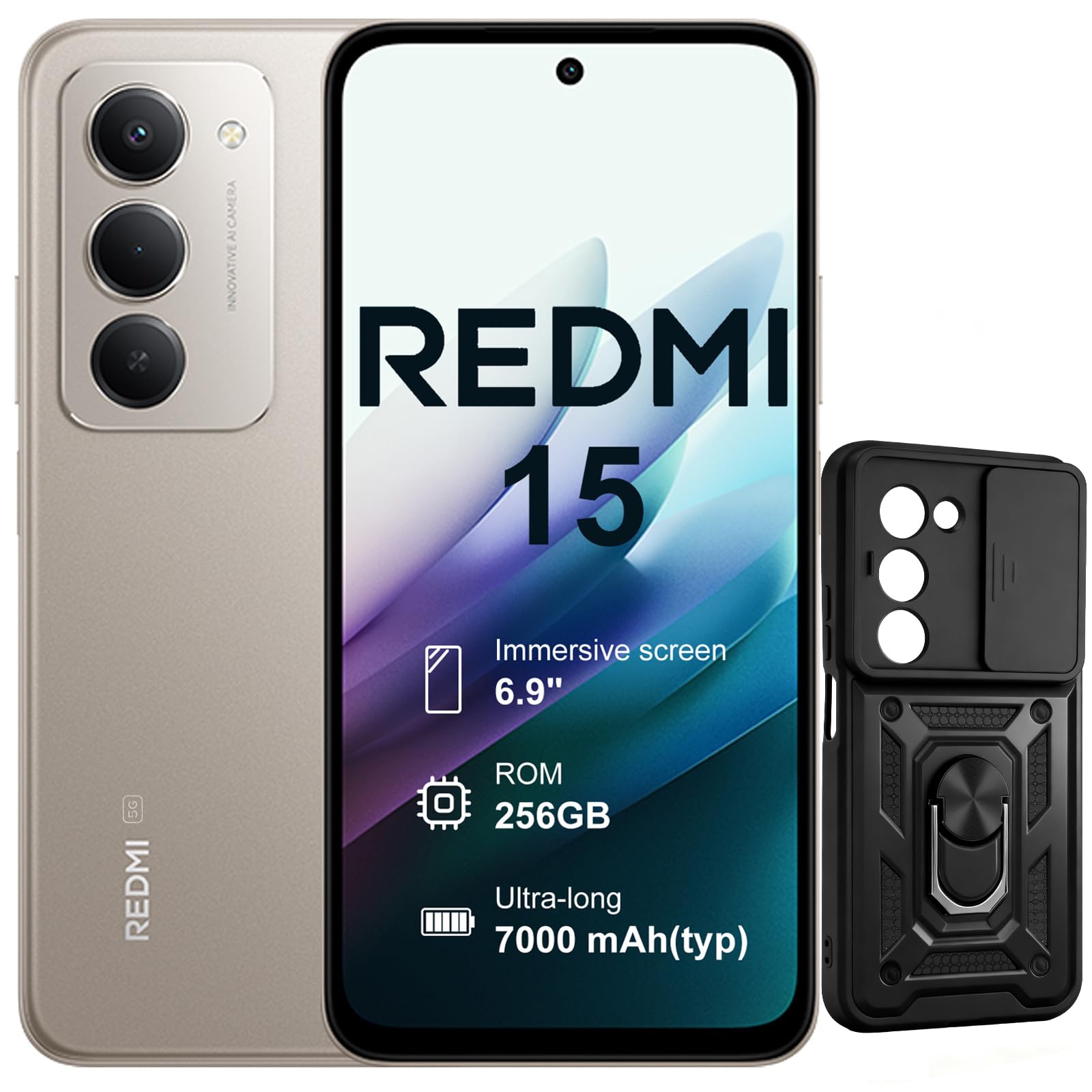
Vaizdas: Priekinė ir galinė dalys view of the XIAOMI Redmi 15 5G Smartphone. The device features a large display on the front and a triple camera setup on the rear.
Susipažinkite su savo išmaniojo telefono fiziniais komponentais:
- Maitinimo mygtukas: Located on the side, used to power on/off or wake/sleep the device. Also integrates the fingerprint sensor.
- Garsumo mygtukai: Įsikūręs šone, naudojamas medijos ir skambučių garsumui reguliuoti.
- USB-C prievadas: Įsikūręs apačioje, skirtas įkrovimui ir duomenų perdavimui.
- 3.5 mm ausinių lizdas: Located on the top/bottom, for connecting wired headphones.
- SIM kortelės dėklas: Located on the side, for inserting Nano SIM cards.
- Priekinė kamera: Located on the display, for selfies and video calls.
- Galinės kameros: Multiple lenses on the back for high-quality photography and video recording.
4. Sąranka
4.1. SIM kortelių įdėjimas
- Suraskite SIM kortelės dėklą savo įrenginio šone.
- Įkiškite SIM kortelės išstūmimo įrankį į mažą skylutę šalia dėklo ir tvirtai spauskite, kol dėklas iššoks.
- Place your Nano SIM card(s) into the designated slots on the tray. This device supports Dual SIM.
- Atsargiai įstatykite dėklą atgal į telefoną.
4.2. Pradinis įjungimas ir sąranka
- Paspauskite ir palaikykite maitinimo mygtuką, kol pasirodys „XIAOMI“ logotipas.
- Vykdykite ekrane pateikiamus nurodymus, kad pasirinktumėte kalbą, prisijunkite prie „Wi-Fi“ tinklo ir sukonfigūruotumėte „Google“ paskyrą.
- Configure security features such as fingerprint recognition (integrated into the power button) and screen lock.
5. Išmaniojo telefono valdymas
5.1. Rodymas ir sąveika
The Redmi 15 features an immersive 6.9-inch FHD+ display with a 144Hz refresh rate for smooth visuals. It also includes an all-day eye-care display for comfortable viewing.

Paveikslėlis: Žmogus viewing the smartphone screen in a dimly lit room, demonstrating the all-day eye-care display feature for reduced eye strain.
The device incorporates Wet Touch Technology 2.0, ensuring accurate touch response even when your fingers are wet or covered with oil or foam.

Image: A person interacting with the smartphone while at the beach, illustrating the Wet Touch Technology 2.0 which allows for accurate touch input even with wet fingers.
5.2. Kameros funkcijos
The Redmi 15 5G is equipped with a 50MP AI dual camera system, offering features like Super Resolution mode and dynamic shots. Video recording is stabilized in 4K.
5.3. Ryšys ir našumas
Powered by the Snapdragon 6 Gen 3 processor with integrated 5G modem, the device provides ultra-fast downloads and smooth gaming. It ensures powerful and fluid multitasking even with demanding applications.

Image: A graphic representation of the Snapdragon 6s Gen 3 processor, highlighting its 5G capabilities and support for up to 16GB RAM with memory extension.
5.4. Ypatingos savybės
Apibraukite, kad ieškotumėte naudodami „Google“: This feature allows you to instantly search for anything you see on your phone by circling, scribbling, or tapping to pinpoint items without needing screenshots.

Image: A smartphone screen demonstrating the "Circle to Search with Google" feature, where a user circles an item in an image to perform a search and view related results.
6. Maintenance and Battery Management
6.1. Battery Charging and Longevity
The device is equipped with a 7000mAh battery, providing up to 2 days of typical use. It supports 33W turbo charging for quick power-ups.

Image: A smartphone screen displaying a charging animation with "86.11%" and "MI TURBO CHARGE", alongside text highlighting the benefits of 33W turbo charging.
The battery is designed for durability, maintaining at least 80% of its original capacity after 1600 full charging cycles. Even at 1% battery level, the phone can remain in standby mode for up to 7.5 hours or allow up to 59 minutes of calls.

Image: A graphic illustrating "1% power endurance" with call and standby times, and "1600 charge cycles, capacity still ≥80%", emphasizing battery longevity.
The device also supports 18W reverse charging, allowing it to function as a portable power bank for other devices.

Image: Two smartphones connected via a cable, demonstrating the 18W reverse charging feature where one phone charges another, effectively acting as a power bank.
6.2. Environmental Resilience
The Redmi 15 5G is designed for reliable performance even in low temperatures, with enhanced battery performance at -20°C. It is also water-resistant.

Image: A smartphone with frost on its edges, illustrating its reliable performance and battery endurance at -20°C, with specific video playback and call times.
7. Problemų sprendimas
Jei kyla problemų dėl įrenginio, išbandykite šiuos pagrindinius trikčių šalinimo veiksmus:
- Įrenginys nereaguoja: Paspauskite ir palaikykite maitinimo mygtuką maždaug 10–15 sekundžių, kad priverstumėte paleisti iš naujo.
- Tinklo problemos: Check if your SIM card is properly inserted. Try toggling Airplane Mode on and off. Verify your mobile data settings.
- Įkrovimo problemos: Ensure the USB-C cable is securely connected to both the phone and the power adapter (not included). Try a different cable or power source.
- Programos gedimai: Uždarykite ir vėl atidarykite programėlę. Jei problema išlieka, išvalykite programėlės talpyklą arba įdiekite ją iš naujo.
- Pirštų atspaudų jutiklis neveikia: Įsitikinkite, kad jūsų pirštas švarus ir sausas. Jei reikia, iš naujo užregistruokite pirštų atspaudus.
For more advanced troubleshooting, please refer to the official XIAOMI support resources.
8. Specifikacijos
| Funkcija | Specifikacija |
|---|---|
| Prekės ženklas | XIAOMI |
| Modelio pavadinimas | Redmi 15 |
| Operacinė sistema | Android 15 |
| RAM | 8 GB |
| Sandėliavimo talpa | 256 GB |
| Ekrano dydis | 6.9 colių |
| Rezoliucija | 2460 x 1080 |
| Atnaujinimo dažnis | 144 Hz |
| Korinio ryšio technologija | 5G |
| SIM kortelių lizdai | Dvi SIM kortelės |
| Biometrinis identifikavimas | Pirštų atspaudų atpažinimas |
| Atsparumo vandeniui lygis | Atsparus vandeniui |
| Ausinių lizdas | 3.5 mm |
| Priekinės kameros skiriamoji geba | 8 MP |
| Galinės kameros skiriamoji geba | 50 MP |
| Baterijos talpa | 7000 mAh |
| Vidutinis baterijos veikimo laikas | 2 dienų |
| Matmenys | 16.9 x 8 x 0.8 cm |
| Įkrovimo prievadas | USB-C |
9. Informacija apie garantiją
Your XIAOMI Redmi 15 5G Smartphone comes with a 2 metų gamintojo garantijaŠi garantija taikoma medžiagų ir gamybos defektams, atsiradusiems įprasto naudojimo sąlygomis. Išsaugokite pirkimo įrodymą, jei galėtumėte pateikti pretenzijas dėl garantijos.
For detailed warranty terms and conditions, please visit the official XIAOMI websvetainėje arba susisiekite su klientų aptarnavimo tarnyba.
10. Parama
For further assistance, technical support, or service inquiries, please contact XIAOMI customer support through their official channels. You can also visit the official XIAOMI store for more information and resources:


