
1. Produktas baigtasview
The ZUMIMALL P8 is a 2K wireless video doorbell camera designed for home security. It features a rechargeable battery for flexible placement, 2.4 GHz Wi-Fi connectivity, and comes with a chime. Key features include 2K 3MP high-resolution monitoring with superior night vision, AI human detection, two-way audio with optional voice changers, anti-theft alarm, and IP66 weatherproof rating. It supports both local storage (up to 128GB via SD card, sold separately) and cloud storage options.
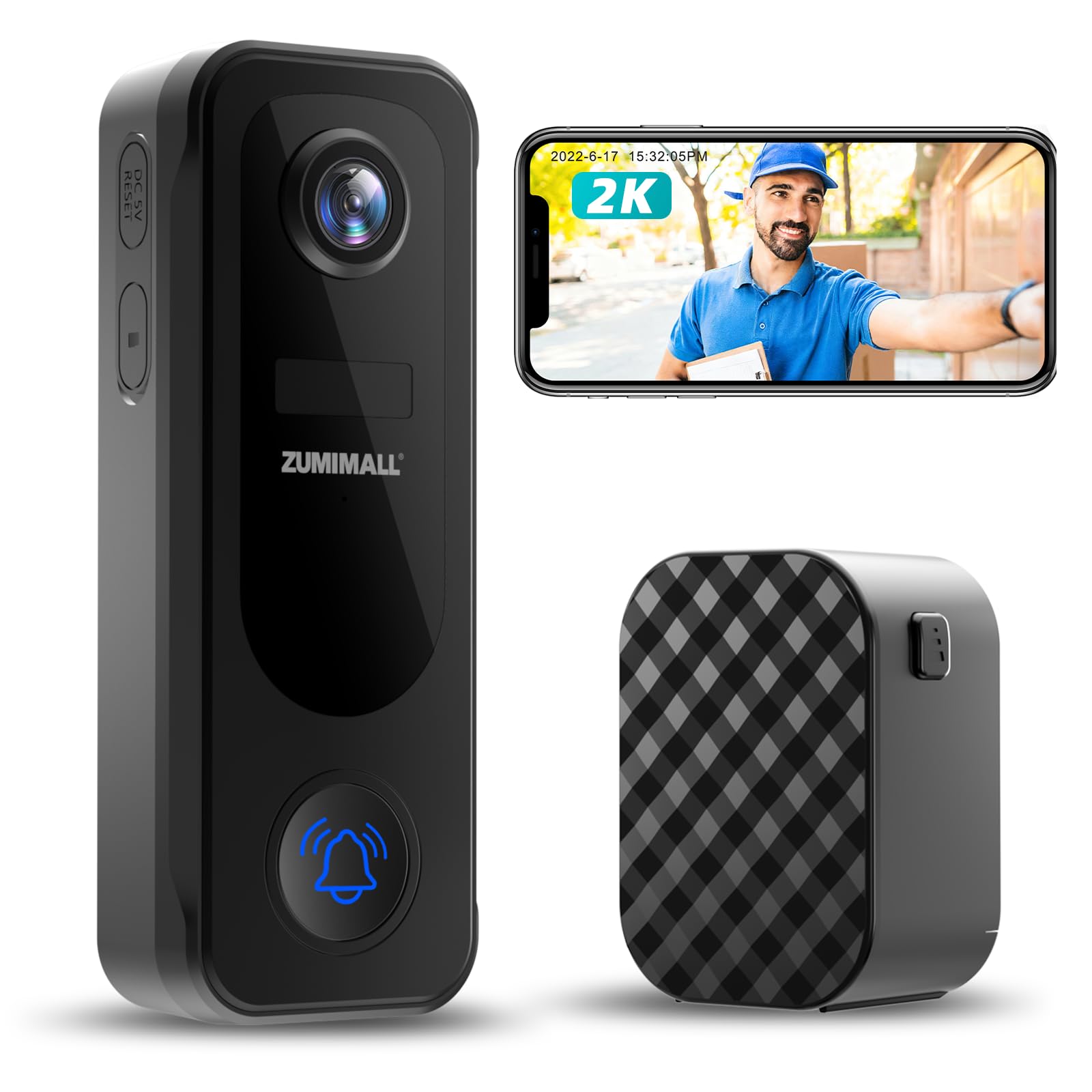
Figure 1: ZUMIMALL P8 2K Wireless Video Doorbell Camera and Chime.
2. Kas yra dėžutėje
Upon opening your ZUMIMALL P8 package, you should find the following items:
- Durų skambučio kamera
- Skambutis
- Įkrovimo kabelis
- Instrukcijų vadovas
- Tvirtinimo varžtai

2 pav.: Pakuotės turinys.
Išpakavimo vaizdo įrašas
Video 1: This video demonstrates the unboxing process of the ZUMIMALL P8 Doorbell Camera, showing all included components.
3. Sąranka
3.1 Komponento identifikavimas
Figure 3: ZUMIMALL P8 Doorbell Camera Components.
3.2 diegimas
The ZUMIMALL P8 doorbell camera offers two installation methods: screw-in or adhesive tape. Choose the method best suited for your mounting surface.
- Pasirinkite vietą: Select a suitable location, ideally around 1.4 meters (4.6 feet) from the ground for optimal viewing.
- Galinės plokštės montavimas:
- Screw-in Installation: Use the provided screws to fix the camera back plate to the wall.
- Lipnios juostos montavimas: Use the provided tape to attach the camera back plate to the mounting location.
- Pritvirtinkite fotoaparatą: Mount the doorbell camera onto the secured back plate.
- Apsaugokite fotoaparatą: Tighten the fixing screws on the back plate to secure the camera.
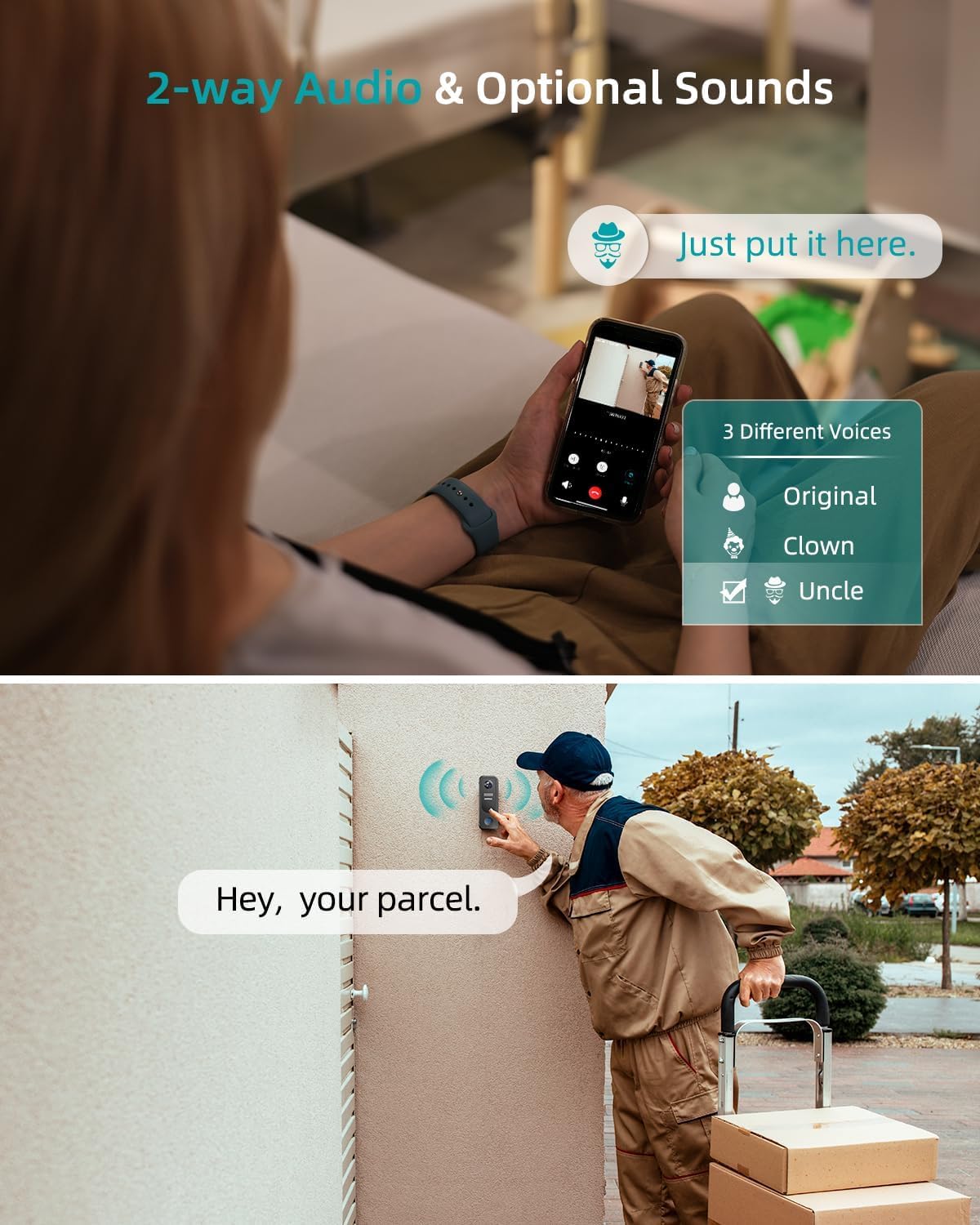
Figure 4: Easy Installation Options.
Installation and Removal Video
Video 2: This video provides a step-by-step guide on how to install and remove the ZUMIMALL P8 doorbell camera.
3.3 Programėlės ryšys
To connect your ZUMIMALL P8 doorbell camera to the ZUMIMALL App, follow these steps:
- Maitinimas: Press and hold the doorbell button for 5 seconds until you hear a ringtone, indicating the doorbell is on.
- Atstatyti (jei reikia): If this is the first time or you are having issues, reset the camera. Wait for the indicator light to turn red and flash slowly.
- Atidaryti programą: Open the ZUMIMALL App on your smartphone.
- Pridėti įrenginį: Tap 'Add Device' and follow the on-screen network setting tips.
- Prisijunkite prie „Wi-Fi“: Select your 2.4 GHz Wi-Fi network and enter the correct password.
- Nuskaityti QR kodą: Scan the QR code displayed in the App with your doorbell camera. You will hear a 'beep' sound upon successful scan.
- Prisijungimo patvirtinimas: Wait for the doorbell to connect. The doorbell light will turn blue, indicating successful addition.
- Užbaigti sąranką: Tap 'Next' to continue with installation suggestions and start using your doorbell.
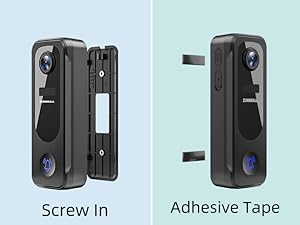
Figure 5: App Connection Steps.
Programėlės prijungimo vaizdo įrašas
Video 3: This video demonstrates how to connect the ZUMIMALL P8 doorbell camera with the ZUMIMALL App.
3.4 Chime Connection
To connect the wireless chime to your doorbell camera:
- Įdėkite baterijas: Load the batteries into the chime until you hear a 'ding dong' sound.
- Enable Chime Reminder: Open the ZUMIMALL App, go to the 'Chime Setting' and ensure the 'Chime Reminder' is turned on.
- Connect Chime: Hold the connect button on the chime until you hear a 'tick'.
- Bandomasis ryšys: Press the doorbell button. If both the doorbell and chime ring simultaneously, the connection is successful.
Chime Connection Video
Video 4: This video guides you through the process of connecting the doorbell chime to your ZUMIMALL P8 camera.
4. Naudojimo instrukcijos
4.1 Vaizdo stebėjimas
The ZUMIMALL P8 provides clear 2K 3MP high-resolution video monitoring, day and night. Its superior night vision ensures sharp images even in low-light conditions.

Figure 6: Day and Night Vision.
4.2 Judesio aptikimas ir įspėjimai
The doorbell camera features PIR human/AI detection, sending instant alerts to your smartphone when movement is identified. You can customize detection zones to reduce false alarms.

Figure 7: Smart AI Analysis & Instant Notification.
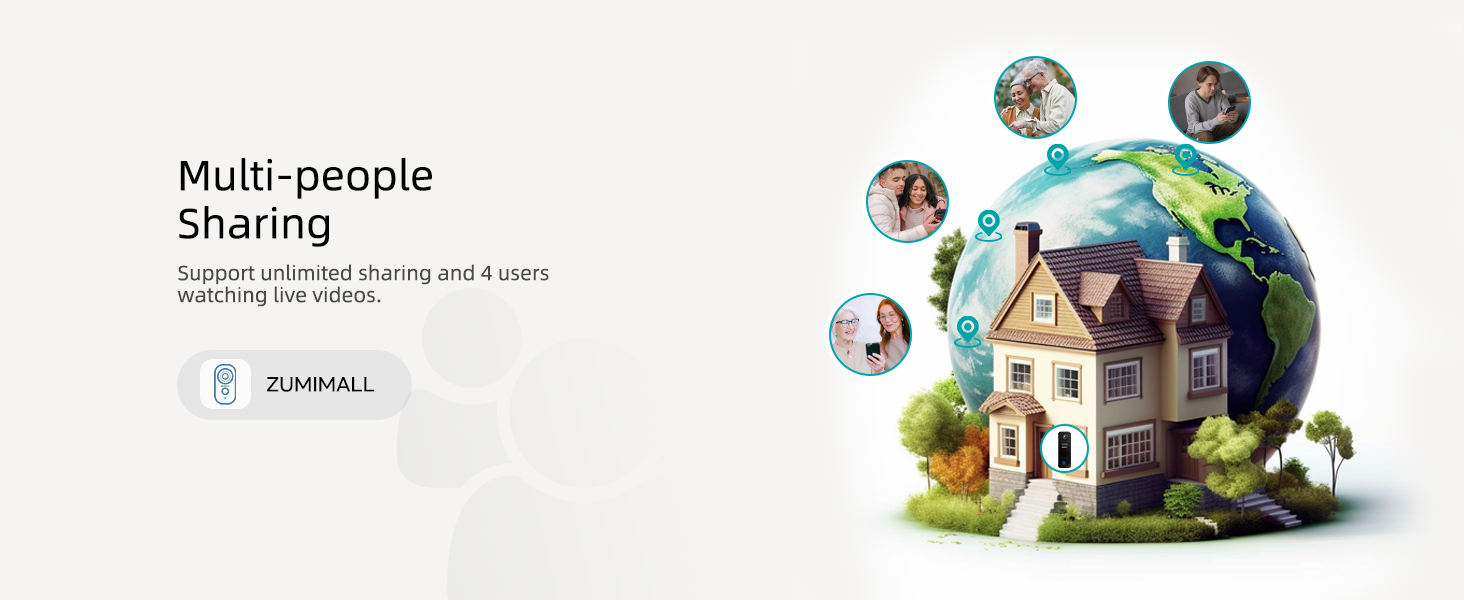
Figure 8: Customize Detection Zone.
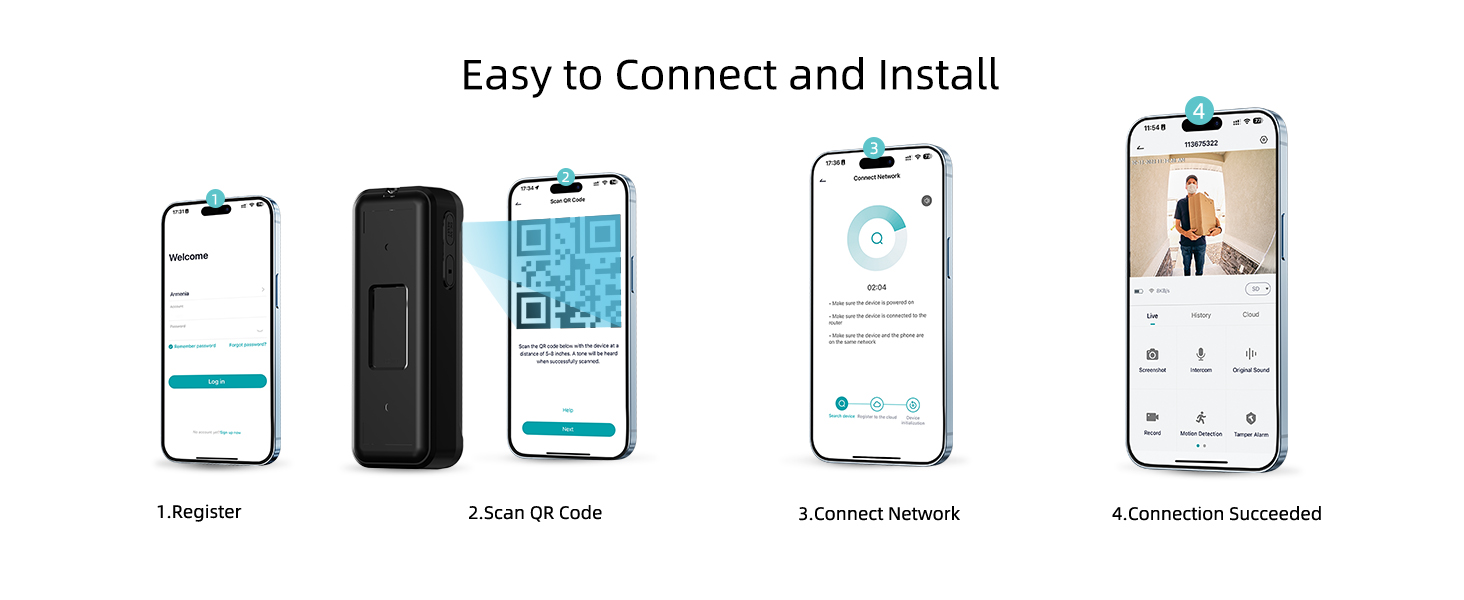
Figure 9: PIR Motion Detection & Instant Notification.
4.3 Dvipusis garsas
Communicate in real-time with visitors using the two-way talk feature. The ZUMIMALL App also allows you to leave voice messages up to 30 seconds long (up to 3 messages).

Figure 10: Two-Way Audio & Optional Sounds.
4.4 Saugojimo parinktys
Choose between local storage (up to 128GB via a memory card, sold separately) or 6-second cloud storage options. The device supports 7-day loop recording without a subscription when using local storage.

Figure 11: No Subscription Fees - Local or Cloud Storage.
4.5 Anti-Theft Feature
The doorbell camera is equipped with advanced anti-theft measures to deter tampering or theft. If the doorbell is forcibly removed, an alarm will be triggered.

Figure 12: Anti-theft Alert.
4.6 Atsparus oro sąlygoms dizainas
With an IP66 rating, the ZUMIMALL P8 is designed to withstand various weather conditions, ensuring durability and reliable operation year-round.
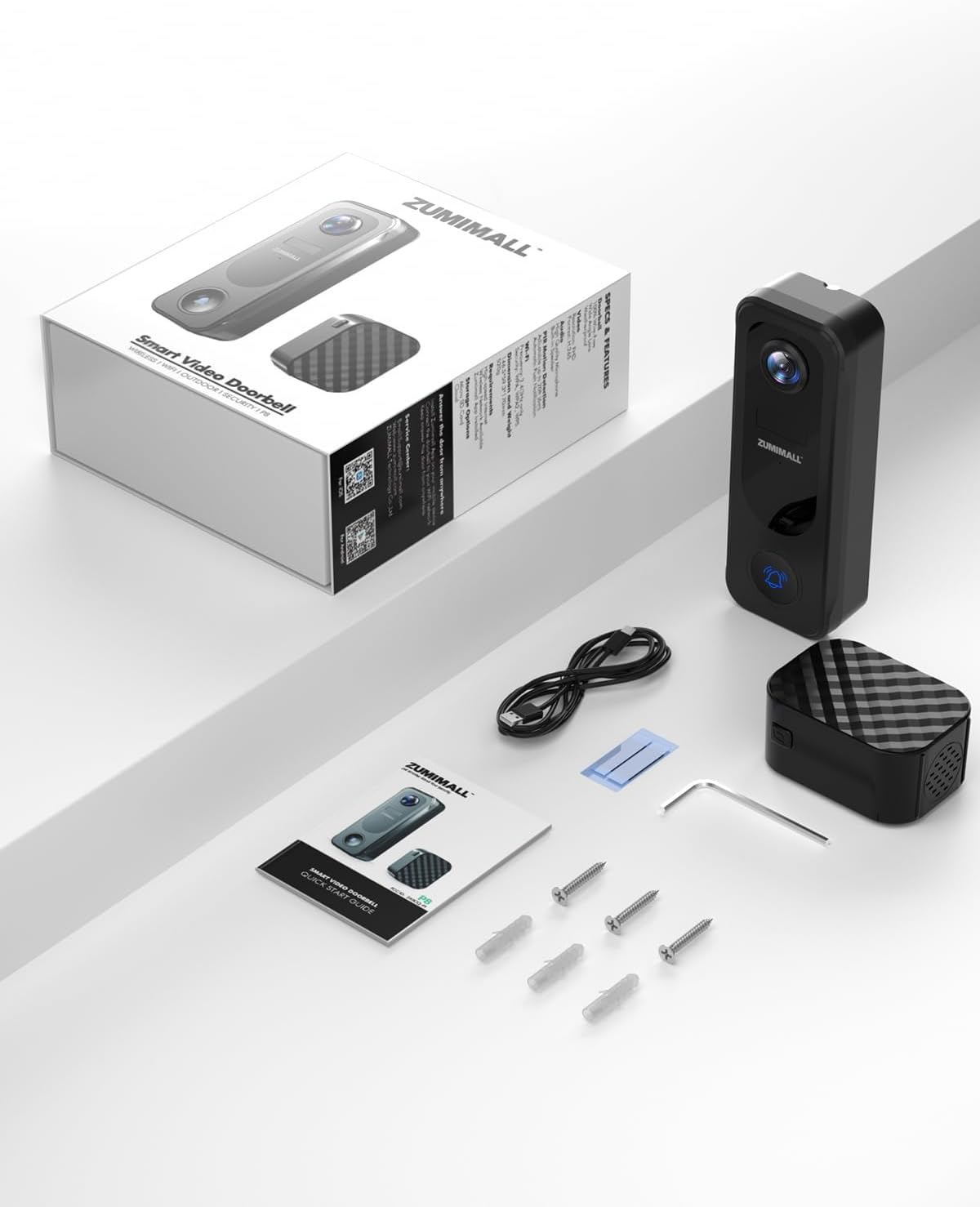
Figure 13: IP66 Weatherproof.
4.7 Kelių vartotojų bendrinimas
The ZUMIMALL P8 supports unlimited sharing and allows up to 4 users to watch live videos simultaneously, enabling multiple family members to monitor the entrance.
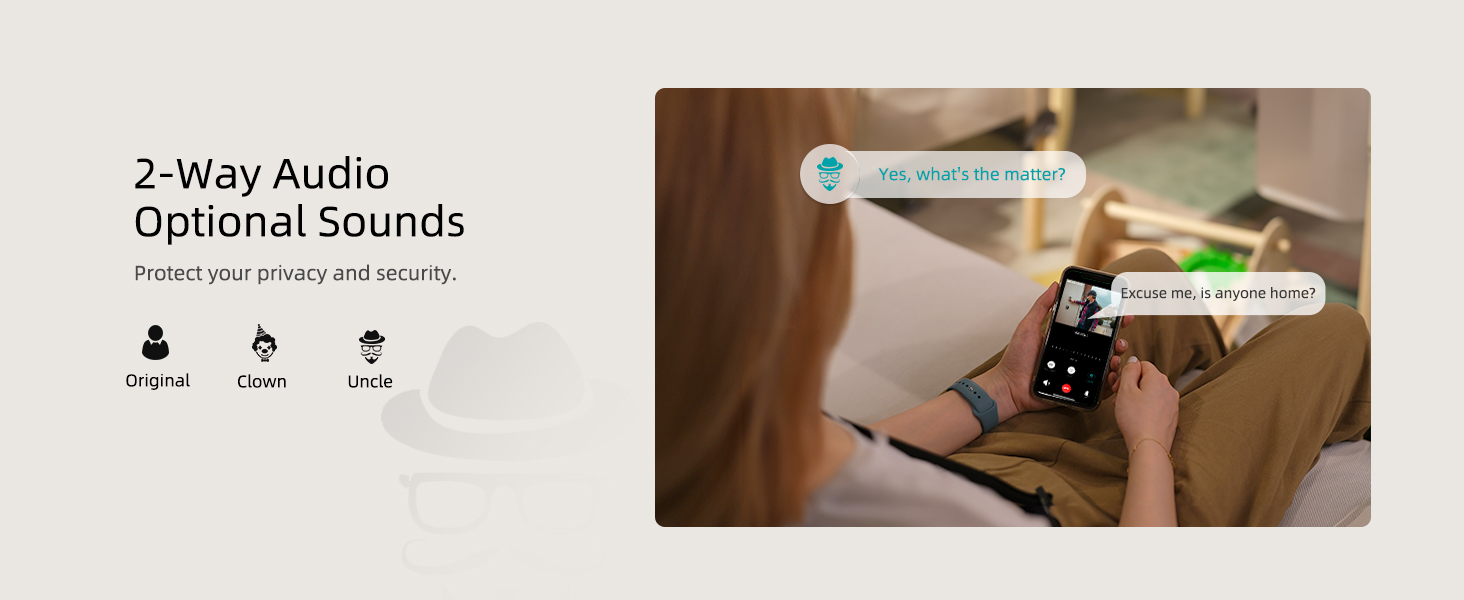
Figure 14: Multi-people Sharing.
5. Priežiūra
The ZUMIMALL P8 is battery-powered. Ensure the battery is regularly charged to maintain continuous operation. The battery life will vary based on usage and environmental conditions.
- Įkrovimas: Connect the doorbell camera to a power source using the provided charging cable when the battery level is low.
- Valymas: Periodically clean the camera lens and the doorbell surface with a soft, dry cloth to ensure clear video quality and proper functionality.
- Firmware atnaujinimai: Check the ZUMIMALL App regularly for any available firmware updates to ensure optimal performance and access to new features.
6. Problemų sprendimas
If you encounter issues with your ZUMIMALL P8 doorbell camera, refer to the following common troubleshooting steps:
- Ryšio problemos: Ensure your Wi-Fi network is 2.4 GHz and the signal strength is adequate at the doorbell's location. Try resetting your router and the doorbell camera.
- Doorbell Not Responding: Check the battery level. If the battery is low, recharge the device. If the device is powered on but unresponsive, try resetting it.
- Video Playback Problems: Ensure a compatible SD card (up to 128GB) is inserted correctly for local storage, or verify your cloud storage subscription is active.
- Klaidingi pavojaus signalai: Adjust the motion detection sensitivity settings in the ZUMIMALL App. Utilize the customizable detection zones to focus on specific areas and reduce unwanted alerts.
- Skambutis neskamba: Ensure the chime has fresh batteries and is successfully paired with the doorbell camera (refer to Section 3.4). Check the 'Chime Reminder' setting in the app.
Resetting the Doorbell Camera Video
Video 5: This video demonstrates how to reset your ZUMIMALL P8 doorbell camera.
7. Specifikacijos
| Funkcija | Specifikacija |
|---|---|
| Prekės ženklas | ZUMIMALAS |
| Modelio pavadinimas | P8 |
| Ryšio technologija | Belaidis ryšys (2.4 GHz „Wi-Fi“, „Bluetooth“) |
| Vaizdo įrašymo raiška | 2K |
| Veiksminga nejudančioji raiška | 3 MP |
| Ypatingos savybės | 2-Way Audio, HD Resolution, Local Recording, Night Vision, Weather Proof |
| Naudojimas viduje / lauke | Viduje, Lauke |
| Suderinami įrenginiai | Smartphone (ZUMIMALL APP, Amazon Alexa, Google Assistant) |
| Maitinimo šaltinis | Maitinamas baterijomis |
| Max Flash Memory Supported Size | 128 GB |
| Atsparumo vandeniui lygis | Neperšlampamas (IP66) |
| Prekės matmenys | 2.04 x 1.18 x 4.62 colio |
| Prekės svoris | 0.48 kilogramo |
8. Garantija ir palaikymas
ZUMIMALL is committed to providing high-quality products and customer satisfaction. For any issues or inquiries, please refer to the following:
- Informacija apie garantiją: Specific warranty details are typically provided with your product packaging or can be found on the official ZUMIMALL websvetainę.
- Klientų aptarnavimas: ZUMIMALL offers one-on-one online support to assist with setup, troubleshooting, and any other product-related questions. You can usually find contact information (email, phone, or live chat) on the ZUMIMALL website or within the ZUMIMALL App.
- Internetiniai ištekliai: Visit the official ZUMIMALL webDUK, atnaujintų vadovų ir papildomų pagalbos išteklių svetainė.