
Įvadas
This manual provides essential information for the setup, operation, and maintenance of your WalkerFit M6 GPS Smart Watch. Designed for active users, this smartwatch features multi-satellite positioning, a durable full-metal body, long battery life, 5ATM water resistance, Bluetooth calling, and a vibrant 1.43-inch AMOLED screen. Please read this manual thoroughly to ensure proper usage and to maximize your device's capabilities.
Pakuotės turinys
Verify that all items listed below are present in your product box:
- 1x WalkerFit M6 GPS Smart Watch
- 1x Magnetic Base Charger
- 1x vartotojo vadovas
- 1x Black Silicone Band
- 1x Camouflage Band

Image: Contents of the WalkerFit M6 GPS Smart Watch package, showing the watch, magnetic charger, user manual, and two interchangeable bands.
Sąranka
Pradinis įkrovimas
Before first use, fully charge your WalkerFit M6 GPS Smart Watch. Connect the magnetic charging cable to the charging points on the back of the watch and plug the USB end into a compatible power source. A full charge typically takes approximately 2.5 hours.
Maitinimo įjungimas/išjungimas
- Norėdami įjungti: Press and hold the power button (typically the top right button) until the screen illuminates.
- Norėdami išjungti: Press and hold the power button, then select the 'Power Off' option on the screen.
Video: Instructions on how to power on the WalkerFit M6 GPS Smart Watch.
Programos atsisiuntimas ir susiejimas
To unlock the full functionality of your smartwatch, download the companion app. The app is compatible with both Android and iPhone devices.
- Scan the QR code provided in the user manual or on the watch screen to download the 'FitCloudPro' app from your device's app store.
- Open the 'FitCloudPro' app and follow the on-screen instructions to create an account or log in.
- Įjunkite „Bluetooth“ savo išmaniajame telefone.
- Within the app, navigate to the 'Device' section and select 'Add Device' or 'Scan for Device'.
- Select 'M6 GPS' from the list of available devices to initiate pairing. Confirm the pairing request on both your smartphone and the smartwatch.
Naudojimo instrukcijos
Navigacija ir ekranas
- Jutiklinis ekranas: Braukite kairėn, dešinėn, aukštyn arba žemyn, kad naršytumėte meniu ir funkcijas. Palieskite, kad pasirinktumėte parinktis.
- Fiziniai mygtukai: The watch features multiple physical buttons for quick access to functions like Sport mode, Menu, and Back.
- Pritaikomi laikrodžių ciferblatai: Change your watch face directly from the device settings or through the companion app to personalize your display.

Image: The 1.43-inch AMOLED display of the WalkerFit M6 GPS Smart Watch, showcasing different customizable watch faces and the Always-On Display feature.
Multi-Satellite GPS and Outdoor Features
The WalkerFit M6 GPS Smart Watch is equipped with advanced multi-system positioning (GPS, GLONASS, Galileo, BeiDou) for accurate outdoor tracking. It also includes a built-in compass, altimeter, and barometer.
- Route Recording: Activate a sports mode (e.g., hiking, trail running, cycling) to automatically record your route, distance, and other metrics using GPS.
- Aplinkosauginis sąmoningumas: Utilize the compass for real-time directional guidance, the altimeter to track elevation changes, and the barometer to monitor air-pressure trends.

Image: A user wearing the WalkerFit M6 GPS Smart Watch while hiking, demonstrating its multi-satellite GPS tracking capabilities, compass, altimeter, and barometer features.
Sporto režimai ir sveikatos stebėjimas
Access over 170 indoor and outdoor sports modes directly from your watch. The device continuously monitors various health metrics.
- Sporto režimai: Select your desired activity (e.g., running, cycling, swimming, strength training) to track performance data such as heart rate, calories burned, and duration.
- Daily Wellness: The watch provides all-day tracking for heart rate, SpO₂, sleep patterns, stress levels, and activity trends. Review detailed insights in the companion app.

Image: A user engaging in water sports while wearing the WalkerFit M6 GPS Smart Watch, highlighting its 5ATM waterproof rating and the availability of over 170 sports modes.
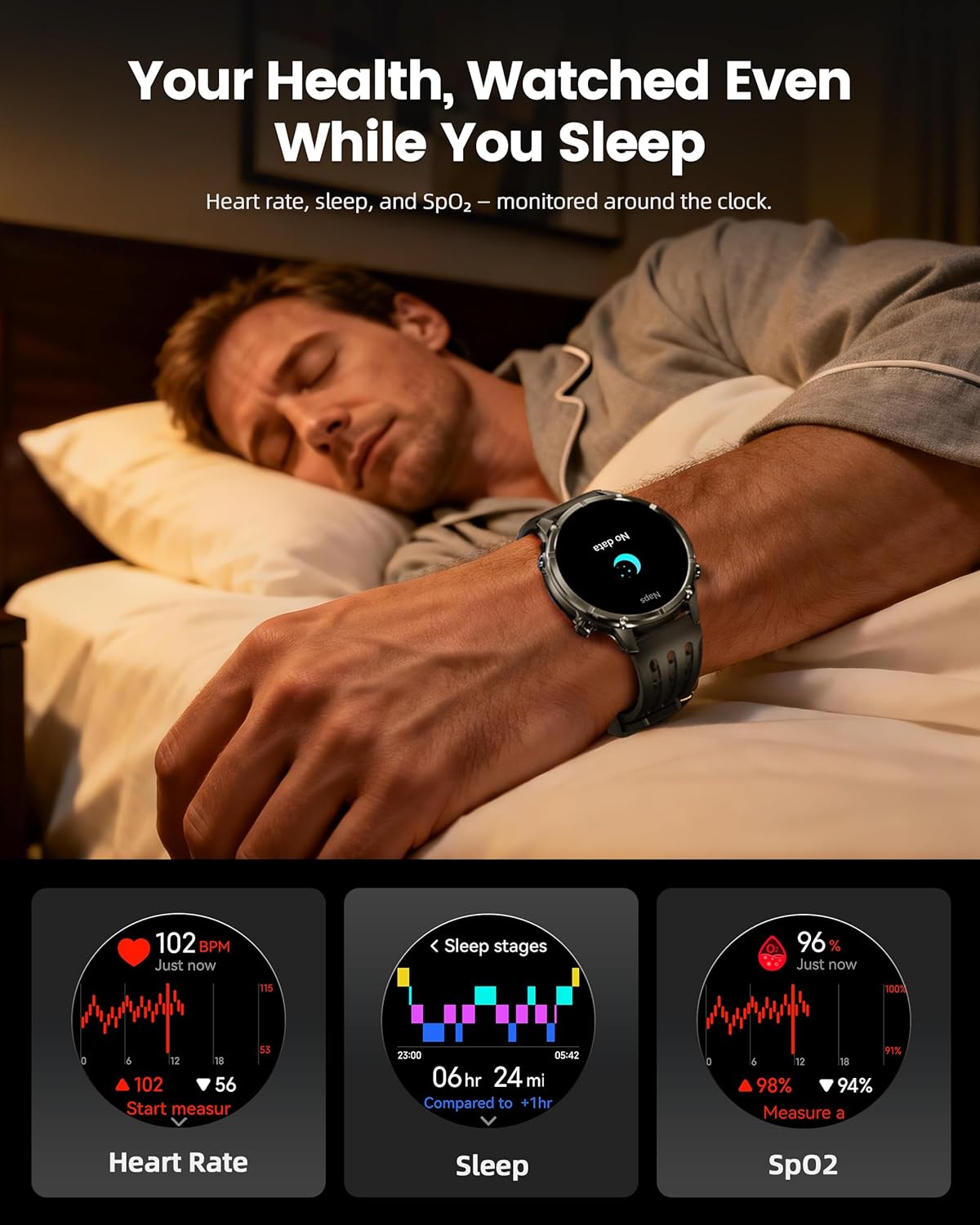
Image: The WalkerFit M6 GPS Smart Watch monitoring health metrics such as heart rate, sleep stages, and SpO₂ levels, even during sleep.
Bluetooth Calling and Smart Notifications
Stay connected with Bluetooth calling and smart notifications directly on your wrist.
- „Bluetooth“ skambučiai: Answer or place calls directly from your smartwatch when connected to your smartphone.
- Pranešimai: Receive alerts for SMS, email, and app notifications (e.g., WhatsApp, Facebook, Instagavinas).
- Papildomi įrankiai: Access music control, weather updates, world clock, timer, alarm, calculator, flashlight, find-phone, and camera control.
Video: Demonstration of the smartwatch's communication functions, including Bluetooth calls and smart notifications.

Image: The WalkerFit M6 GPS Smart Watch showing smart notifications from various apps and its AI assistant capabilities for calls and messages.
Pagrindinės funkcijos baigtosview
Rugged Design and Display
The WalkerFit M6 GPS Smart Watch is built with a durable full-metal zinc-alloy body and features a 1.43-inch AMOLED display with Always-On Display (AOD) functionality. The screen is designed for clear visibility even under strong sunlight and is protected with 8H hardness.
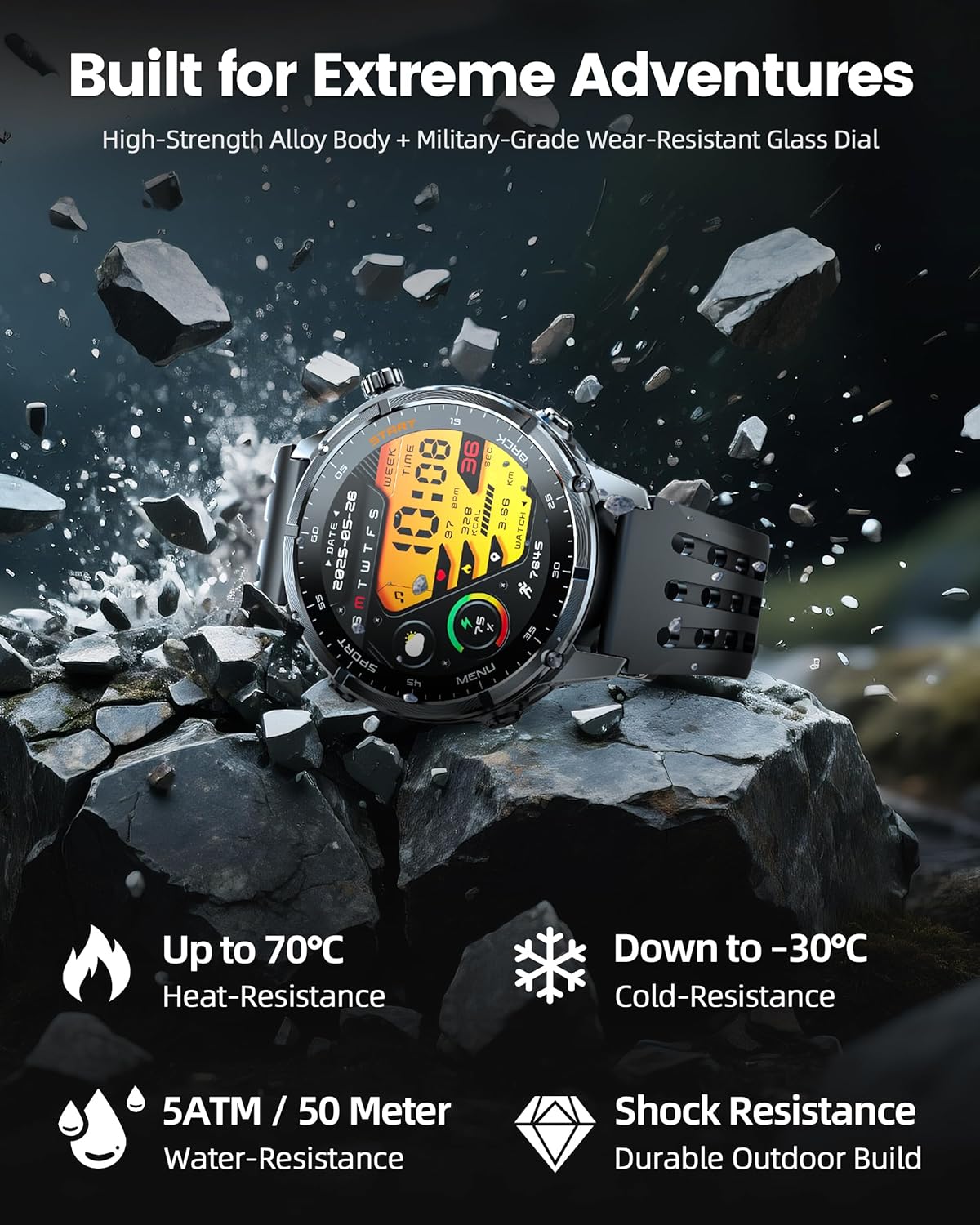
Image: The WalkerFit M6 GPS Smart Watch in a rugged outdoor setting, illustrating its high-strength alloy body, military-grade wear-resistant glass, and resistance to heat, cold, water, and shock.
Ilgai veikianti baterija
Equipped with a 520mAh battery, the smartwatch offers extended usage times:
- Up to 14 days for daily use.
- 7+ days during active outdoor training.
- Iki 60 dienų budėjimo režimu.
Recharging to full capacity takes approximately 2.5 hours.

Image: The WalkerFit M6 GPS Smart Watch on its magnetic charger, emphasizing its 520mAh battery capacity and multi-day usage capabilities.
Priežiūra
Valymas ir priežiūra
- Regularly clean the watch and bands with a soft, damp audinys.
- Avoid using harsh chemicals or abrasive materials that could damage the watch's finish or sensors.
- Prieš įkrovimą įsitikinkite, kad įkrovimo kontaktai yra švarūs ir sausi, kad išvengtumėte korozijos.
Atsparumas vandeniui
The WalkerFit M6 GPS Smart Watch is rated 5ATM, making it suitable for swimming in pools, use in rainy weather, splashes, and sweat during workouts. It is not recommended for diving or high-pressure water activities.
Trikčių šalinimas
- Laikrodis neįsijungia: Ensure the watch is fully charged. If the issue persists, try connecting it to the charger for a few minutes before attempting to power on again.
- Susiejimo problemos: Confirm Bluetooth is enabled on your smartphone and the watch is within range. Restart both devices and try pairing again through the 'FitCloudPro' app.
- Inaccurate Heart Rate/SpO₂ Readings: Įsitikinkite, kad laikrodis tvirtai uždėtas ant riešo – ne per stipriai ar per laisvai. Nuvalykite jutiklį laikrodžio gale.
- GPS signalo praradimas: Move to an open area away from tall buildings or dense foliage for better signal reception.
- Trumpas baterijos veikimo laikas: Adjust display brightness, reduce the display duration, or disable features like Always-On Display if not needed to extend battery life.
Specifikacijos
| Funkcija | Detalė |
|---|---|
| Modelio numeris | M6 GPS |
| Ekranas | 1.43 Inches AMOLED, 466*466 resolution |
| Baterijos talpa | 520 milijonųamp Valandos (520 mAh) |
| Ryšys | Bluetooth |
| GPS | Built-in GPS (Multi-Satellite Positioning) |
| Atsparumas vandeniui | 5 bankomatas |
| Operacinė sistema | Wear OS 1.1 |
| Prekės svoris | 4.8 uncijos |
| Medžiaga | Full Metal Zinc-Alloy Body |
Garantija ir palaikymas
For warranty information, technical support, or service inquiries, please refer to the contact details provided on the product packaging or visit the official WalkerFit websvetainėje. Išsaugokite pirkimo kvitą kaip pirkimo įrodymą garantiniams reikalavimams.