
Rossetta Rossetta 3D Projector
Rossetta 3D Galaxy Projector with Bluetooth Speaker & Remote User Manual
Model: Rossetta 3D Projector
Įvadas
This manual provides detailed instructions for the safe and effective use of your Rossetta 3D Galaxy Projector. Please read this manual thoroughly before operation and retain it for future reference.

Image: The Rossetta 3D Galaxy Projector and its remote control, projecting a nebula scene.
Saugos informacija
Norėdami užtikrinti saugų darbą, laikykitės šių atsargumo priemonių:
- Neardykite ir nemodifikuokite įrenginio.
- Saugokite įrenginį nuo vandens ir didelės drėgmės.
- Venkite tiesioginio projektoriaus šviesos patekimo į akis.
- Naudokite tik pateiktą maitinimo adapterį.
- Užtikrinkite tinkamą vėdinimą, kad išvengtumėte perkaitimo.
Pakuotės turinys
Patikrinkite, ar pakuotėje yra visi reikalingi daiktai:
- 1 x Rossetta 3D Projector
- 1x nuotolinio valdymo pultas
- 1x maitinimo adapteris
- 1 x Naudotojo vadovas (šis dokumentas)
Produktas baigtasview
Familiarize yourself with the main components of your projector:

Vaizdas: Išsamus view of the projector's HD lens and focus wheel.
- Projekcinis objektyvas: Emits the visual themes.
- Fokusavimo ratas: Reguliuojamas projektuojamo vaizdo aiškumas.
- Valdymo mygtukai: Located on the device for basic functions (Power, Volume, Bluetooth, Timer).
- Reguliuojamas stovas: Allows for angle adjustment of the projection.
- „Bluetooth“ garsiakalbis: Integruotas garsiakalbis garso atkūrimui.
- Nuotolinio valdymo pultas: Provides full control over all projector functions.
Sąranka
- Vieta: Pastatykite projektorių ant stabilaus, lygaus paviršiaus. Optimaliam veikimui viewing, place it 10 to 20 feet away from the projection surface (wall or ceiling). The projector covers an area of 130-385 sq. ft.
- Maitinimo jungtis: Connect the provided power adapter to the projector's power input and then to a standard electrical outlet.
- Sureguliuokite projekcijos kampą: Utilize the 220-degree adjustable stand to direct the projection to your desired surface.
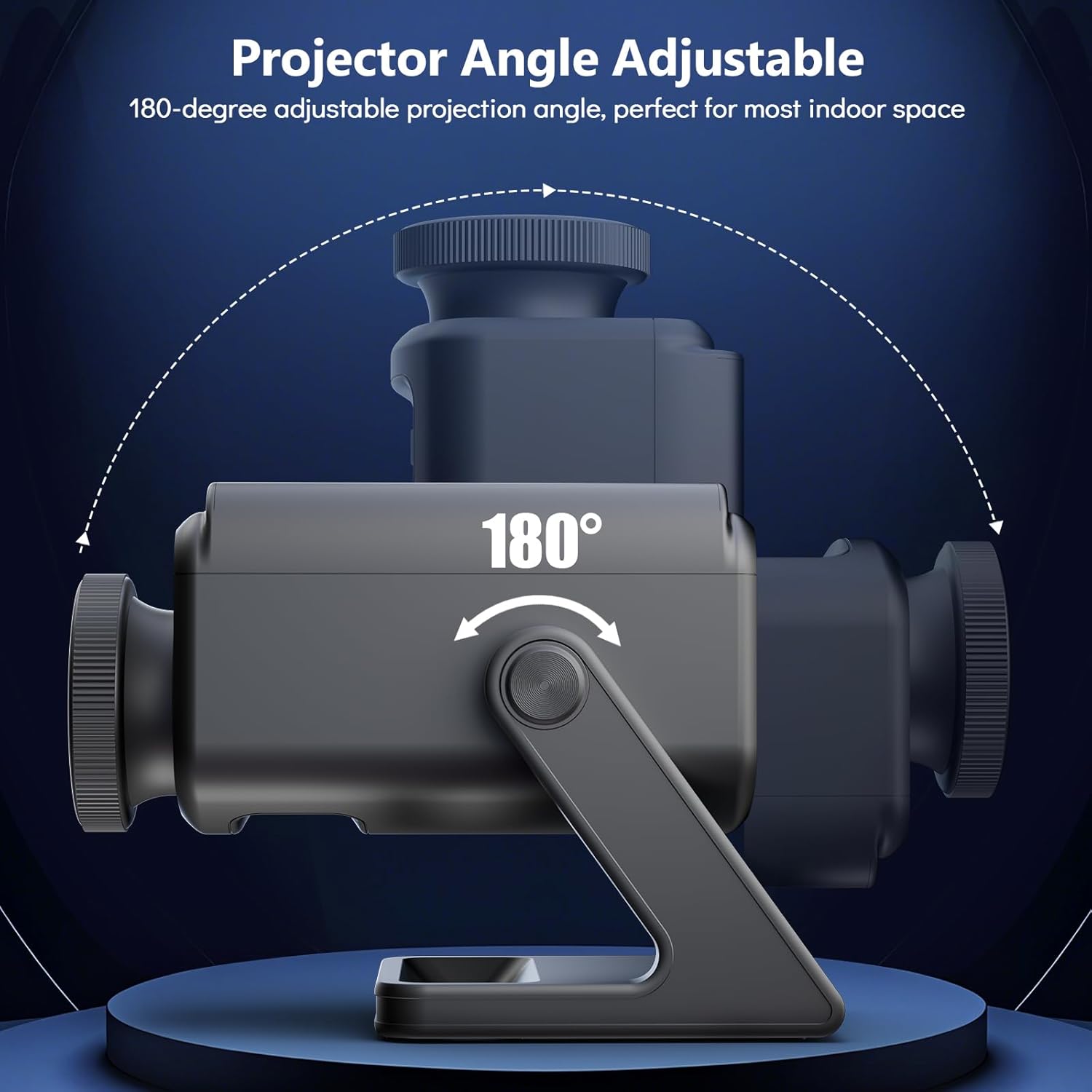
Image: Illustration of the projector's adjustable angle for versatile placement.
- Fokuso reguliavimas: Turn the focus wheel on the projector lens to achieve a clear and sharp image.
Naudojimo instrukcijos
Maitinimo įjungimas/išjungimas
- Norėdami įjungti arba išjungti įrenginį, paspauskite projektoriaus arba nuotolinio valdymo pulto maitinimo mygtuką.
Temos pasirinkimas
The projector features 60 dynamic 3D scenes across 12 captivating themes.

Image: A selection of the 60 dynamic 3D themes available with the projector.
- Use the remote control to browse and select desired themes.
- Themes include oceans, wildlife, cosmic wonders, and festivals.
Ryškumo reguliavimas
- Adjust the projection brightness using the dedicated buttons on the remote control.
Laikmačio funkcija
Set an automatic shut-off timer for convenience and energy saving.
- Press the "1H" or "2H" button on the remote control to set the projector to turn off after 1 or 2 hours, respectively.
Bluetooth garsiakalbis
The integrated Bluetooth speaker allows for audio playback.
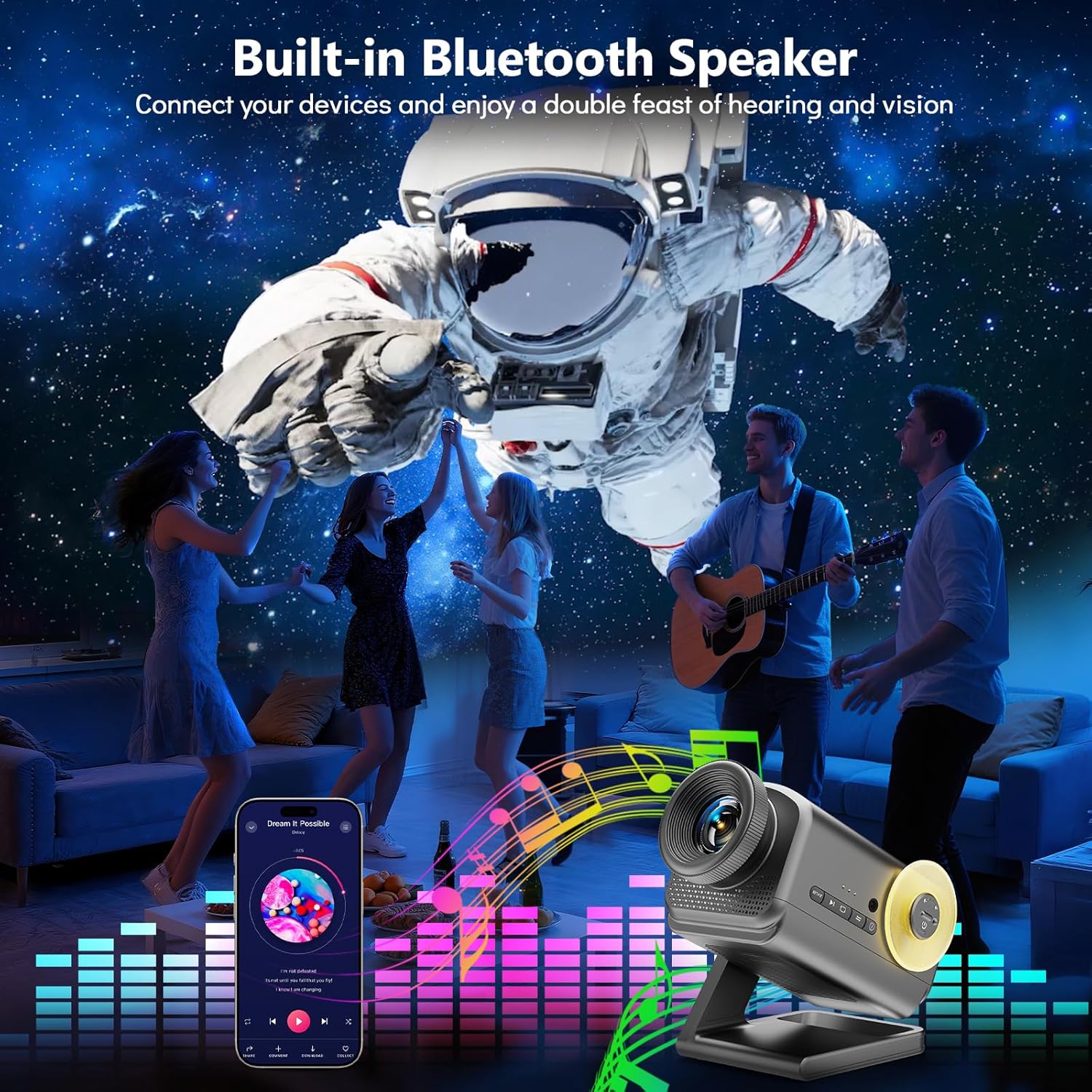
Image: The projector in use, highlighting its Bluetooth speaker capability during a social gathering.
- Suaktyvinkite „Bluetooth“ savo mobiliajame įrenginyje.
- Ieškokite "Rossetta Projector" in your device's Bluetooth settings and pair.
- You can now stream audio from your device or use the projector's built-in theme-matched background sounds.
Nuotolinio valdymo pulto naudojimas
The remote control provides comprehensive access to all features.
- Maitinimo mygtukas: Įjungta/Išjungta.
- Theme Selection Buttons: Navigate through the 60 themes.
- Ryškumo mygtukai: Increase or decrease projection brightness.
- Timer Buttons (1H/2H): Set automatic shut-off.
- Garsumo mygtukai: Sureguliuokite garsiakalbio garsumą.
- Bluetooth mygtukas: Toggle Bluetooth mode.
Žiniasklaidos integracija
Oficialus produkto vaizdo įrašas
Watch this video for a visual demonstration of the Rossetta 3D Galaxy Projector's features and capabilities.
Vaizdo įrašas: oficialus produkto vaizdo įrašasasing the Rossetta 3D Theme Projector and its various projections.
Priežiūra
- Valymas: Use a soft, dry cloth to clean the exterior of the projector. Do not use liquid cleaners or abrasive materials.
- Objektyvo priežiūra: Gently wipe the projector lens with a microfiber cloth designed for optics. Avoid touching the lens with bare hands.
- Saugykla: Kai nenaudojate, laikykite projektorių vėsioje, sausoje vietoje, toliau nuo tiesioginių saulės spindulių ir ekstremalių temperatūrų.
Trikčių šalinimas
| Problema | Galima priežastis | Sprendimas |
|---|---|---|
| Projektorius neįsijungia. | Nėra maitinimo. | Įsitikinkite, kad maitinimo adapteris yra tvirtai prijungtas tiek prie projektoriaus, tiek prie veikiančio elektros lizdo. |
| Vaizdas neryškus. | Fokusas netinkamai sureguliuotas. | Sukite projektoriaus objektyvo fokusavimo ratuką, kol vaizdas taps aiškus. |
| „Bluetooth“ garsiakalbis neprisijungia. | Bluetooth is not enabled or device is out of range. | Ensure Bluetooth is enabled on your device and the projector, and that they are within pairing range. Restart both devices if necessary. |
| Nuotolinio valdymo pultas neveikia. | Išsikrovęs akumuliatorius arba kliūtis. | Replace the remote control batteries. Ensure there are no obstructions between the remote and the projector. |
Specifikacijos
| Funkcija | Detalė |
|---|---|
| Spalva | Pilka |
| Medžiaga | Plastikiniai |
| Šviesos šaltinio tipas | Šviesos diodas (LED) |
| Maitinimo šaltinis | Su laidu elektra |
| ttage | 19 volto (DC) |
| Šviesos šaltinis Vattage | 28 vatų |
| Gaminio matmenys | 7.76 colio ilgio x 5 colių pločio x 5.59 colio aukščio |
| Prekės svoris | 3.06 svaro |
| Spindulio kampas | 220 laipsnių |
| Savybės | Dimmable, Bluetooth Speaker, 60 Themes, 1H/2H Timer |
| Sertifikatai | CE, FCC, RoHS |
Garantija ir palaikymas
Rossetta is committed to providing quality products and customer satisfaction.
- Grąžinimas / keitimas: Easy return and replacement options are available. Please refer to your purchase platform's return policy for details.
- Profesionalus palaikymas: Rossetta offers lifetime professional support for its products. For assistance, please contact customer service through the vendor's contact information provided at the point of purchase.
Ask a question about this manual
Ask about setup, troubleshooting, compatibility, parts, safety, or missing instructions. Manuals+ will review the question and use this page’s manual context to help answer it.