
Įvadas
This user manual provides essential information for the safe and efficient operation of your JBL PartyBox 720 portable party speaker. Please read this manual thoroughly before using the product to ensure proper setup, usage, and maintenance. Retain this manual for future reference.
Kas yra dėžutėje
Išpakuodami patikrinkite, ar yra visi komponentai:
- 1 x JBL PartyBox 720 Speaker
- Greitos pradžios vadovas
- 1 x saugos instrukcija ir garantinis talonas
- AC Power Cord (quantity and plug type vary by region)
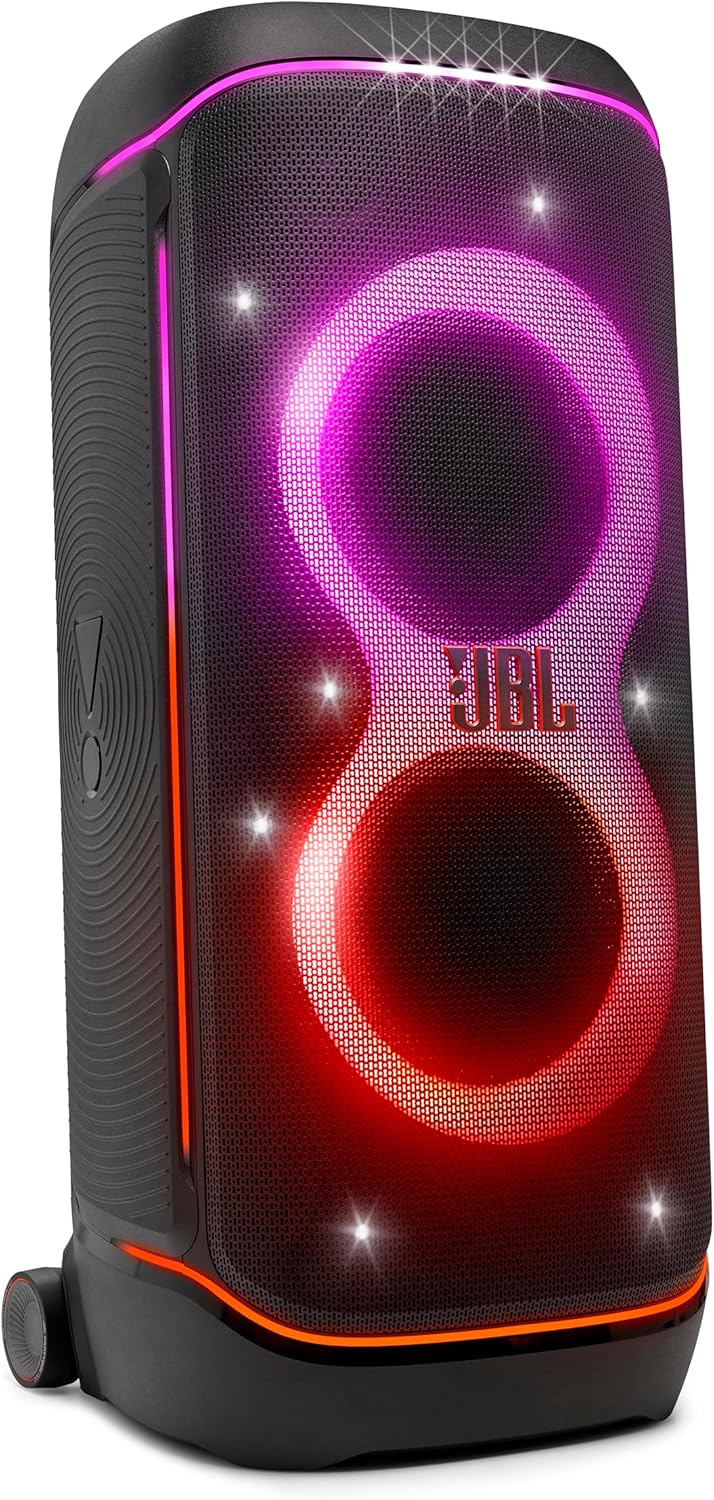
Image: The JBL PartyBox 720 speaker displaying its integrated light show.
Sąranka
1. Initial Charging and Power
Before first use, fully charge the JBL PartyBox 720. Connect the supplied AC power cord to the speaker's power input and then to a wall outlet. The charging indicator will show the battery status. A full charge provides up to 15 hours of playtime. The speaker can also operate while charging.
- Norėdami įjungti, paspauskite Maitinimo mygtukas.
- Norėdami išjungti, paspauskite ir palaikykite Maitinimo mygtukas kol įrenginys išsijungs.

Image: Rear panel of the JBL PartyBox 720, highlighting the power input and connection ports.
2. Informacija apie akumuliatorių
The PartyBox 720 features a swappable battery system. Spare batteries are sold separately. To replace the battery, refer to the detailed instructions in the Quick Start Guide or the Safety Instruction and Warranty Card. A 10-minute fast charge can provide up to 2 extra hours of playtime.
Naudojimo instrukcijos
1. „Bluetooth“ ryšys
- Įjunkite „JBL PartyBox 720“.
- Paspauskite Bluetooth mygtukas on the top panel to enter pairing mode. The light indicator will flash.
- On your mobile device, enable Bluetooth and select "JBL PartyBox 720" from the list of available devices.
- Prijungus, „Bluetooth“ indikatorius liks šviesti.

Image: Top control panel of the JBL PartyBox 720, showing the Bluetooth pairing button and other controls.
2. Laidinės jungtys
The PartyBox 720 supports various wired audio inputs:
- USB-C įvestis: Connect compatible devices for high-quality audio streaming.
- Dual XLR Inputs: Connect microphones, guitars, or DJ consoles using XLR cables. Adjust volume, bass, treble, and echo for connected instruments/mics using the dedicated controls on the top panel.

Vaizdas: Išsamus view of the JBL PartyBox 720's input panel, showing the USB-C and dual XLR ports.
3. Light Show Control
The PartyBox 720 features a dynamic light show. Press the Šviesos šou mygtukas on the top panel to cycle through different light patterns or turn the light show off. Further customization is available via the JBL PartyBox app.

Image: The JBL PartyBox 720 showcasing a green and blue light pattern.
4. JBL PartyBox programėlė
Download the JBL PartyBox app from your device's app store for enhanced control over your speaker. The app allows you to:
- Valdykite muzikos atkūrimą.
- Sureguliuokite EQ nustatymus.
- Customize the light show.
- Pasiekite papildomas funkcijas ir nustatymus.

Image: A smartphone screen showing the JBL PartyBox app, used for controlling speaker functions and light effects.
5. Multi-Speaker Connection (Auracast)
For a larger sound experience, you can connect multiple JBL Auracast-enabled speakers wirelessly. Refer to the JBL PartyBox app or the Quick Start Guide for detailed instructions on pairing multiple speakers.
- Pair two PartyBox 720 units for true stereo sound.
- Link additional JBL Auracast-enabled speakers for expanded audio coverage.
6. Portability and Durability
The JBL PartyBox 720 is designed for portability with an integrated handle and wide, sturdy wheels for easy transport over various terrains. It features an IPX4 splash-proof rating, making it resistant to splashes of water from any direction. This protection is suitable for outdoor use and poolside environments, but the unit is not waterproof and should not be submerged.

Vaizdas: Šoninė view of the JBL PartyBox 720, illustrating its integrated handle and robust wheels for transport.
Priežiūra
1. Valymas
To clean the speaker, use a soft, dry cloth. For stubborn dirt, a slightly damp cloth can be used. Avoid using abrasive cleaners, solvents, or harsh chemicals, as these can damage the speaker's finish or internal components. Ensure all port covers are securely closed before cleaning with a damp audinys.
2. Sandėliavimas
When not in use for extended periods, store the JBL PartyBox 720 in a cool, dry place away from direct sunlight and extreme temperatures. It is recommended to fully charge the battery before storing and to recharge it every few months to maintain battery health.
Trikčių šalinimas
If you encounter issues with your JBL PartyBox 720, consult the following table:
| Problema | Galima priežastis | Sprendimas |
|---|---|---|
| Nėra galios | Battery depleted; Power cord not connected; Power outlet issue. | Charge the speaker; Ensure power cord is securely connected; Test power outlet with another device. |
| Nėra garso | Volume too low; Source device not connected; Incorrect input selected. | Increase speaker and source device volume; Re-establish Bluetooth connection or check wired connections; Select correct input source. |
| „Bluetooth“ susiejimas nepavyksta | Speaker not in pairing mode; Device too far; Interference; Previous connection issue. | Press Bluetooth button to enter pairing mode; Move device closer; Avoid obstacles; Forget "JBL PartyBox 720" on your device and try pairing again. |
| Light show not working correctly | Light show turned off; Software glitch. | Press the Light Show button to activate; Check settings in the JBL PartyBox app; Perform a factory reset if necessary (refer to Quick Start Guide). |
For issues not covered here, please refer to the full Quick Start Guide or contact JBL customer support.
Specifikacijos
| Funkcija | Detalė |
|---|---|
| Modelio pavadinimas | „Partybox 720“ |
| Garsiakalbio tipas | Partijos pirmininkas |
| Montavimo tipas | Grindų stovėjimas |
| Didžiausia garsiakalbio išėjimo galia | 800 vatų |
| Dažnio atsakas | 20000 Hz |
| Žemų dažnių garsiakalbio skersmuo | 9 colių |
| Garso tvarkyklės tipas | Dinaminis vairuotojas |
| Ryšio technologija | Bluetooth, USB, XLR |
| Belaidžio ryšio technologija | Bluetooth 5.4 |
| Maitinimo šaltinis | Maitinamas baterijomis |
| Baterijos tipas | 1 ličio polimeras (pridedamas) |
| Žaidimo laikas | Iki 15 valandų |
| Atsparumo vandeniui lygis | IPX4 (atsparus vandens purslams) |
| Kontrolės metodas | Programėlė, įrenginio valdikliai |
| Gaminio matmenys (D x P x A) | 16 "D x 16.38" P x 37.1" A |
| Prekės svoris | 68.3 svaro |
| Spalva | Juoda |
| UPC | 050036414289 |
| Prekės modelio numeris | JBLPARTYBOX720AM |
Garantija ir palaikymas
1. Informacija apie garantiją
The JBL PartyBox 720 comes with a limited warranty. Please refer to the included Saugos instrukcijos ir garantijos kortelė for detailed terms, conditions, and registration information. Keep your proof of purchase for warranty claims.
2. Pagalba klientams
For technical assistance, product inquiries, or service requests, please visit the official JBL support websvetainėje arba susisiekite su jų klientų aptarnavimo skyriumi. Kontaktinę informaciją paprastai galite rasti JBL websvetainėje arba pridedamoje dokumentacijoje.