
1. Produktas baigtasview
The AJAZZ AJ139 V2 MC is a versatile tri-mode gaming mouse designed for precision and responsiveness. It features a PAW3311 sensor for accurate tracking, a 1000Hz return rate for smooth performance, and a long-lasting 500mAh battery. Its compact and lightweight design makes it suitable for extended use and portability.
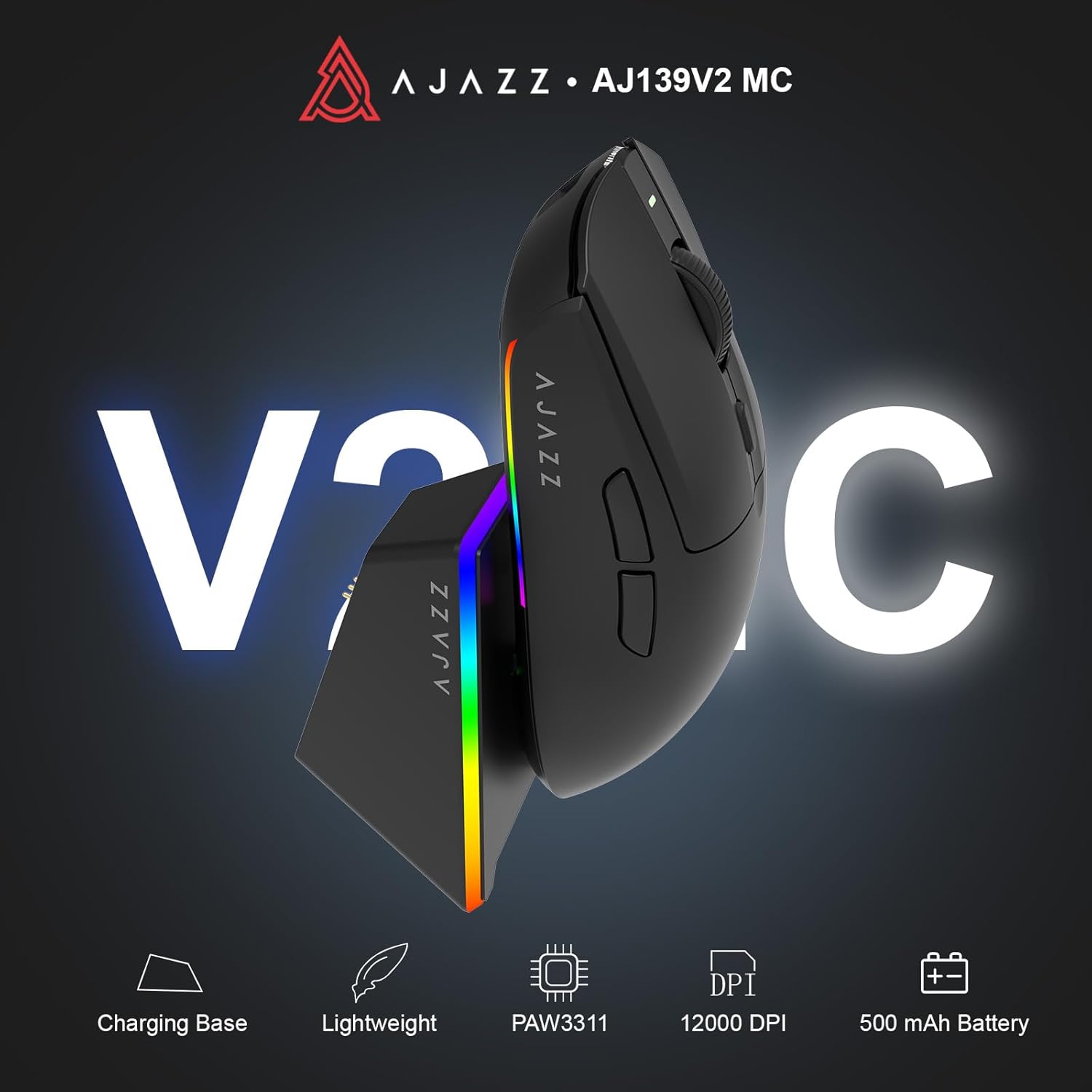
Figure 1.1: AJAZZ AJ139 V2 MC Gaming Mouse and Charging Dock.
1.1 vaizdo įrašas: metimas per sekundęview of the AJAZZ AJ139 V2 MC Gaming Mouse, highlighting its features and design.
2. Pakuotės turinys
Įsitikinkite, kad pakuotėje yra visi daiktai:
- AJAZZ AJ139 V2 MC Gaming Mouse
- Įkrovimo dokas
- USB-C įkrovimo laidas
- 2.4G USB Receiver (Dongle)
- Vartotojo vadovas
3. Pagrindinės savybės
- PAW3311 Sensor Technology: Equipped with the PAW3311 sensor, this mouse ensures precise tracking and accurate cursor control for optimal performance.
- High 1000Hz Return Rate: Experience smooth and responsive performance with a 1000Hz return rate, enhancing your gaming or work experience.
- Ilgai veikianti 500 mAh baterija: The integrated 500mAh battery provides extended power, ensuring uninterrupted use for prolonged periods.
- Trijų režimų ryšys: Supports versatile connectivity options including Wired, 2.4G Wireless, and Bluetooth, adapting to various devices and setups.
- Kompaktiškas ir lengvas dizainas: Weighing approximately 66 grams, the mouse features a compact design for easy portability and comfortable use during long sessions.
- Pritaikomas RGB apšvietimas: Features integrated RGB lighting for personalized aesthetics.
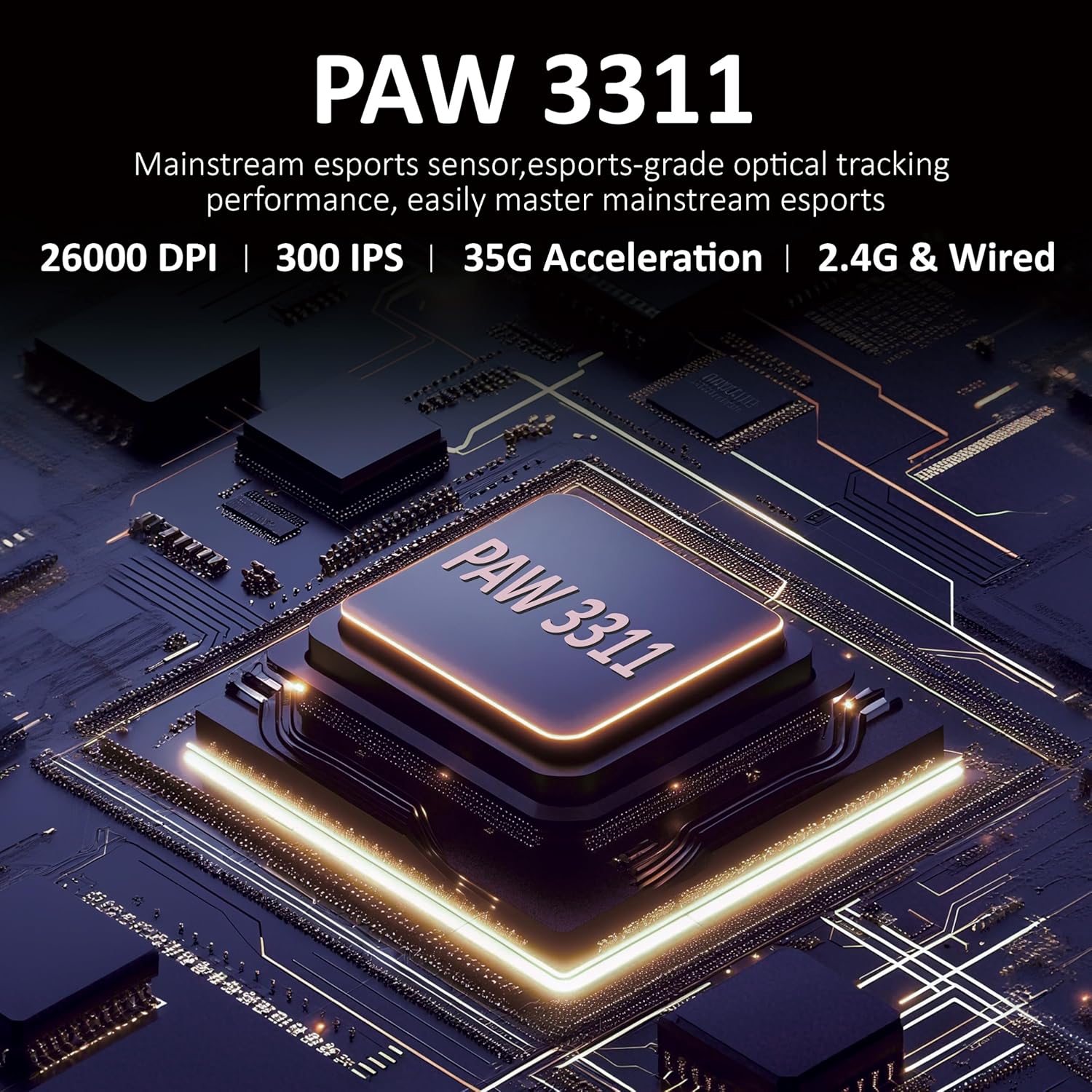
3.1 pav. Išsamus view of the PAW3311 sensor technology.
Video 3.1: Demonstration of the mouse's 500mAh battery life.

Figure 3.2: The lightweight design of the AJAZZ AJ139 V2 MC mouse.
4. Sąrankos vadovas
4.1. Pelės prijungimas
The AJAZZ AJ139 V2 MC offers three connection modes:
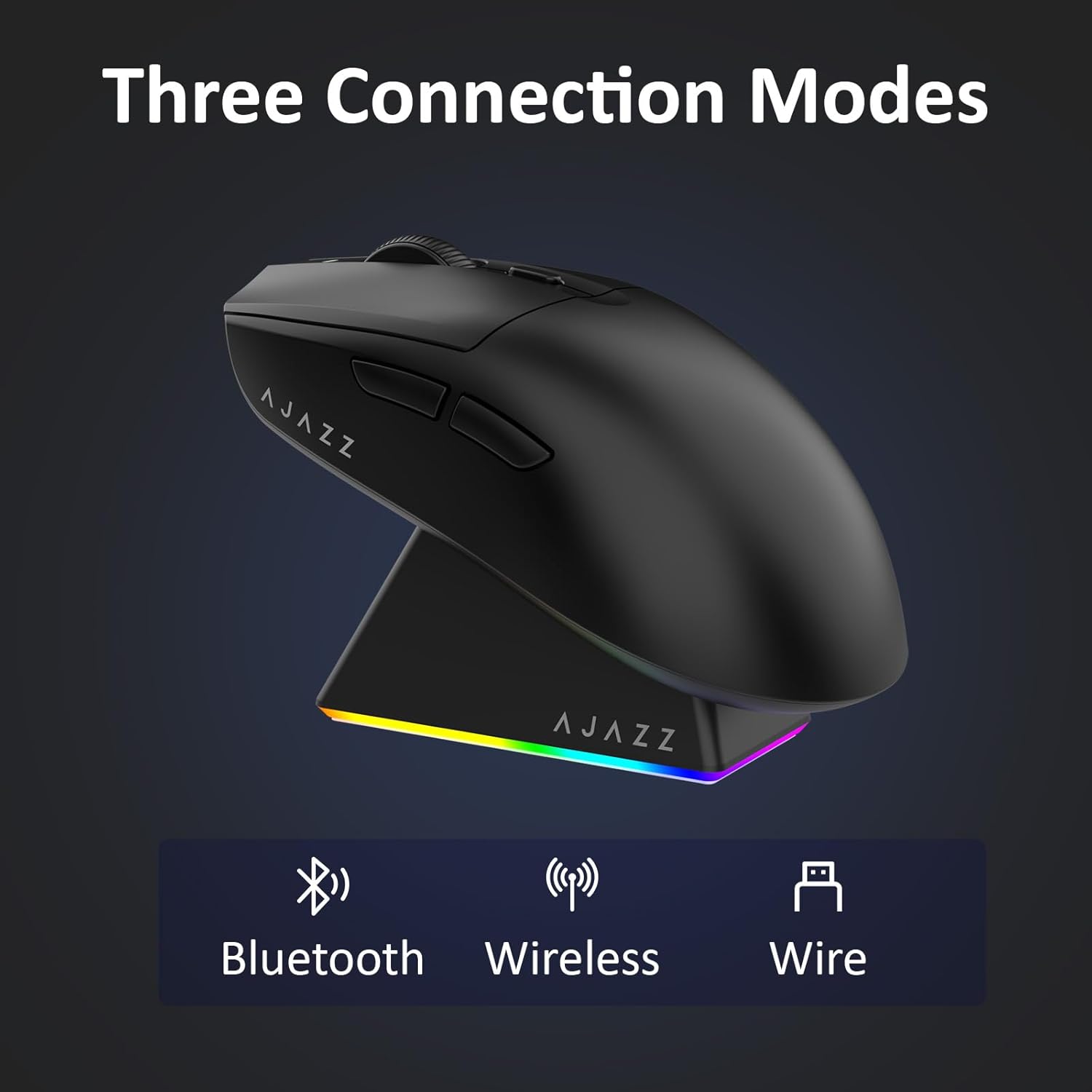
4.1 pav.: Trijų ryšio režimų vaizdinis vaizdas.
- 2.4G belaidis režimas:
- Raskite 2.4G USB imtuvą, esantį pelės apačioje esančiame skyriuje.
- Prijunkite USB imtuvą prie laisvo kompiuterio USB prievado.
- Pastumkite pelės apačioje esantį jungiklį į padėtį „2.4G“. Pelė automatiškai prisijungs.
- „Bluetooth“ režimas:
- Pastumkite pelės apačioje esantį jungiklį į „BT“ padėtį.
- On your device, open Bluetooth settings and search for new devices.
- Select 'AJAZZ AJ139 V2 MC' from the list to pair.
- Laidinis režimas:
- Connect the USB-C charging cable to the mouse and the other end to your computer's USB port.
- Pelė veiks kaip laidinis įrenginys ir bus kraunama vienu metu.
4.2. Pelės įkrovimas
The mouse can be charged using the included charging dock or directly via the USB-C cable.
- Įkrovimo stotelės naudojimas:
- Connect the USB-C charging cable to the charging dock and then to a power source (e.g., computer USB port, USB wall adapter).
- Place the mouse onto the charging dock, aligning the magnetic contacts. The RGB lighting on the dock and mouse will indicate charging status.
- Tiesioginis įkrovimas per USB-C:
- Connect the USB-C charging cable directly to the mouse and a power source.
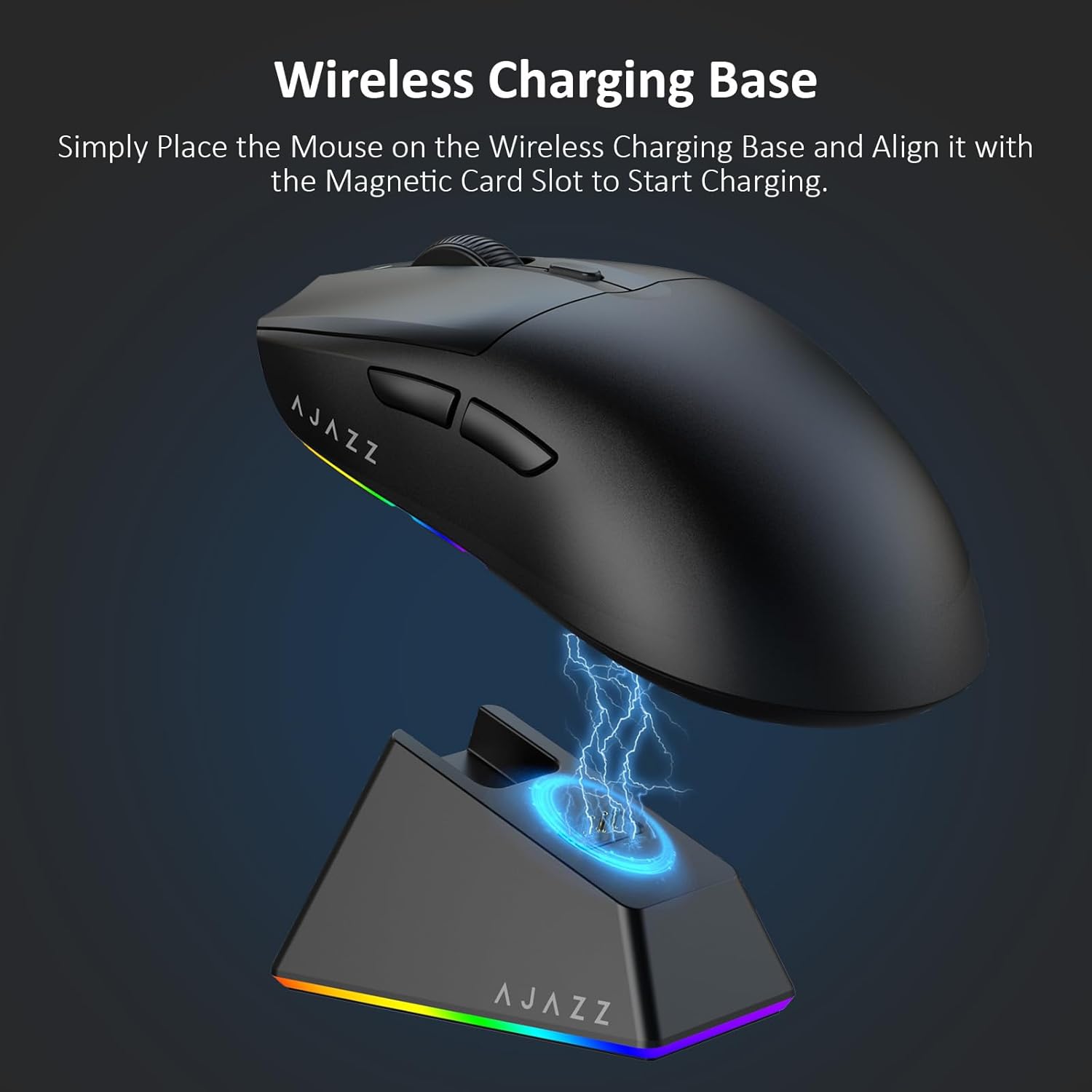
Figure 4.2: The mouse being charged on its wireless charging base.
5. Naudojimo instrukcijos
5.1. DPI reguliavimas
The mouse features a dedicated DPI adjustment button on its underside, allowing you to cycle through different sensitivity levels. Press the button to change the DPI setting to suit your preference.
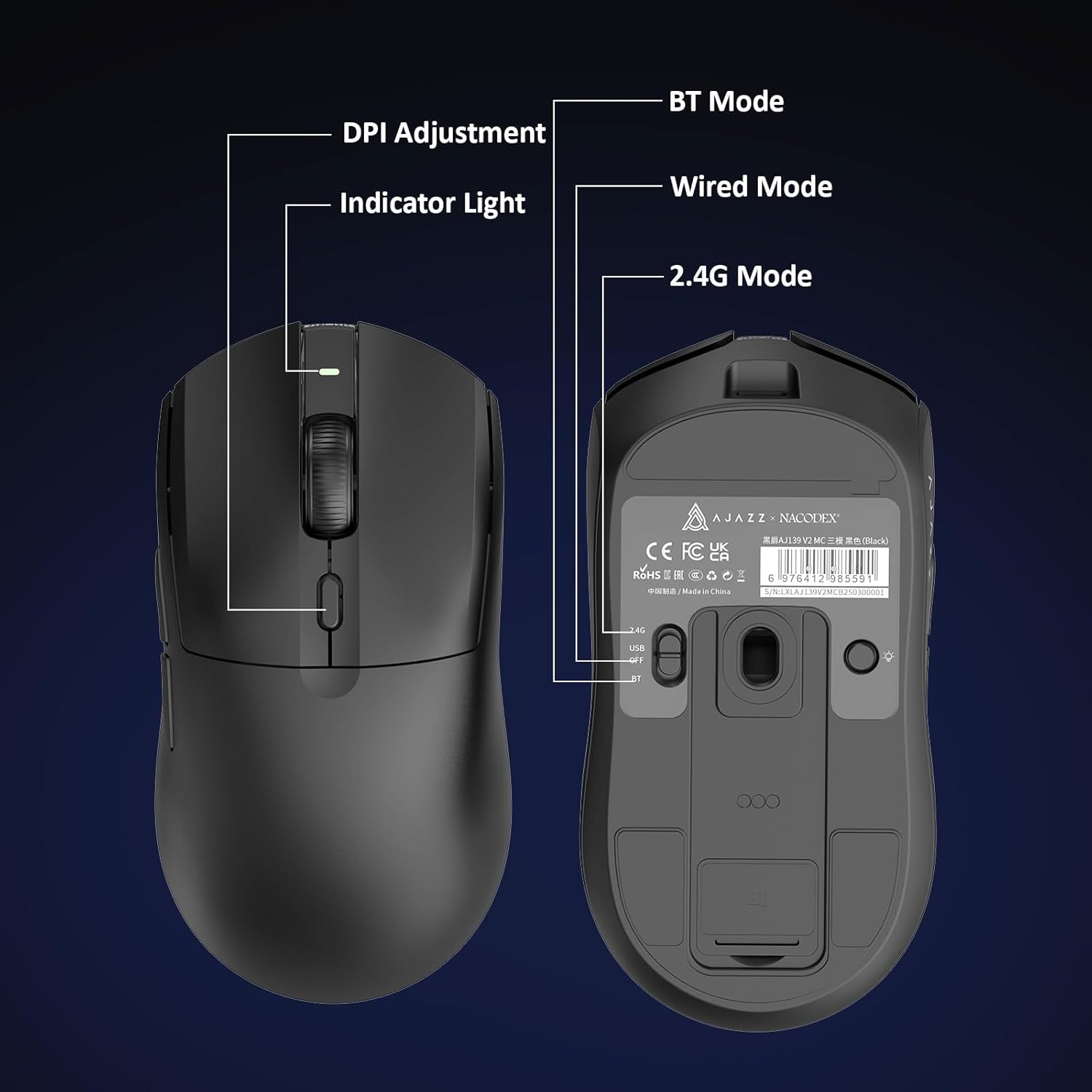
Figure 5.1: Location of the DPI adjustment button and connection mode switch on the mouse underside.
5.2. Mygtukų funkcijos
The mouse is equipped with 6 programmable buttons:
- Kairiojo spustelėjimo mygtukas
- Dešiniuoju pelės mygtuku spustelėkite
- Slinkties ratukas (spustelėjamas)
- DPI Adjustment Button (on underside)
- Two Side Buttons (typically for forward/backward navigation)
For advanced customization of button functions and macros, please refer to the official AJAZZ software (downloadable from the manufacturer's websvetainė).
5.3. RGB apšvietimo valdymas
The mouse and charging dock feature customizable RGB lighting. Specific controls for lighting modes and colors are typically managed through the official AJAZZ software. A dedicated light button on the underside of the mouse allows for basic cycling or turning off the lighting.
6. Priežiūra
- Valymas: Pelės paviršių valykite minkšta, sausa šluoste. Įsisenėjusius nešvarumus galima lengvai nuvalyti.amp galima naudoti šluostę, užtikrinant, kad į vidinius komponentus nepatektų drėgmės.
- Jutiklio priežiūra: Kad sekimo tikslumas būtų užtikrintas, pelės apačioje esantį optinį jutiklį laikykite švarų, be dulkių ar šiukšlių.
- Baterijos ilgaamžiškumas: Norėdami pailginti baterijos veikimo laiką, venkite dažnai visiškai iškrauti pelę. Įkraukite ją, kai baterijos indikatorius rodo mažą įkrovą.
7. Problemų sprendimas
| Problema | Galimas sprendimas |
|---|---|
| Mouse not responding in 2.4G Wireless mode. | Ensure the 2.4G USB receiver is securely plugged into a USB port and the mouse switch is set to '2.4G'. Try a different USB port. |
| Mouse not pairing via Bluetooth. | Ensure the mouse switch is set to 'BT' and your device's Bluetooth is enabled and discoverable. Try unpairing and re-pairing the device. |
| Pelė neįkraunama. | Verify the USB-C cable is properly connected to both the dock/mouse and the power source. Ensure the mouse is correctly seated on the charging dock's magnetic contacts. |
| Inconsistent tracking or cursor movement. | Clean the optical sensor on the underside of the mouse. Ensure you are using the mouse on a suitable surface (e.g., a mouse pad). |
| RGB apšvietimas neveikia. | Check the mouse's software settings for lighting control. Ensure the mouse has sufficient battery charge. |
8. Techninės specifikacijos
| Funkcija | Specifikacija |
|---|---|
| Prekės ženklas | AJAZZ |
| Modelio pavadinimas | Aj139 V2 MC |
| Spalva | V2 MC Black |
| Ryšio technologija | „Bluetooth“, USB, 2.4G belaidis ryšys |
| Judesio aptikimo technologija | Optinis (PAW3311 jutiklis) |
| Mouse Maximum Sensitivity | 12000 Dots per Inch (DPI) |
| Grąžinimo norma | 1000 Hz |
| Baterijos talpa | 500 mAh |
| Mygtukų kiekis | 6 |
| Rankų orientacija | Teisingai |
| Suderinami įrenginiai | Stalinis kompiuteris |
| Operacinė sistema | Windows |
| Diapazonas | 10 metrų |
| Prekės svoris | 4 uncijos (apie 113 gramų) |
| Prekės matmenys L x W | 5 colio ilgio x 2.5 colio pločio (apytiksliai 12.7 cm x 6.35 cm) |
| Pagražinimo funkcija | RGB apšvietimas |
| Korpuso medžiaga | Plastikiniai |
| Baigti | Matinis |
9. Garantija ir palaikymas
This product comes with a standard manufacturer's warranty. For detailed warranty information, please refer to the official AJAZZ websvetainėje arba susisiekite su savo pardavėju.
For technical support, troubleshooting assistance, or any product-related inquiries, please visit the AJAZZ official support page or contact their customer service team.
Internetiniai ištekliai:
AJAZZ Official Store