
1. Įvadas
This manual provides detailed instructions for the setup, operation, maintenance, and troubleshooting of your Muddy Pro Cam 20 MP Trail Camera. Please read this manual thoroughly before using the camera to ensure proper function and longevity of the device. The Muddy Pro Cam 20 MP is designed for capturing high-resolution images and videos of wildlife with its 20MP sensor and 720p video capabilities.

1 pav.: priekis view of the Muddy Pro Cam 20 MP Trail Camera.
2. Pakuotės turinys
Patikrinkite, ar pakuotėje yra visi toliau išvardyti daiktai:
- Muddy Pro Cam 20 Megapixel Trail Camera with Video Function
3. Pagrindinės savybės
- Didelės raiškos vaizdavimas: 20MP camera with 850nm LEDs for clear day and night captures. Supports 20MP, 8MP, and 4MP resolution images.
- Didelės raiškos vaizdo įrašas: Captures 720p videos at 30 frames per second (FPS).
- Greitas paleidimo greitis: 0.5-second trigger speed to capture quick movements.
- Versatile Burst Mode: Captures 1 to 3 images per triggering event.
- Extensive Detection Range: 80-foot detection range for broad coverage.
- Maitinimo šaltinis: Operates on eight AA batteries.
- Saugumas: Integrated Python lock latch for theft deterrence.
4. Sąranka
4.1. Akumuliatoriaus įdėjimas
- Atidarykite kameros korpuso fiksatorių.
- Raskite akumuliatoriaus skyrių.
- Insert eight (8) AA batteries, ensuring correct polarity (+/-) as indicated inside the compartment.
- Saugiai uždarykite akumuliatoriaus skyrių.
4.2. SD kortelės diegimas
- Išjungę kamerą, suraskite SD kortelės lizdą.
- Insert a standard SD card (up to 32GB, not included) into the slot with the metal contacts facing down, until it clicks into place.
- To remove, press the SD card gently to release it.
4.3. Kameros montavimas
The camera can be mounted using the included strap or a compatible mounting accessory.
- Select a suitable location, such as a tree or post, ensuring a clear view norimo ploto.
- Perverkite tvirtinimo dirželį per kameros gale esančius plyšius.
- Securely fasten the strap around the mounting surface.
- Adjust the camera angle to optimize the field of view and detection zone.
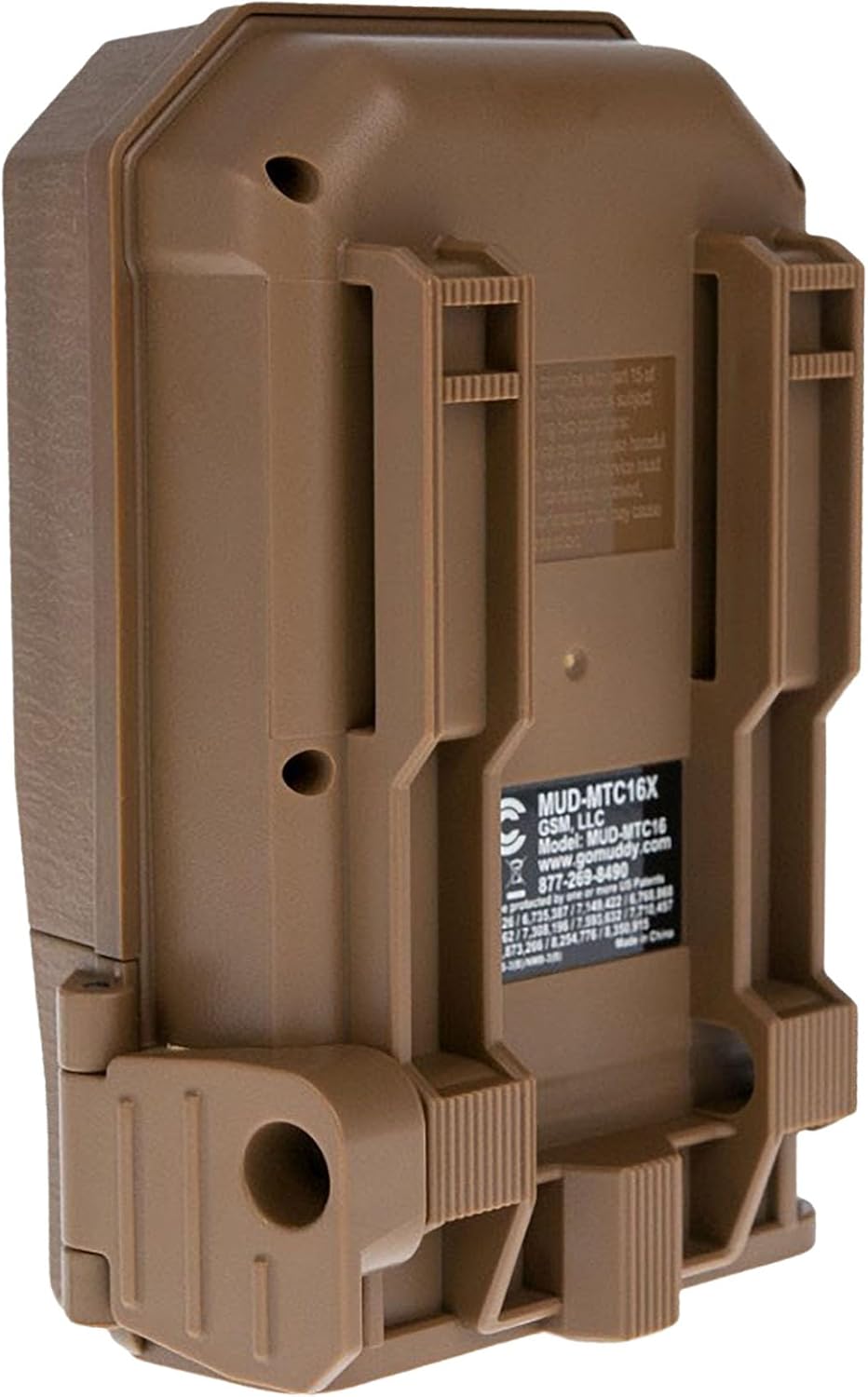
2 pav.: Nugara view of the camera showing mounting slots and product label.
5. Naudojimo instrukcijos
5.1. Įjungimas/išjungimas
- To power on, slide the power switch to the 'ON' position. The camera will perform a self-check.
- Norėdami išjungti maitinimą, pastumkite maitinimo jungiklį į padėtį „OFF“.
5.2. Meniu naršymas
Use the navigation buttons (Up, Down, Left, Right, OK) to move through the menu options and confirm selections. The display screen will show current settings.
5.3. Photo Mode Settings
In the menu, navigate to 'Photo Settings' to adjust:
- Rezoliucija: Select 20MP, 8MP, or 4MP for image quality. Higher resolution results in larger file dydžiai.
- Kadrų režimas: Set the number of images captured per trigger (1 to 3 photos).
- Vėlavimas: Set the time interval between consecutive triggers.
5.4. Vaizdo įrašo režimo nustatymai
In the menu, navigate to 'Video Settings' to adjust:
- Rezoliucija: Set to 720p for video capture.
- Vaizdo įrašo trukmė: Specify the duration of each video clip.
- Garso įrašymas: Enable or disable audio capture with video.
5.5. Detection and Trigger
The camera features an 80-foot detection range and a 0.5-second trigger speed. Ensure the detection area is clear of obstructions that might cause false triggers, such as swaying branches.
6. Priežiūra
6.1. Baterijos keitimas
When the battery indicator shows low power, replace all eight AA batteries with new ones to ensure optimal performance and prevent data loss.
6.2. SD kortelių valdymas
Regularly check the SD card capacity. Format the SD card periodically to maintain optimal performance and prevent corruption. Always power off the camera before inserting or removing the SD card.
6.3. Valymas
Use a soft, dry cloth to clean the camera lens and housing. Avoid using abrasive cleaners or solvents. Ensure the camera is dry before closing the housing.
7. Problemų sprendimas
- Kamera neįsijungia: Patikrinkite baterijų įdėjimą ir įsitikinkite, kad jos yra naujos.
- Nėra užfiksuotų nuotraukų / vaizdo įrašų: Verify SD card is inserted correctly and has sufficient space. Check camera settings for proper mode selection and trigger delay.
- Prasta vaizdo / vaizdo kokybė: Ensure the lens is clean. Check resolution settings.
- Klaidingi trigeriai: Adjust camera placement to avoid moving branches or excessive sunlight in the detection zone.
8. Specifikacijos
| Funkcija | Specifikacija |
|---|---|
| Modelio numeris | MUD-MTC20X |
| Vaizdo raiška | 20MP, 8MP, 4MP |
| Vaizdo raiška | 720p @ 30 FPS |
| Aptikimo diapazonas | 80 pėdų |
| Trigerio greitis | 0.5 sekundžių |
| „Flash“ atminties tipas | SD (iki 32 GB) |
| Maitinimo šaltinis | 8 x AA baterijos |
| Nuotraukų jutiklių technologija | CMOS |
| Ryšio technologija | Infraraudonųjų spindulių |
| Prekės svoris | 12.3 uncijos |
| Gaminio matmenys | 1 x 1 x 1 colio |
9. Informacija apie garantiją
For detailed warranty information, please refer to the official MUDDY website or contact customer support. Keep your purchase receipt as proof of purchase.
10. Parama
If you require further assistance or have questions not covered in this manual, please visit the MUDDY support page on their official websvetainėje arba susisiekite su jų klientų aptarnavimo skyriumi. Kontaktinę informaciją paprastai galite rasti ant produkto pakuotės arba gamintojo websvetainę.