
1. Įvadas
The HUGEROCK T71EX is a 7-inch Anti-Explosion Rugged Android Tablet designed for use in hazardous environments. It is ATEX and IECEx Zone 2 certified, ensuring safe operation in areas with potentially explosive atmospheres. This tablet features a robust design with MIL-STD-810G and IP67 waterproof protection, making it suitable for demanding industrial conditions. This manual provides essential information for the safe and effective use of your T71EX tablet.
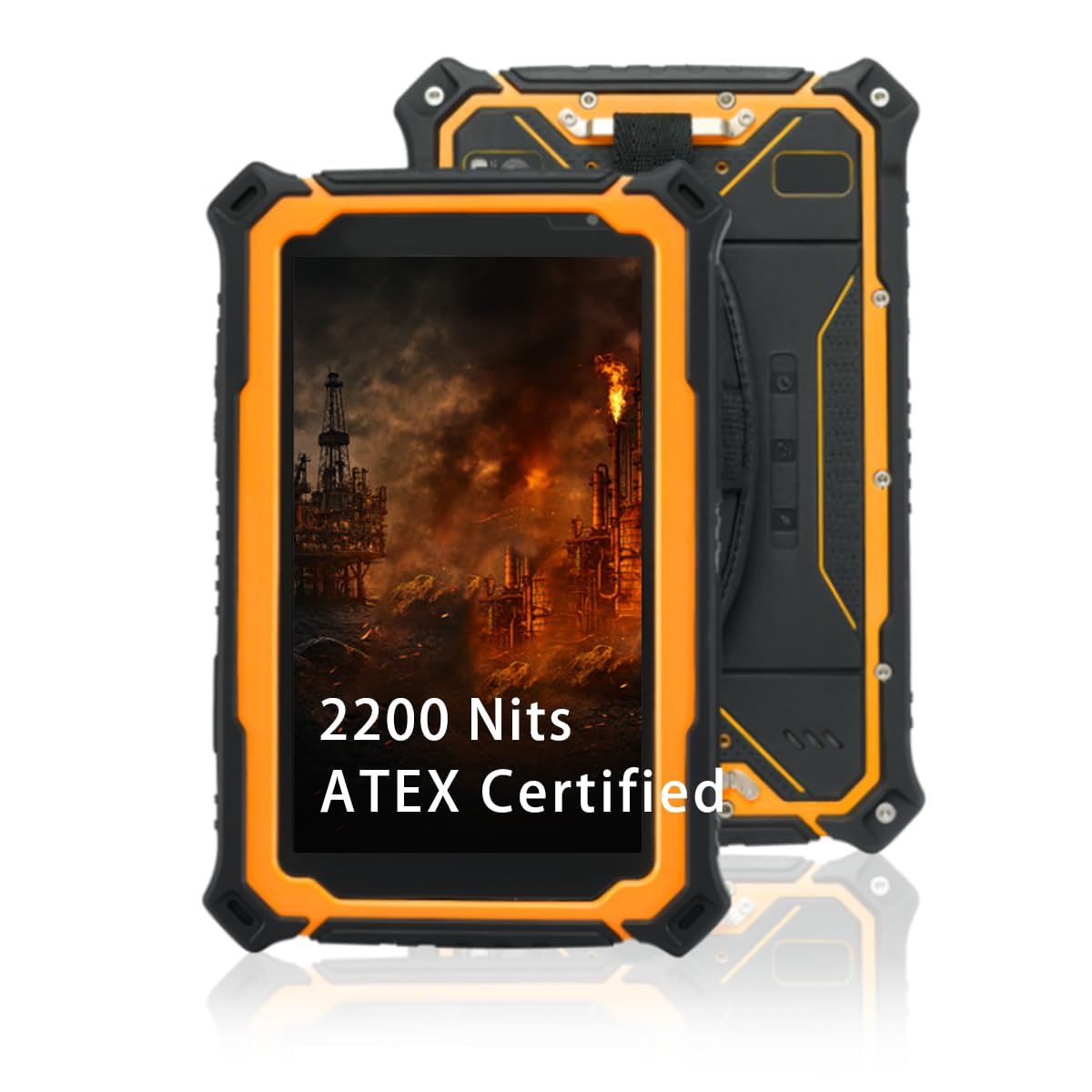
Image 1.1: The HUGEROCK T71EX Anti-Explosion Rugged Android Tablet.
2. Saugos informacija
This device is certified for use in hazardous areas (ATEX & IECEx Zone 2). Adherence to all safety guidelines is critical to prevent accidents and ensure proper functioning. Failure to follow these instructions can result in serious injury, damage to the device, or voiding of certifications.
- Hazardous Area Use: Only operate this tablet in environments for which it is certified (Zone 2). Do not open or attempt to repair the device in a hazardous area.
- Baterijos sauga: The tablet is equipped with a 10,000mAh intrinsically safe battery. Use only the original or approved charging accessories. Do not expose the battery to extreme temperatures, puncture, or disassemble it.
- Aplinkos apsauga: The device is IP67 waterproof and dustproof. Ensure all port covers are securely sealed before exposure to water or dust.
- Atsparumas smūgiams: While rugged, avoid unnecessary drops or severe impacts. The device is built to withstand 5.5ft drops and 2-ton shock pressure, but extreme force can still cause damage.

Image 2.1: The T71EX tablet designed for explosion-proof environments.
3. Pakuotės turinys
Išpakuodami patikrinkite, ar pakuotėje yra visi reikalingi daiktai:
- HUGEROCK T71EX Tablet Body
- Maitinimo adapteris
- USB kabelis
- Riešo dirželis
- SIM Tools
- Vartotojo vadovas (šis dokumentas)

Image 3.1: Contents included in the HUGEROCK T71EX retail package.
4. Įrenginys baigtasview
Familiarize yourself with the physical components and ports of your HUGEROCK T71EX tablet.

4.1 vaizdas: Baigtaview of the HUGEROCK T71EX tablet with labeled components.
4.1. Komponentai ir prievadai
- Šviesos jutiklis: Automatically adjusts screen brightness.
- Sub Camera (Front): For video calls and selfies (5 MP).
- Headphone Jack (Sealed Cover): For audio output. Ensure cover is sealed for water/dust protection.
- MIC: Mikrofonas garso įvestims.
- SOS mygtukas: Programmable emergency button.
- Kameros mygtukas: Dedicated button for quick camera access.
- Main Camera (Rear) & Flash Lamp: For high-resolution photos and videos (13 MP).
- Vardinė lentelė: Contains device identification information.
- Pranešėjas: Dėl garso išvesties.
- Maitinimo mygtukas: Įjungia / išjungia įrenginį arba perjungia jį į miego režimą.
- Atkūrimo mygtukas: For force restarting the device (requires a pin).
- Garsumo didinimas / sumažinimas: Reguliuoja garso stiprumą.
- Type-C (Sealed Cover): USB-C port for charging and data transfer. Ensure cover is sealed for water/dust protection.
- SIM-Card (Sealed Cover): Slot for cellular SIM card. Ensure cover is sealed.
- TF-Card (Sealed Cover): Slot for microSD (TF) card for expandable storage. Ensure cover is sealed.
5. Sąranka
5.1. Įrenginio įkrovimas
- Open the sealed cover of the Type-C port.
- Connect the provided USB cable to the tablet and the power adapter.
- Įkiškite maitinimo adapterį į tinkamą maitinimo lizdą.
- Allow the tablet to charge fully before first use. The battery indicator on the screen will show charging status.
- Once charging is complete, securely close the Type-C port cover to maintain IP67 protection.
5.2. Installing SIM and TF Cards
- Locate the sealed covers for the SIM-Card and TF-Card slots.
- Carefully open the appropriate cover.
- Insert your SIM card (if applicable) and/or TF (microSD) card into their respective slots, ensuring correct orientation.
- Gently push until the cards are seated.
- Securely close both sealed covers to maintain the device's waterproof and dustproof rating.
5.3. Įjungimas/išjungimas
- Norėdami įjungti: Press and hold the Power Button until the HUGEROCK logo appears on the screen.
- Norėdami išjungti: Press and hold the Power Button until a power menu appears. Select "Power Off" and confirm.
- Miegui / pabudimui: Trumpai paspauskite maitinimo mygtuką, kad planšetinį kompiuterį užmigdytumėte arba pažadintumėte.
5.4. Pradinė „Android“ sąranka
Upon first power-on, follow the on-screen prompts to configure your Android operating system. This typically includes selecting a language, connecting to Wi-Fi, setting up a Google account, and configuring security options.
6. Naudojimo instrukcijos
6.1. Jutiklinio ekrano navigacija
The T71EX features a 7-inch FHD IPS touchscreen that supports glove touch, allowing operation without removing protective gloves.
- Bakstelėkite: Pasirinkite elementą arba atidarykite programą.
- Perbraukimas: Naršykite ekranuose arba slinkkite turiniu.
- Žiupsnelis, norint priartinti: Enlarge or reduce images and web puslapių.
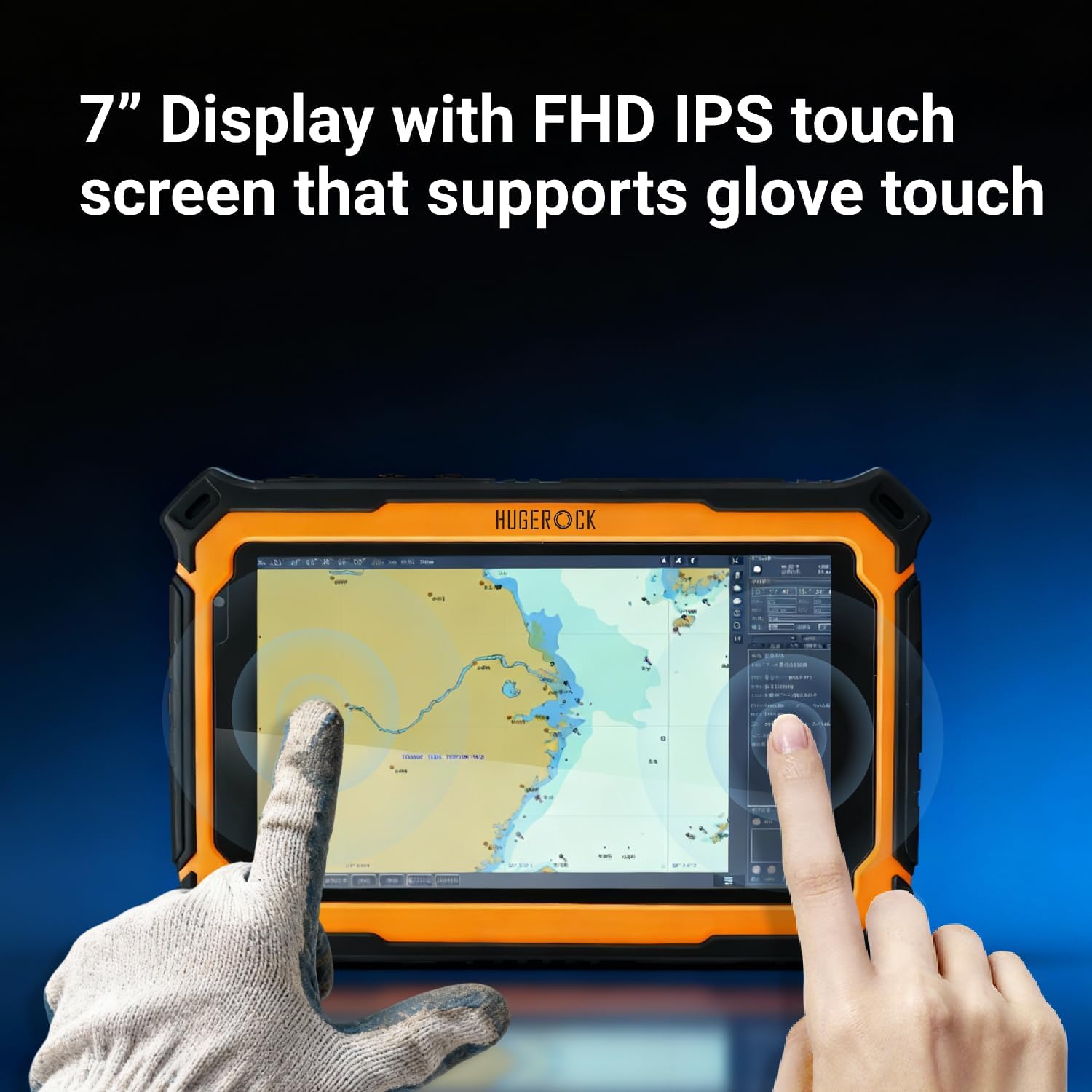
Image 6.1: The T71EX touchscreen supports operation with gloves.
6.2. Ryšys
Planšetinis kompiuteris siūlo įvairias prijungimo galimybes:
- „Wi-Fi“: Connect to wireless networks (802.11a/b/g/n/ac/ax). Go to Settings > Network & internet > Wi-Fi.
- 4G LTE: Utilize cellular data with an installed SIM card. Go to Settings > Network & internet > Mobile network.
- "Bluetooth 5.0": Pair with Bluetooth devices like headphones or external sensors. Go to Settings > Connected devices > Bluetooth.
- NFC: For near-field communication, such as data exchange or payment. Ensure NFC is enabled in Settings > Connected devices > Connection preferences > NFC.
6.3. Ekrano funkcijos
The 2200 Nits ultra-bright display ensures readability even under direct sunlight.

Image 6.2: The T71EX display offers 2200 nits brightness for outdoor visibility.
6.4. Kameros naudojimas
Use the pre-installed camera application or the dedicated Camera Button to capture photos and videos. The tablet features a 13 MP rear camera and a 5 MP front camera.
6.5. Applications in Hazardous Environments
The T71EX is specifically designed for personnel in critical industries such as petroleum, petrochemical, mining, oil and gas, chemical plants, military, and public safety departments. It provides reliable digital access and communication in dangerous zones.

Image 6.3: The T71EX tablet in use within an industrial environment.
7. Priežiūra
7.1. Planšetinio kompiuterio valymas
Due to its IP67 rating, the T71EX can be cleaned with water. Ensure all port covers are securely sealed before cleaning. Use a soft, damp šluoste ekranui ir korpusui valyti. Venkite stiprių cheminių medžiagų ar abrazyvinių medžiagų.

Image 7.1: The T71EX tablet demonstrating its IP67 waterproof capability.
7.2. Akumuliatoriaus priežiūra
To prolong battery life and ensure safety:
- Venkite dažnai visiškai iškrauti akumuliatorių.
- Do not expose the tablet to temperatures outside its operating range.
- Use only the manufacturer-approved charger.
7.3. Programinės įrangos atnaujinimai
Regularly check for and install software updates to ensure optimal performance, security, and compatibility. Go to Settings > System > System update.
8. Problemų sprendimas
This section addresses common issues you might encounter with your T71EX tablet.
| Problema | Galima priežastis | Sprendimas |
|---|---|---|
| Planšetinis kompiuteris neįsijungia. | Žema akumuliatoriaus įkrova; sistemos gedimas. | Charge the tablet for at least 30 minutes. If still unresponsive, use a pin to press the Reset Button. |
| Nepavyksta prisijungti prie „Wi-Fi“. | Wi-Fi is off; incorrect password; router issue. | Ensure Wi-Fi is enabled in settings. Verify password. Restart router. |
| Ekranas nereaguoja. | Programinės įrangos triktis; per didelė temperatūra. | Restart the tablet. If unresponsive, use the Reset Button. Ensure tablet is within operating temperature range. |
| SIM kortelė neaptikta. | SIM card improperly inserted; faulty SIM card. | Power off the tablet, re-insert the SIM card correctly. Test with another SIM card if available. |
9. Specifikacijos
Detailed technical specifications for the HUGEROCK T71EX tablet.
| Funkcija | Specifikacija |
|---|---|
| Prekės ženklas | HUGEROKAS |
| Modelio pavadinimas | T71EX |
| Operacinė sistema | Android |
| Procesorius | ARM Cortex A73 Octa-Core (up to 2 GHz) |
| RAM | 8 GB |
| Vidinė saugykla | 128 GB |
| Išplečiama saugykla | Iki 128 GB (TF kortelė) |
| Ekrano dydis | 7 colių |
| Ekrano raiška | 1920 x 1080 pikselių (Full HD) |
| Ekrano ryškumas | 2200 Nits (Sunlight-readable) |
| Galinė kamera | 13 MP |
| Priekinė kamera | 5 MP |
| Vaizdo įrašymo raiška | 4K UHD 2160p |
| Baterijos talpa | 10000 mAh (ličio polimeras) |
| Vidutinis akumuliatoriaus veikimo laikas | 7 valandų |
| Ryšys | 4G LTE, Wi-Fi (802.11a/b/g/n/ac/ax), Bluetooth 5.0, NFC |
| Tvirtumas | IP67 Waterproof & Dustproof, MIL-STD-810G, 5.5ft Drop Resistance |
| Sertifikatai | ATEX & IECEx Zone 2 Certified (Anti-Explosion) |
| Dimensions (L x W x Thickness) | 7.95" x 5.43" x 0.87" |
10. Garantija ir palaikymas
10.1. Gamintojo garantija
The HUGEROCK T71EX tablet comes with a 1 metų gamintojo garantija from the date of purchase. This warranty covers defects in materials and workmanship under normal use. It does not cover damage caused by misuse, accidents, unauthorized repairs, or modifications.
10.2. Pagalba klientams
For technical assistance, warranty claims, or any questions regarding your HUGEROCK T71EX tablet, please contact HUGEROCK customer support. Refer to the contact information provided on the official HUGEROCK websvetainėje arba pirkimo dokumentuose.