
Įvadas
The BEREST A10 Baby Lovey Music Box is designed to provide a soothing environment for newborns and infants, aiding in peaceful sleep. This device features 10 calming sounds, a smart cry sensor, an adjustable timer, a recording function, and a rechargeable battery. This manual provides essential information for the safe and effective use of your BEREST A10.
Saugos informacija
- Do not use the device in the bath or near water.
- Do not use the USB cable while the machine is in use.
- Šis prietaisas nėra žaislas. Laikykite jį vaikams nepasiekiamoje vietoje.
- Use the device within recommended noise levels to prevent potential hearing damage.
Pakuotės turinys
Pažymėkite langelį prie šių elementų:
- BEREST A10 Music Box
- C tipo įkrovimo laidas
- Vartotojo vadovas
- Gifted Box

Image: Contents of the BEREST A10 package, including the music box, charging cable, and manual.
Produktas baigtasview
The BEREST A10 is a compact and versatile sleep soother. Its main features include:
- 10 raminančių garsų: Includes 2 heartbeat sounds, white noise, rain, shushing, and 5 different lullabies.
- Smart Baby Cry Sensor: Automatically detects baby's crying and plays soothing sounds for 30 minutes.
- Reguliuojamas laikmatis: Set for 15, 30, or 60 minutes, or enable continuous play.
- Įrašymo funkcija: Allows for up to 120 seconds of personalized recording.
- Įkraunama ličio baterija: Provides long-lasting power, eliminating the need for disposable batteries.
- Reguliuojamas garsumo valdymas: Fine-tune the sound level to protect infant hearing.
- Kompaktiškas dizainas: Measures 2.52 x 2.52 x 1.38 inches, designed to fit seamlessly into most plush toys and loveys.

Image: The BEREST A10 Music Box shown with various plush toys, highlighting its small size and versatility.
Sąranka
1. Įrenginio įkrovimas
Before first use, fully charge the BEREST A10 using the provided Type-C charging cable. Connect the cable to the device and a suitable USB power source. The charging indicator light will show the charging status.
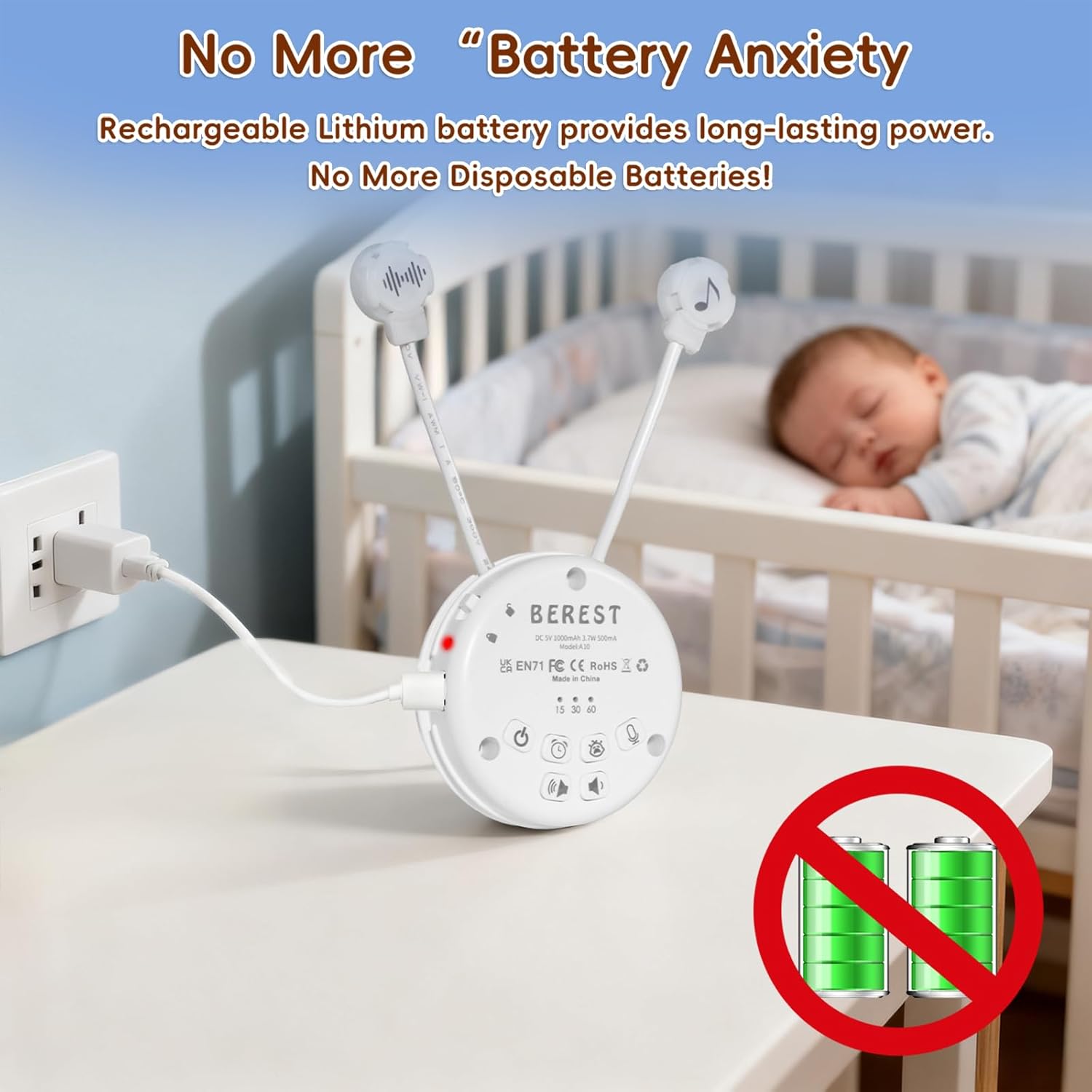
Image: The BEREST A10 Music Box being charged with its Type-C cable, indicating its rechargeable nature.
2. Inserting into a Plush Toy (Optional)
The compact design of the A10 allows it to be inserted into most plush toys or loveys. Locate the opening in your plush toy, gently insert the music box, and secure it if possible. Ensure the buttons are accessible if you plan to operate it while inside the plush.

Vaizdas: Stambus planas view of the BEREST A10 Music Box being placed inside a plush toy for integrated use.
Naudojimo instrukcijos
Familiarize yourself with the control buttons on the device:
Image: Labeled diagram of the BEREST A10 Music Box controls.
1. Maitinimo įjungimas/išjungimas
- Paspauskite ON/OFF mygtukas once to turn the device on.
- Paspauskite ir palaikykite ON/OFF mygtukas for 3 seconds to turn the device off.
2. Garso pasirinkimas
- When the device is on, short press the ON/OFF mygtukas to cycle through the 10 available soothing sounds (2 heartbeats, white noise, rain, shushing, 5 lullabies).
- Ilgai paspauskite mygtuką ON/OFF mygtukas for 3 seconds (while on) to enable continuous loop playing of all songs.

Image: The BEREST A10 Music Box providing 10 soothing sounds for a sleeping baby.
3. Garsumo valdymas
- Paspauskite Garsumo didinimo mygtukas garso lygiui padidinti.
- Paspauskite Garsumo mažinimo mygtukas to decrease the sound level.
4. Laikmačio funkcija
- Paspauskite Laikmačio mygtukas to set the auto-off timer. The available options are 15, 30, or 60 minutes.
- If no timer is set, the device will play continuously until manually turned off or the battery runs out.

Image: The BEREST A10 Music Box with its timer function set to 15, 30, or 60 minutes.
5. Smart Baby Cry Sensor
- Paspauskite Baby Cry Sensor button norėdami suaktyvinti šią funkciją.
- When activated, the device will automatically detect a baby's crying and play soothing sounds for 30 minutes to help calm the baby back to sleep.
- The sensor will reactivate if crying is detected again after the 30-minute cycle.

Image: The BEREST A10 Music Box's cry sensor feature, designed to soothe a crying baby.
6. Įrašymo funkcija
- Paspauskite ir palaikykite Įrašymo mygtukas to begin recording. The device supports up to 120 seconds of recording.
- Norėdami sustabdyti įrašymą, atleiskite mygtuką.
- Trumpai paspauskite Įrašymo mygtukas to play back your recorded message.
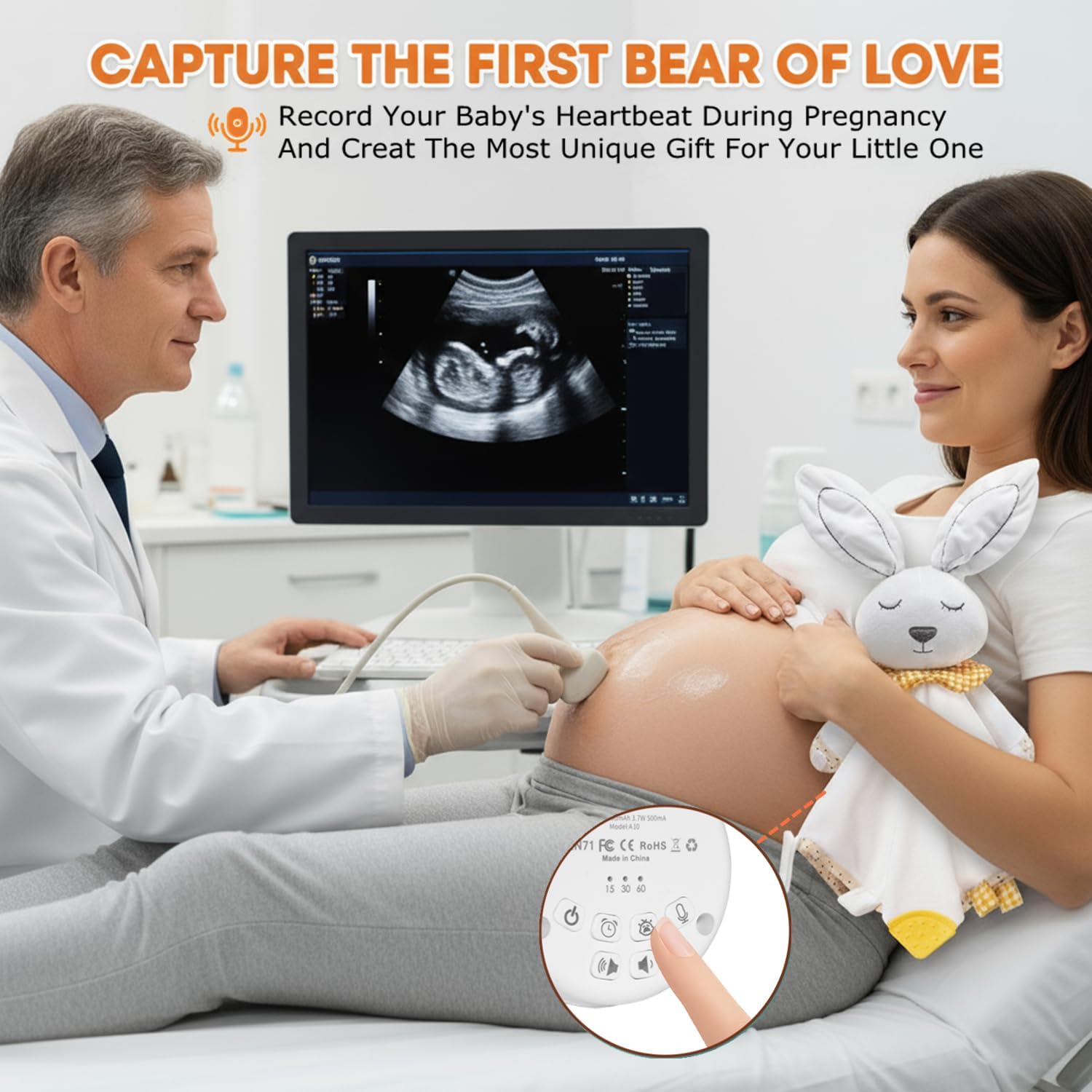
Image: The BEREST A10 Music Box's recording function being used to capture a heartbeat.
7. Children Lock
- Raskite Children Lock switch prietaiso šone.
- Slide the switch to the lock position to prevent accidental changes to settings by children.
Priežiūra
Valymas
- Nuvalykite prietaisą minkšta, sausa šluoste.
- Do not use liquid cleaners or immerse the device in water.
Akumuliatoriaus priežiūra
- Norėdami pailginti akumuliatoriaus veikimo laiką, venkite dažnai visiškai jį iškrauti.
- Laikykite prietaisą vėsioje, sausoje vietoje, kai jo ilgesnį laiką nenaudojate.
Trikčių šalinimas
| Problema | Galima priežastis | Sprendimas |
|---|---|---|
| Įrenginys neįsijungia. | Baterija išsikrovusi arba jos įkrova maža. | Įkraukite įrenginį naudodami pridedamą C tipo laidą. |
| Nėra garso arba garsas per mažas. | Garsas nustatytas per mažas. | Increase the volume using the Volume Up button. |
| Cry sensor not activating. | Cry sensor not enabled or ambient noise is too high. | Ensure the Baby Cry Sensor button is pressed. Reduce other noise sources. |
| Įrenginys netikėtai išsijungia. | Timer is set, or battery is low. | Check timer settings. Recharge the device if the battery is low. |
Specifikacijos
| Modelio numeris | A10 |
| Gaminio matmenys | 2.52 x 2.52 x 1.38 colio |
| Prekės svoris | 3.2 uncijos |
| Medžiagos tipas | Plastikiniai |
| Spalva | Kreminė balta |
| Baterijos tipas | Rechargeable Lithium-ion (1 AA battery included, likely referring to internal rechargeable equivalent) |
Garantija ir palaikymas
For warranty information or technical support, please refer to the contact details provided with your purchase or visit the official BEREST websvetainėje. Išsaugokite pirkimo įrodymą, jei prireiktų pateikti garantinį ieškinį.