
1. Įvadas
This manual provides essential information for the proper use and maintenance of your ZWP Replacement Remote Control. This remote is designed to be compatible with JOWLURK M7, OWNKNEW GC357, and HORLAT T10PRO Projectors, offering a direct replacement solution without the need for complex programming.

Image 1.1: The ZWP Replacement Remote Control is built for durability, featuring a long lifespan, advanced internal chip, construction from ABS safety materials, and quality assurance.

Image 1.2: The remote control offers a stable link, fast response time of 0.2 seconds, an ergonomic design for easy grip and control, and power-saving capabilities.
2. Sąranka
2.1 Akumuliatoriaus įdėjimas
The remote control requires two (2) AAA batteries for operation. Batteries are not included with the product. Follow these steps to install the batteries:
- Nuotolinio valdymo pulto gale raskite baterijų skyriaus dangtelį.
- Norėdami atidaryti skyrių, pastumkite dangtelį žemyn arba paspauskite skląstį (jei yra).
- Įdėkite dvi AAA tipo baterijas, užtikrindami, kad teigiamas (+) ir neigiamas (-) poliai teisingai sutaptų su žymėjimais baterijų skyriuje.
- Uždėkite baterijų skyriaus dangtelį, stumdami jį atgal į vietą, kol jis tvirtai užsifiksuos.
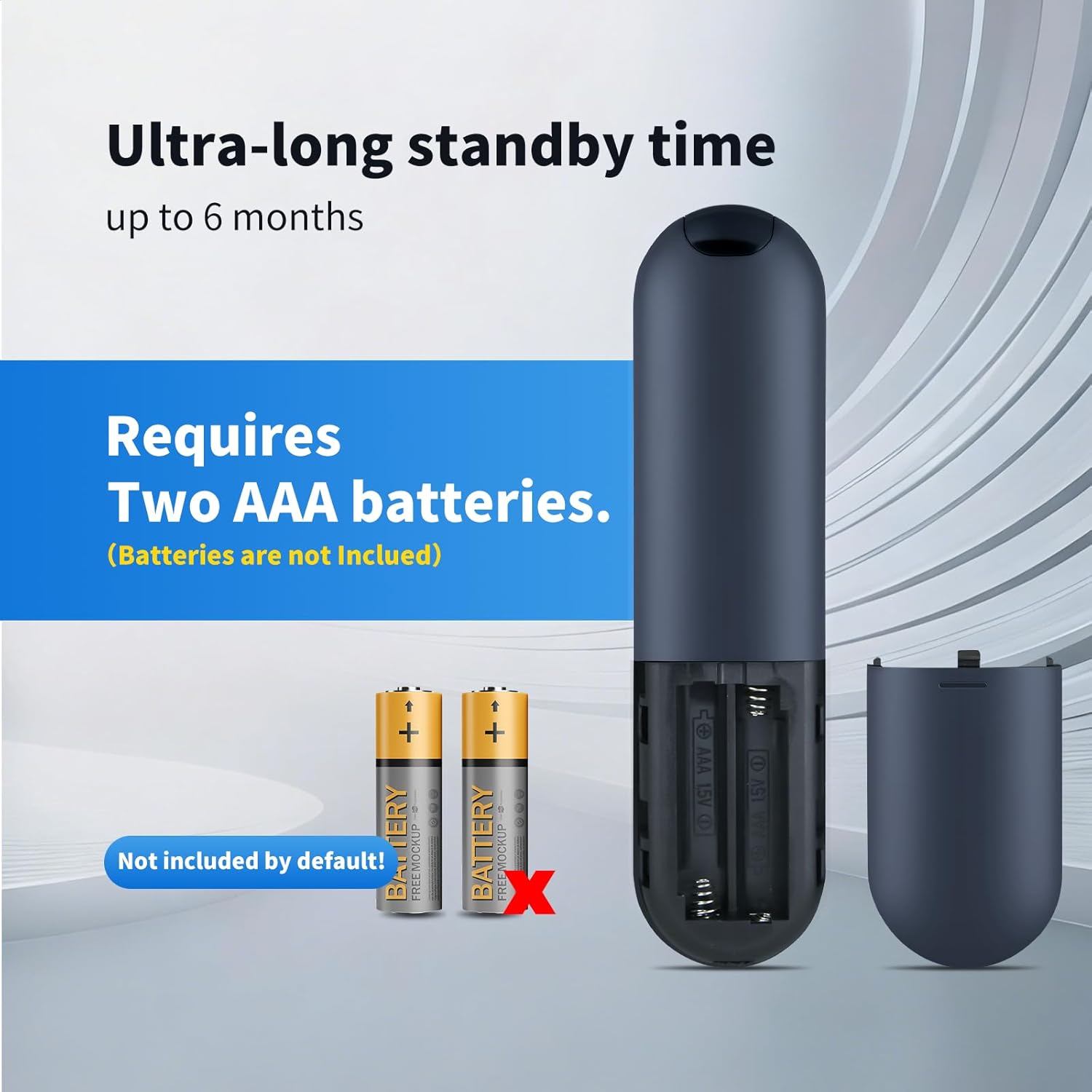
Image 2.1: The remote control requires two AAA batteries, which are not included. Ensure correct polarity when inserting.
2.2 Compatibility and Initial Use
This ZWP Replacement Remote Control is designed for direct use with the following projector models:
- JOWLURK M7 Projector
- OWNKNEW GC357 Projector
- HORLAT T10PRO Projector
No programming or setup is required. Once batteries are correctly installed, the remote control is ready for immediate use with your compatible projector.

Image 2.2: The remote control is perfectly compatible with specified projector models and requires no setup.
3. Naudojimo instrukcijos
3.1 Mygtukų funkcijos
The remote control features a standard layout for intuitive operation. Refer to the image below for a visual guide to the buttons:
3.1 vaizdas: Baigtaview nuotolinio valdymo pulto mygtukų.
- Įjungimo mygtukas (⏻): Įjungia arba išjungia projektorių.
- Gerai mygtukas: Patvirtina pasirinkimus arba įeina į meniu.
- Naršymo mygtukai (aukštyn, žemyn, kairėn, dešinėn): Naršykite meniu ir parinktis.
- Volume Up (F+): Padidina garso garsumą.
- Volume Down (F-): Sumažina garso garsumą.
- Nutildymo mygtukas (🔇): Nutildo arba įjungia garsą.
- Meniu mygtukas (☰): Accesses the projector's main menu.
- Namų mygtukas (⌂): Returns to the home screen or main interface.
- Grįžimo / atgal mygtukas (↶): Grįžta į ankstesnį ekraną arba meniu.
3.2 Operating Range and Angle
The remote control operates using infrared (IR) technology. For optimal performance, ensure a clear line of sight between the remote control and the projector's IR receiver. The remote offers:
- Didžiausias diapazonas: Up to 10 meters (approximately 33 feet).
- Multi-Angle Induction: Effective operation within a 120-degree angle from the projector's IR receiver.

Image 3.2: The remote control supports multi-angle operation up to 120 degrees and has an effective range of up to 40 feet (approximately 12 meters).
4. Priežiūra
4.1 Valymas
Norėdami išlaikyti nuotolinio valdymo pulto išvaizdą ir funkcionalumą:
- Nuvalykite paviršių minkšta, sausa šluoste.
- Esant sunkiai įsisenėjusiems nešvarumams, švelniai damplt šluostę nuvalykite vandeniu arba švelniu, neabrazyviniu valikliu.
- Venkite naudoti stiprias chemines medžiagas, tirpiklius ar abrazyvines medžiagas, nes jos gali pažeisti nuotolinio valdymo pulto apdailą ar vidinius komponentus.
4.2 Akumuliatoriaus keitimas
Replace batteries when the remote control's response becomes sluggish or it stops functioning. Always replace both AAA batteries at the same time with new ones. Do not mix old and new batteries, or different types of batteries.
5. Problemų sprendimas
If you experience issues with your ZWP Replacement Remote Control, refer to the following troubleshooting tips:
- Nuotolinis nereaguoja:
- Patikrinkite, ar baterijos įdėtos teisingai, tinkamu poliškumu.
- Pakeiskite baterijas naujomis AAA tipo baterijomis.
- Ensure there is a clear line of sight between the remote's IR emitter and the projector's IR receiver. Remove any obstructions.
- Confirm the remote is within the effective operating range (up to 10 meters).
- Mygtukai neveikia:
- Clean the remote control surface and buttons to ensure no debris is interfering with button presses.
- Pakeiskite baterijas.
6. Specifikacijos
Detailed specifications for the ZWP Replacement Remote Control:
| Funkcija | Specifikacija |
|---|---|
| Prekės ženklas | ZWP |
| Suderinami įrenginiai | JOWLURK M7, OWNKNEW GC357, HORLAT T10PRO Projectors |
| Ryšio technologija | Infraraudonųjų spindulių (IR) |
| Valdiklio tipas | Mygtukų valdymas |
| Didžiausias diapazonas | 10 metrų (apie 33 pėdas) |
| Multi-Angle Operation | Iki 120 laipsnių |
| Maitinimo šaltinis | 2 x AAA baterijos (į komplektą neįeina) |
| Medžiaga | Aukštos kokybės ABS |
| Spalva | Juoda |
| Ypatinga funkcija | Ergonomiškas dizainas |
6.1 Gaminio matmenys

Image 6.1: The ergonomic design of the remote control, with dimensions: Length 6.10 inches, Width 1.57 inches, Height 0.47 inches.
- Ilgis: 6.10 colio (15.5 cm)
- Plotis: 1.57 colio (4.0 cm)
- Aukštis: 0.47 colio (1.2 cm)
7. Parama
For any questions, concerns, or issues not covered in this manual, please do not hesitate to contact the seller or manufacturer. We are committed to assisting you and resolving any problems you may encounter with your ZWP Replacement Remote Control.