
1. Įvadas
Thank you for choosing the PEICHENG PC-01 Wireless Bluetooth Earphones. These earphones are designed to provide a high-quality audio experience with advanced Bluetooth 6.0 technology, a comfortable over-ear hook design, and a portable charging case. This manual provides detailed instructions for setup, operation, and maintenance to ensure optimal performance and longevity of your device.
2. Kas yra dėžutėje
- PEICHENG PC-01 Wireless Bluetooth Earphones (Left and Right)
- Įkrovimo dėklas
- Vartotojo vadovas (šis dokumentas)
3. Produktas baigtasview
The PEICHENG PC-01 earphones feature an ergonomic over-ear hook design for a secure and comfortable fit, making them suitable for various activities. They utilize BlueSignal 6.0 technology for stable wireless connections and deliver High-Resolution Audio with deep bass.
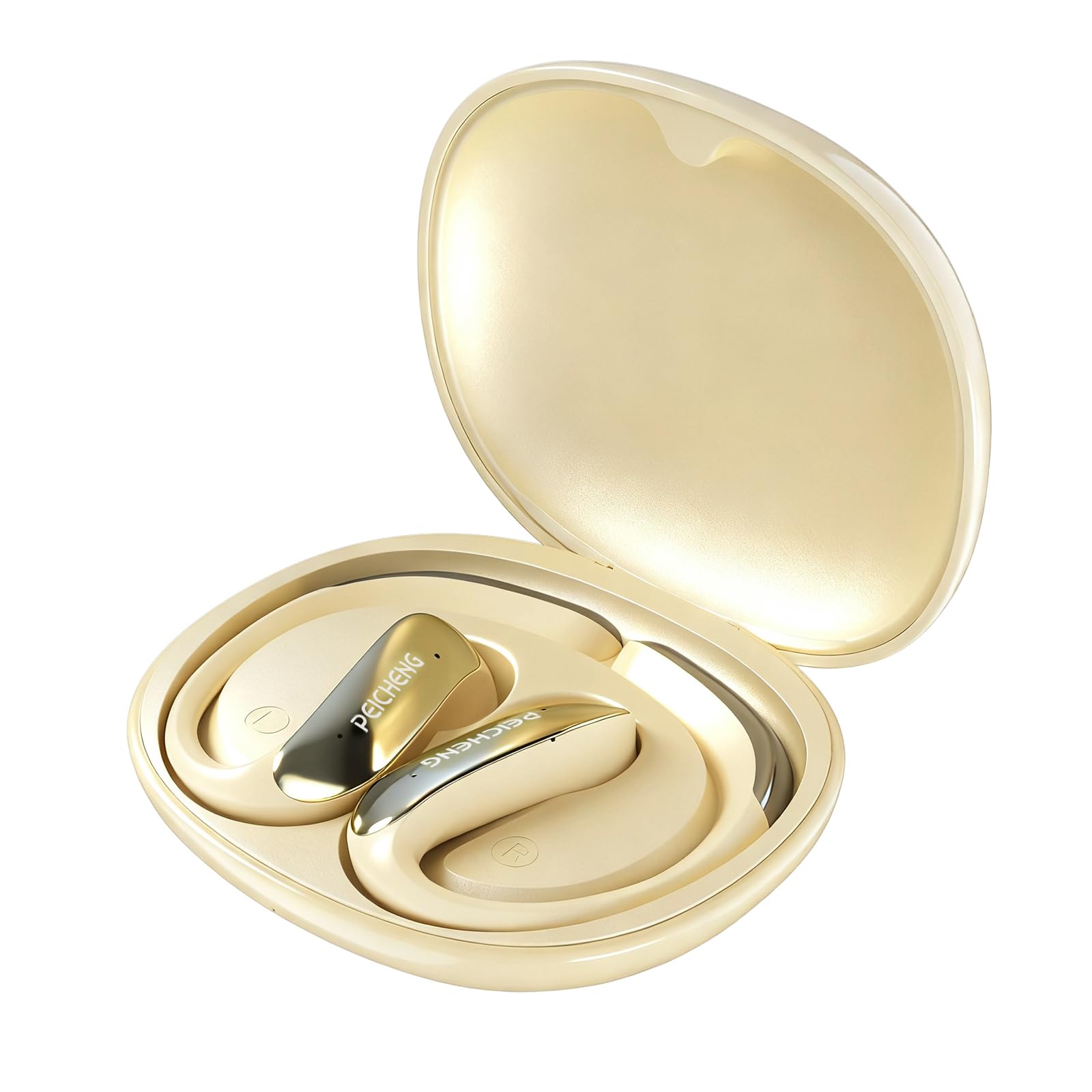
Figure 3.1: PEICHENG PC-01 Wireless Bluetooth Earphones and Charging Case.
Pagrindinės funkcijos:
- BlueSignal 6.0 Technology: Ensures stable, faster, and efficient wireless connections with low latency.
- Didelės raiškos garsas: Delivers immersive sound with deep, powerful bass.
- Už ausies uždedami kabliukai: Provides a secure and comfortable fit for extended wear.
- Lengva konstrukcija: Enhances comfort and reduces ear fatigue.
- Self-contained Space Audio: Creates an immersive sound experience.
- Išvalyti skambučius: Integrated microphones ensure sharp and intelligible conversations.
- Nešiojamas įkrovimo dėklas: 300mAh capacity for all-day power.

3.2 pav. Baigtaview of PEICHENG Wireless Earbuds features.

Figure 3.3: Internal driver design for immersive sound.

Figure 3.4: Compact and portable charging case.
4. Sąranka
4.1 Ausinių ir dėklo įkrovimas
Before first use, fully charge the earphones and charging case. The charging case has a 300mAh battery capacity, providing multiple charges for the earphones.
- Įdėkite ausines į įkrovimo dėklą, įsitikindami, kad jos tinkamai įstatytos.
- Connect a USB Type-C charging cable to the charging port on the case and plug the other end into a compatible USB power source.
- The indicator lights on the case will show the charging status. A full charge typically takes approximately 2 hours.
4.2 Bluetooth poravimas
The PEICHENG PC-01 earphones use BlueSignal 6.0 technology for efficient pairing with various devices.
- Įsitikinkite, kad ausinės yra įkrautos ir įdėtos į įkrovimo dėklą.
- Open the charging case. The earphones will automatically enter pairing mode, indicated by a flashing LED light (specific color/pattern not provided, assume standard).
- On your device (smartphone, tablet, laptop, smartwatch, TV), go to the Bluetooth settings.
- Ieškokite available devices and select "PEICHENG PC-01" from the list.
- Once connected, the LED indicator on the earphones will typically stop flashing or change to a solid light.
- Ausinės automatiškai prisijungs prie paskutinio suporuoto įrenginio, kai bus išimtos iš dėklo, jei įrenginyje įjungtas „Bluetooth“.

Figure 4.1: BlueSignal 6.0 connectivity with various devices.
5. Naudojimo instrukcijos
The PEICHENG PC-01 earphones feature touch controls for managing audio playback and calls.
5.1 Jutikliniai valdikliai
The touch-sensitive area on each earphone allows for various functions. Specific gestures and their corresponding actions are detailed below:
- Leisti / pristabdyti: Vienas paspaudimas ant bet kurios ausinės.
- Kitas takelis: Dukart palieskite dešinę ausinę.
- Ankstesnis takelis: Dukart palieskite kairę ausinę.
- Atsiliepti / Baigti skambutį: Vieną kartą bakstelėkite bet kurią ausinę įeinančio skambučio metu.
- Atmesti skambutį: Įeinančio skambučio metu paspauskite ir palaikykite bet kurią ausinę.
- Suaktyvinti „Voice Assistant“: Triple tap on either earphone (if supported by your device).
Note: Volume control is managed directly from your connected device.
5.2 Skambinimo funkcionalumas
The integrated microphones ensure clear communication during calls.
- When a call comes in, tap either earphone once to answer.
- To end an active call, tap either earphone once.
- To reject an incoming call, press and hold either earphone.

Figure 5.1: Earbud in use for clear calling.
5.3 garso režimų
The earphones feature Self-contained Space Audio, designed to provide an immersive listening experience by creating a sense of isolated sound.

Figure 5.2: Self-contained Space Audio feature.
6. Priežiūra
Tinkama priežiūra užtikrina ausinių ilgaamžiškumą ir našumą.
- Valymas: Use a soft, dry cloth to clean the earphones and charging case. Avoid using abrasive materials or harsh chemicals.
- Saugykla: Kai nenaudojate, laikykite ausines įkrovimo dėkle, kad apsaugotumėte jas nuo dulkių ir pažeidimų.
- Vandens ekspozicija: Ausinės nėra skirtos vandeniui. Venkite vandens ar per didelės drėgmės.
- Temperatūra: Do not expose the earphones or case to extreme temperatures (hot or cold).
7. Problemų sprendimas
If you encounter issues with your PEICHENG PC-01 earphones, refer to the following common solutions:
| Problema | Sprendimas |
|---|---|
| Ausinės nesusijungia |
|
| Nėra garso ar mažas garsumas |
|
| Ausinės neįkraunamos |
|
| Touch controls unresponsive or delayed |
|
8. Specifikacijos
| Funkcija | Detalė |
|---|---|
| Modelio pavadinimas | PC 01 |
| Prekės ženklas | PEICENGAS |
| Ryšio technologija | Belaidis, „Bluetooth“ |
| Bluetooth versija | 6.0 (BlueSignal 6.0) |
| Ausų išdėstymas | Virš ausies |
| Formos faktorius | Virš ausies |
| Garso tvarkyklės tipas | Dinaminis vairuotojas |
| Varža | 15 omai |
| Triukšmo valdymas | Nėra |
| Ypatinga funkcija | Self-contained Space Audio |
| Kontrolės metodas | Palieskite |
| Baterijos veikimo laikas (ausinės) | 5 valandų |
| Įkrovimo dėklo akumuliatoriaus talpa | 300 mAh |
| Įkrovimo laikas | Maždaug 2 valandos |
| Techninės įrangos sąsaja | C tipo USB |
| Suderinami įrenginiai | Smartphones, Notebooks, Tablets, TVs, Smartwatches |
| Medžiaga | Plastikas, Silikonas |
| Gaminio matmenys | 3.2 x 2.8 x 1.4 colio |
| Prekės svoris | 5 uncijos |
| UPC | 607606229639 |
9. Oficialus produkto vaizdo įrašas
9.1 vaizdo įrašas: metimas per sekundęview of the PEICHENG PC-01 Wireless Bluetooth Earphones, showcasing their design, features, and charging capabilities.
10. Garantija ir palaikymas
For warranty information or technical support, please refer to the documentation included with your purchase or contact PEICHENG customer service through the retailer where the product was purchased. Keep your proof of purchase for warranty claims.