
1. Produktas baigtasview
The JONSBO T9 is a compact Mini ITX PC case designed for small form factor (SFF) builds. It features an A4 compartment structure, a durable 4mm aluminum alloy casing, and a black walnut solid wood base. The design prioritizes both aesthetics and thermal performance, offering flexible hardware installation options for various component sizes.

Image: JONSBO T9 Mini ITX PC Case overview, highlighting its compact design and A4 compartment structure.
2. Pagrindinės savybės
- 4mm All-Aluminum Casing: Constructed from 4mm aluminum alloy with a sandblasting process for a delicate metallic texture and enhanced durability.
- CNC Grille Design: Three-sided CNC grille design provides efficient heat dissipation.
- 20mm Solid Wood Base: Integrated black walnut solid wood base with hidden wiring channels, combining aesthetics with practical cable management.
- Adjustable Motherboard Compartment: Offers three levels of flexibility for hardware installation, accommodating different graphics card thicknesses and CPU cooler heights.
- Diegimas be įrankių: Designed for easy assembly and disassembly of panels.
- PCI-E 5.0 Cable Included: Comes standard with a PCI-E 5.0 graphics card extension cable (note: product description mentions upgrade to 5.0 in 2026, current might be 4.0 as per reviews).
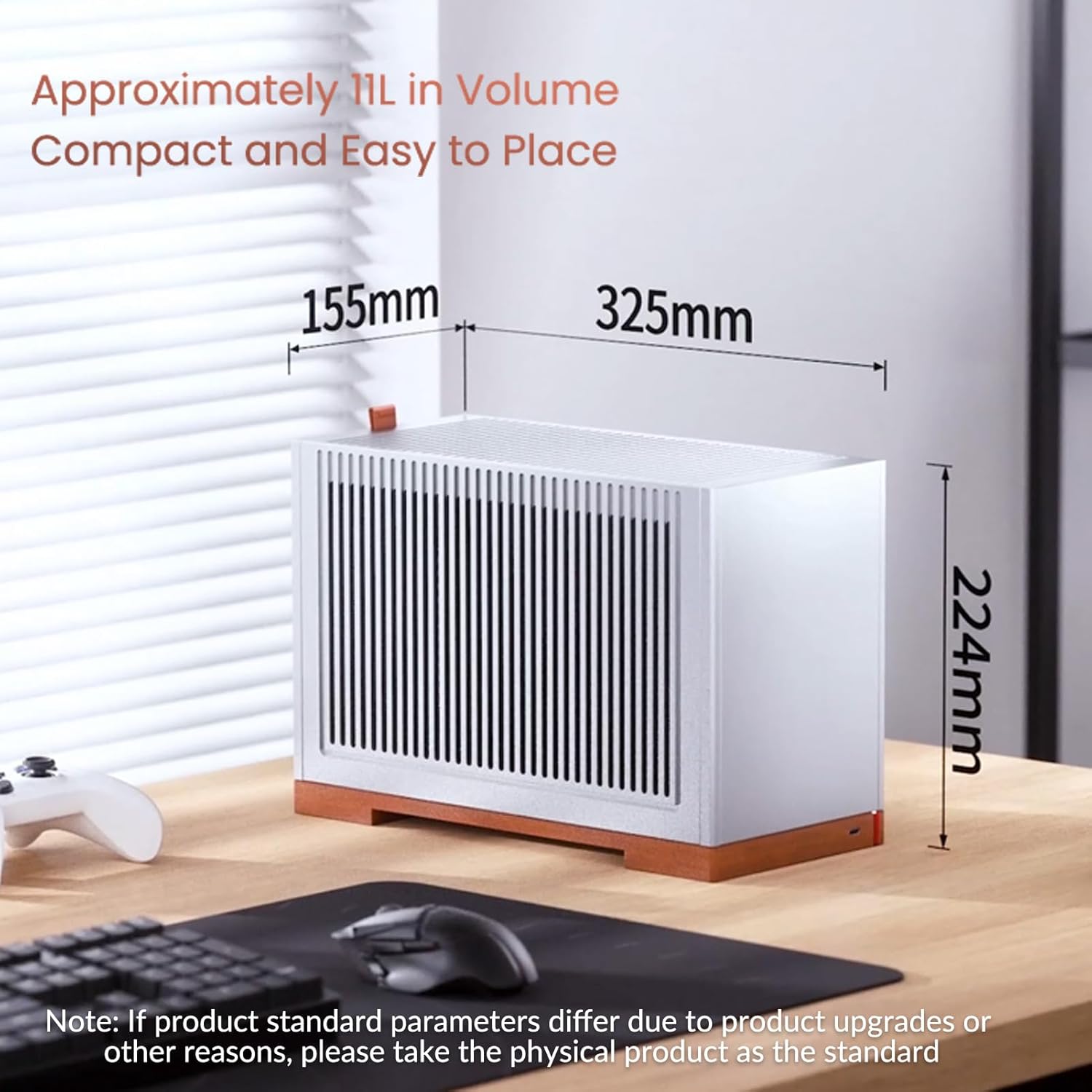
- Compact Volume: Approximately 11L in volume, with dimensions of 155mm (W) x 325mm (D) x 224mm (H).
- Didžiausias gerbėjų palaikymas: Supports one 120mm fan at the top for optimized heat dissipation.

Image: Diagram illustrating key features such as aluminum casing, quick disassembly, adjustable motherboard, GPU support, SFX PSU, and top fan.
3. Specifikacijos
| Modelis | T9 |
| Produkto matmenys (P x G x A) | 155mm x 325mm x 224mm (6"W x 12.76"D x 8.7"H) |
| Apimtis | Maždaug 11L |
| Medžiaga | 4mm Aluminum Plate, 1mm Steel, 20mm Walnut Wood |
| Pagrindinės plokštės suderinamumas | Mini ITX |
| GPU Support Length | 202mm - 310mm (202mm when 3.5" HDD is installed) |
| CPU aušintuvo aukštis | 58mm - 78mm (adjustable based on motherboard level) |
| PSU palaikymas | SFX (up to 100mm) |
| Drive Bays | 2.5" SSD x1 or 3.5" HDD x1 + 2.5" SSD x1 |
| Priekinė I/O | Tipas-C x1 |
| Ventiliatoriaus padėtis | Top 120mm x1 (Optional) |
| Dėklo grynasis svoris | 3.85 kg |

Image: Detailed specifications of the JONSBO T9 ITX case, including dimensions, material, and component compatibility.
4. Sąranka ir diegimas
4.1 Disassembly of Panels
The JONSBO T9 case features a tool-free quick disassembly design. The front, rear, and side panels can be easily removed by pulling them upwards to access the internal chassis for component installation.

Vaizdas: Išsprogdintas view of the JONSBO T9 case showing all panels and internal frame for easy assembly access.
4.2 Pagrindinės plokštės ir procesoriaus aušintuvo montavimas
The ITX motherboard compartment offers three adjustable levels to optimize space for your graphics card and CPU cooler. Select the appropriate level based on your components:
- 1 lygis: For 3-slot graphics cards. Supports CPU cooler height less than 58mm.
- 2 lygis: For 2.5-slot graphics cards. Supports CPU cooler height less than 68mm.
- 3 lygis: For 2-slot graphics cards. Supports CPU cooler height less than 78mm.

Image: Diagram illustrating the three adjustable motherboard levels and their corresponding CPU cooler and GPU slot compatibility.
4.3 Vaizdo plokštės diegimas
The case supports graphics cards up to 310mm in length. If installing a 3.5-inch HDD, the maximum GPU length is reduced to 202mm. The included PCI-E 5.0 riser cable facilitates vertical GPU mounting.

Vaizdas: vidinis view of the JONSBO T9 case showing a graphics card installed with the PCI-E riser cable.

Image: Comparison showing GPU installation with and without a 3.5-inch HDD, illustrating length restrictions.
4.4 Maitinimo šaltinio ir saugyklos įrengimas
The case supports SFX power supplies up to 100mm in length. The solid wood base features integrated channels for hidden wiring, improving cable management. For storage, the case supports one 2.5" SSD or one 3.5" HDD plus one 2.5" SSD.
Vaizdas: vidinis view showing the placement of an SFX power supply and potential storage drive locations.

Image: Close-up of the solid wood base, highlighting the integrated groove design for cable routing.
4.5 Optional Top Fan Installation
A 120mm fan can be installed at the top of the case to enhance cooling performance. Choose a fan with a thickness that corresponds to the available space, considering the height of your graphics card and power supply cables.

Image: Illustration showing the top 120mm fan position and considerations for fan thickness.
5. Naudojimo instrukcijos
Once all components are securely installed and cables are connected, reattach the side and top panels. Connect your peripherals, monitor, and power cable to the system. Press the power button located on the front of the case to start your PC. Ensure all connections are firm before powering on.

Image: Fully assembled JONSBO T9 Mini ITX PC Case in black, ready for operation.
6. Priežiūra
To ensure optimal performance and longevity of your JONSBO T9 PC case, regular maintenance is recommended:
- Dulkių valymas: Periodically remove the side panels and use compressed air to clean dust from inside the case, especially from fan blades and heatsinks.
- Išorinis valymas: Wipe the aluminum panels and wood base with a soft, dry cloth. Avoid using harsh chemicals or abrasive materials that could damage the finish.
- Vėdinimas: Ensure the case's grille designs are not obstructed to maintain proper airflow and heat dissipation.
7. Problemų sprendimas
This section addresses common issues that may arise during assembly or operation:
- Components Not Fitting:
- Verify that your motherboard is Mini ITX.
- Check GPU length compatibility, especially if a 3.5" HDD is installed (max 202mm with HDD, 310mm without).
- Ensure CPU cooler height is within the limits for the selected motherboard level (58mm, 68mm, or 78mm).
- Confirm PSU is SFX type and within 100mm length.
- Prastas oro srautas / perkaitimas:
- Ensure all internal cables are neatly routed to avoid obstructing airflow.
- Consider installing an optional 120mm top fan for improved exhaust.
- Clean dust from components and case grilles regularly.
- Sistema neįsijungia:
- Double-check all power connections to the motherboard, CPU, GPU, and storage drives.
- Įsitikinkite, kad maitinimo šaltinis yra įjungtas.
- Verify front panel connectors (power switch, USB-C) are correctly attached to the motherboard.
8. Garantija ir palaikymas
The JONSBO T9 Mini ITX PC Case comes with a 2 metų gamintojo garantija. For technical support, warranty claims, or further assistance, please contact JONSBO customer service through their official websvetainę arba mažmenininką, iš kurio buvo pirktas produktas.
Manufacturer: JONSBO
Norėdami gauti daugiau informacijos, apsilankykite „Jonsbo“ parduotuvė „Amazon“ platformoje.
9. Produkto vaizdo įrašas
Watch the official product video for a visual guide on the JONSBO T9 Mini ITX PC Case features and assembly.
Video: Official JONSBO T9 Mini ITX PC Case overview and assembly guide. This video demonstrates the case's features and provides visual instructions for component installation.


