
1. Įvadas
Ačiū, kad pirkoteasing the BOOMPODS Smart Tag Car Charger. This innovative 2-in-1 device combines the functionality of a powerful car charger with the advanced tracking capabilities of an Apple Find My compatible smart tag. Designed for convenience and peace of mind, it helps you keep track of your vehicle while ensuring your devices stay charged on the go.
Pagrindinės funkcijos:
- Integrated Tracking: Seamlessly works with Apple's "Find My" network for vehicle location tracking.
- Integruota baterija: Provides up to 2 months of tracking functionality even when the car engine is off, eliminating the need for constant power.
- Dvigubi greito įkrovimo prievadai: Equipped with USB Type-A and Type-C ports, supporting up to 33W total output for rapid charging of multiple devices simultaneously.
- Lengvas nustatymas: Simple pairing with your iPhone's "Find My" app, requiring no additional dedicated applications or monthly subscription fees.
2. Saugos informacija
Prieš naudodami šį gaminį, perskaitykite ir supraskite visas saugos instrukcijas. Nesilaikant šių instrukcijų, gali kilti elektros smūgis, gaisras arba sunkūs sužalojimai.
- Neardykite, nemodifikuokite ir netaisykite įrenginio.
- Saugokite įrenginį nuo vandens, drėgmės ir ekstremalių temperatūrų.
- Do not expose the device to direct sunlight for prolonged periods.
- Įsitikinkite, kad įrenginys tvirtai prijungtas prie automobilio cigarečių degiklio lizdo.
- Use only compatible charging cables with the device.
- Laikyti vaikams nepasiekiamoje vietoje.
3. Pakuotės turinys
Patikrinkite, ar pakuotėje yra visi reikalingi daiktai:
- BOOMPODS Smart Tag Automobilinis įkroviklis
- USB kabelis
- Built-in Battery (pre-installed)
- Instrukcijų vadovas (šis dokumentas)
4. Produktas baigtasview
The BOOMPODS Smart Tag Car Charger is designed to be compact and integrate seamlessly into your vehicle's interior. It features multiple charging ports and an indicator light.

Image: The BOOMPODS Smart Tag Car Charger plugged into a car's cigarette lighter socket, with a smartphone displaying the car's location on a map, demonstrating its tracking capability.

Image: A visual representation highlighting the key specifications of the device, such as its maximum 33W fast charging capability, compatibility with 12-24V vehicles, and the extended 2-month battery life for tracking.
Komponentai:
- Cigarette Lighter Plug: Inserts into your vehicle's 12V/24V power socket.
- A tipo USB prievadas: For standard USB charging (Max 30W).
- C tipo USB prievadas: For fast charging compatible devices (Max 33W with PPS, Max 30W without).
- LED indikatorius: Displays power status and connection activity.
- Integruota baterija: Powers the tracking function when the vehicle is off.
5. Sąrankos instrukcijos
Setting up your BOOMPODS Smart Tag Car Charger is quick and easy, utilizing your iPhone's native "Find My" application.
5.1 Pradinis prisijungimas
- Insert the BOOMPODS Smart Tag Car Charger firmly into your vehicle's cigarette lighter socket. The LED indicator should light up.
- Ensure your iPhone is nearby and has Bluetooth enabled.
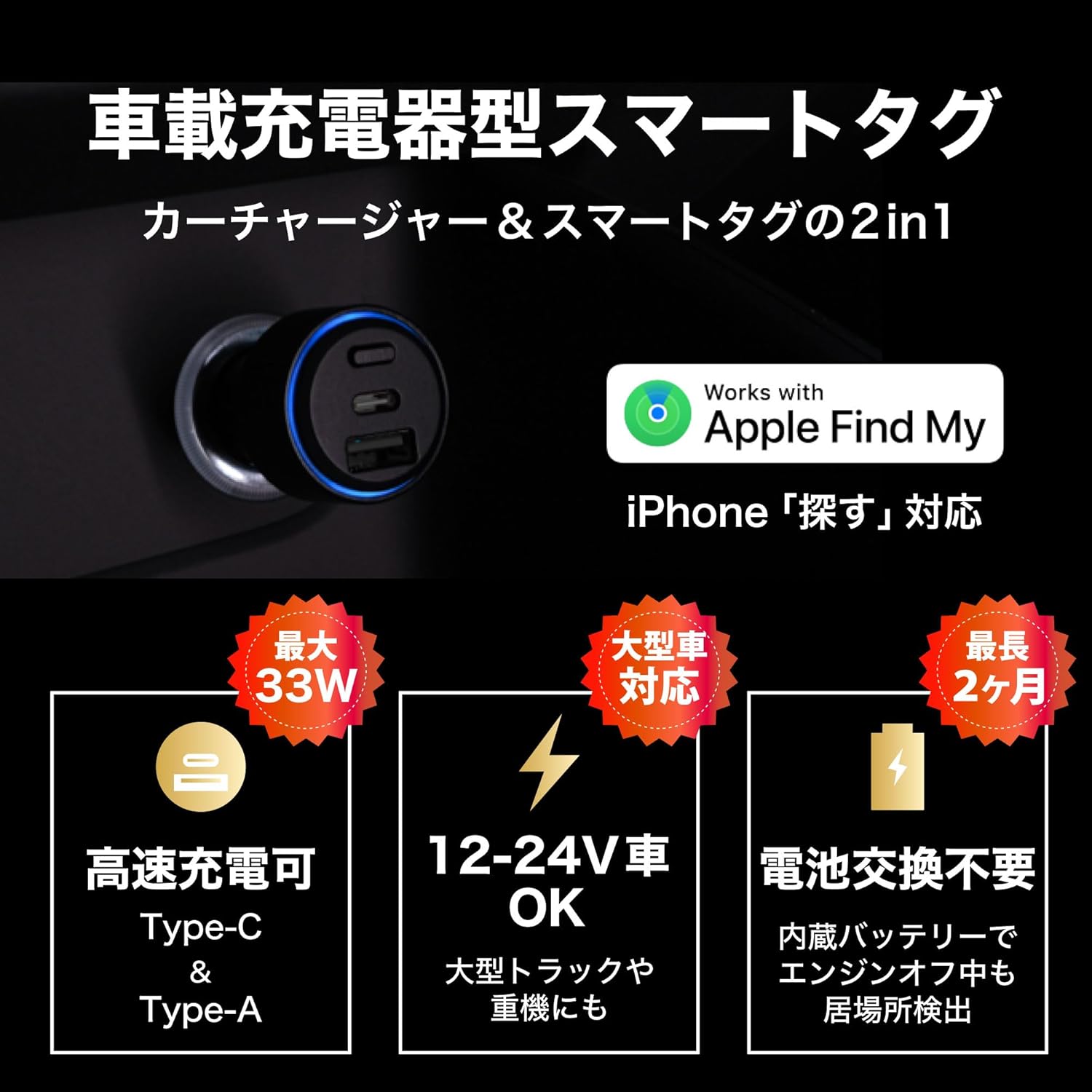
Image: The BOOMPODS Smart Tag Car Charger correctly inserted into a vehicle's power outlet, ready for use.
5.2 Susiejimas su „Apple Find My“
- Open the "Find My" app on your iPhone.
- Tap the "Items" tab at the bottom of the screen.
- Tap the "+" icon and select "Add Other Item".
- The app will search for nearby compatible items. Select "BOOMTAG smart tracker" when it appears.
- Follow the on-screen prompts to name your item and register it to your Apple ID.

Paveikslėlis: detalus view of the charger's USB-A and USB-C ports, along with the blue LED indicator, confirming power and readiness for pairing.
Note: No dedicated app or monthly subscription is required for the tracking function, as it leverages the Apple Find My network.
6. Naudojimo instrukcijos
6.1 Vehicle Tracking
- To locate your vehicle, open the "Find My" app on your iPhone.
- Navigate to the "Items" tab and select your named BOOMPODS Smart Tag.
- The app will display the current or last known location of your vehicle on a map.
- You can also play a sound from the device to help locate it when nearby.

Image: This visual demonstrates how the built-in battery overcomes the limitation of traditional cigarette lighter smart tags, allowing continuous location detection even when the vehicle's engine is off.
The built-in battery ensures that the tracking function remains active for up to 2 months even if the car's engine is turned off. The battery recharges automatically when the car's engine is running.
6.2 Įrenginio įkrovimas
- Connect your device (smartphone, tablet, etc.) to either the USB Type-A or USB Type-C port using a compatible charging cable.
- Įkroviklis automatiškai aptiks jūsų įrenginį ir pradės krauti.
- For optimal fast charging, use the USB Type-C port with a Power Delivery (PD) compatible cable and device.

Image: A detailed diagram highlighting the fast charging specifications for each port: USB Type-C (Max 33W with PPS, Max 30W without) and USB Type-A (Max 30W), with a combined output of Max 15W when both are used.
Vaizdo įrašas: Produktas baigtasview ir Sąranka
This video demonstrates the installation of the BOOMPODS Smart Tag Car Charger into a vehicle's cigarette lighter socket and its initial power-up sequence, including the audible confirmation and LED indicator. It also shows the process of pairing the device with the Apple Find My app on an iPhone, highlighting the ease of setup and the device's dual functionality as both a tracker and a charger.
7. Priežiūra
To ensure the longevity and optimal performance of your BOOMPODS Smart Tag Car Charger, follow these simple maintenance guidelines:
- Valymas: Use a soft, dry cloth to wipe the device. Do not use liquid cleaners or aerosols.
- Saugykla: Kai prietaisas ilgą laiką nenaudojamas, laikykite jį vėsioje, sausoje vietoje, apsaugotoje nuo tiesioginių saulės spindulių.
- Akumuliatoriaus priežiūra: The built-in battery is designed for long life. Avoid completely draining the battery frequently. Regular use in the car will keep it charged.
- Patikra: Periodically check the device and its ports for any signs of damage or wear.
8. Problemų sprendimas
If you encounter issues with your BOOMPODS Smart Tag Car Charger, refer to the following common problems and solutions:
| Problema | Galima priežastis | Sprendimas |
|---|---|---|
| Device not powering on/LED not lit | Not properly inserted into socket; Vehicle's cigarette lighter socket is faulty; Vehicle's power is off. | Ensure the device is fully inserted. Check the vehicle's fuse for the cigarette lighter. Turn on the vehicle's ignition. |
| Cannot find device in "Find My" app | Bluetooth is off on iPhone; Device battery is completely drained; Device is out of range of Apple devices. | Ensure iPhone Bluetooth is on. Drive the car to charge the device's internal battery. Move to an area with more Apple devices nearby. |
| Lėtas įkrovimas arba įkrovimas nevyksta | Incompatible charging cable; Device requires more power than supplied; Cable or device is faulty. | Use a high-quality, compatible charging cable. Ensure your device supports the charger's output. Try a different cable or device. |
| Location updates are infrequent or inaccurate | Limited Apple devices in the vicinity; Device is in an area with poor signal. | The accuracy depends on the density of Apple devices in the area. This is normal for Find My network devices. |
Jei problema išlieka ir išbandžius šiuos sprendimus, susisiekite su klientų aptarnavimo tarnyba.
9. Specifikacijos
| Funkcija | Detalė |
|---|---|
| Prekės ženklas | BOOMPODS |
| Modelis | B0FPPRM2J7 |
| Tracking Compatibility | Apple "Find My" network (iOS only) |
| Maitinimo įvestis | 12V-24V DC (Vehicle Cigarette Lighter Socket) |
| C tipo USB išvestis | Max 33W (with PPS), Max 30W (without PPS) |
| A tipo USB išvestis | Max 30W |
| Kombinuota išvestis | Max 15W |
| Built-in Battery Life (Tracking) | Up to 2 months (when vehicle is off) |
| Įtraukti komponentai | USB Cable, Built-in Battery |
| Gamintojas | BOOMPODS (HK) LIMITED |
| Kilmės šalis | Kinija |
10. Garantija ir palaikymas
10.1 Informacija apie garantiją
This BOOMPODS Smart Tag Car Charger comes with a 6-month agent warranty nuo įsigijimo datos. Ši garantija taikoma gamybos defektams ir gedimams įprasto naudojimo metu. Ji netaikoma žalai, atsiradusiai dėl netinkamo naudojimo, nelaimingų atsitikimų, neleistinų modifikacijų ar stichinių nelaimių.
Išsaugokite pirkimo įrodymą, kad galėtumėte kreiptis dėl garantijos.
10.2 Pagalba klientams
For technical assistance, troubleshooting, or warranty inquiries, please contact your local retailer or the BOOMPODS customer support team through their official website. Ensure you have your product model number (B0FPPRM2J7) and proof of purchase ready when contacting support.


