
1. Produktas baigtasview
This manual provides essential information for the SGIN 15.6 Inch Laptop Computer, Model SGIN-Y101. It covers initial setup, operation, maintenance, and troubleshooting to ensure optimal performance and longevity of your device.
Pagrindinės funkcijos:
- Powerful Core i3 Processor: Equipped with an i3 (4-thread) CPU up to 3.9GHz for multitasking.
- Ample Storage and Speed: Features 16GB RAM and 1024GB SSD for quick application loading and smooth operation. Storage is expandable with a TF card up to 1TB.
- 15.6 Inch FHD IPS Display: Full HD 1920×1080 IPS screen with 180° viewing angles for vivid colors and sharp details.
- Apšviesta klaviatūra: White backlit keyboard for improved typing accuracy in low-light conditions. Activate with "FN" + "F5".
- All-Day Battery and Connectivity: 53.2Wh battery (7000mAh) providing up to 8 hours of battery life. Includes USB 3.0, HDMI, Micro SD slot, Kensington lock, and a headphone jack. Features WiFi 6.
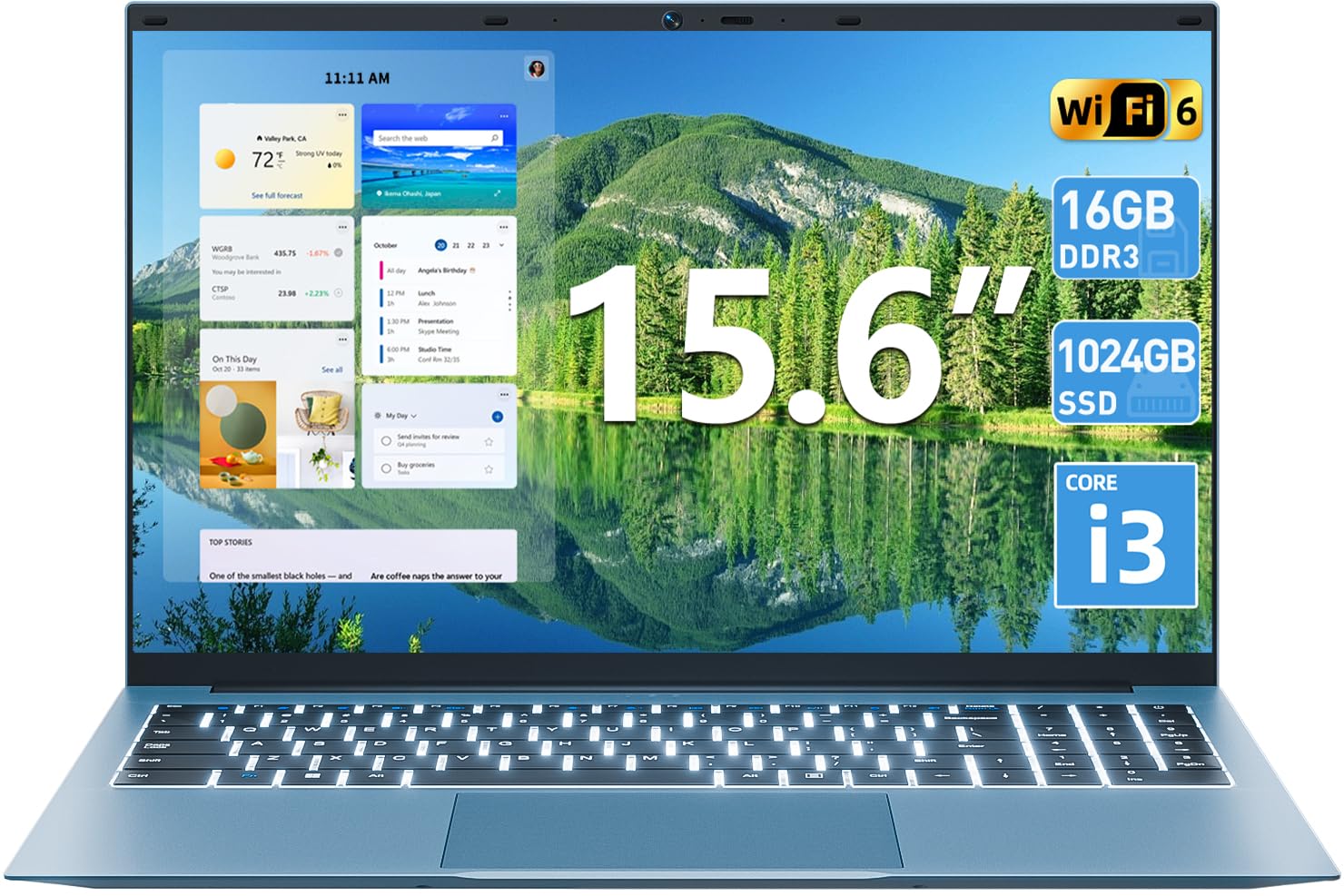
1.1 vaizdas: Baigtaview of the SGIN 15.6 Inch Laptop Computer, highlighting its main features like RAM, SSD, Core i3 processor, Windows 11, battery, backlit keyboard, and WiFi 6.
2. Pradinė sąranka
2.1 Nešiojamojo kompiuterio išpakavimas
Atsargiai išimkite visus komponentus iš pakuotės. Įsitikinkite, kad yra šie daiktai:
- SGIN 15.6 Inch Laptop
- Maitinimo adapteris
- Vartotojo vadovas

Image 2.1: The SGIN laptop, power adapter, and user manual as typically found in the package.
2.2 Akumuliatoriaus įkrovimas
Before first use, fully charge the laptop battery.
- Connect the power adapter to the charging port on the laptop.
- Įkiškite maitinimo adapterį į sieninį lizdą.
- Allow the laptop to charge until the battery indicator shows a full charge.
Svarbu: Use only the provided power adapter to avoid damage to the laptop.
2.3 Įjungimas ir pradinė „Windows“ sąranka
- Atidarykite nešiojamojo kompiuterio dangtį.
- Paspauskite klaviatūroje esantį maitinimo mygtuką.
- Vykdykite ekrane pateikiamus nurodymus, kad atliktumėte pradinę „Windows 11“ sąranką, įskaitant kalbos pasirinkimą, tinklo ryšį ir vartotojo paskyros kūrimą.
3. Nešiojamojo kompiuterio valdymas
3.1 Klaviatūra ir jutiklinė planšetė
The laptop features a full-size keyboard with a numeric keypad and a large touchpad for navigation.
- Apšviesta klaviatūra: Norėdami įjungti klaviatūros foninį apšvietimą, paspauskite FN klavišą vienu metu su F5 raktas.
- Jutiklinės dalies gestai: Informacijos apie tinkinamus jutiklinės planšetės gestus ieškokite „Windows 11“ nustatymuose.

Image 3.1: The laptop's backlit keyboard and numeric keypad, shown illuminated for use in low-light conditions.
3.2 Išorinių įrenginių prijungimas
The laptop offers various ports for connecting external devices.
- USB prievadai: Connect USB devices such as mice, keyboards, or external storage.
- HDMI prievadas: Prijunkite prie išorinio monitoriaus arba televizoriaus, kad galėtumėte ilgiau žiūrėti.
- C tipo prievadas: For data transfer and potentially charging (check specific adapter compatibility).
- „Micro SD“ lizdas: Insert a Micro SD card for additional storage.
- Ausinių lizdas: Prijunkite ausines arba išorinius garsiakalbius.
- Kensingtono užrakto lizdas: Use a compatible security cable to secure your laptop.

Image 3.2: The left side of the laptop displaying the power input, Type-C port, HDMI port, and a USB port.
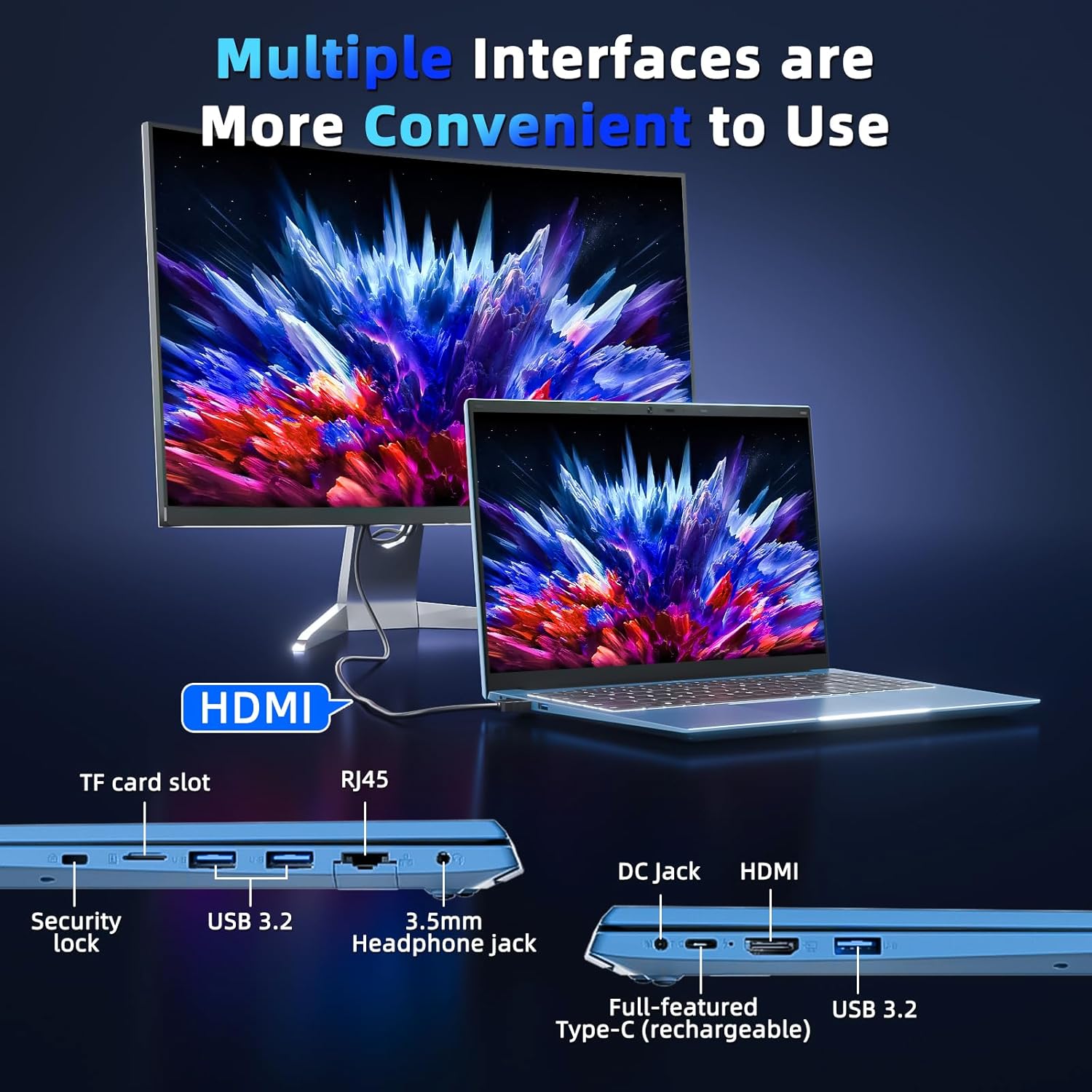
Image 3.3: The right side of the laptop displaying the Kensington lock slot, Micro SD card slot, two USB ports, and the headphone jack.
3.3 „Wi-Fi“ ryšys
The laptop supports Wi-Fi 6 for fast wireless internet access.
- Užduočių juostoje spustelėkite „Wi-Fi“ piktogramą.
- Iš sąrašo pasirinkite norimą tinklą.
- Jei būsite paraginti, įveskite tinklo slaptažodį ir spustelėkite „Prisijungti“.
For wired internet connection, use the Ethernet port.
4. Priežiūra ir priežiūra
4.1 Nešiojamojo kompiuterio valymas
- Ekranui ir išorei valyti naudokite minkštą, nepūkuotą šluostę.
- Venkite naudoti stiprių cheminių medžiagų ar abrazyvinių medžiagų.
- Įstrigusiems dėmėms lengvai nuvalykiteampnuvalykite šluostę vandeniu arba ekrano valymo tirpalu.
4.2 Akumuliatoriaus priežiūra
- Venkite dažnai visiškai iškrauti akumuliatorių.
- Laikykite nešiojamąjį kompiuterį vėsioje, sausoje vietoje, kai jo ilgesnį laiką nenaudojate.
- If the laptop will not be used for a long time, charge the battery to about 50-60% before storage.
4.3 Webkameros privatumas
Nešiojamasis kompiuteris turi fizinį webcam switch for privacy. Slide the switch to cover or uncover the webcam lens as needed.
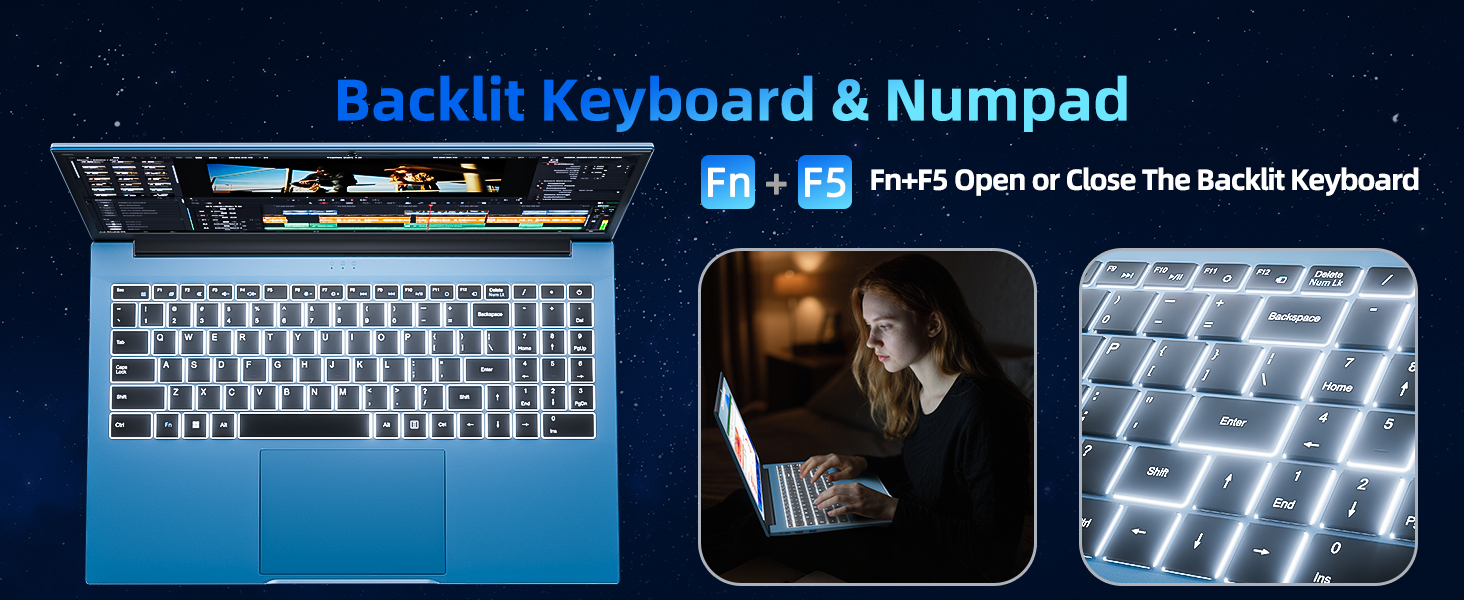
Image 4.1: Illustration of the physical webcam cover, demonstrating how to open and close it for privacy.
5. Problemų sprendimas
5.1 Maitinimo problemos
- Nešiojamasis kompiuteris neįsijungia: Įsitikinkite, kad maitinimo adapteris yra tvirtai prijungtas tiek prie nešiojamojo kompiuterio, tiek prie veikiančio maitinimo lizdo. Patikrinkite, ar akumuliatorius įkrautas.
- Baterija nekraunama: Verify the power adapter connection. If the issue persists, contact customer support.
5.2 Ekrano problemos
- Ekranas tuščias: Ensure the laptop is powered on. Try adjusting the screen brightness using the function keys. If connected to an external monitor, disconnect it.
- Distorted image: Restart the laptop. Update display drivers if necessary.
5.3 Ryšio problemos
- Nėra „Wi-Fi“ ryšio: Check if Wi-Fi is enabled in Windows settings. Restart your router and the laptop. Ensure you are within range of a Wi-Fi network.
- „Bluetooth“ įrenginys neprisijungia: Ensure Bluetooth is enabled on both the laptop and the device. Make sure the device is in pairing mode.
6. Specifikacijos
| Funkcija | Detalė |
|---|---|
| Prekės ženklas | SGIN |
| Modelio numeris | SGIN-Y101 |
| Ekrano dydis | 15.6 colių |
| Ekrano raiška | 1920 x 1080 pikselių (Full HD IPS) |
| CPU modelis | Core i3 (10th Gen, Intel Core i3-10100) |
| CPU Speed (Max) | 3.9 GHz |
| RAM | 16 GB DDR3 SDRAM |
| Sandėliavimas | 1024GB SSD (Expandable with TF card up to 1TB) |
| Operacinė sistema | Windows 11 |
| Baterijos talpa | 53.2 Wh (7000mAh) |
| Belaidis ryšys | WiFi 6 (802.11ax), Bluetooth |
| Uostai | USB 3.0, HDMI, Micro SD slot, Kensington lock, Headphone jack, Type-C |
| Klaviatūra | Foninis apšvietimas |
| Webkumštelis | Yes (with physical privacy switch) |
| Svoris | 2.52 kilogramo |
7. Garantija ir palaikymas
The SGIN 15.6 Inch Laptop Computer comes with a 1-year limited protection warranty.
For technical assistance, troubleshooting, or warranty claims, please contact SGIN customer support. They offer 24/7 instant help. Refer to the contact information provided with your product packaging or visit the official SGIN websvetainėje, kur rasite išsamios pagalbos.
8. Produkto vaizdo įrašas
Video 8.1: An official product video demonstrating the SGIN 15.6 Inch Laptop Computer, including its physical features and some operational aspects. This video is provided by the seller, SGIN Lap US.