
1. Įvadas
Thank you for choosing the BOTSLAB G300H Plus 4K Dual Dash Cam. This manual provides detailed instructions for the installation, operation, and maintenance of your device. The G300H Plus is designed to capture high-quality video footage from both the front and rear of your vehicle, enhancing driving safety and providing crucial evidence in case of incidents. It features 4K front and 1080P rear recording, a STARVIS 2 sensor for superior low-light performance, 24/7 parking monitoring, wide-angle lenses, and convenient voice control.
2. Pakuotės turinys
Prašome patikrinti, ar pakuotėje yra visi reikalingi daiktai:
- BOTSLAB G300H Plus Front Dash Cam
- Galinė kamera
- Type C Hardwire Kit (for parking monitoring)
- Vartotojo vadovas
- Maitinimo laidas (USB C tipo)
- Galinės kameros prijungimo laidas
- Montavimo priedai
3. Sąranka ir diegimas
3.1 „MicroSD“ kortelės įdėjimas
Before installation, insert a high-speed (Class 10 or higher, U3 recommended) MicroSD card into the front dash cam's slot. Ensure the card is inserted correctly until it clicks into place. Format the card within the dash cam settings upon first use.
3.2 Priekinės kameros įrengimas
- Nuvalykite priekinio stiklo vietą, kurioje bus montuojamas vaizdo registratorius.
- Attach the adhesive mount to the front camera.
- Mount the camera behind the rearview veidrodį, kad jis neužstotų jūsų view.
- Adjust the lens angle to capture the road ahead clearly.

Image: Illustration of the front and rear dash cam setup, showing 4K front and 1080P rear recording clarity.
3.3 Galinės kameros montavimas
- Identify a suitable location on your rear windshield, typically at the top center, ensuring a clear view.
- Clean the area thoroughly.
- Attach the rear camera with its adhesive mount.
- Prijunkite galinę kamerą prie priekinės kameros naudodami pateiktą galinės kameros prijungimo laidą. Tvarkingai nutieskite laidą palei automobilio salono apdailą.
3.4 Maitinimo jungtis
- Connect the Type C power cable to the front dash cam.
- Plug the other end of the power cable into your vehicle's cigarette lighter socket or a suitable USB power source.
- For 24/7 parking monitoring, connect the included Type C Hardwire Kit to your vehicle's fuse box according to the hardwire kit's specific instructions. This ensures continuous power even when the vehicle is off.
3.5 Pradinis įjungimas ir nustatymai
Once powered, the dash cam will automatically turn on and begin recording. Follow the on-screen prompts to set the date, time, and other preferences. Ensure the MicroSD card is formatted for optimal performance.
4. Naudojimo instrukcijos
4.1 Automatinis įrašymas
The dash cam automatically starts recording when your vehicle's ignition is turned on and stops when the ignition is turned off. Footage is saved in continuous loops, overwriting the oldest files when the MicroSD card is full, unless protected by emergency lock.
4.2 Valdymas balsu
The G300H Plus supports hands-free voice commands for safer operation. Keep your focus on the road by using commands such as:
- "Nufotografuokite": Užfiksuoja nejudantį vaizdą.
- „Vaizdo įrašo pradžia“: Initiates video recording.

Image: A driver using voice commands like "Take photo" and "Video start" to control the dash cam, emphasizing hands-free operation.
4.3 Visą parą veikianti automobilių stovėjimo aikštelės stebėsena
With the Type C Hardwire Kit installed, the dash cam provides continuous surveillance when your vehicle is parked. It offers two modes:
- Laiko įrašymas: Records at 1 frame per second, compressing hours of footage into minutes for extended surveillance.
- Susidūrimo aptikimas: Automatically locks a 1-minute video segment upon detecting an impact, ensuring critical event footage yra išgelbėtas.
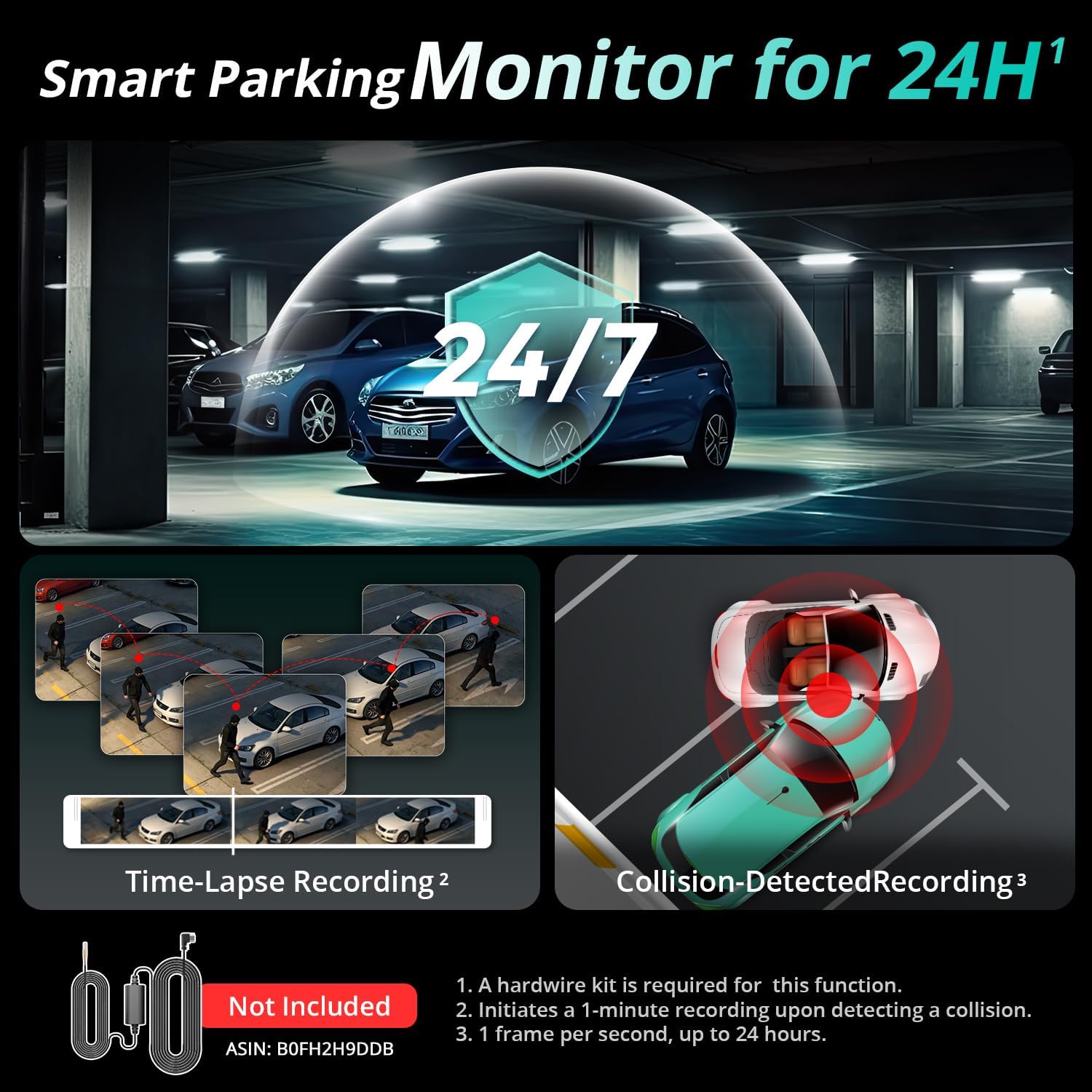
Image: Visual representation of the 24/7 parking monitoring feature, showing time-lapse recording and collision-detected recording modes.
4.4 Geresnis naktinis matymas
Equipped with a STARVIS 2 sensor and F1.5 (front) / F2.0 (rear) apertures, the G300H Plus delivers clear and detailed footage even in low-light conditions, enhancing visibility and safety during nighttime driving.
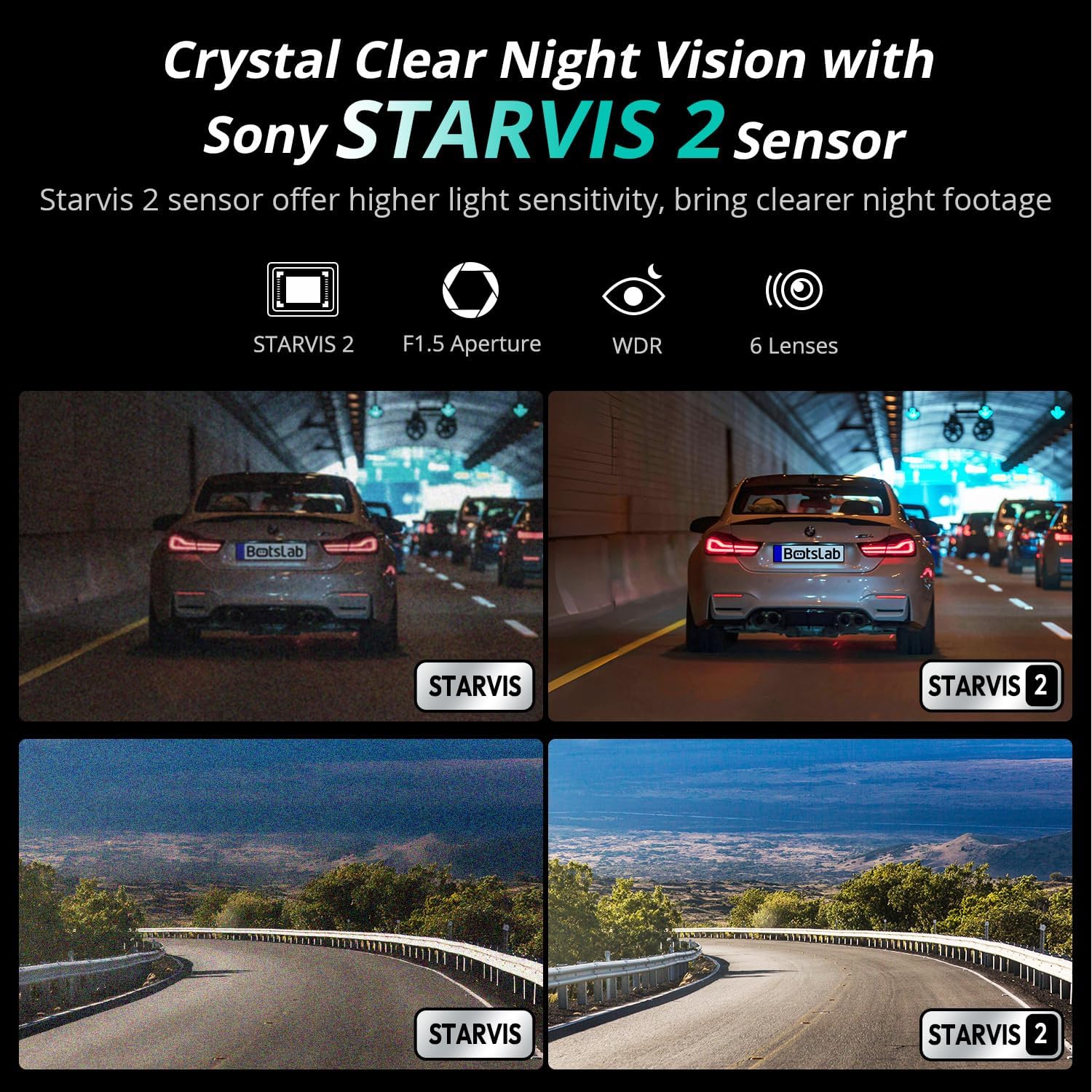
Image: Comparison of night vision quality with and without the STARVIS 2 sensor, demonstrating enhanced clarity in low light.
4.5 Wide-Angle Coverage
The dash cam features a 170° front and 150° rear wide-angle lens, minimizing blind spots and providing comprehensive coverage of the road and surroundings.

Image: Diagram illustrating the 170° front and 150° rear wide-angle coverage, showing how it reduces blind spots.
4.6 Seamless Trip Tracking (GPS)
The integrated GPS functionality provides precise location and speed data, which can be viewkartu su jūsų vaizdo įrašu „foo“tage. This feature allows for detailed trip tracking and route analysis.

Image: A visual showing the dash cam display with GPS data and a smartphone app interface displaying trip tracking on a map.
4.7 Botslab App Integration
Connect your dash cam to the Botslab app on your smartphone for easy access to recorded footage, settings adjustments, and sharing options. The app allows you to capture, edit, and share your videos conveniently.
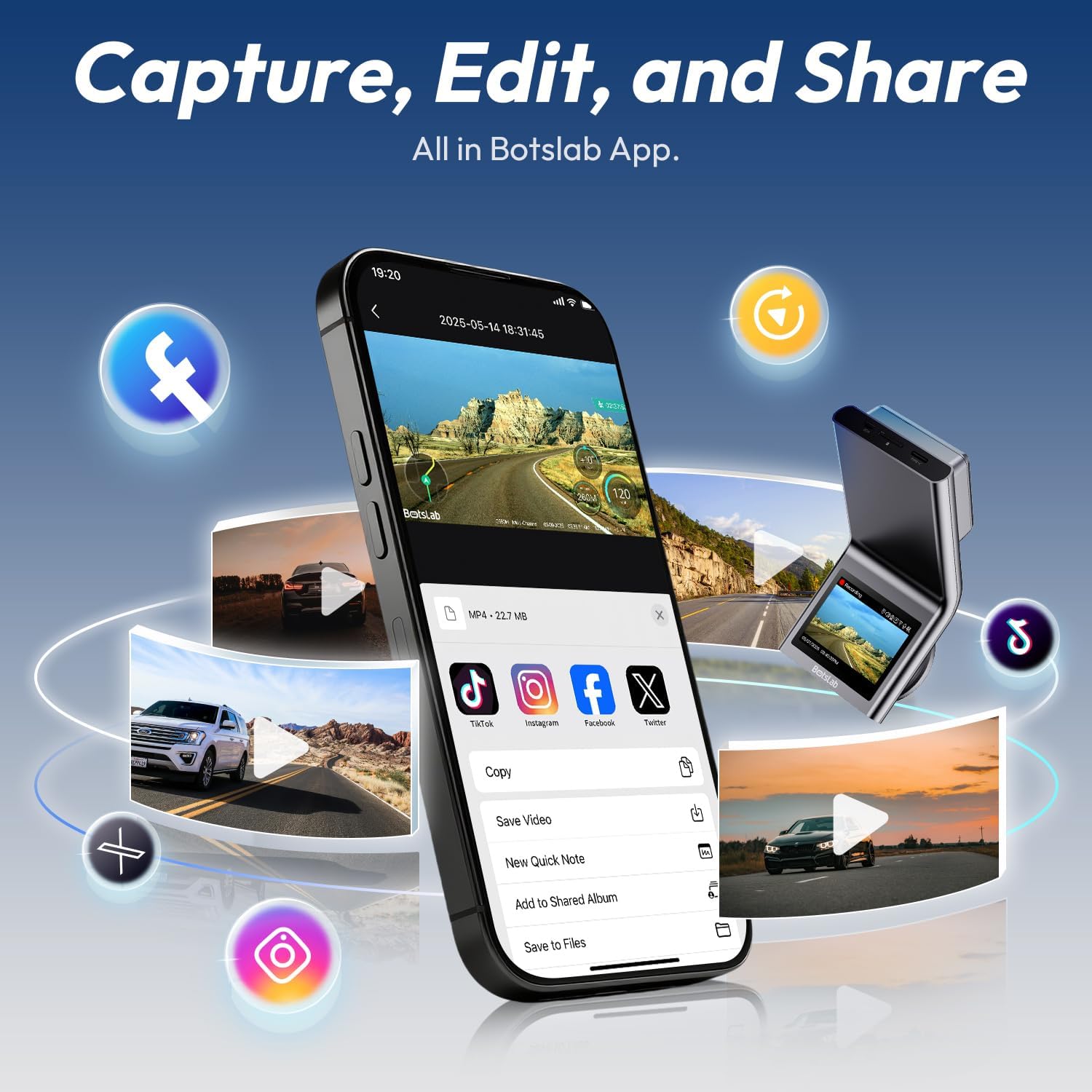
Image: A smartphone displaying the Botslab app interface for managing dash cam footage, with icons for various social media sharing options.
4.8 Oficialūs produktų vaizdo įrašai
For visual guidance on setup and features, please refer to these official product videos:
Video: Detailed overview and setup guide for the BOTSLAB G300H Plus Dash Cam (Duration: 9:58).
Video: Comprehensive guide to the features and functions of the BOTSLAB G300H Plus (Duration: 5:36).
Video: Quick start and essential features of the BOTSLAB G300H Plus Dash Cam (Duration: 1:55).
5. Priežiūra
5.1 „MicroSD“ kortelių valdymas
To ensure optimal performance and prevent data corruption, it is recommended to format the MicroSD card within the dash cam settings every 2-4 weeks. Replace the MicroSD card if it shows signs of degradation or error messages.
5.2 Prietaiso valymas
Use a soft, dry cloth to clean the dash cam lenses and body. Avoid using abrasive cleaners or solvents that could damage the device. Ensure lenses are free of dust and smudges for clear recording.
6. Problemų sprendimas
- Vaizdo registratorius neįsijungia: Check the power cable connection to both the dash cam and the vehicle's power source. Ensure the vehicle's ignition is on if not using the hardwire kit. Test the power source with another device.
- Įrašymo problemos (pvz., užstrigimas, sugadinimas) files): Format the MicroSD card within the dash cam. Ensure you are using a high-speed (Class 10, U3) MicroSD card from a reputable brand. Replace the MicroSD card if issues persist.
- Galinė kamera nerodo vaizdo: Verify the rear camera cable is securely connected to both the front and rear cameras. Check for any damage to the cable.
- Balso valdymas nereaguoja: Ensure the environment is not excessively noisy. Speak clearly and directly towards the dash cam. Check settings to ensure voice control is enabled.
- Programos ryšio problemos: Ensure Wi-Fi is enabled on your smartphone and you are connected to the dash cam's Wi-Fi network. Restart both the dash cam and your smartphone.
7. Specifikacijos
| Modelio pavadinimas | G300H Plus |
| Prekės ženklas | BOTSLAB |
| Vaizdo įrašymo raiška | 4K (3840x2160) Front + 1080P (1920x1080) Rear |
| Laukas View | 170 laipsnių (priekis) |
| Ypatingos savybės | Night Vision, Time Lapse, Emergency Lock, Voice Control, GPS |
| Ryšio technologija | USB C tipo, belaidis |
| Įtraukti komponentai | Hardwire Kit, Type C Hardwire Kit, User Manual |
| Transporto priemonės paslaugos tipas | Automobilis |
| Spalva | Juoda |
8. Garantija ir palaikymas
The BOTSLAB G300H Plus Dash Cam comes with a standard manufacturer's warranty. For specific warranty details, registration, or technical support, please refer to the official BOTSLAB websvetainėje arba susisiekite tiesiogiai su jų klientų aptarnavimo tarnyba. Išsaugokite pirkimo kvitą kaip pirkimo įrodymą.
Dėl papildomos pagalbos apsilankykite: www.botslab.com