
1. Įvadas
The Caytail DK201 is a 2K wireless outdoor PTZ security camera designed for comprehensive surveillance. Featuring a high-capacity 5200 mAh battery and a 3W high-efficiency solar panel, it offers an eco-friendly and economical power solution, ensuring continuous operation. With a 360° ultra-wide field of view and IP65 certification, it is suitable for various outdoor environments.
This camera provides clear and precise 2K HD images, including color night vision. It is equipped with intelligent PIR motion detection and two-way audio for communication and immediate alerts.
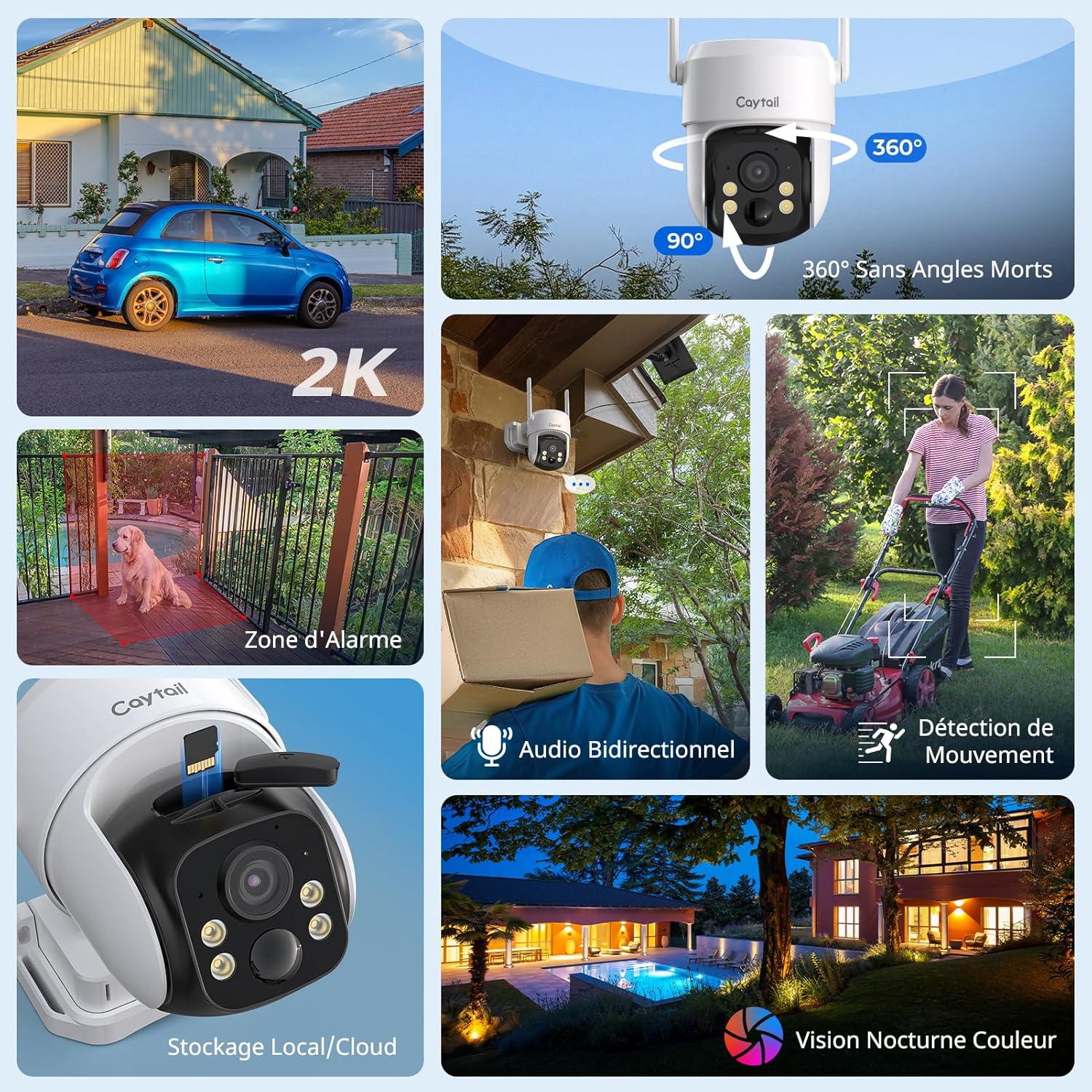
Figure 1: Caytail DK201 Camera Key Features Overview
2. Produkto turinys
Prašome patikrinti, ar pakuotėje yra visi reikalingi daiktai:
- Caytail 2K Wireless Outdoor PTZ Security Camera
- Saulės baterija (3W)
- Mounting Bracket
- Diegimo vadovas
- Varžtai ir sieniniai kaiščiai montavimui
3. Sąranka ir diegimas
3.1 Fizinis įrengimas
The camera is designed for outdoor use and can be mounted on walls, trees, or roofs. Use the provided screws and mounting bracket for secure installation. Ensure the solar panel is positioned to receive maximum direct sunlight throughout the day for optimal charging.

Figure 2: Outdoor Installation with Solar Panel
3.2 App Configuration (Ubox App)
Follow these steps to connect your camera to the Ubox app:
- Download the Ubox App: Ieškokite "Ubox" on the App Store (iOS) or Google Play Store (Android) and install it.
- Sukurti paskyrą: Open the Ubox app and register for a new account, then log in.
- Atstatyti kamerą: Press and hold the reset button on the camera for more than 3 seconds until it enters pairing mode.
- Pridėti įrenginį: In the app, click the "+" icon to add a new device and select "Configure Wi-Fi Device".
- Prisijunkite prie „Wi-Fi“: Select your 2.4 GHz Wi-Fi network and enter the password to complete the connection. (Note: The camera only supports 2.4 GHz Wi-Fi networks).

Figure 3: Ubox App Connection Steps
4. Naudojimo instrukcijos
4.1 Tiesiogiai View ir PTZ valdymas
Access the live video feed through the Ubox app. Use the on-screen controls to pan (360° horizontally) and tilt (90° vertically) the camera to adjust the viewapšviestas kampas. Tai leidžia aprėpti visą plotą be aklųjų zonų.

Figure 4: 360° Pan and 90° Tilt Functionality
4.2 Judesio aptikimas ir įspėjimai
The camera features intelligent PIR motion detection. When motion is detected, you will receive immediate alarm notifications on your phone via the Ubox app. The camera can also trigger a sound alarm to deter intruders.
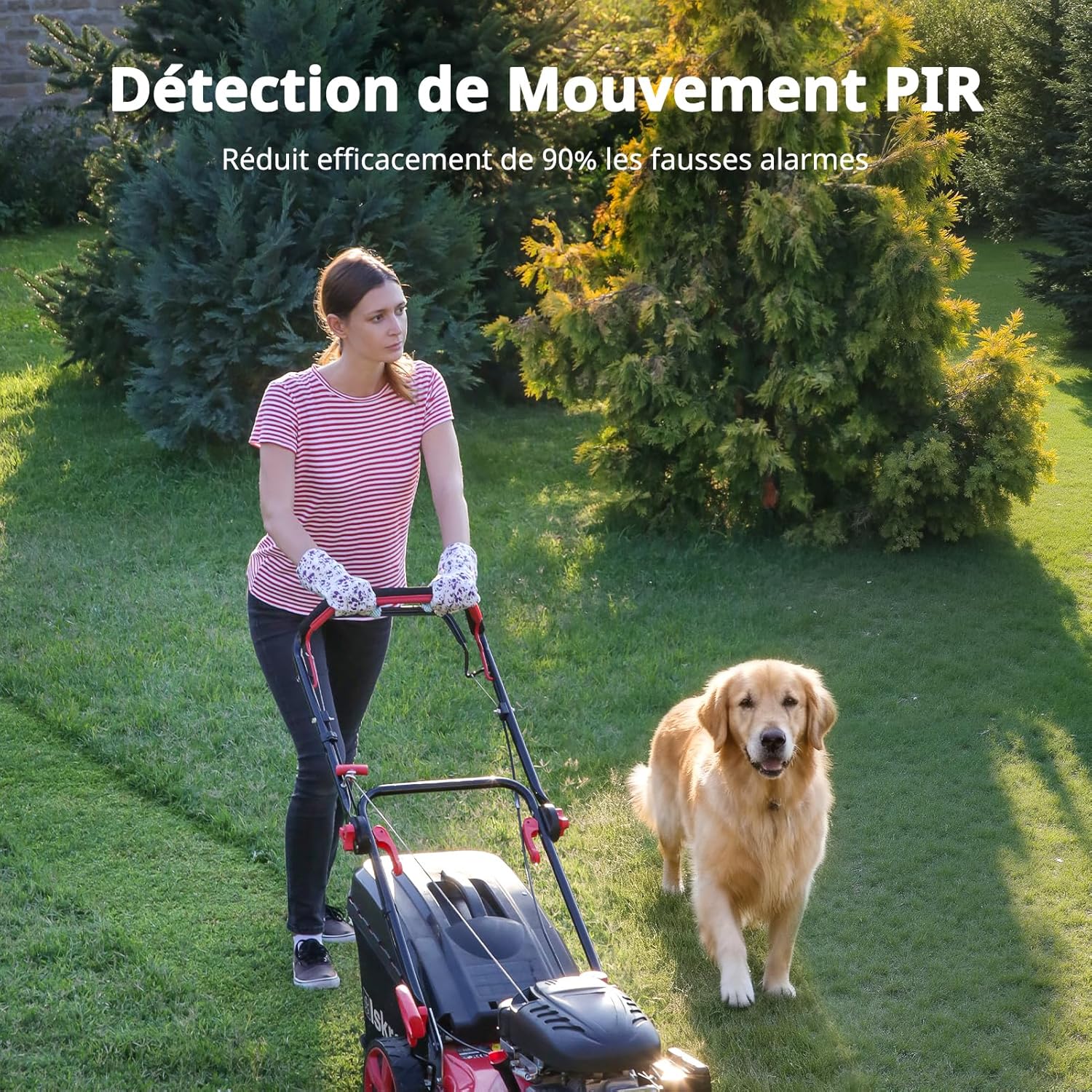
5 pav.: PIR judesio aptikimo veikimas
4.3 Dvipusis garsas
Utilize the built-in microphone and speaker for two-way communication. This allows you to speak with visitors or deter unwanted individuals remotely through the app.

6 pav.: Dvipusis garso ryšys
4.4 Naktinis matymas
The camera provides 2K HD color night vision. In low-light conditions, the camera will activate a warm light to capture clear, full-color images up to 10 meters.

Figure 7: 2K HD Color Night Vision
4.5 Saugojimo parinktys
Kamera palaiko du saugojimo būdus:
- „MicroSD“ kortelė: Compatible with microSD cards up to 128 GB for local storage and loop recording.
- Saugykla debesyje: A 30-day free trial of cloud storage is available. Choose the storage method that best suits your needs.

Figure 8: MicroSD and Cloud Storage Options
5. Priežiūra
The Caytail DK201 camera is IP65 certified, making it resistant to dust and water. This ensures reliable operation in various weather conditions.
- Valymas: Periodiškai nuvalykite kameros objektyvą ir saulės bateriją minkšta,amp cloth to ensure clear vision and efficient solar charging.
- Saulės kolektorių išdėstymas: Ensure the solar panel remains free from obstructions (e.g., leaves, dirt) that could reduce its charging efficiency.
- Firmware atnaujinimai: Check the Ubox app regularly for firmware updates to ensure your camera has the latest features and security enhancements.

Figure 9: IP65 Weather Resistance
6. Problemų sprendimas
If you encounter issues with your Caytail DK201 camera, please refer to the following common solutions:
- Fotoaparatas neprisijungia prie „Wi-Fi“:
- Ensure your Wi-Fi network is 2.4 GHz. The camera does not support 5 GHz networks.
- Patikrinkite, ar teisingas „Wi-Fi“ slaptažodis.
- Place the camera closer to your Wi-Fi router to improve signal strength. Thick walls can reduce signal range.
- Iš naujo paleiskite maršrutizatorių ir kamerą, tada bandykite prisijungti iš naujo.
- Prasta vaizdo kokybė:
- Nuvalykite fotoaparato objektyvą, kad pašalintumėte nešvarumus ar dėmes.
- Įsitikinkite, kad kameros matymo lauke nėra jokių kliūčių view.
- Check your internet connection speed. A stable connection is required for high-quality streaming.
- Akumuliatorius neįkraunamas:
- Ensure the solar panel is clean and receives direct sunlight for several hours daily.
- Verify the connection cable between the solar panel and the camera is secure.
- In prolonged cloudy weather, the battery may drain. Consider temporarily charging the camera via USB if available.
- Judesio aptikimas neveikia:
- Check the motion detection settings in the Ubox app to ensure it is enabled and sensitivity is adjusted correctly.
- Ensure there are no objects (e.g., tree branches, flags) that might cause false alarms due to movement.
For further assistance, please contact Caytail customer support.
7. Specifikacijos
| Funkcija | Specifikacija |
|---|---|
| Modelio pavadinimas | DK201 |
| Prekės ženklas | Caytail |
| Ryšio technologija | Wireless, Wi-Fi (2.4 GHz) |
| Rezoliucija | 2K (3 Megapixels effective) |
| Pan/Tilt (PTZ) | 360° horizontaliai, 90° vertikaliai |
| Naktinis matymas | Color Night Vision (up to 10 meters) |
| Judesio aptikimas | PIR judesio detektorius |
| Garsas | Dvipusis garsas |
| Maitinimo šaltinis | Solar Panel (3W) / Built-in 5200 mAh Battery |
| Sandėliavimas | MicroSD (up to 128 GB), Cloud Storage |
| Atsparumas oro sąlygoms | IP65 Atsparus vandeniui |
| Suderinami įrenginiai | Smartphone (Ubox App) |
| Matmenys | 15 x 12 x 12 cm |
| Svoris | 300 gramų |
8. Garantija ir palaikymas
For warranty information and technical support, please refer to the documentation included with your product or contact Caytail customer service directly. Amazon's return policy allows for returns within 30 days of purchase.
Kontaktinė informacija: Please visit the official Caytail website or refer to your purchase receipt for customer support details.