
Įvadas
Thank you for choosing the Grandder 55x28 Inch Electric Standing Desk. This manual provides detailed instructions for assembly, operation, and maintenance to ensure optimal performance and longevity of your desk. Please read this manual thoroughly before assembly and use, and retain it for future reference.
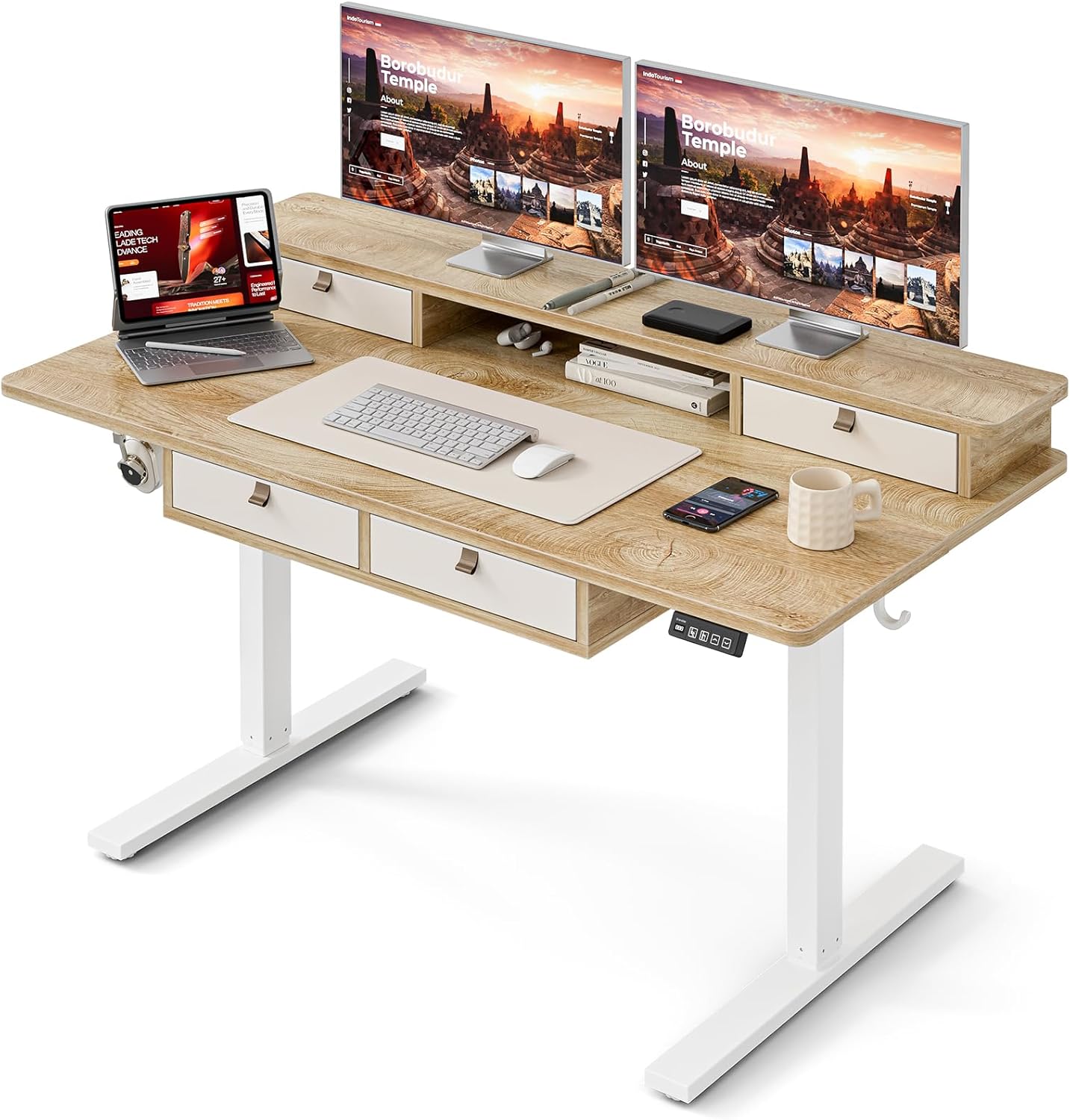
Image: The Grandder electric standing desk, showcasing its spacious desktop, integrated storage, and monitor stand.
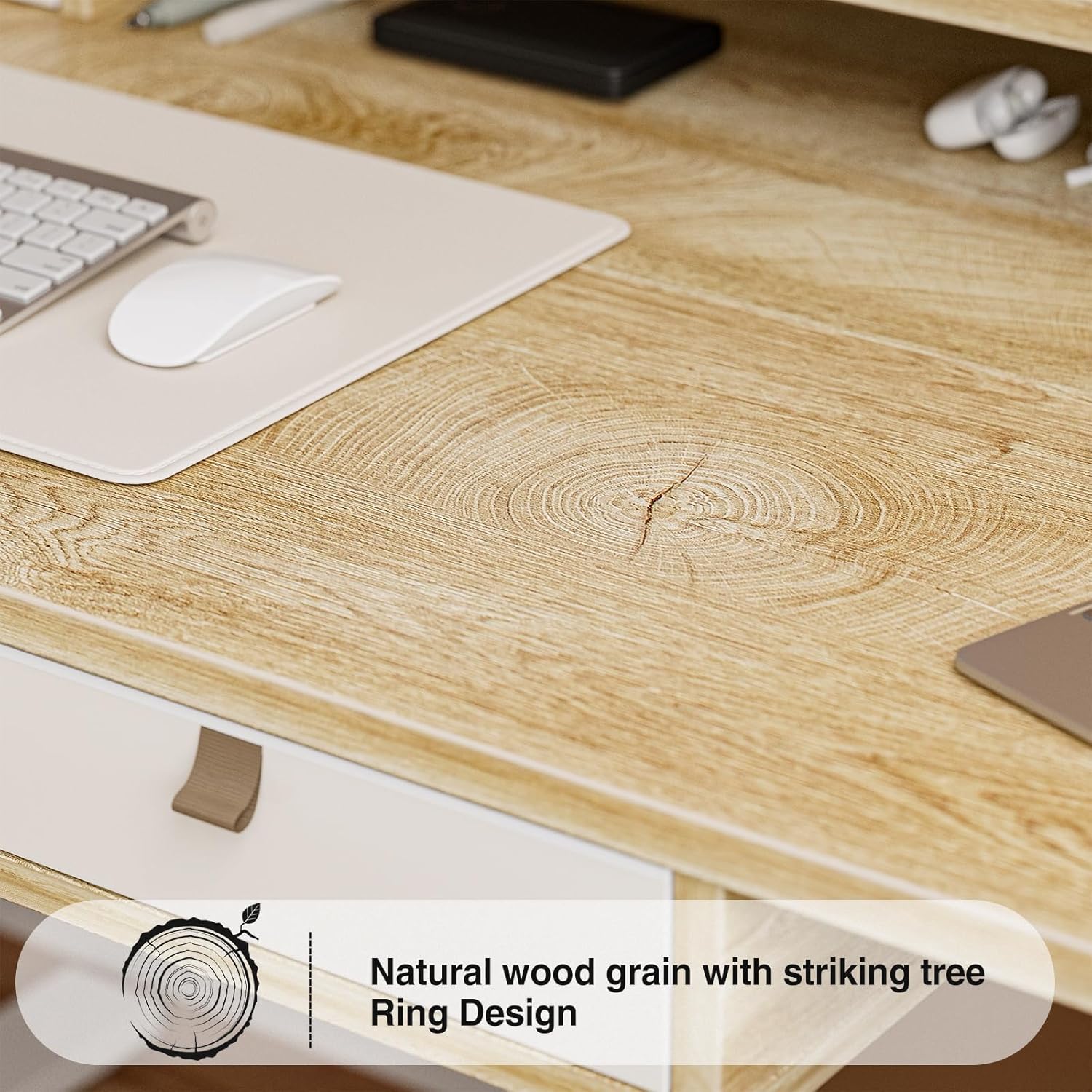
Image: Detail of the natural wood grain desktop finish.

Image: The desk's robust construction, tested for over 50,000 lifts, ensuring stability and durability.
Saugos informacija
To prevent injury or damage to your desk, please observe the following safety precautions:
- Prieš naudodami įsitikinkite, kad visi komponentai yra tvirtai pritvirtinti.
- Darbo metu laikykite vaikus ir naminius gyvūnus atokiau nuo stalo.
- Neperkraukite stalo. Informaciją apie maksimalų svorį rasite specifikacijose.
- Venkite pilti skysčius tiesiai ant valdymo skydelio ar variklio komponentų.
- Prieš valydami ar atlikdami techninę priežiūrą, atjunkite maitinimą.
- Do not attempt to modify the desk's electrical components.
- Ensure there are no obstructions in the desk's path during height adjustment.
Pakuotės turinys
Prieš pradėdami surinkimą, patikrinkite, ar yra visos dalys. Jei kokių nors dalių trūksta arba jos pažeistos, susisiekite su klientų aptarnavimo tarnyba.
- Desktop (Splice Board)
- Stalo rėmas (kojos ir skersinis)
- Electric Lifting Mechanism (Motor and Control Box)
- Valdymo skydelis
- 4 laikymo stalčiai
- Monitor Stand/Upper Shelf
- Kabelių įvorės
- Ausinių kabliukas
- Assembly Hardware (Screws, Allen Wrenches, etc.)
- Maitinimo adapteris
- Vartotojo vadovas
Surinkimo instrukcijos
Assembly typically requires two people. Follow the steps below carefully. An estimated assembly time is 50-60 minutes.
- Išpakuokite komponentus: Atsargiai išimkite visas dalis iš pakuotės ir padėkite jas ant švaraus, minkšto paviršiaus, kad nesubraižytumėte. Patikrinkite visas dalis pagal pakuotės turinio sąrašą.
- Surinkite stalo rėmą: Attach the desk legs to the crossbar using the provided hardware. Ensure all connections are secure.
- Pridėti darbalaukį: Carefully place the desktop onto the assembled frame. Align the pre-drilled holes and secure the desktop to the frame with screws.
- Install Electric Mechanism: Mount the motor and control box to the designated areas under the desktop. Connect all necessary cables according to the wiring diagram (refer to specific diagrams in the full manual, if available).
- Įdiekite valdymo skydelį: Attach the control panel to the underside of the desktop, typically on the right side, and connect its cable to the control box.
- Assemble Storage Elements: Install the four storage drawers into their respective slots. Attach the monitor stand/upper shelf to the desktop.
- Pritvirtinkite priedus: Install cable grommets and the headphone hook as desired.
- Prijunkite maitinimą: Prijunkite maitinimo adapterį prie valdymo dėžutės, o tada – prie sieninio lizdo.
- Pradinis bandymas: Perform an initial test of the height adjustment function to ensure smooth operation.

Image: Desk dimensions for reference during assembly and placement.
Naudojimo instrukcijos
Your Grandder electric standing desk features an intuitive control panel for easy height adjustment and memory presets.
Valdymo skydelio funkcijos

Image: The hand controller for the electric standing desk, showing the digital display and control buttons.
- Rodyklės aukštyn / žemyn (▲ / ▼): Paspauskite ir palaikykite, kad rankiniu būdu sureguliuotumėte stalo aukštį. Atleiskite, kad sustabdytumėte norimoje padėtyje.
- Skaitmeninis ekranas: Shows the current desk height in inches or centimeters.
- Preset Buttons (Icons): Your desk features preset buttons to save and recall preferred sitting and standing heights.
- Norėdami išsaugoti išankstinį nustatymą: Adjust the desk to your desired height using the up/down arrows. Press and hold one of the preset icon buttons (e.g., sitting person icon) until the display flashes or beeps, indicating the height is saved.
- Norėdami priminti išankstinį nustatymą: Briefly press the corresponding preset icon button. The desk will automatically move to the saved height.
Aukščio reguliavimas
The desk allows for smooth electric height adjustment, enabling you to switch between sitting and standing positions. The height range is approximately 28 inches to 45.6 inches.
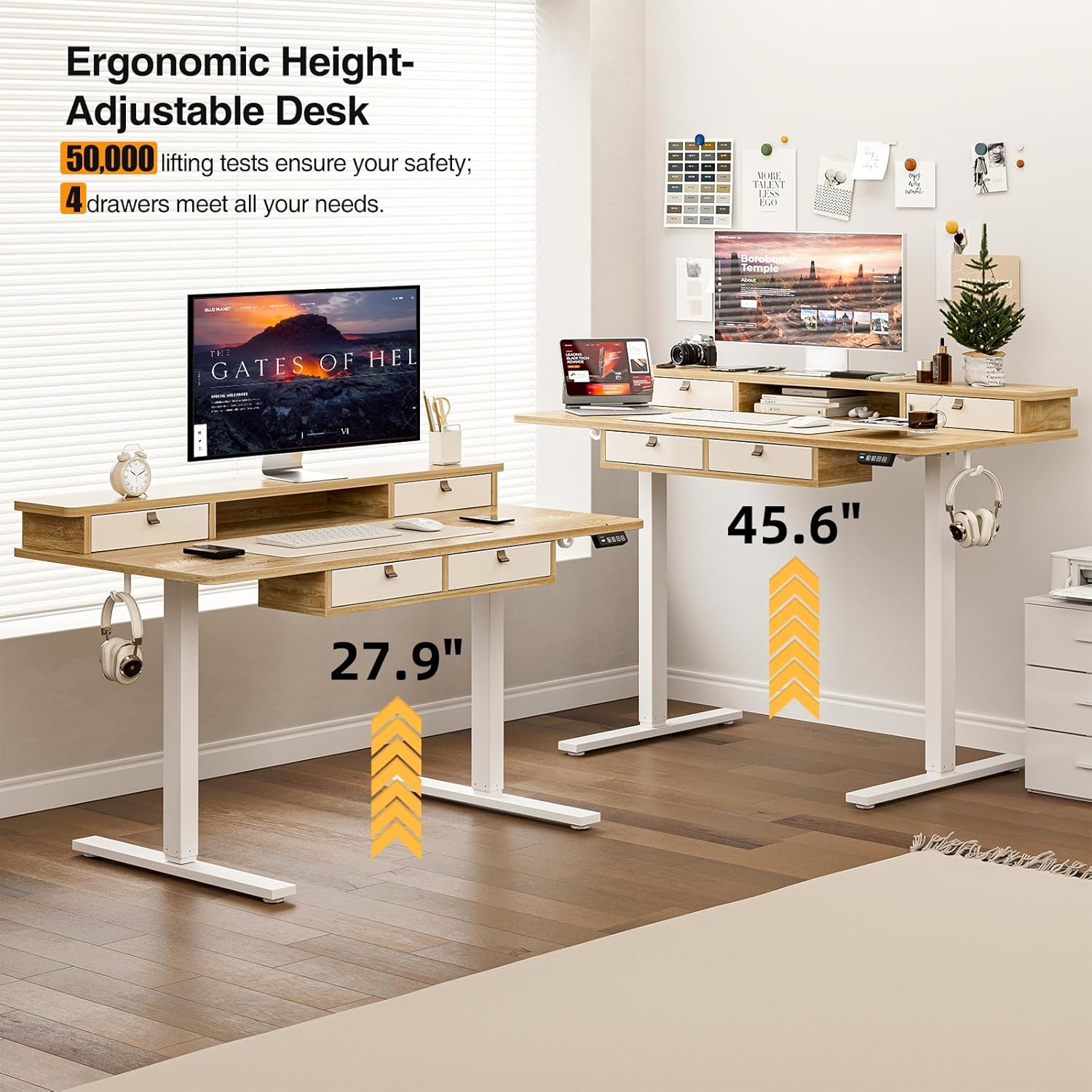
Image: Visual representation of the desk's adjustable height range, from sitting to standing positions.
Saugojimo funkcijos
The desk includes four integrated drawers and an upper shelf for organized storage of office essentials, helping to maintain a tidy workspace.

Image: The four storage drawers providing amperdvės organizavimui.

Image: Comparison illustrating the enhanced storage capabilities of the Grandder desk.
Papildomos funkcijos
- Anti-Collision Design: The desk is equipped with an anti-collision system that automatically stops movement if an obstruction is detected, preventing damage or injury.
- Reguliuojamos pėdų pagalvėlės: The desk features adjustable foot pads to ensure stability on uneven floors.
- Ausinių kabliukas: A convenient hook is included for hanging headphones or other accessories.

Image: Details of the control panel, adjustable foot pads, and anti-collision feature.
Priežiūra
Regular maintenance ensures the longevity and smooth operation of your desk.
- Valymas: Nuvalykite darbastalį ir rėmą minkšta, d šluosteamp šluoste. Venkite abrazyvinių valiklių ar stiprių cheminių medžiagų, kurios gali pažeisti apdailą.
- Kabelių valdymas: Periodically check and organize cables to prevent tangles and ensure they do not interfere with the desk's movement.
- Tvirtinimo detalių patikrinimas: Every few months, check all screws and fasteners to ensure they are tight. Retighten if necessary.
- Variklio priežiūra: The electric motor is designed for maintenance-free operation. Do not attempt to lubricate or disassemble it.
Trikčių šalinimas
| Problema | Galima priežastis | Sprendimas |
|---|---|---|
| Stalas nejuda. | Atjungtas maitinimo kabelis; variklio perkrova; valdymo skydelio problema. | Check power connections. Unplug and replug the power cable. Reduce weight on the desk. Contact customer support if the issue persists. |
| Netolygus aukščio reguliavimas. | Uneven load; loose fasteners. | Distribute weight evenly on the desktop. Check and tighten all assembly fasteners. |
| Stalas sustoja judėjimo metu. | Overload protection activated; anti-collision system triggered. | Reduce weight on the desk. Check for obstructions under or around the desk. Wait a few moments before attempting to adjust again. |
| Control panel display not working. | Power issue; loose cable connection. | Ensure the power cable is securely connected. Check the connection between the control panel and the control box. |
Specifikacijos
| Prekės ženklas | Grandder |
| Modelio numeris | A205-55DX |
| Gaminio matmenys (D x P x A) | 27.6"D x 55"W x 37"H (at lowest point, approximate) |
| Reguliuojamas aukščio diapazonas | Approx. 28" - 45.6" |
| Darbalaukio medžiaga | Inžinerinė mediena su laminuota apdaila |
| Rėmo medžiaga | Metalas |
| Spalva | Ąžuolas |
| Prekės svoris | 59 svaro |
| Svorio talpa | Iki 220 svarų |
| Ypatingos savybės | Ergonomic, 4 Storage Drawers, Monitor Stand, Cable Grommets, Headphone Hook |

Image: The desk's capacity to hold various office items, up to 220 lbs.
Garantija ir palaikymas
Grandder products are designed for quality and durability. For warranty information, technical support, or assistance with missing/damaged parts, please contact Grandder customer service through the retailer's platform or the official Grandder website. Please have your model number (A205-55DX) and purchase date ready when contacting support.