
1. Įvadas
Thank you for choosing the UCOCARE 4G LTE Outdoor Solar Security Camera, Model BF-A30. This camera is designed to provide reliable surveillance in outdoor environments where traditional power and Wi-Fi connectivity may be limited. Featuring a high-resolution camera, efficient solar charging, and advanced detection capabilities, this manual will guide you through the setup, operation, and maintenance of your new security camera.
2. Produkto ypatybės
- Self-Sufficient Power: Equipped with an 8W high-efficiency solar panel and a large 15000mAh rechargeable battery, ensuring continuous operation without external power sources.
- 4G LTE ryšys: Operates independently of Wi-Fi, utilizing a 4G SIM card (included with a 7-day free unlimited data trial) for remote access. Compatible with major Japanese carriers (NTT Docomo, KDDI AU, SoftBank).
- Didelės raiškos vaizdo įrašas: Captures clear and vivid 4MP QHD images with a 120° wide-angle lens.
- Flexible Monitoring: Offers 355° pan and 120° tilt control via the UBox app, along with 10x digital zoom to cover a wide area and capture details.
- Pažangus naktinis matymas: Features a powerful 500 lumen floodlight for full-color night vision up to 20 meters in low-light conditions. Built-in IR LEDs provide clear black and white night vision up to 30 meters in complete darkness.
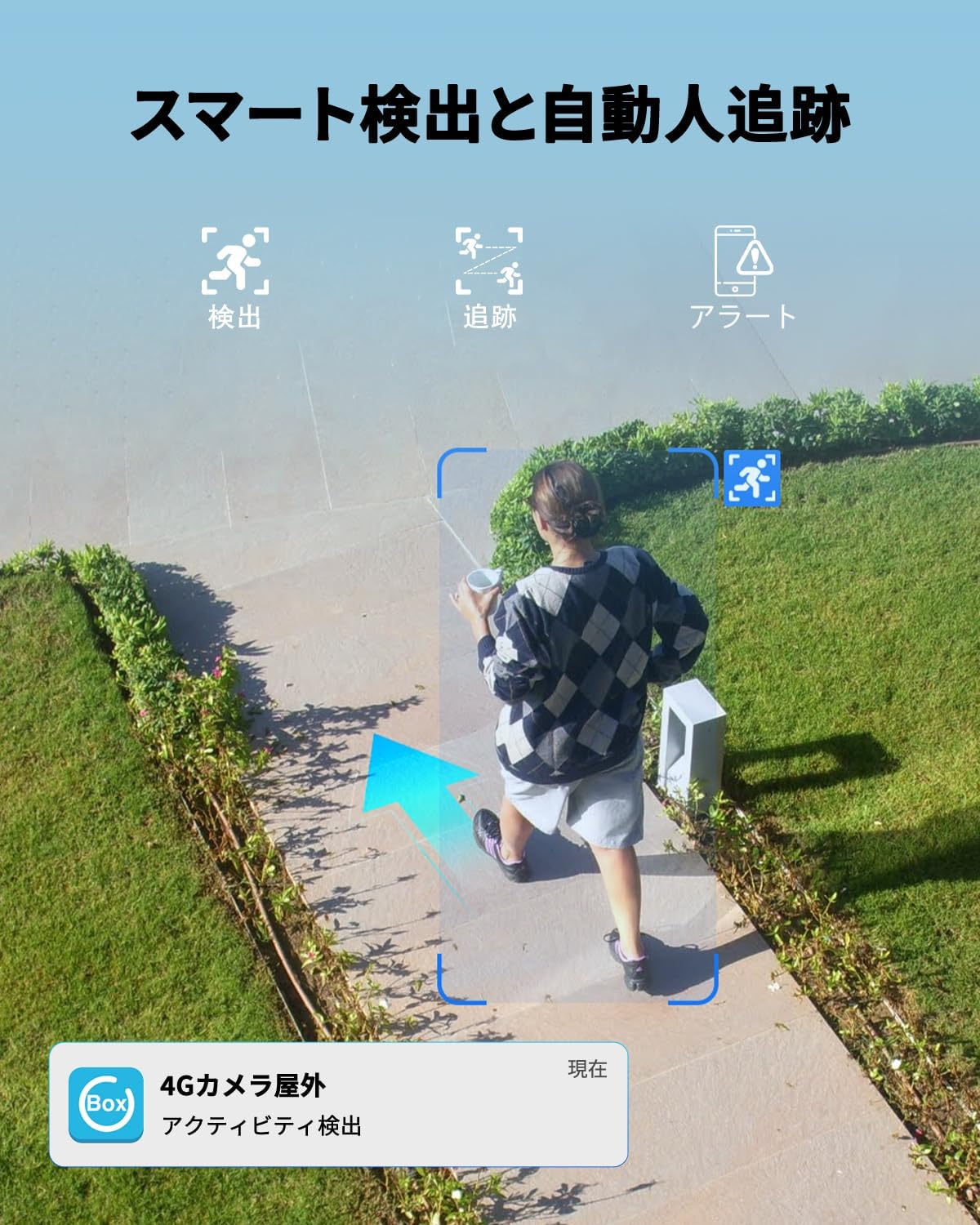
- Smart Detection & Tracking: Utilizes advanced detection technology to accurately identify human movement, filtering out irrelevant motion. Automatic human tracking ensures continuous monitoring of detected subjects.
- Momentiniai įspėjimai ir atgrasymas: Sends real-time alerts to your mobile phone upon detection. Includes two-way audio for remote communication and a sound/light alarm to deter intruders. Alert sensitivity and schedules are customizable.
- Patvarus dizainas: IP66 waterproof rating ensures reliable performance in various weather conditions, including sun, rain, and snow.
- Saugaus saugojimo parinktys: Supports local storage via a Micro SD card (up to 128GB, sold separately) and cloud storage with a 30-day free trial.
- Kelių vartotojų prieiga: Allows unlimited device sharing and up to 5 online users to view tiesioginę transliaciją vienu metu.
3. Pakuotės turinys
Patikrinkite pakuotę, ar joje yra šie daiktai:
- UCOCARE 4G LTE Outdoor Solar Security Camera (BF-A30)
- Saulės baterija (8W)
- Montavimo laikiklis ir varžtai
- 4G SIM Card (pre-installed or included separately)
- USB įkrovimo laidas
- Vartotojo vadovas
4. Sąrankos vadovas
4.1 Pradinis įkrovimas
Before first use, fully charge the camera's built-in 15000mAh battery using the provided USB cable. Connect the cable to the camera's charging port and a standard 5V/2A USB power adapter (not included). The charging indicator light will show the charging status.
4.2 SIM kortelės montavimas
The camera operates using a 4G LTE SIM card. If the SIM card is not pre-installed, follow these steps:
- Locate the SIM card slot on the camera, usually protected by a rubber cover.
- Carefully open the cover and insert the 4G SIM card into the slot with the correct orientation. Ensure it clicks into place.
- Close the rubber cover firmly to maintain waterproofing.

4.3 Programėlės atsisiuntimas ir registracija
Atsisiųskite UBox app from your smartphone's app store (iOS App Store or Google Play Store). Follow the in-app instructions to register an account.
4.4 Kameros susiejimas su programėle
- Power on the camera. A blue indicator light should illuminate, indicating it's ready for pairing.
- Open the UBox app and tap on "Add Device" or the '+' icon.
- Select the 4G camera option.
- Scan the QR code located on the camera or its packaging using the app.
- Vykdykite ekrane pateikiamus nurodymus, kad užbaigtumėte susiejimo procesą.

4.5 Fotoaparato montavimas
Choose a suitable outdoor location with good solar exposure for the solar panel and a clear view for the camera. Use the provided mounting bracket and screws to securely attach the camera to a wall, ceiling, or pole.
5. Naudojimo instrukcijos
5.1 Tiesiogiai View ir nuotolinio valdymo pultą
Open the UBox app to access the live feed from your camera. You can remotely control the camera's pan (355°) and tilt (120°) movements by swiping on the screen. Use the pinch-to-zoom gesture for 10x digital zoom.


5.2 Dvipusis garsas
The camera supports two-way audio communication. Tap the microphone icon in the app to speak through the camera's speaker, and listen to audio from the camera's microphone.

5.3 Judesio aptikimas ir įspėjimai
The camera features smart human detection and automatic tracking. When motion is detected, the camera will send instant alerts to your phone. You can customize the detection sensitivity and set alarm schedules within the UBox app to avoid false alarms.

5.4 Įrašymas ir atkūrimas
Recordings are saved to either a Micro SD card (if installed) or cloud storage. You can access and playback recorded events through the UBox app. The smart playback feature allows you to quickly locate important events.


5.5 Įrenginio bendrinimas
You can share access to your camera with family members or trusted individuals through the UBox app. The camera supports unlimited device sharing and up to 5 online users simultaneously.

6. Priežiūra
6.1 Saulės baterijų priežiūra
To ensure optimal charging efficiency, regularly clean the surface of the solar panel to remove dust, dirt, or debris. A clean panel will maximize sunlight absorption.
6.2 Akumuliatoriaus valdymas
The 15000mAh battery provides extended operation. In areas with prolonged cloudy weather or low sunlight, occasional manual charging via the USB port may be necessary to maintain battery levels.
6.3 Firmware atnaujinimai
Periodically check the UBox app for available firmware updates. Keeping your camera's firmware up-to-date ensures optimal performance, security, and access to new features.
6.4 Hidroizoliacija
The camera is rated IP66 waterproof, designed to withstand various outdoor elements. Ensure all covers and seals are properly closed after any access to internal components (e.g., SIM card, SD card) to maintain its waterproof integrity.
7. Problemų sprendimas
| Problema | Galima priežastis | Sprendimas |
|---|---|---|
| Kamera neįsijungia | Low battery; Power button not pressed; Faulty unit. | Charge the battery fully. Press and hold the power button. Contact support if issue persists. |
| Nepavyksta prisijungti prie programos | Incorrect SIM card insertion; No 4G signal; App pairing error. | Ensure SIM card is correctly inserted. Check 4G signal strength. Re-attempt pairing process. |
| Prasta vaizdo kokybė | Low 4G signal; Dirty lens; App settings. | Check 4G signal. Clean the camera lens. Adjust video quality settings in the app. |
| Dažni klaidingi aliarmai | High sensitivity setting; Environmental factors (e.g., moving branches). | Adjust motion detection sensitivity in the app. Set up activity zones to ignore irrelevant areas. |
| Saulės baterija neįsikrauna | Panel is dirty; Insufficient sunlight; Panel not connected. | Clean the solar panel. Relocate for better sun exposure. Ensure the solar panel cable is securely connected. |
For further assistance, please refer to the UBox app's help section or contact UCOCARE customer support.
8. Specifikacijos
| Funkcija | Detalė |
|---|---|
| Modelio numeris | BF-A30 |
| Gamintojas | UCOCARE |
| Spalva | Juoda |
| Rezoliucija | 4MP QHD |
| Saulės baterijos maitinimas | 8W |
| Baterijos talpa | 15000 mAh |
| Ryšys | 4G LTE (reikalinga SIM kortelė) |
| Panardinimo / pakreipimo diapazonas | 355° Pan, 120° pakreipimas |
| Skaitmeninis priartinimas | 10x |
| Naktinis matymas | Color (up to 20m), IR B&W (up to 30m) |
| Saugojimo parinktys | „Micro SD“ kortelė (iki 128 GB), debesies saugykla |
| Atsparumo vandeniui įvertinimas | IP66 |
| Kilmė | Kinija |
| UPC | 755560373117 |
| GTIN | 755560373117 |
9. Garantija ir palaikymas
UCOCARE products are manufactured to high-quality standards and undergo strict inspection. For warranty information, technical support, or any product-related inquiries, please refer to the contact information provided with your purchase or visit the official UCOCARE website. Our technical support team is dedicated to resolving any issues and ensuring your satisfaction.