
1. Produktas baigtasview
The Lenovo LOQ Gaming Laptop is engineered for performance, featuring an Intel Core i5-12450HX processor, NVIDIA GeForce RTX 2050 graphics, and a 15.6-inch FHD 144Hz display. This laptop is equipped with Wi-Fi 6 and Bluetooth 5.2 for robust connectivity, and a white backlit keyboard for enhanced usability in various lighting conditions.
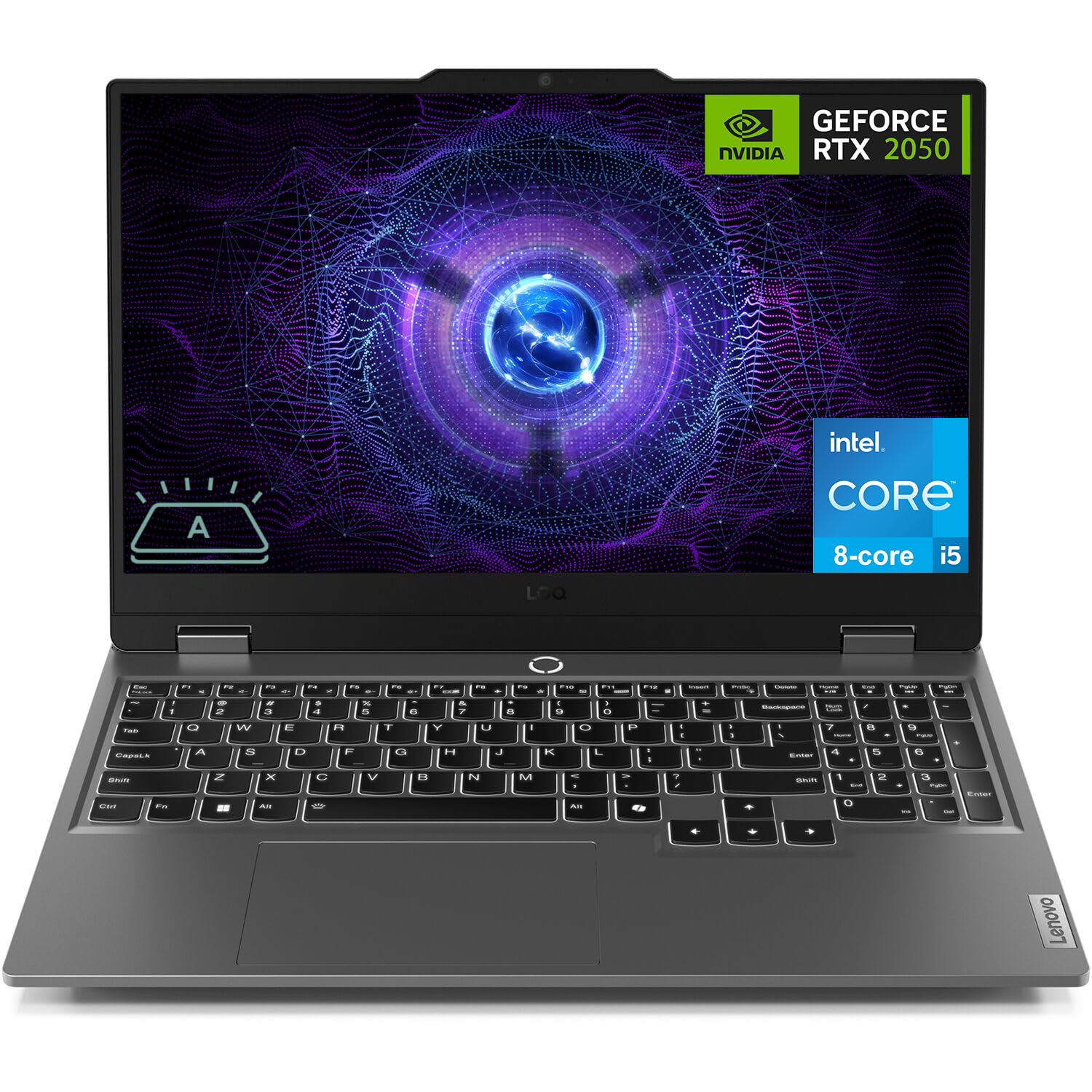
Figure 1: Lenovo LOQ Gaming Laptop - Angled View
This image shows the Lenovo LOQ Gaming Laptop from an angled perspective, highlighting its sleek design and the vibrant display. The screen is active, showcasing a dynamic graphic, and the keyboard is visible.
2. Sąrankos vadovas
2.1. Išpakavimas ir pradinė apžiūra
Carefully remove the laptop and all accessories from the packaging. Inspect for any signs of damage. Retain the packaging for future transport or service needs.
2.2. Maitinimo prijungimas
- Connect the power adapter to the laptop's power connector.
- Įkiškite maitinimo laidą į elektros lizdą.
- Prieš pirmą kartą naudodami, leiskite akumuliatoriui įkrauti bent 30 minučių arba tol, kol akumuliatoriaus indikatorius rodys pakankamą įkrovą.
2.3. Pirmasis įjungimas
- Atidarykite nešiojamojo kompiuterio dangtį.
- Paspauskite maitinimo mygtuką, esantį virš klaviatūros.
- Vykdykite ekrane pateikiamus nurodymus, kad užbaigtumėte „Windows 11 Home“ sąranką, įskaitant kalbos, regiono, tinklo ryšio ir vartotojo paskyros kūrimą.

2 pav.: Klaviatūros ir jutiklinės planšetės išdėstymas
Šis paveikslėlis pateikia vaizdą iš viršaus į apačią view of the Lenovo LOQ Gaming Laptop's keyboard and touchpad, illustrating the full-size layout with a numeric keypad and the central power button.
3. Nešiojamojo kompiuterio valdymas
3.1. Klaviatūros funkcijos
The laptop features a 6-row keyboard with multimedia Fn keys and a numeric keypad. The keyboard has a white backlight. Press Fn + tarpo klavišas to cycle through backlight brightness levels (Off, Low, High).
3.2. Ekrano nustatymai
The 15.6-inch FHD (1920 x 1080) IPS display operates at 144Hz. You can adjust display settings, including resolution, refresh rate, and brightness, through Windows Display Settings. The display features anti-glare and Low Blue Light technology.
3.3. Ryšys
Your laptop supports various connectivity options:
- „Wi-Fi 6“: Dėl didelės spartos belaidžio interneto prieigos.
- "Bluetooth 5.2": For connecting wireless peripherals such as mice, keyboards, and headphones.
- Ethernet (RJ-45): Laidinio tinklo jungtims.
- USB prievadai: 3x USB-A (USB 5Gbps / USB 3.2 Gen 1) and 1x USB-C (USB 10Gbps / USB 3.2 Gen 2) with Lenovo PD 140W and DisplayPort 1.4 support.
- HDMI 2.1: For connecting external displays, supporting up to 8K/60Hz.
- Ausinių / mikrofono jungtis (3.5 mm): Garso įvesties ir išvesties jungtims.

Figure 3: Rear Port Configuration
This image displays the rear of the Lenovo LOQ Gaming Laptop, clearly labeling the various ports available for connectivity, including USB-C, HDMI, Ethernet, and USB-A ports.
4. Priežiūra
4.1. Valymas
- Ekranui valyti naudokite minkštą, nepūkuotą šluostę. Venkite stiprių cheminių medžiagų.
- Norėdami nuvalyti dulkes nuo klaviatūros klavišų ir ventiliacijos grotelių, naudokite suslėgtą orą.
- Wipe the laptop's exterior with a slightly damp audinys.
4.2. Akumuliatoriaus priežiūra
The laptop is equipped with a 60Wh Rechargeable Li-ion Battery that supports Rapid Charge Pro (up to 50% charge in 30 minutes). To prolong battery life:
- Venkite ekstremalių temperatūrų.
- Neiškraukite akumuliatoriaus dažnai iki galo.
- Jei ilgesnį laiką nenaudojate nešiojamojo kompiuterio, laikykite jį iš dalies įkrautą.
4.3. Programinės įrangos atnaujinimai
Regularly update your operating system and drivers to ensure optimal performance and security. Check for updates through Windows Update and Lenovo Vantagel. programinė įranga.

4 pav.: Pažangi aušinimo sistema
This diagram illustrates the internal cooling system of the Lenovo LOQ Gaming Laptop, showing how air flows through the vents to dissipate heat from critical components, ensuring stable performance during intensive tasks.
5. Problemų sprendimas
5.1. Nėra elektros
- Ensure the power adapter is securely connected to both the laptop and the electrical outlet.
- Patikrinkite, ar maitinimo lizdas veikia, prijungdami prie jo kitą įrenginį.
- Jei akumuliatorius visiškai išsikrovęs, prieš bandydami įjungti, leiskite jam kelias minutes įsikrauti.
5.2. Ekrano problemos
- Jei ekranas tuščias, pabandykite paspausti Fn + F2 (or the corresponding display toggle key) to ensure the display is not turned off or switched to an external monitor.
- Adjust screen brightness using the dedicated function keys (e.g., Fn + F5 / F6).
- Įsitikinkite, kad grafikos tvarkyklės yra atnaujintos.
5.3. Tinklo ryšio problemos
- For Wi-Fi, check if Wi-Fi is enabled in Windows settings and if you are connected to the correct network.
- Jei naudojate Ethernet, įsitikinkite, kad laidas yra tvirtai prijungtas prie nešiojamojo kompiuterio ir maršrutizatoriaus / modemo.
- Restart your router/modem and the laptop.
6. Specifikacijos
| Funkcija | Detalė |
|---|---|
| Procesorius | Intel Core i5-12450HX (8 Cores, 12 Threads, up to 4.4GHz) |
| Grafika | NVIDIA GeForce RTX 2050 4GB GDDR6 |
| Ekranas | 15.6" FHD (1920x1080) IPS, 144Hz, Anti-glare, 300 nits, Low Blue Light |
| Atmintis (RAM) | 12 GB DDR5 (konfigūruojama iki 64 GB) |
| Sandėliavimas | 512GB PCIe M.2 SSD (Configurable up to 8TB) |
| Operacinė sistema | Windows 11 Home (64-bit, English) |
| Belaidis ryšys | „Wi-Fi 6“ (802.11ax), „Bluetooth 5.2“ |
| Uostai | 3x USB-A (USB 3.2 Gen 1), 1x USB-C (USB 3.2 Gen 2, PD 140W, DP 1.4), 1x HDMI 2.1, 1x Ethernet (RJ-45), 1x Headphone/Mic Combo Jack |
| Klaviatūra | 6-row, multimedia Fn keys, numeric keypad, White backlight |
| Baterija | 60Wh Li-ion, Rapid Charge Pro support |
| Fotoaparatas | HD 720p, E-shutter, fixed focus |
| Spalva | Luna Grėjau |
| Matmenys (P x G x A) | 14.17 x 10.19 x 0.86 colio |
| Svoris | 5.25 svaro |
| UPC | 195477803817 |
7. Garantija ir palaikymas
7.1. Informacija apie garantiją
This Lenovo LOQ Gaming Laptop comes with a One-year limited seller warranty. Please refer to your purchase documentation for specific terms and conditions.
7.2. Pagalba klientams
Dėl techninės pagalbos, tvarkyklių atsisiuntimo ar paslaugų užklausų apsilankykite oficialioje „Lenovo“ palaikymo svetainėje website or contact their customer service. Keep your product's serial number handy for faster service.
Daugiau informacijos ir palaikymo išteklių galite rasti adresu „Lenovo“ parduotuvė „Amazon“ platformoje.