
1. Įvadas
Thank you for choosing the INFIYA K1 2K Window Camera. This manual provides detailed instructions for setting up, operating, and maintaining your camera to ensure optimal performance and home security. Please read this manual thoroughly before use and retain it for future reference.
2. Kas yra dėžutėje
Įsitikinkite, kad pakuotėje yra visi komponentai:
- 1 x INFIYA K1 Camera
- 1x maitinimo adapteris
- 1 x C tipo maitinimo laidas
- Magnetic Stickers
- Kabelių spaustukai
- 1 x Greitos pradžios vadovas

Image: Contents of the INFIYA K1 camera box.
3. Produktas baigtasview
Familiarize yourself with the main components of your INFIYA K1 camera:

Image: Labeled diagram of the INFIYA K1 camera components.
- Indikatoriaus lemputė: Rodo fotoaparato būseną.
- Objektyvas: Įrašo 2K raiškos vaizdo įrašus.
- Magnetic Part: For easy window mounting.
- Atkūrimo mygtukas: Naudojamas gamyklinių parametrų atkūrimui arba susiejimui.
- TF kortelės lizdas: For local storage (supports up to 128GB, card not included).
- Pranešėjas: Dvipusiam garso ryšiui.
- Type-C Power Cable: Prijungia kamerą prie maitinimo adapterio.
4. Sąrankos vadovas
4.1 Physical Installation (Drill-Free)
The INFIYA K1 camera features a magnetic design for easy, drill-free installation on any interior window.
- Clean the Window: Ensure the glass surface is clean and dry to prevent condensation issues.
- Apply Magnetic Sticker: Peel off the protective film from the magnetic sticker and firmly attach it to the desired location on your window.
- Prijunkite kamerą: Align the camera with the magnetic sticker and attach it. The magnetic connection will hold it securely.
- Maitinimas: Connect the Type-C power cable to the camera and plug the power adapter into an electrical outlet.

Image: Step-by-step physical installation of the camera.
4.2 App Connection and Wi-Fi Configuration
To access your camera's features, you need to connect it to the Wansview Debesų programa.
- Atsisiųsti programą: Atsisiųskite „Wans“view Cloud App from your smartphone's app store (available for Android and iOS).
- Registruoti paskyrą: Atidarykite programėlę ir užregistruokite naują paskyrą arba prisijunkite, jei jau turite.
- Pridėti įrenginį: Follow the in-app instructions to add a new device. Select the INFIYA K1 model.
- Prisijunkite prie „Wi-Fi“: Ensure your camera is powered on and near your Wi-Fi router (within 3 feet for initial setup). The K1 camera supports dual-band Wi-Fi (2.4Ghz & 5Ghz). Follow the app prompts to connect the camera to your home Wi-Fi network.

Image: App connection and Wi-Fi configuration steps.
5. Operacija
5.1 Tiesiogiai View and 2K Resolution
Once connected, access the live feed through the Wansview Cloud App. The INFIYA K1 provides sharp 2K resolution video, capturing clear details of your outdoor environment through the window, optimized to reduce glare and reflection.
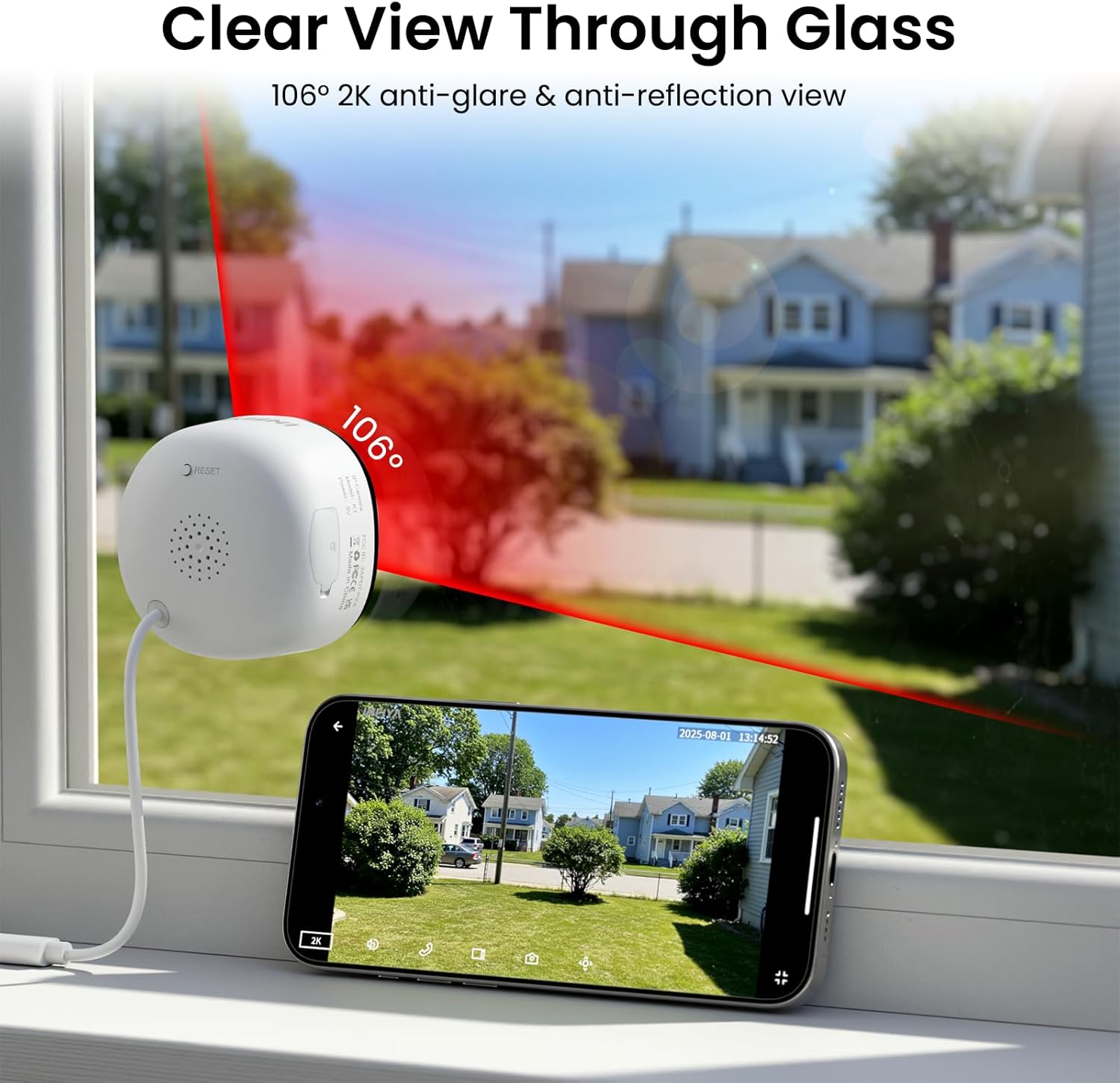
Image: Clear 2K view through glass from the camera.
5.2 Spalvotas naktinis matymas
The camera features advanced Black Light Color Technology, enabling vivid full-color footage even in low-light conditions (e.g., starlight/moonlight). This allows for better identification of details at night compared to traditional infrared black and white night vision.

Paveikslėlis: Naktinio matymo galimybių palyginimas.
5.3 Motion & Human Detection with Alerts
The INFIYA K1 camera utilizes AI-powered human detection to minimize false alarms. When human activity is detected, the camera activates a three-layer alert system:
- Immediate app notifications to your phone.
- An optional siren (can be configured in the app).
- Automatic video clip recording of the event.
You can customize detection zones and sensitivity levels within the app.
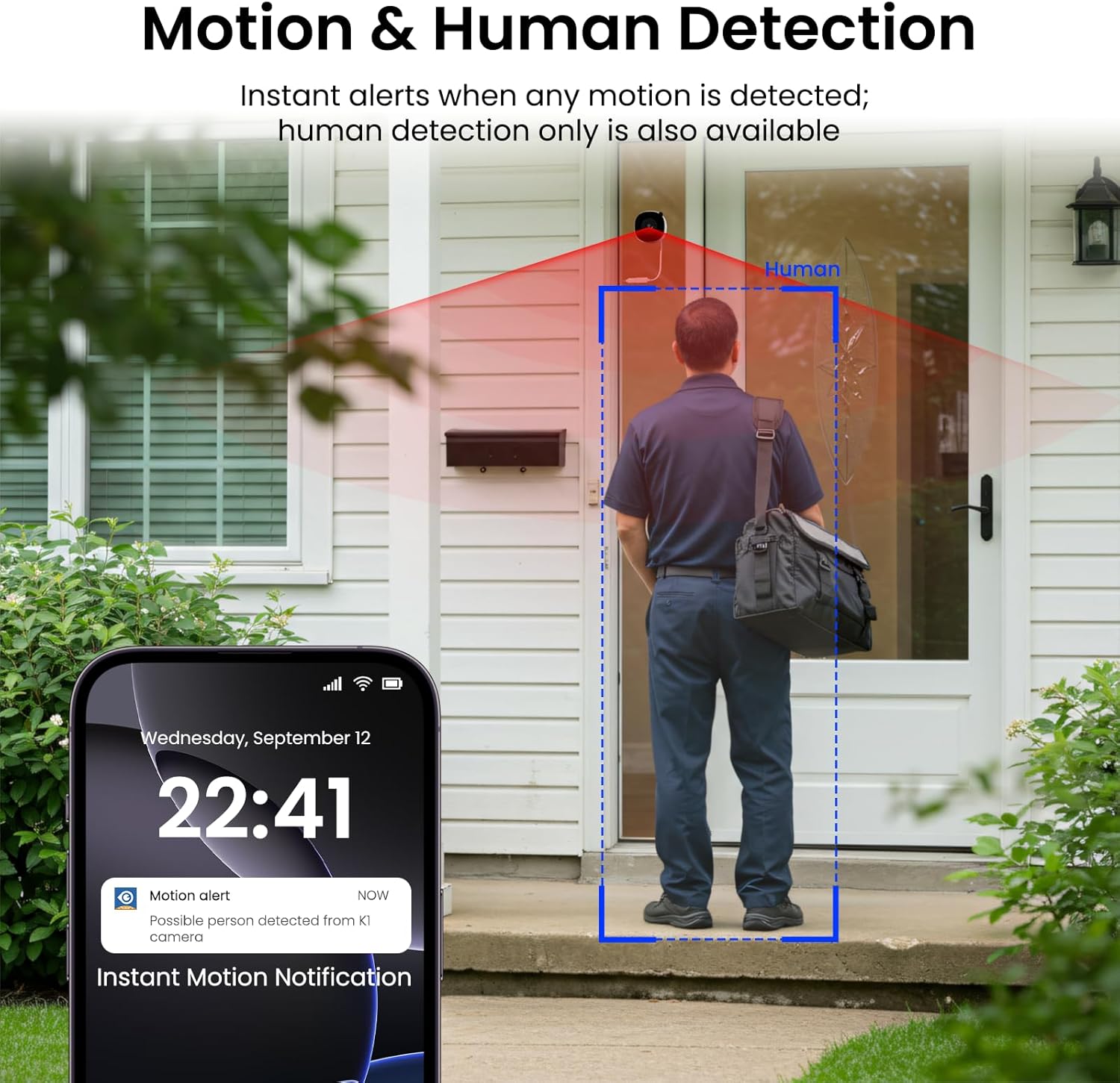
Image: Motion and human detection in action.
5.4 Dvipusis garsas
The integrated speaker and microphone allow for two-way communication. You can speak through the camera to visitors or deter intruders directly from your smartphone app.
5.5 Multi-User Sharing & Multi-Device Support
Share camera access with family members through the app. The camera also supports integration with multiple devices and smart home platforms like Alexa and Google Assistant for convenient voice control and viewing.

Image: Multi-user sharing feature.

Image: Multi-device support with smart assistants.
6. Saugojimo parinktys
The INFIYA K1 camera offers flexible recording and storage solutions:
6.1 Vietinė atmintis (TF kortelė)
Insert a TF (microSD) card (up to 128GB, not included) into the camera's slot for continuous 24/7 recording. The camera features a smart overwrite function that automatically manages storage space by cycling old footage.
6.2 Cloud Storage (Optional)
For enhanced security and accessibility, you can opt for cloud storage. All videos uploaded to the cloud are encrypted. Cloud plans offer various features and storage durations, as detailed in the app.

Paveikslėlis: Vietinės ir debesies saugyklos parinktys.
6.3 Recording Modes Comparison

Image: Comparison table of recording modes.
7. Specifikacijos
Detailed technical specifications for the INFIYA K1 camera:
| Funkcija | Detalė |
|---|---|
| Modelio pavadinimas | K1 |
| Prekės ženklas | INFIYA |
| Ryšio technologija | Belaidis ryšys (Wi-Fi) |
| Wi-Fi dažnis | 5 GHz ir 2.4 GHz |
| Vaizdo įrašymo raiška | 3 MP (2K) |
| Viewing kampas | 105 laipsnių |
| Naktinis matymas | Color Night Vision (Black Light Color Technology) |
| Naktinio matymo diapazonas | 29.5 pėdų |
| Aptikimo funkcijos | Judesio ir žmogaus aptikimas |
| Įspėjimo tipas | Motion Only (Configurable) |
| Garsas | Dvipusis pokalbis |
| Saugojimo parinktys | TF Card (up to 128GB), Cloud Storage (Optional) |
| Maitinimo šaltinis | Corded Electric (5V, 5 Watt-hours) |
| Montavimo tipas | Window Mount (Magnetic) |
| Suderinami įrenginiai | Alexa / Google Assistant |
| Prekės matmenys | 2.41 x 1.57 x 2.41 colio |
| Naudojimas lauke viduje | Indoor (for window monitoring) |
8. Problemų sprendimas
If you encounter issues with your INFIYA K1 camera, refer to the following common problems and solutions:
- Fotoaparatas neprisijungia prie „Wi-Fi“:
- Ensure the camera is within range of your router.
- Patikrinkite, ar jūsų „Wi-Fi“ slaptažodis teisingas.
- Check if your router supports 2.4Ghz or 5Ghz, and ensure the camera is attempting to connect to a compatible band.
- Try resetting the camera using the reset button and re-attempting the setup process.
- Prasta vaizdo kokybė:
- Įsitikinkite, kad fotoaparato objektyvas yra švarus.
- Check your internet connection speed; a stable connection is crucial for 2K streaming.
- Verify the camera is positioned correctly on the window to minimize glare or reflections.
- Judesio įspėjimai neveikia:
- Confirm motion detection is enabled in the app settings.
- Adjust the detection sensitivity and detection zones.
- Įsitikinkite, kad jūsų išmaniajame telefone įjungti programėlių pranešimai.
- No Recording to TF Card:
- Įsitikinkite, kad TF kortelė tinkamai įdėta į lizdą.
- Check if the TF card is formatted correctly (usually FAT32). Format it via the app if necessary.
- Verify that continuous recording or event recording to TF card is enabled in the app settings.
For further assistance, please refer to the in-app help section or contact INFIYA customer support.
9. Saugos informacija
Please observe the following safety guidelines to ensure safe operation and prevent damage to your device:
- Naudokite tik pateiktą maitinimo adapterį ir laidą.
- Do not expose the camera to extreme temperatures, humidity, or direct water.
- Venkite laikyti fotoaparatą šalia stiprių magnetinių laukų.
- Laikykite fotoaparatą vaikams ir naminiams gyvūnams nepasiekiamoje vietoje.
- Nebandykite patys ardyti ar taisyti fotoaparato. Dėl remonto kreipkitės į kvalifikuotus specialistus.
- Įsitikinkite, kad kamera yra tvirtai pritvirtinta, kad ji nenukristų.
10. Garantija ir palaikymas
Your INFIYA K1 camera comes with a standard manufacturer's warranty. Please refer to the warranty card included in your package or visit the official INFIYA websvetainėje, kurioje pateikiamos išsamios garantijos sąlygos.
For technical support, product inquiries, or warranty claims, please contact INFIYA customer service through the contact information provided in the app or on the official websvetainę.