
Svarbios saugos instrukcijos
Naudojant elektros prietaisus, visada reikia laikytis pagrindinių saugos priemonių, įskaitant:
- Prieš naudodami skrudintuvą, perskaitykite visas instrukcijas.
- Nelieskite karštų paviršių. Naudokite rankenas arba rankenėles.
- Kad apsisaugotumėte nuo elektros smūgio, nemerkite laido, kištuko ar skrudintuvo į vandenį ar kitą skystį.
- Atidžiai prižiūrėti būtina, kai bet kurį prietaisą naudoja vaikai arba jį naudoja šalia vaikų.
- Ištraukite kištuką iš elektros lizdo, kai nenaudojate ir prieš valydami. Prieš uždėdami arba nuimdami dalis, leiskite atvėsti.
- Nenaudokite prietaiso, kurio laidas ar kištukas pažeistas, arba po to, kai prietaisas neveikia arba buvo kaip nors sugadintas.
- Neleiskite laidui kaboti virš stalo ar prekystalio krašto ir neliesti karštų paviršių.
- Nedėkite ant įkaitusios dujinės ar elektrinės viryklės ar šalia jos, taip pat į įkaitintą orkaitę.
- Nenaudokite prietaiso ne pagal paskirtį.
- Į skrudintuvą negalima dėti didelių maisto produktų, metalinės folijos pakuočių ar stalo įrankių, nes jie gali sukelti gaisrą arba elektros smūgio pavojų.
- Gaisras gali kilti, jei skrudintuvai yra uždengti arba liečiasi su degiomis medžiagomis, įskaitant užuolaidas, užuolaidas, sienas ir panašius dalykus.
- Nebandykite išstumti maisto, kai skrudintuvas įjungtas.
- Nedirbkite be priežiūros.
Produktas baigtasview
The WHALLULTRA Touchscreen Toaster is a 2-slice appliance designed for efficient and versatile toasting. It features a modern touchscreen interface, durable stainless steel construction, wide slots to accommodate various bread types, and an integrated warming rack. This toaster offers multiple functions including Bagel, Defrost, Reheat, and Cancel, along with adjustable shade settings.
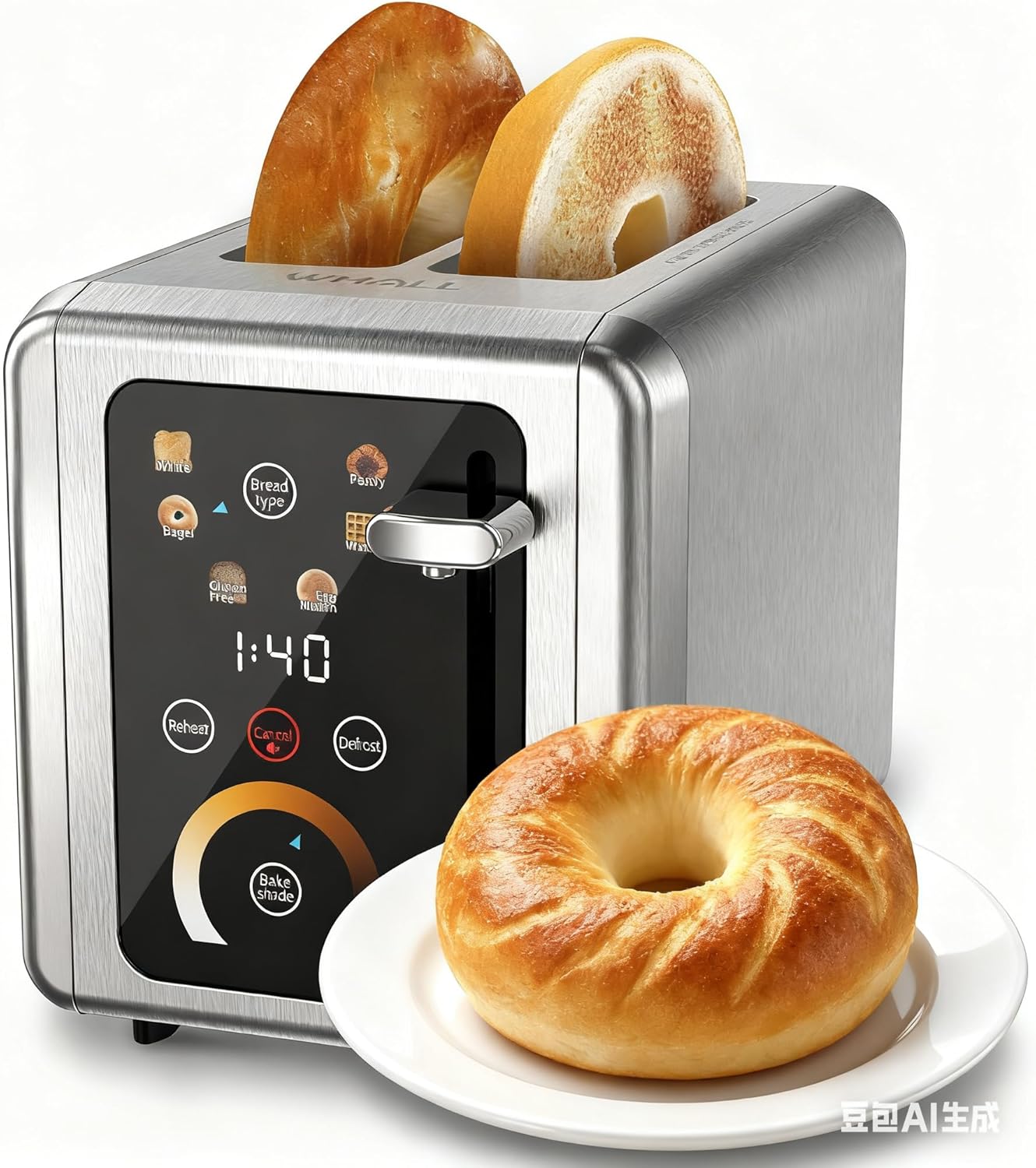
Image: The WHALLULTRA Touchscreen Toaster, showcasing its stainless steel finish and touchscreen control panel, with two toasted bagel halves emerging from the slots and a fresh bagel on a plate beside it.
Sąranka
- Išpakuoti: Atsargiai nuimkite skrudintuvą ir visas pakavimo medžiagas. Išsaugokite pakuotę būsimam saugojimui ar transportavimui.
- Vieta: Skrudintuvą pastatykite ant stabilaus, lygaus, karščiui atsparaus paviršiaus, atokiau nuo degių medžiagų. Užtikrinkite tinkamą vėdinimą aplink skrudintuvą.
- Pirmasis panaudojimas (sudeginimas): Before first use, operate the toaster without bread on the highest shade setting to burn off any manufacturing residues. A slight odor or smoke may be present; this is normal. Ensure the area is well-ventilated.
- Prijunkite maitinimą: Prijunkite maitinimo laidą į standartinį elektros lizdą.
Naudojimo instrukcijos
Pagrindinė operacija
- 1 veiksmas: Į skrudintuvo angas įdėkite duonos riekeles.
- 2 veiksmas: Use the touchscreen to select the desired bread type (e.g., White, Bagel, Gluten Free, Eng Muffin, Pastry, Waffle) and adjust the toast shade level. Press 'Defrost' or 'Reheat' if needed.
- 3 veiksmas: Spauskite skrudinimo svirtį žemyn, kol ji užsifiksuos. Prasidės skrudinimo ciklas.
- 4 veiksmas: Once the countdown ends, the toasted bread will automatically pop up.

Image: A visual guide illustrating the four basic steps of operating the toaster: inserting bread, selecting settings on the touchscreen, pushing down the lever, and the bread popping up when done.
Valdymo skydelio funkcijos

Paveikslėlis: detalus view of the toaster's touchscreen control panel, highlighting the 'Bread Type', 'Cancel', 'Defrost', and 'Reheat' buttons with their respective functions explained.
- Duonos tipas: Press this button to cycle through different bread types (White, Bagel, Gluten Free, Eng Muffin, Pastry, Waffle) for optimized toasting.
- Atšaukti: Press to stop the current toasting cycle immediately. A long press for 2 seconds will mute the toaster's sound.
- Atšildymas: Activates a longer toasting cycle (approximately 20% longer) suitable for toasting frozen bread.
- Pakaitinti: Reheats bread for 30 seconds after a cycle has finished, without further browning.
Skrudintos šešėlių pasirinkimas

Image: A graphic demonstrating various toast shade levels, from light to dark, with approximate toasting times ranging from 70 seconds to 230 seconds, indicating the toaster's adjustable shade control.
The toaster offers a range of shade settings, allowing you to customize your toast from lightly golden to dark and crispy. Use the 'Bake Shade' control on the touchscreen to select your preferred level. The display will show the remaining time for the selected shade.
Duonos tipo pasirinkimas

Image: The WHALLULTRA Touchscreen Toaster centrally placed, with an arc of different bread types around it, including bagels, white bread, gluten-free bread, English muffins, waffles, and pastries, illustrating its versatility.
The 'Bread Type' function optimizes toasting for specific items. Select the appropriate type for best results:
- Balta: Standard setting for white bread.
- Bagelis: Skrudina perpjautą riestainių pusę, švelniai šildydamas išorę.
- Gluten Free: Optimized for gluten-free bread, which often requires a different toasting profile.
- Eng Muffin: Suitable for English muffins.
- Kepiniai: Ideal for pastries and thicker items.
- Vaflis: For toasting waffles.
Priežiūra ir valymas
Reguliarus valymas užtikrina optimalų veikimą ir pailgina skrudintuvo tarnavimo laiką.
- Visada atjunkite skrudintuvą nuo elektros tinklo ir prieš valydami leiskite jam visiškai atvėsti.
- Trupinių padėklas: Ištraukite trupinių dėklą, esantį skrudintuvo apačioje. Išmeskite trupinius ir nuvalykite dėklą drėgnu skudurėliu.amp cloth. Ensure the tray is completely dry before reinserting. Clean the crumb tray regularly to prevent crumb buildup, which can be a fire hazard.
- Išorė: Skrudintuvo išorę nuvalykite minkšta,amp šluoste. Nenaudokite abrazyvinių valiklių ar metalinių šiurkščių kempinių, nes jos gali subraižyti paviršių.
- Interjeras: Never insert any objects into the toaster slots to clean. If food becomes lodged, unplug the toaster and carefully invert it to shake out the food.
- Neskandinkite skrudintuvo į vandenį ar kitus skysčius.
Trikčių šalinimas
Jei kyla problemų dėl skrudintuvo, žr. šias dažniausiai pasitaikančias problemas ir sprendimus:
| Problema | Galima priežastis | Sprendimas |
|---|---|---|
| Skrudintuvas neįsijungia. | Neįjungtas; problema su maitinimo lizdu; suveikė grandinės pertraukiklis. | Įsitikinkite, kad skrudintuvas yra tvirtai įjungtas į veikiantį lizdą. Patikrinkite savo namų elektros grandinės jungiklį. |
| Svirtis nelieka nuleista. | Skrudintuvas neįjungtas; vidinio mechanizmo problema. | Įsitikinkite, kad skrudintuvas įjungtas į veikiantį elektros lizdą. Jei problema išlieka, susisiekite su klientų aptarnavimo tarnyba. |
| Bread is unevenly toasted. | Nevienodas duonos storis; trupinių sankaupos. | Ensure bread slices are of uniform thickness. Clean the crumb tray and check for any obstructions in the slots. |
| Dūmų arba degėsių kvapas. | Crumb buildup; food lodged in slots; first use burn-off. | Immediately unplug the toaster. Clean the crumb tray. If food is lodged, carefully remove it after the toaster has cooled. Ensure adequate ventilation during first use. |
Specifikacijos
- Modelis: WHALLULTRA Touchscreen Toaster 2 Slice
- Galia: 850W
- Riekelės: 2
- Medžiaga: Nerūdijantis plienas
- Funkcijos: Bagel, Defrost, Reheat, Cancel, Adjustable Shade Control, Multiple Bread Types
- Valdymas: Jutiklinio ekrano sąsaja
Garantija ir palaikymas
Your WHALLULTRA Touchscreen Toaster is covered by a manufacturer's warranty against defects in material and workmanship under normal household use. Please refer to the warranty card included with your purchase for specific terms and conditions, including the warranty period and how to make a claim.
For technical support, troubleshooting assistance, or warranty inquiries, please contact WHALLULTRA customer service. Contact information can typically be found on the product packaging or the official WHALLULTRA websvetainę.