
1. Įvadas
This manual provides essential information for the safe operation and maintenance of your Contixo F25 GPS Drone. Please read it thoroughly before operating the drone to ensure proper function and to prevent damage or injury.
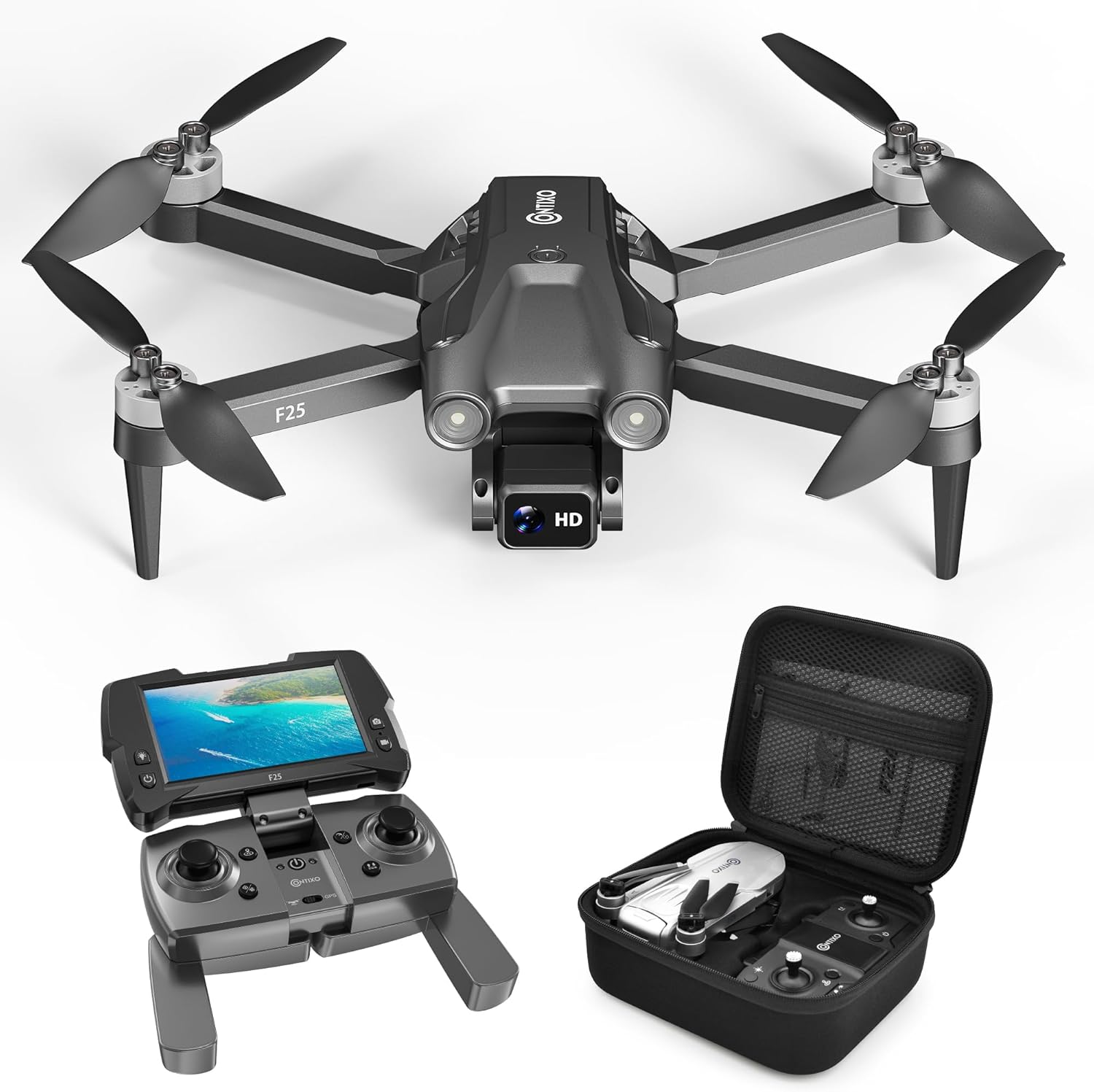
Image: The Contixo F25 GPS Drone, a compact and lightweight aerial vehicle.
2. Pakuotės turinys
Prieš tęsdami sąranką, patikrinkite, ar pakuotėje yra visi komponentai.

Image: A visual representation of the Contixo F25 drone, remote control, replacement propellers, charging cord, screwdriver, manual, and carrying case.
- „Contixo F25“ dronas
- Remote Control with 4.3" HD FPV Screen
- 8 x Replacement Propellers
- 1x įkrovimo laidas
- 1 x Atsuktuvas
- Instrukcijų vadovas
- Dėklas nešiojimui
3. Sąranka
3.1. Baterijos įkrovimas ir įdėjimas
Ensure the drone battery is fully charged before each flight. Use the provided charging cable and a compatible USB power adapter (not included). Insert the charged battery securely into the drone's battery compartment.
3.2. Propelerio montavimas
Attach the propellers to the drone's motors. Ensure each propeller is correctly oriented and securely fastened with the provided screws. Refer to the propeller replacement video for detailed instructions.
Video: Instructions for replacing the propellers on the Contixo F25B Drone.
3.3. Remote Control and FPV Screen Setup
Power on the remote control. The integrated 4.3" HD FPV screen will display the live video feed from the drone's camera once connected. Ensure the remote control batteries are installed.
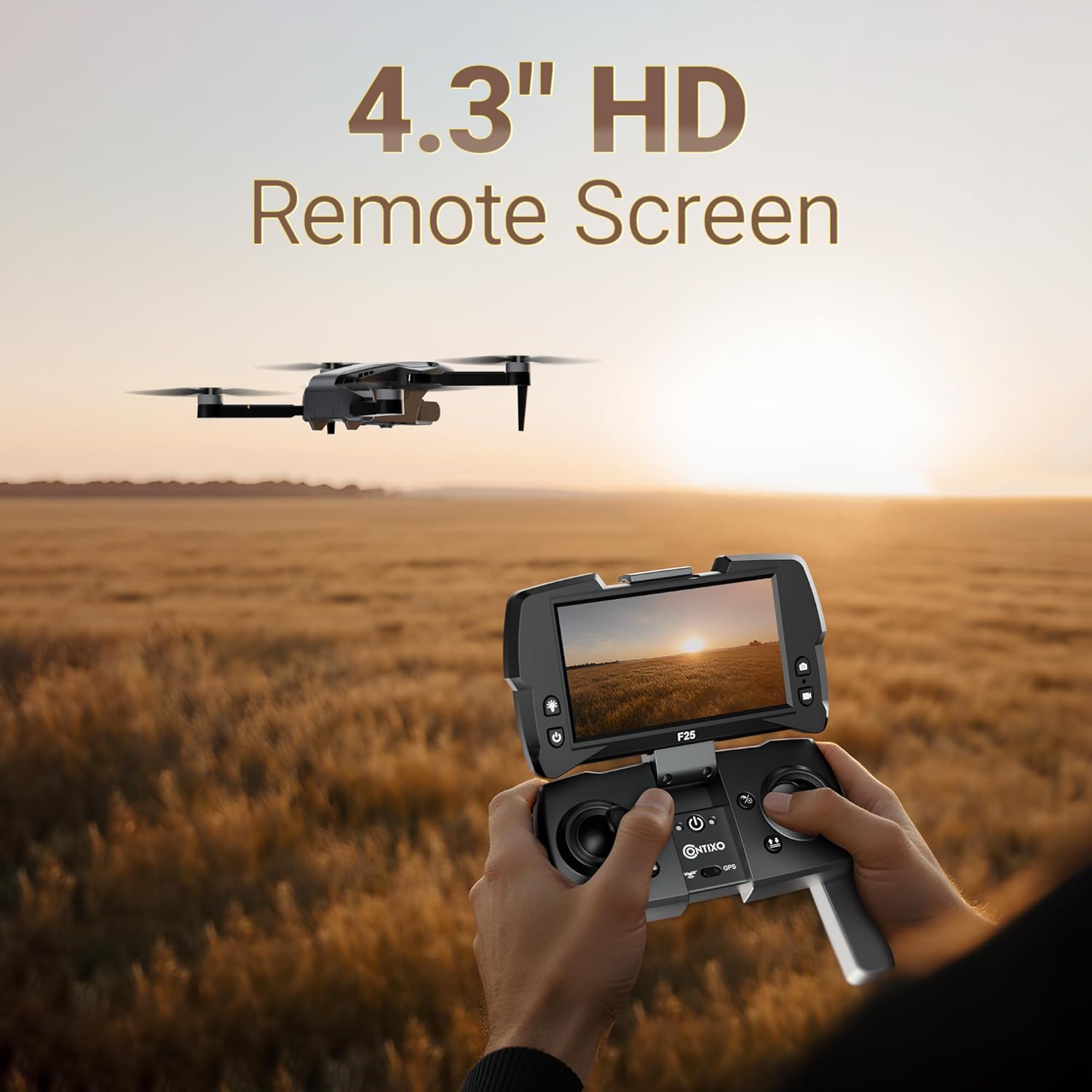
Image: The Contixo F25 remote control featuring a 4.3-inch HD screen for real-time video transmission.
3.4. Programėlės atsisiuntimas ir prisijungimas
Download the "Contixo F25" app to your smartphone. This app is required for advanced flight features and GPS functionality. Follow the in-app instructions to connect your drone.
Video: A tutorial demonstrating how to connect the Contixo F25B drone to its companion application.
4. Naudojimo instrukcijos
4.1. Kontrolinis sąrašas prieš skrydį
- Įsitikinkite, kad drono ir nuotolinio valdymo pulto baterijos yra visiškai įkrautos.
- Patikrinkite, ar sraigtai nepažeisti, ir įsitikinkite, kad jie tvirtai pritvirtinti.
- Skrydžiui pasirinkite atvirą, švarią vietą, atokiau nuo kliūčių, žmonių ir ribotos oro erdvės.
- Įjunkite droną, tada – nuotolinio valdymo pultą.
- Calibrate the drone's compass and gyroscope as per the app instructions.
- Confirm GPS signal acquisition (if applicable).
4.2. Pagrindiniai skrydžio valdymo įtaisai
Familiarize yourself with the remote control's joysticks and buttons. The left joystick typically controls altitude and yaw (rotation), while the right joystick controls forward/backward and left/right movement.
Video: A detailed tutorial on the operation of the Contixo F25B Drone, including basic flight maneuvers.
4.3. One-Key Takeoff & Landing
Press the One-Key Takeoff button to automatically launch the drone to a safe hovering altitude. Press the One-Key Landing button to initiate an automatic descent and landing.

Image: The Contixo F25 drone demonstrating various flight modes, including One-Key Start/Takeoff.
4.4. Išplėstiniai skrydžio režimai
- GPS Follow Me Mode: The drone will automatically follow the remote controller or connected smartphone, capturing footage, kai judėsite.
- Waypoint Custom Flight Planning: Use the app to draw a custom flight path on the map. The drone will autonomously follow this route.
- Orbitos režimas: The drone will fly in a circular path around a designated point, keeping the camera focused on the center.
- Asmenukės režimas: Positions the drone for optimal self-portraits or group photos.
- Aukščio laikymas: Maintains a stable altitude, allowing for easier control of horizontal movement and camera focus.
4.5. Kameros veikimas
The F25 drone features a 1080p HD camera with an adjustable 60° tilt lens. Control the camera's tilt and capture photos/videos via the remote control or the companion app.

Vaizdas: Stambus planas view of the Contixo F25 drone's 1080p Full HD camera, highlighting its capabilities for aerial captures.
5. Priežiūra
5.1. Valymas
Regularly clean the drone body, propellers, and camera lens with a soft, dry cloth. Avoid using harsh chemicals or liquids that could damage electronic components.
5.2. Propelerio apžiūra ir keitimas
Inspect propellers for cracks, bends, or chips before each flight. Damaged propellers can affect flight stability and safety. Replace any damaged propellers immediately using the provided screwdriver and spare parts.
5.3. Sandėliavimas
Store the drone and its accessories in the provided carrying case in a cool, dry place, away from direct sunlight and extreme temperatures. Remove batteries from the drone and remote control if storing for extended periods.
6. Problemų sprendimas
| Problema | Galima priežastis | Sprendimas |
|---|---|---|
| Dronas neįsijungia | Low battery; improperly installed battery | Charge the drone battery; ensure battery is correctly inserted. |
| No video feed on FPV screen | Drone not connected to remote; app not running | Ensure drone and remote are paired; open the Contixo F25 app. |
| Nestabilus skrydis | Damaged propellers; improper calibration; strong winds | Replace damaged propellers; recalibrate the drone; fly in calm conditions. |
| GPS funkcijos neveikia | Weak GPS signal; drone not calibrated | Fly in an open area with clear sky; perform GPS calibration. |
For further assistance, refer to the official Contixo F25B Drone tutorial videos or contact customer support.
Video: A comprehensive guide on how to use the Contixo F25B Drone, covering various functions and common operational queries.
7. Specifikacijos
- Modelio pavadinimas: FBM-F25B
- Kamera: 1080p HD, 2.07 MP Effective Still Resolution
- Ypatingos savybės: GPS Follow Me, Waypoint Navigation, Orbit Mode, Selfie Mode, Adjustable HD Camera
- Valdymo tipas: Remote Control with 4.3" FPV Screen
- Didžiausias diapazonas: 600 pėdų
- Skrydžio laikas: Iki 16 minučių
- Baterijos talpa: 1500 milijonųamp Valandos (ličio jonų)
- Svoris: 167g (FAA exemption-compliant)
- Matmenys (P x P x A): 11.8" x 12.6" x 2.2"

Image: Illustration of the Contixo F25 drone's brushless motors, designed for quiet and stable flight performance.

Image: The Contixo F25 drone in both unfolded and folded states, highlighting its compact and portable design.
8. Garantija ir palaikymas
For warranty information, please refer to the documentation included with your purchase or visit the official Contixo website. For technical support or inquiries, please contact Contixo customer service.
Contixo is committed to customer satisfaction and provides support for product-related questions and issues.