
Įvadas
Thank you for choosing the TECKNET TK-HS049 Hybrid Active Noise Cancelling Headphones. These headphones are designed to provide a superior audio experience with advanced noise cancellation, long battery life, and versatile connectivity. This manual will guide you through the setup, operation, and maintenance of your new headphones.
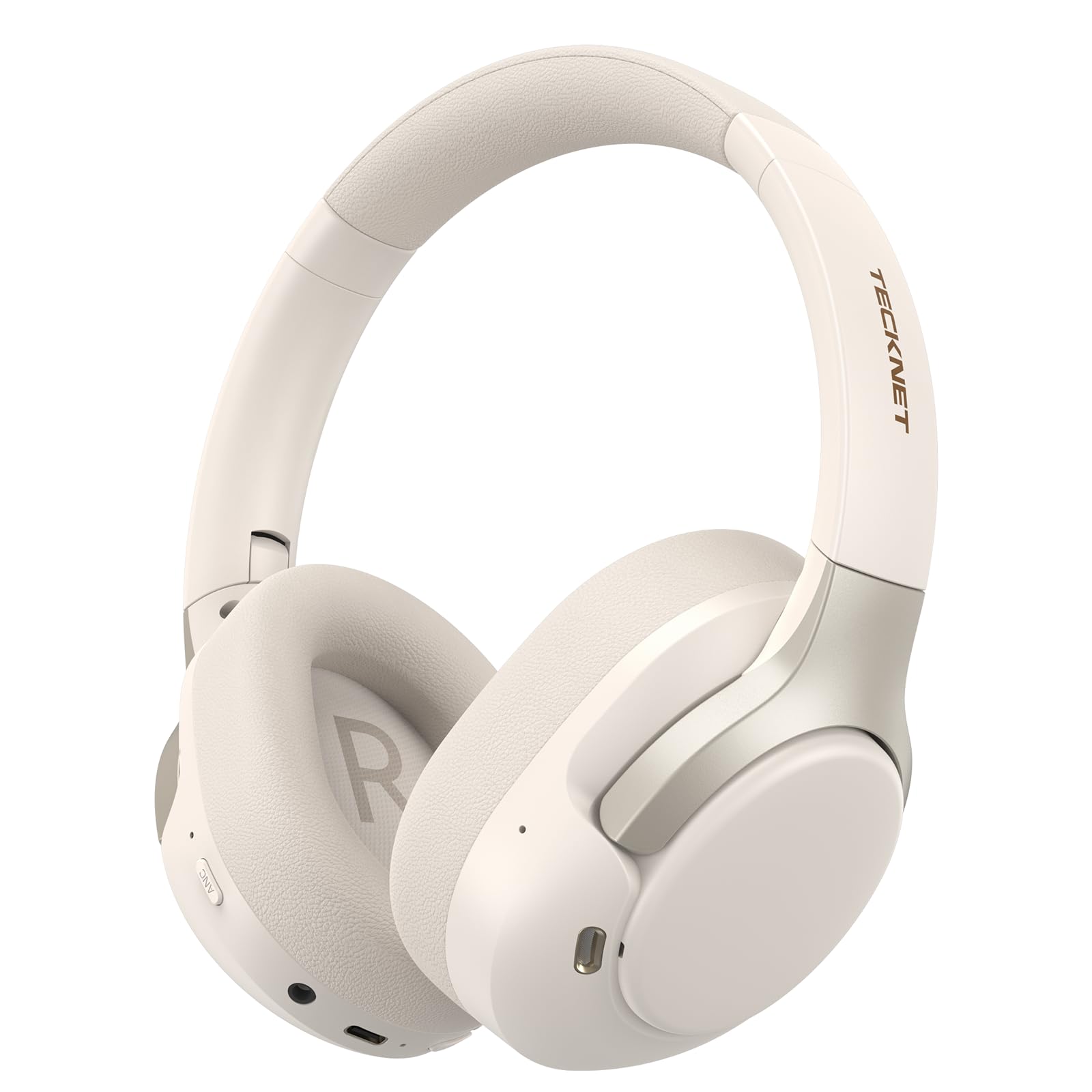
Image: TECKNET TK-HS049 Hybrid Active Noise Cancelling Headphones.
Kas yra dėžutėje
- 1 x TECKNET TK-HS049 ANC Headphones
- 1 x 3.5 mm garso kabelis
- 1 x Vartotojo vadovas
- 1 x Type-C įkrovimo laidas

Image: Contents of the product packaging.
Produktas baigtasview
Familiarize yourself with the various components and controls of your TECKNET TK-HS049 headphones.
Vaizdas: Šoninė view of the headphones highlighting control buttons and ports.
Pagrindiniai komponentai:
- Maitinimo mygtukas: Naudojamas ausinėms įjungti / išjungti ir „Bluetooth“ susiejimui.
- Garsumo didinimo / kito takelio mygtukas: Padidina garsumą arba peršoka prie kito takelio.
- Garsumo mažinimo / ankstesnio takelio mygtukas: Sumažina garsumą arba grįžta prie ankstesnio takelio.
- Daugiafunkcis mygtukas: Groti / pristabdyti muziką, atsiliepti / baigti skambučius.
- ANC mygtukas: Įjungia aktyvaus triukšmo slopinimo režimus.
- C tipo įkrovimo prievadas: Ausinėms įkrauti.
- 3.5 mm garso lizdas: Laidiniam garso prijungimui.
- Mikrofonas: Skambučiams ir balso komandoms.
Sąranka
1. Ausinių įkrovimas
Before first use, fully charge your headphones. Connect the supplied Type-C charging cable to the charging port on the headphones and the other end to a USB power source (e.g., wall adapter, computer USB port).
- LED indikatorius parodys įkrovimo būseną.
- Pilnas įkrovimas paprastai trunka maždaug 2–3 valandas.
2. Maitinimo įjungimas/išjungimas
- Maitinimas: Paspauskite ir palaikykite maitinimo mygtuką 3 sekundes, kol LED indikatorius mirksės mėlynai.
- Išjungti: Press and hold the Power button for 3 seconds until the LED indicator flashes red and then turns off.
3. „Bluetooth“ poravimas
Norėdami prijungti ausines prie įrenginio per „Bluetooth“:
- Įsitikinkite, kad ausinės yra išjungtos.
- Paspauskite ir palaikykite maitinimo mygtuką 5 sekundes, kol LED indikatorius pakaitomis mirksės raudonai ir mėlynai, rodydamas susiejimo režimą.
- Savo įrenginyje (išmaniajame telefone, planšetiniame kompiuteryje, nešiojamajame kompiuteryje) įjunkite „Bluetooth“ ir ieškokite galimų įrenginių.
- Select "TECKNET TK-HS049" from the list of devices.
- Prijungus, LED indikatorius lėtai mirksės mėlyna spalva.
4. Dviejų įrenginių prijungimas
Ausinės palaiko vienu metu prijungimą prie dviejų „Bluetooth“ įrenginių, todėl galima sklandžiai perjungti juos.
- Pair the headphones with the first device (e.g., smartphone) as described above.
- Išjunkite „Bluetooth“ pirmame įrenginyje. Ausinės vėl įsijungs susiejimo režimu.
- Pair the headphones with the second device (e.g., laptop).
- Iš naujo įjunkite „Bluetooth“ pirmajame įrenginyje. Ausinės turėtų automatiškai prisijungti prie abiejų įrenginių.
- To switch audio, simply play media on the desired device.

Image: Dual device connection setup.
5. Laidinis ryšys
For devices without Bluetooth or when battery is low, use the included 3.5mm audio cable.
- Prijunkite vieną 3.5 mm garso kabelio galą prie ausinių garso lizdo.
- Kitą galą prijunkite prie savo įrenginio 3.5 mm garso išvesties.
- Note: Some headphone functions (e.g., ANC, EQ modes) may be limited or unavailable in wired mode without power.

Image: Wired connection via 3.5mm audio jack.
Veikiantis
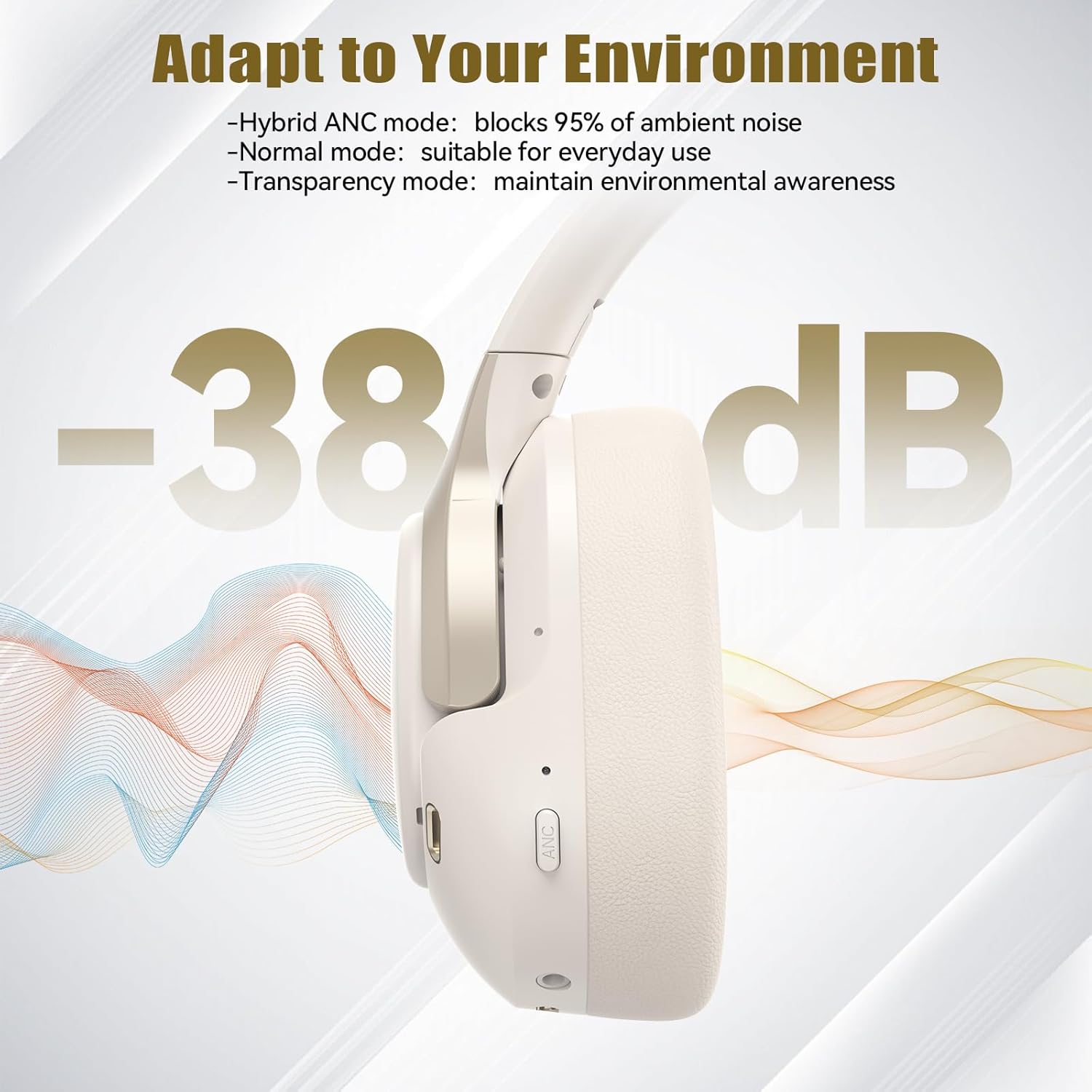
1. Aktyvaus triukšmo slopinimo (ANC) režimai
Press the ANC button to cycle through the available noise cancellation modes:
- Hybrid ANC Mode: Blocks up to 35dB-38dB of ambient noise, ideal for travel or noisy environments.
- Įprastas režimas: ANC is off, suitable for everyday use where some environmental awareness is desired.
- Skaidrumo režimas: Allows ambient sounds to pass through, enhancing awareness of your surroundings.

Image: Hybrid Active Noise Cancellation in action.
2. Muzikos atkūrimas
- Leisti / pristabdyti: Vieną kartą paspauskite daugiafunkcį mygtuką.
- Kitas takelis: Paspauskite ir palaikykite garsumo didinimo mygtuką.
- Ankstesnis takelis: Paspauskite ir palaikykite garsumo mažinimo mygtuką.
- Pagarsink: Trumpai paspauskite garsumo didinimo mygtuką.
- Patildyti: Trumpai paspauskite garsumo mažinimo mygtuką.
3. Skambučių valdymas
- Atsiliepti / Baigti skambutį: Vieną kartą paspauskite daugiafunkcį mygtuką.
- Atmesti skambutį: Paspauskite ir 2 sekundes palaikykite daugiafunkcį mygtuką.
- Padėjėjas balsu: Double-press the Multi-function button to activate your device's voice assistant.
4. EQ Music Modes
The headphones feature 6 EQ music modes to optimize your listening experience for different genres. Press the EQ button (if available, or refer to specific button on your model) to cycle through these modes:
- Šokis
- Rokas
- Klasikinis
- Vokalas
- Bosas
- Minkštas

Image: Cycling through 6 EQ music modes.
Priežiūra
To ensure the longevity and optimal performance of your TECKNET TK-HS049 headphones, follow these maintenance guidelines:
- Valymas: Ausų kaušelius ir galvos juostą valykite minkštu, sausu audiniu. Nenaudokite abrazyvinių valiklių ar tirpiklių.
- Saugykla: When not in use, store the headphones in a cool, dry place, preferably in a protective case to prevent dust and damage.
- Venkite drėgmės: Although the headphones have a waterproof rating, avoid prolonged exposure to water or high humidity. Do not submerge them.
- Įkrovimas: Only use the provided Type-C cable for charging. Avoid overcharging the battery.
- Temperatūra: Do not expose the headphones to extreme temperatures (hot or cold).
Trikčių šalinimas
Jei kyla problemų dėl ausinių, žr. toliau pateiktas dažniausiai pasitaikančias problemas ir sprendimus:
| Problema | Sprendimas |
|---|---|
| Ausinės neįsijungia. | Įsitikinkite, kad ausinės įkrautos. Prijunkite prie maitinimo šaltinio ir bandykite dar kartą po kelių minučių. |
| Nepavyksta susieti per „Bluetooth“. | Make sure the headphones are in pairing mode (LED flashing red/blue). Disable and re-enable Bluetooth on your device. Ensure no other devices are connected. |
| Nėra garso arba garsas per mažas. | Check volume levels on both headphones and your connected device. Ensure the headphones are properly paired. Try playing audio from a different source. |
| ANC nėra veiksmingas. | Įsitikinkite, kad įjungtas ANC režimas. Patikrinkite, ar ausų kaušeliai gerai priglunda prie ausų. ANC veiksmingiausiai slopina žemo dažnio, nuolatinį triukšmą. |
| Mikrofonas neveikia. | Ensure the headphones are connected via Bluetooth. Check microphone settings on your device. |
Specifikacijos
Detailed technical specifications for the TECKNET TK-HS049 headphones:
| Funkcija | Detalė |
|---|---|
| Modelio numeris | TK-HS049 |
| Ryšio technologija | Belaidis („Bluetooth“), laidinis (3.5 mm lizdas) |
| Bluetooth versija | 6.0 |
| Triukšmo valdymas | Hybrid Noise Cancellation (up to 38dB) |
| Vairuotojo tipas | 40 mm dinaminės tvarkyklės |
| Dažnių diapazonas | 20Hz - 20,000Hz (supports up to 40kHz for high-resolution audio) |
| Baterijos veikimo laikas (įjungus ANC) | Iki 40 valandų (esant 60% garsumui) |
| Baterijos veikimo laikas (išjungus ANC) | Iki 70 valandų |
| Kontrolės metodas | Fiziniai mygtukai |
| Ausų išdėstymas | Virš ausies |
| Medžiaga | Fabric, Silicone, Memory Foam (earcups) |
| Atsparumo vandeniui lygis | Atsparus vandeniui |
| Mikrofonas | 4 ENC Microphones |
| EQ režimai | 6 Presets (Dance, Rock, Classical, Vocal, Bass, Soft) |

Paveikslėlis: Baterijos veikimo laikas baigėsiview.

Image: 40mm dynamic drivers for premium audio.

Image: Comfort features including memory foam earcups and adjustable headband.
Garantija ir palaikymas
TECKNET TK-HS049 headphones come with a 36 mėnesių garantija. If you encounter any problems during product use, please contact our professional customer service team for assistance. You can typically find contact information on the TECKNET official websvetainėje arba per savo pirkimo platformą.