
Įvadas
Thank you for choosing the TMEZON C680 Indoor Window Security Camera. This manual provides essential information for setting up, operating, and maintaining your camera. Please read it thoroughly before use and retain it for future reference.
Saugos informacija
- Naudokite tik pateiktą maitinimo adapterį.
- Nelaikykite fotoaparato ekstremalioje temperatūroje ar drėgmėje.
- Ši kamera skirta naudoti tik patalpose.
- Laikyti vaikams nepasiekiamoje vietoje.
Pakuotės turinys
Patikrinkite, ar pakuotėje yra visi daiktai. Jei trūksta kokių nors daiktų arba jie pažeisti, susisiekite su klientų aptarnavimo tarnyba.
- TMEZON C680 Indoor Window Security Camera
- Maitinimo adapteris
- USB maitinimo laidas
- Tvirtinimo komplektas (varžtai, inkarai)
- Vartotojo vadovas
Produktas baigtasview
Familiarize yourself with the components of your TMEZON C680 camera.
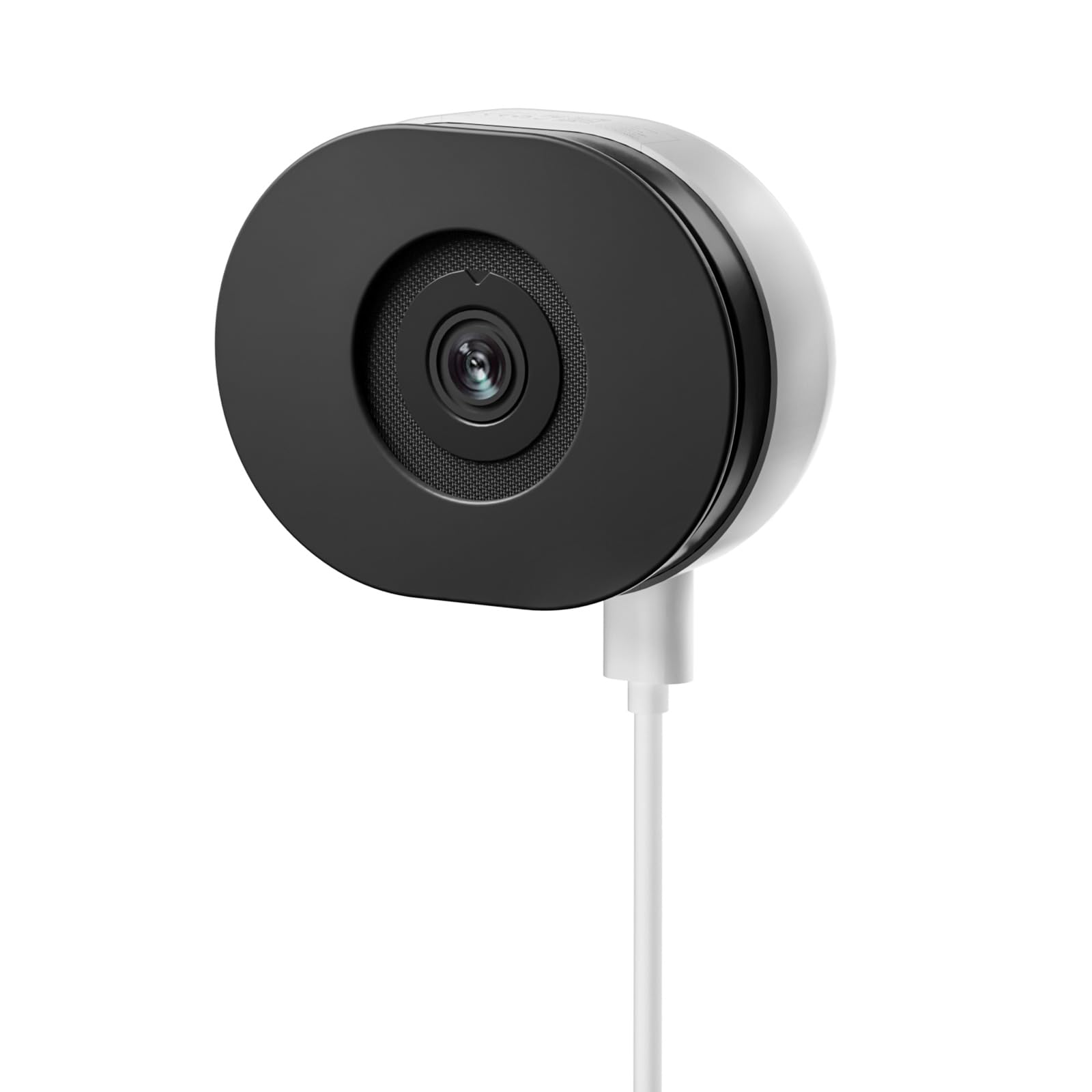
Image: The TMEZON C680 Indoor Window Security Camera. This image displays the camera's compact, circular form factor, highlighting the main lens and overall design.
Fotoaparato komponentai
- Kameros objektyvas: Captures 4MP 2.5K video.
- Būsenos indikatoriaus lemputė: Indicates camera status (e.g., solid blue for connected, flashing red for disconnected).
- Mikrofonas: For audio input and two-way audio communication.
- Pranešėjas: For audio output and two-way audio communication.
- Maitinimo prievadas: Jungiamas prie maitinimo adapterio.
- Atkūrimo mygtukas: Paspauskite ir palaikykite 5 sekundžių, kad atkurtumėte gamyklinius fotoaparato nustatymus.
- MicroSD kortelės lizdas: For local storage (card not included).
Sąranka
1 veiksmas: atsisiųskite programą
Ieškokite the "TMEZON Smart" app (or similar, as specified in your product documentation) in your mobile device's app store (App Store for iOS, Google Play Store for Android). Download and install the app.
2 veiksmas: įjunkite fotoaparatą
Connect the USB power cable to the camera's power port and plug the power adapter into a wall outlet. The camera's status indicator light will turn on. Wait for it to flash red, indicating it's ready for pairing.
3 veiksmas: pridėkite įrenginį programoje
- Open the TMEZON Smart app and create an account or log in.
- Tap the "+" icon (or "Add Device") to add a new camera.
- Select "Security Camera" or "Smart Camera" from the device list.
- Follow the on-screen instructions to connect the camera to your 2.4GHz Wi-Fi network. Ensure your phone is connected to the same 2.4GHz Wi-Fi network.
- The app will display a QR code. Position your camera to scan this QR code from your phone screen. You will hear a confirmation sound from the camera once scanned successfully.
- Once connected, the status indicator light will turn solid blue.
Step 4: Window Mounting
The TMEZON C680 is designed for easy window mounting.
- Choose a clean, flat window surface for optimal viewing.
- Use the provided mounting kit to secure the camera to the window frame or a nearby wall, ensuring the lens faces outwards.
- Adjust the camera angle to cover your desired surveillance area.
Naudojimo instrukcijos
Tiesiogiai View
Open the TMEZON Smart app and select your camera from the device list to access the live video feed.
Įrašymas ir atkūrimas
The camera supports 24/7 continuous recording to a local MicroSD card (not included).
- Įdėkite „MicroSD“ kortelę: Power off the camera, insert a MicroSD card (up to 128GB, Class 10 or higher recommended) into the slot, then power on.
- View Įrašai: In the app's live view, tap the "Playback" or "History" icon to access recorded footage.
Dvipusis garsas
Gyvai view interface, tap the microphone icon to speak through the camera's speaker. Tap the speaker icon to listen to audio from the camera's microphone.
Spalvotas naktinis matymas
The camera automatically switches to color night vision in low-light conditions, providing clear, vivid footage up to 32 feet. No manual adjustment is typically required.
Judesio aptikimas ir įspėjimai
The camera features motion-only alert type.
- Programėlėje eikite į kameros nustatymus.
- Find "Motion Detection" or "Alert Settings."
- Enable motion detection and customize sensitivity levels and alert schedules as needed.
- You will receive push notifications on your mobile device when motion is detected.
Priežiūra
Valymas
Švelniai nuvalykite fotoaparato objektyvą ir korpusą minkštu, sausu skudurėliu. Nenaudokite skystų valiklių ar abrazyvinių medžiagų.
Programinės aparatinės įrangos naujiniai
Periodically check the TMEZON Smart app for available firmware updates to ensure optimal performance and security. Follow the in-app instructions for updating.
Sandėliavimas
When not in use for extended periods, store the camera in a cool, dry place, away from direct sunlight.
Trikčių šalinimas
| Problema | Sprendimas |
|---|---|
| Kamera neįsijungia. | Ensure the power adapter is securely connected to both the camera and a working power outlet. Try a different outlet. |
| Nepavyksta prisijungti prie „Wi-Fi“. |
|
| No recording to MicroSD card. |
|
| Prasta vaizdo kokybė. |
|
Specifikacijos
- Modelis: C680
- Rezoliucija: 4 MP (2.5K)
- Naktinis matymas: Color Night Vision, up to 32 feet
- Ryšys: 2.4 GHz Wi-Fi
- Saugykla: „MicroSD“ kortelė (iki 128 GB, nepridedama)
- Garsas: Dvipusis garsas (įmontuotas mikrofonas ir garsiakalbis)
- Galia: Corded Electric, 5W
- Vidaus / lauko naudojimas: Tik patalpose
- Viewpakreipimo kampas: 120 laipsnių
- Matmenys: Maždaug 3.5 x 3.5 x 3.5 colio
- Medžiaga: Plastikiniai
- Įspėjimo tipas: Tik judėjimas
Garantija ir palaikymas
TMEZON products are designed for reliability and performance. For warranty information, technical support, or customer service inquiries, please refer to the contact information provided on the product packaging or visit the official TMEZON websvetainę.
You can also visit the TMEZON store on Amazon for additional product information and support: TMEZON Amazon Store.