
Produktas baigtasview
The DIERYA DK68 is a 60% compact mechanical keyboard designed for versatility and performance. It features triple-mode connectivity, allowing seamless switching between Bluetooth 5.0, 2.4GHz wireless, and USB-C wired connections. Equipped with clicky blue mechanical switches and vibrant RGB backlighting, it offers a responsive and customizable typing experience for both gaming and office use.

Figure 1: DIERYA DK68 Wireless Mechanical Keyboard showcasindėl savo kompaktiško dizaino ir RGB apšvietimo.
Pakuotės turinys
Įsitikinkite, kad pakuotėje yra visi daiktai:
- DIERYA DK68 belaidė mechaninė klaviatūra
- USB-C į USB-A laidas
- Klaviatūros traukiklis
- 2.4GHz USB Receiver (stored in the keyboard's back compartment)
- Vartotojo vadovas (šis dokumentas)
Sąranka ir Ryšys
The DK68 keyboard supports three connection modes: USB-C wired, 2.4GHz wireless, and Bluetooth 5.0. Choose the mode that best suits your needs.
1. Laidinis USB-C režimas
- Prijunkite pateiktą USB-C laidą prie klaviatūros USB-C prievado.
- Prijunkite USB-A kabelio galą prie laisvo kompiuterio USB prievado.
- Klaviatūra bus automatiškai atpažinta ir paruošta naudoti.
2. 2.4 GHz belaidis režimas
- Locate the 2.4GHz USB receiver in the compartment on the back of the keyboard.
- Atjunkite imtuvą ir prijunkite jį prie laisvo kompiuterio USB prievado.
- Turn on the keyboard using the switch located on the back.
- Klaviatūra turėtų automatiškai prisijungti prie imtuvo. Jei ne, paspauskite Fn + G (labeled '2.4G' on the key) to activate 2.4GHz pairing mode.

Figure 2: Triple-mode connectivity options including 2.4GHz wireless.
3. „Bluetooth 5.0“ režimas
Klaviatūra gali prisijungti prie iki trijų „Bluetooth“ įrenginių.
- Turn on the keyboard using the switch on the back.
- Paspauskite ir palaikykite Fn+Z (labeled 'BT1'), Fn + X (labeled 'BT2'), or Fn + C (labeled 'BT3') for 3-5 seconds until the corresponding key's backlight flashes rapidly. This indicates pairing mode.
- On your device (PC, laptop, tablet, phone), enable Bluetooth and search for "DIERYA DK68".
- Select the keyboard to pair. The key's backlight will stop flashing once connected.
- Norėdami perjungti susietus „Bluetooth“ įrenginius, tiesiog paspauskite Fn + Z/X/C.

Figure 3: Bluetooth connectivity for multiple devices.
Naudojimo instrukcijos
RGB foninio apšvietimo valdymas
The DK68 features 20 built-in RGB lighting effects and 16.8 million customizable colors. Use the following key combinations to control the lighting:
- Fn + Backspace: Turn backlighting On/Off.
- Fn + Shift: Switch light colors.
- Fn + Enter: Switch light modes (20 dynamic RGB modes).
- Fn + rodyklė aukštyn: Padidinkite ryškumą.
- Fn + rodyklė žemyn: Decrease brightness.
- Fn + rodyklė kairėn: Decrease light speed.
- Fn + rodyklė dešinėn: Increase light speed.

Figure 4: RGB lighting control key combinations for the DK68 keyboard.
Klavišų pritaikymas ir makrokomandos
The DIERYA DK68 supports full key anti-ghosting and N-Key Rollover (NKRO) for accurate input. For advanced customization, including key remapping, macro programming, and additional lighting effects, dedicated software is available. Please refer to the official DIERYA websvetainė, kurioje rasite programinės įrangos atsisiuntimo ir naudojimo instrukcijas.

Figure 5: Full N-Key Rollover and software customization capabilities.
Mechaniniai mėlyni jungikliai
The keyboard is equipped with clicky blue mechanical switches, providing a distinct tactile bump and an audible click with each keystroke. These switches are ideal for users who prefer clear feedback and a satisfying typing experience. They feature a medium 60gf actuation force (±15gf) and 2.3mm travel (±0.6mm), with a lifespan of 50 million clicks.

6 pav. Išsamus view of mechanical blue switches and their specifications.
Priežiūra
Akumuliatoriaus valdymas
The keyboard is powered by a 3000mAh lithium battery. To charge, connect the keyboard via the USB-C cable to a power source. The keyboard can be used while charging.
- Usage Time (Backlighting On): Iki 12 valandų.
- Usage Time (Backlighting Off): Iki 333 valandų.
- Automatinio miego režimas: The keyboard enters auto-sleep mode after 3 minutes of inactivity to conserve power.
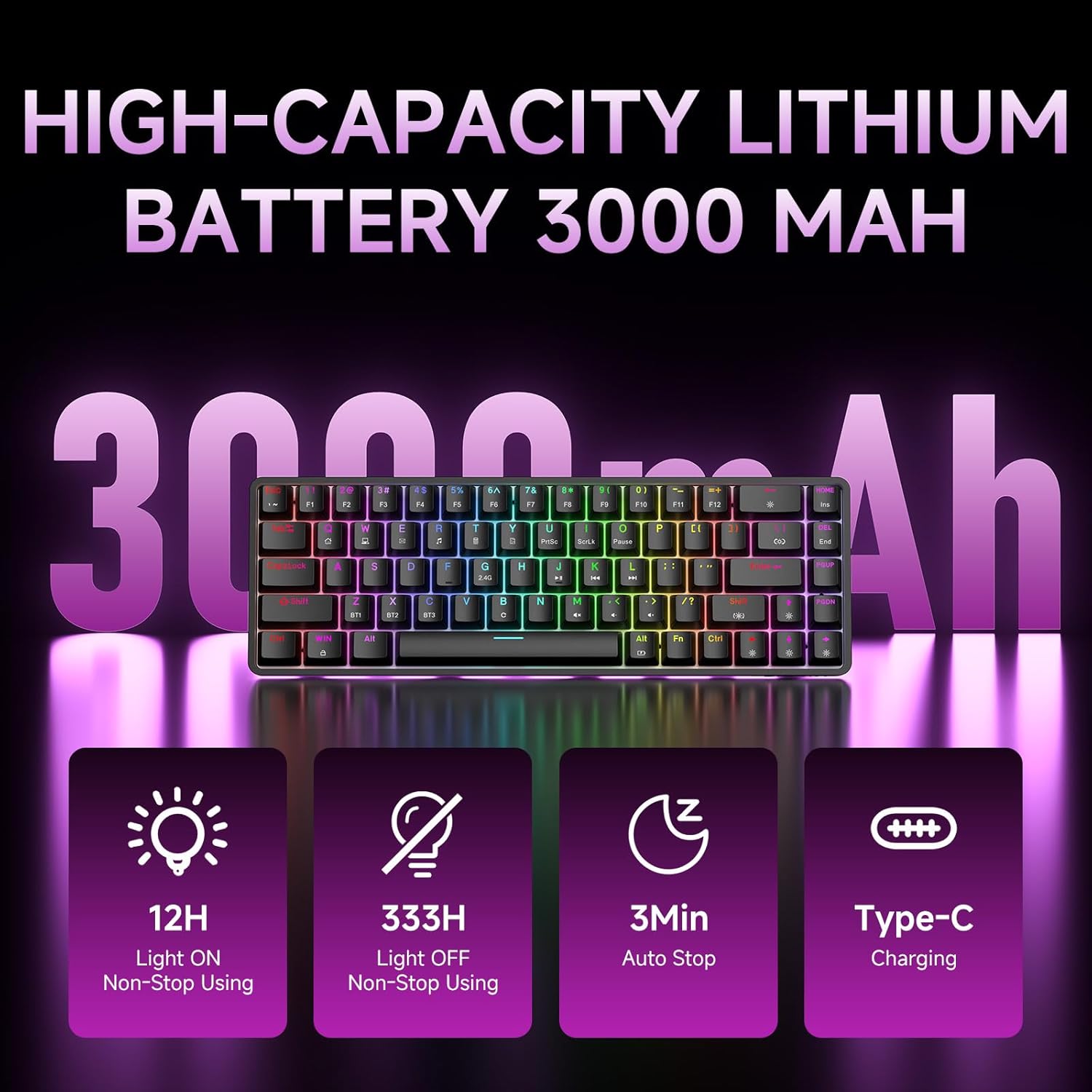
Figure 7: Battery capacity and power-saving features of the DK68.
Valymas ir priežiūra
- Use the provided keycap puller to carefully remove keycaps for cleaning.
- Clean the keyboard surface with a soft, damp audiniu. Venkite per didelės drėgmės.
- Nenaudokite stiprių chemikalų ar abrazyvinių valiklių.
- Prieš valydami įsitikinkite, kad klaviatūra yra išjungta.
Trikčių šalinimas
- Klaviatūra nereaguoja:
- Check the power switch on the back of the keyboard.
- Ensure the correct connection mode (wired, 2.4GHz, or Bluetooth) is selected.
- Jei naudojate 2.4 GHz dažnį, įsitikinkite, kad USB imtuvas yra tvirtai prijungtas.
- Jei naudojate „Bluetooth“, įsitikinkite, kad klaviatūra yra susieta ir pasirinkta jūsų įrenginyje. Jei reikia, pabandykite susieti iš naujo.
- Jei naudojate laidinį režimą, išbandykite kitą USB prievadą arba kabelį.
- Foninis apšvietimas neveikia:
- Paspauskite Fn + Backspace to toggle the backlighting.
- Check battery level; low battery may disable backlighting.
- Raktai neregistruojami:
- Ensure the keyboard is properly connected and powered on.
- If specific keys are not working, try removing and re-seating their keycaps.
Specifikacijos
| Funkcija | Detalė |
|---|---|
| Modelio numeris | DK68 |
| Ryšio technologija | 2.4 GHz belaidis ryšys, „Bluetooth 5.0“, laidinis USB-C ryšys |
| Jungiklio tipas | „Clicky Blue“ mechaniniai jungikliai |
| Raktų išdėstymas | 68 klavišai (60 % išdėstymas) |
| Foninis apšvietimas | RGB (16.8 milijono spalvų, 20 efektų) |
| Baterijos talpa | 3000mAh ličio polimeras |
| Suderinami įrenginiai | Žaidimų konsolė, nešiojamas kompiuteris, asmeninis kompiuteris, planšetinis kompiuteris |
| Anti-Ghosting | Full Key Anti-Ghosting & NKRO |
| Medžiaga | Plastikiniai |
| Prekės svoris | 1.76 svaro (apie 800 g) |
| Pakuotės matmenys | 14.33 x 4.37 x 1.73 colio |

Figure 8: Keyboard dimensions and compact 68-key layout.
Garantija ir palaikymas
For warranty information and technical support, please refer to the documentation included with your product or visit the official DIERYA website. Amazon's return policy for this product is 30 days from the date of receipt.