1. Produktas baigtasview
The ZK TB21 is a 2.1 channel digital amplifier board designed to provide high-quality audio output for various applications. It features a 2x50W stereo output for left and right channels and a 100W output for a dedicated subwoofer channel. This amplifier board supports multiple input options including Bluetooth, USB, and AUX-IN, offering versatile connectivity. It operates on a DC 12-24V power supply and includes five adjustment knobs for precise control over audio parameters.
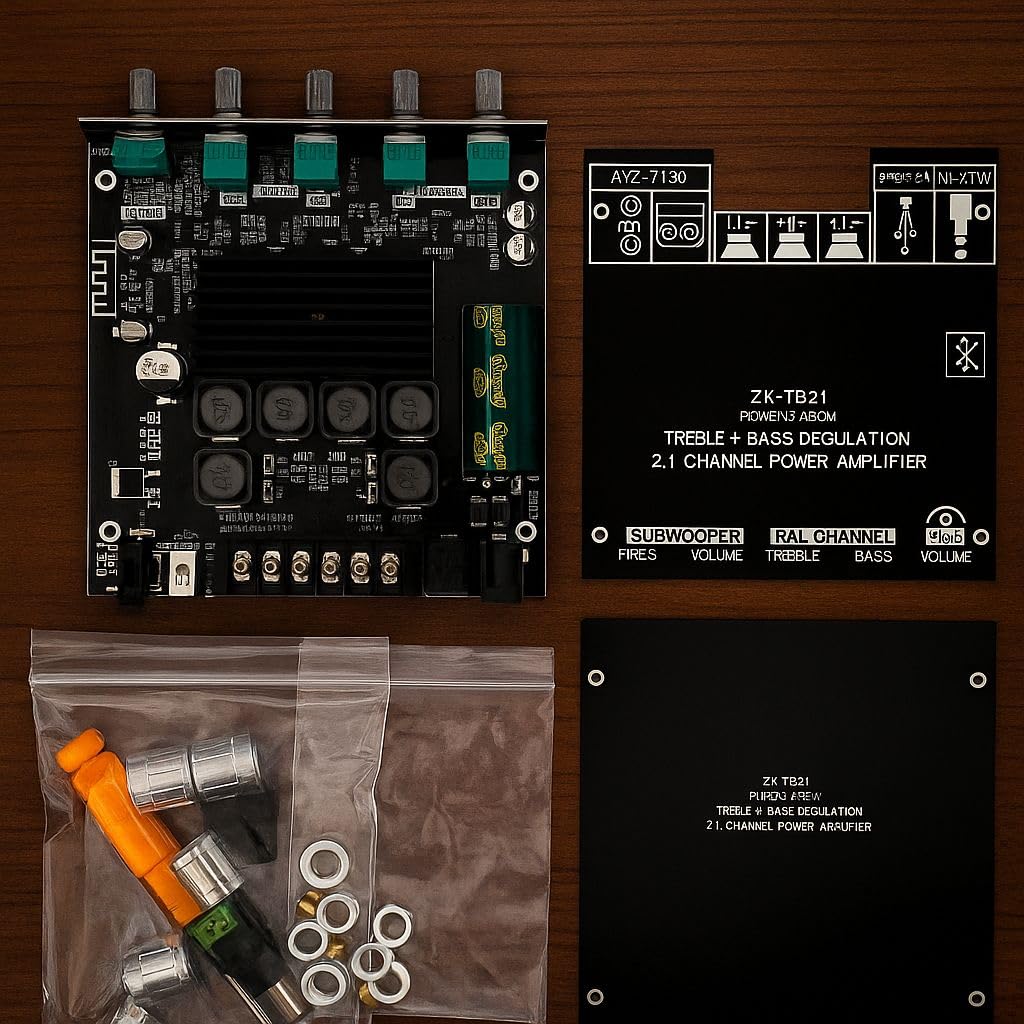
1.1 pav.: Viršus view of the ZK TB21 ampgyvavimo lenta, demonstracijaasing its main components, heatsink, and control potentiometers.
2. Sąrankos instrukcijos
2.1 Išpakavimas ir pridedami komponentai
Atsargiai išpakuokite amplifier board and verify all components are present:
- 1 x ZK TB21 Ampgelbėtojų lenta
- 2 x Protective Plates
- 1 x Atsuktuvas
- 5 x Volume Knobs
- 1 x DC Power Pin
2.2 Maitinimo šaltinio prijungimas
Connect a DC power supply within the 12V to 24V range to the DC IN port. Ensure correct polarity: positive (+) to positive and negative (-) to negative. A minimum of 8 Amps current is recommended for optimal performance, especially at higher volumes.
2.3 Garsiakalbių jungtys
Connect your speakers to the designated terminals:
- R&L Channel (Stereo): Connect your two main speakers (left and right) to the 'R' and 'L' terminals. Each channel supports up to 50W.
- Žemųjų dažnių garsiakalbio kanalas: Connect your passive subwoofer to the 'SUBWOOFER' terminals. This channel supports up to 100W.
2.4 Garso įvesties jungtys
Choose one of the following methods for audio input:
- Bluetooth: Power on the board. The Bluetooth indicator will flash. Ieškokite 'ZK-TB21' on your device and pair.
- USB garsas: Connect a USB cable from your audio source (e.g., computer) to the USB port on the ampkėlimo lenta.
- AUX-IN: Connect an audio cable from your source to the 3.5mm AUX-IN jack.

Image 2.1: Detailed diagram illustrating the DC power input, subwoofer output, stereo channel outputs, USB audio input, and AUX-IN connections on the ZK TB21 ampkėlimo lenta.
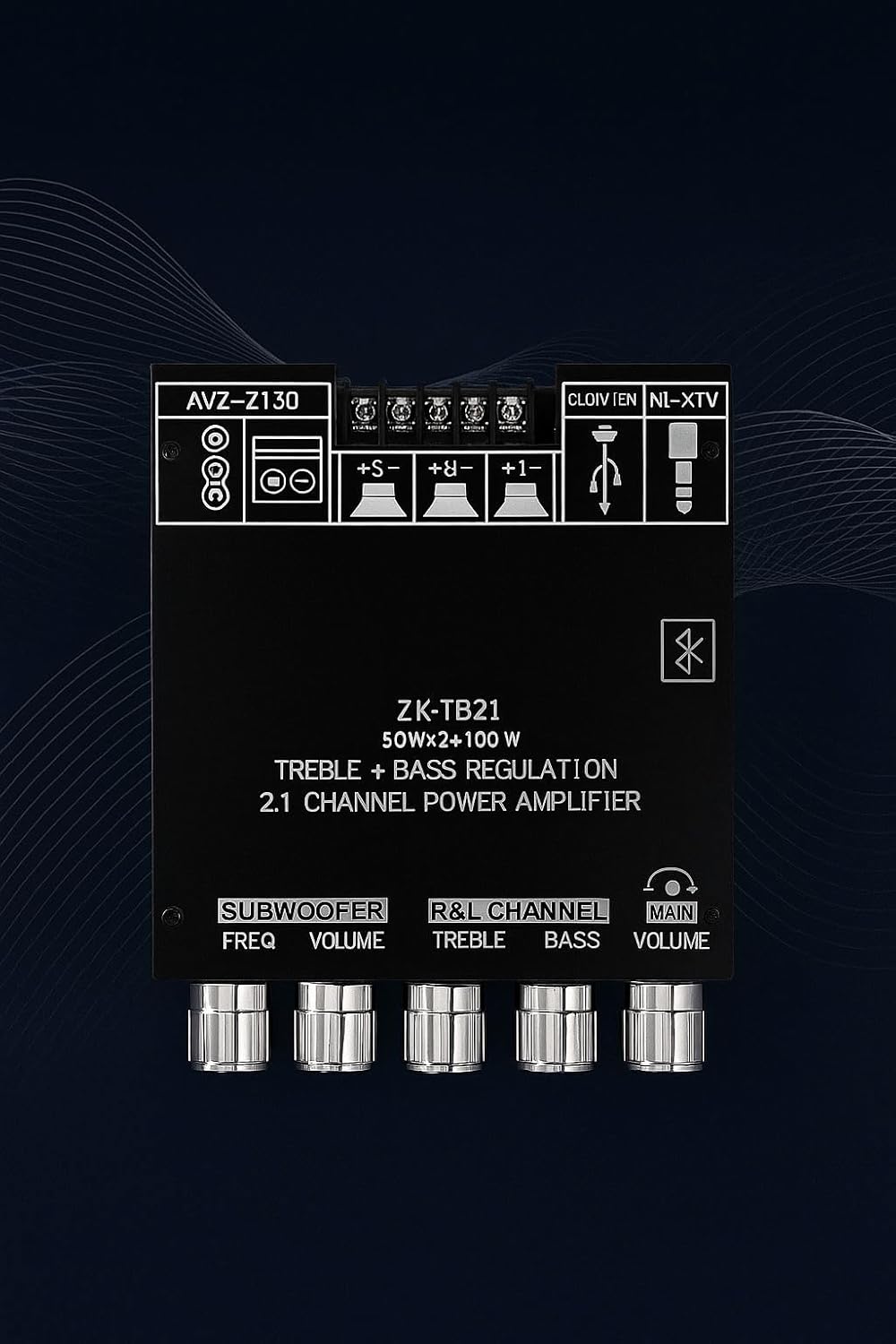
2.2 paveikslėlis: Stambus planas view of the ZK TB21 amplifier board's control knobs and various input/output ports, including power, speaker terminals, USB, and AUX-IN.
3. Naudojimo instrukcijos
3.1 Įjungimas / išjungimas
Once the DC power supply is connected, the board will power on automatically. There is no separate power switch. Disconnect the DC power to turn off the unit.
3.2 Garso šaltinio pasirinkimas
The amplifier automatically prioritizes inputs. If multiple inputs are connected, it will typically default to the last active or highest priority input (e.g., Bluetooth over AUX-IN). Disconnect unused sources to ensure the desired input is active.
3.3 Audio Adjustment Knobs
The ZK TB21 features five control knobs for fine-tuning your audio:
- SUBWOOFER DAŽNIS: Adjusts the crossover frequency for the subwoofer output.
- Žemųjų dažnių garsiakalbio garsumas: Controls the output volume of the subwoofer channel.
- R&L CHANNEL TREBLE: Adjusts the high-frequency response for the stereo channels.
- R&L CHANNEL BASS: Adjusts the low-frequency response for the stereo channels.
- PAGRINDINĖ TOMAS: Controls the overall master volume for all channels.
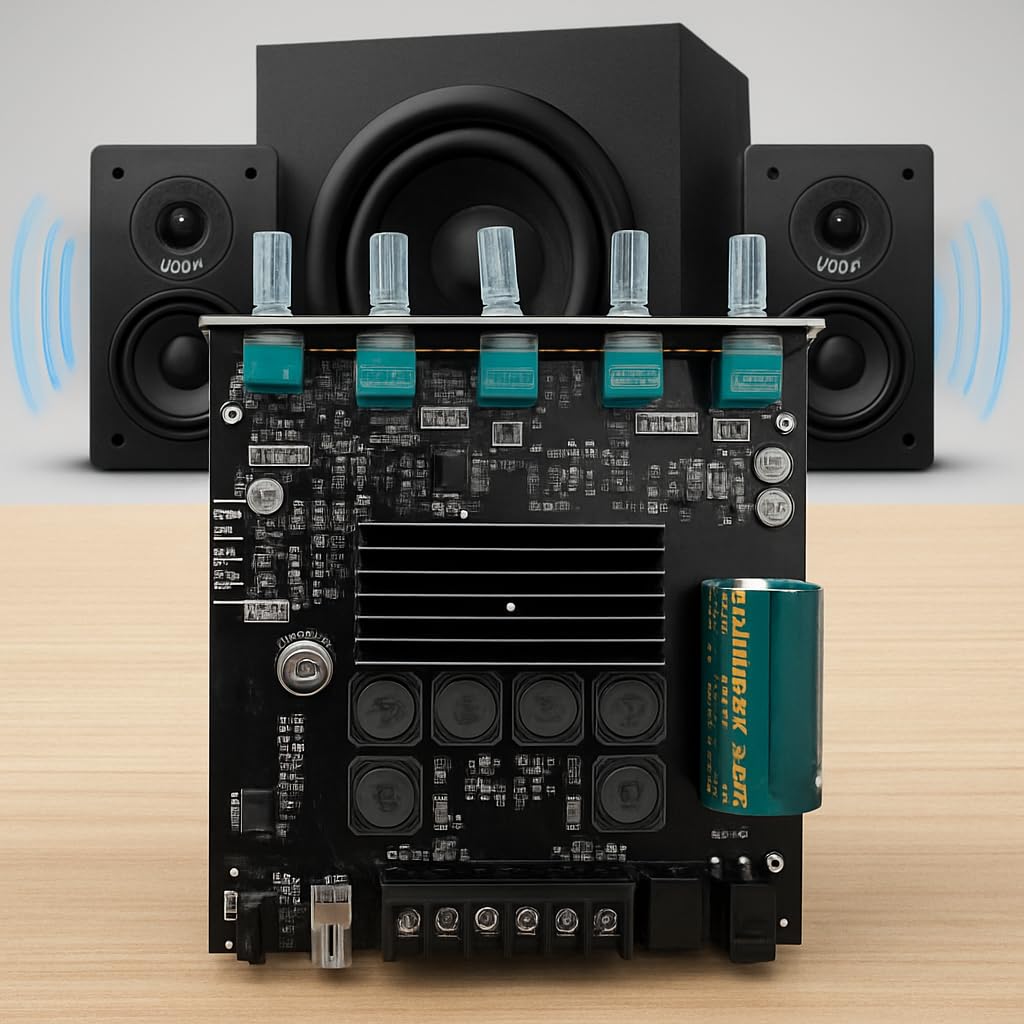
Image 3.1: The ZK TB21 amplifier board in an operational setup, connected to two satellite speakers and a subwoofer, demonstrating its 2.1 channel capability.
4. Priežiūra
4.1 Valymas
Norėdami išvalyti amplifier board, ensure it is powered off and disconnected from all power sources. Use a soft, dry cloth to gently wipe away dust. For stubborn dirt, a slightly damp cloth can be used, but ensure no moisture enters the components. Avoid using harsh chemicals or abrasive cleaners.
4.2 Šilumos valdymas
The board is equipped with an integrated heatsink for efficient thermal management. Ensure adequate airflow around the heatsink, especially during prolonged operation at high volumes. Do not obstruct the heatsink or operate the board in an enclosed, unventilated space.
4.3 Saugykla
Kai ilgesnį laiką nenaudojate, laikykite amplifier board in a cool, dry place, away from direct sunlight and excessive humidity. It is recommended to keep it in its original packaging or an anti-static bag to protect it from dust and static discharge.
5. Problemų sprendimas
- Nėra galios: Ensure the DC power supply is correctly connected (12-24V, minimum 8A) and functioning. Check for loose connections.
- Nėra garso išvesties:
- Verify all speaker connections are secure and correctly wired.
- Check the audio input source (Bluetooth, USB, AUX-IN) is properly connected and playing audio.
- Ensure the 'MAIN VOLUME' knob is turned up.
- Confirm the correct input source is active (disconnect other sources if necessary).
- Iškraipytas garsas:
- Reduce the 'MAIN VOLUME' to prevent clipping.
- Patikrinkite garso šaltinį, ar nėra iškraipymų.
- Įsitikinkite, kad garsiakalbio varža atitinka ampgelbėtojo reikalavimus.
- Verify the power supply is stable and sufficient.
- „Bluetooth“ ryšio problemos:
- Užtikrinti, amplifier board is powered on and within range of the Bluetooth device.
- Pamirškite įrenginį iš „Bluetooth“ nustatymų ir bandykite dar kartą susieti.
- Įsitikinkite, kad šiuo metu prie jo neprijungtas joks kitas įrenginys ampstiprintuvas per Bluetooth.
6. Specifikacijos
| Funkcija | Specifikacija |
|---|---|
| Modelio numeris | TB21 |
| Kanalai | 2.1 (Stereo + Subwoofer) |
| Išėjimo galia | 2 x 50W (Stereo) + 100W (Subwoofer) |
| Įvesties tomastage | Nuolatinė srovė 12 V–24 V |
| Tiekimo srovė | 8 Amps (rekomenduojama) |
| Ryšys | „Bluetooth“, USB, AUX įvestis |
| Valdymo sąsaja | 5 Adjustment Knobs (Subwoofer Freq, Subwoofer Vol, R&L Treble, R&L Bass, Main Vol) |
| Matmenys (I x P x A) | 13x12x7 cm |
| Svoris | 150 g |
| Medžiaga | Metal, PCB, Plastic |
| Darbinė temperatūra | Iki 85 laipsnių Celsijaus |
| Sertifikatai | CE, RoHS |
7. Garantija ir palaikymas
Warranty information for the ZK TB21 amplifier board is typically provided by the seller at the time of purchase. Please refer to your purchase documentation or contact the retailer directly for details regarding warranty coverage and terms.
For technical support or further assistance, please contact the seller or manufacturer through the platform where the product was purchased.


