
Įvadas
This manual provides instructions for the AGVEE 1.5ft Coiled USB-C to Lightning Charging Cable. This MFi-certified cable is designed for fast charging and data transfer for compatible Apple devices, featuring a coiled design for convenience and durability.
Produktas baigtasview
Savybės
- Coiled Design: The cable features a coiled structure that extends and retracts, minimizing tangles and clutter, especially in confined spaces like vehicles.
- MFi sertifikatas: Ensures full compatibility and safe charging with Apple Lightning devices.
- Greitas įkrovimas: Supports Power Delivery (PD) up to 30W, enabling rapid charging for compatible iPhones and iPads when used with a suitable power adapter.
- Patvari konstrukcija: Built with military-grade nylon braiding and a tinned copper core for enhanced longevity and resistance to wear. The Lightning connector end is reinforced to prevent damage.
- Slim Connector Tip: Designed to fit most phone cases, including rugged and waterproof models, without requiring case removal.
- CarPlay Optimized: Engineered with twisted-pair core wire technology and high-density aluminum foil shielding to reduce electromagnetic interference, ensuring stable CarPlay connectivity.
Komponentai
The product includes one AGVEE 1.5ft Coiled USB-C to Lightning Charging Cable.

Image: The coiled cable neatly organized in a car, demonstrating its space-saving design.

Image: Detail of the reinforced Lightning connector, highlighting its robust construction.
Sąranka
- Prijunkite prie maitinimo šaltinio: Insert the USB-C end of the cable into a compatible USB-C power adapter or port. For 30W fast charging, a power adapter capable of delivering 20W or more Power Delivery (PD) is required.
- Prisijunkite prie įrenginio: Insert the Lightning end of the cable into the Lightning port of your iPhone, iPad, or iPod.
- CarPlay Connection (if applicable): If connecting to a vehicle for CarPlay, ensure your vehicle's infotainment system supports CarPlay via a USB-C port. If your car has a USB-A CarPlay socket, a USB-C female to USB-A male adapter (not included) will be necessary.
Naudojimo instrukcijos
Įkrovimas
Once connected to a power source and your device, the cable will initiate charging. For optimal fast charging performance, use a power adapter that supports USB Power Delivery (PD) with an output of 20W or higher.

Image: An iPhone being charged with the AGVEE cable, indicating 30W fast charging capability.
Duomenų perdavimas
The cable supports data transfer speeds up to 480Mbps. Connect your Apple device to a computer or other compatible device with a USB-C port to sync data, photos, and videos.
CarPlay Usage
Connect your iPhone to your vehicle's USB-C port using the AGVEE cable to activate Apple CarPlay. The cable's design helps maintain a stable connection, reducing interruptions during navigation or media playback.
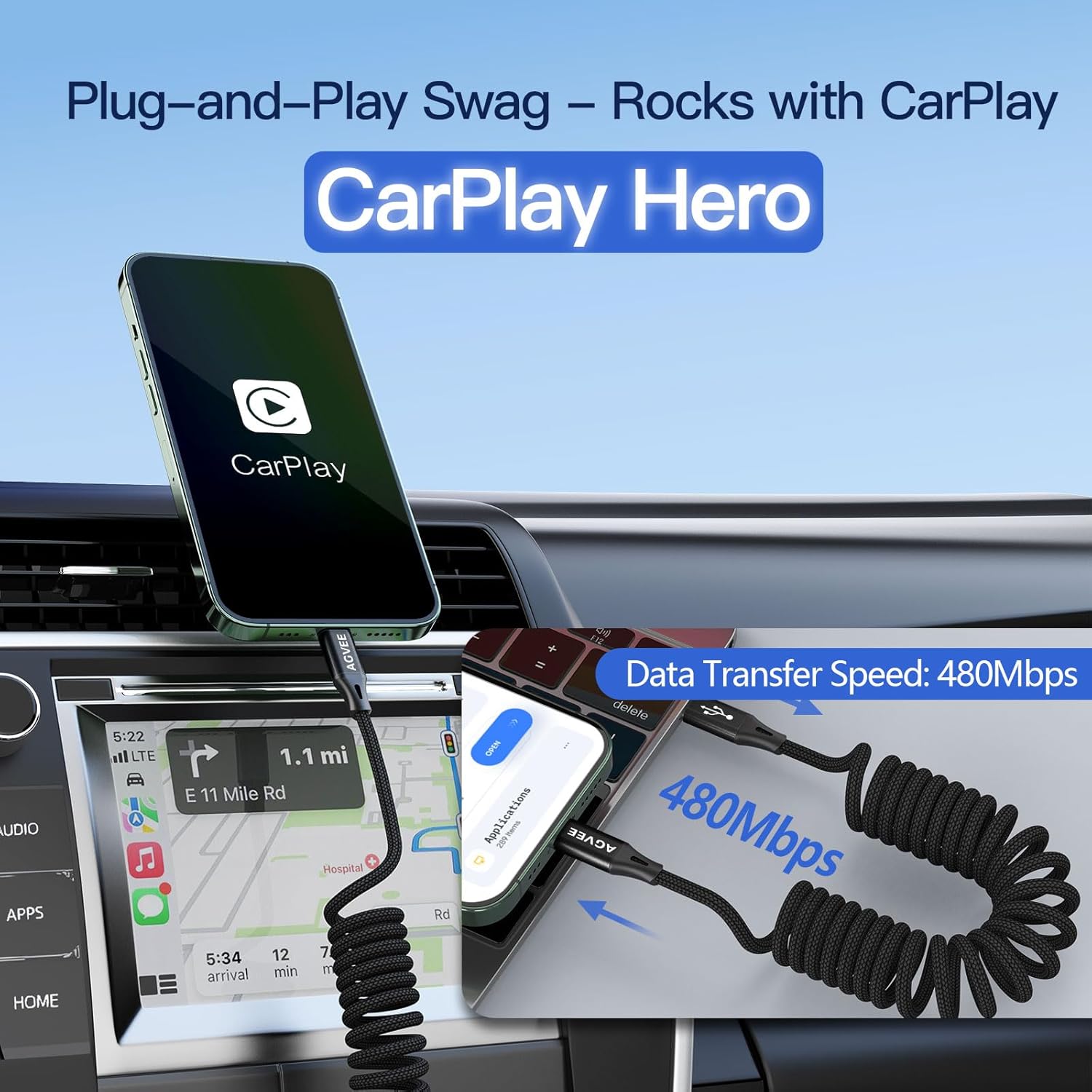
Image: An iPhone utilizing CarPlay in a vehicle, with an overlay indicating 480Mbps data transfer speed.
Priežiūra
- Valymas: Kabelį ir jungtis nuvalykite minkštu, sausu skudurėliu. Venkite naudoti stiprias chemines medžiagas ar abrazyvines medžiagas.
- Saugykla: When not in use, allow the coiled cable to retract naturally. Store it in a clean, dry place away from extreme temperatures and direct sunlight.
- Tvarkymas: Avoid excessive pulling or bending at the connector points to prevent internal wire damage. Do not force connectors into ports.
Trikčių šalinimas
- Įrenginys neįkraunamas:
- Įsitikinkite, kad abu kabelio galai yra tvirtai prijungti.
- Verify that the power adapter is functioning correctly and is plugged into a live power source.
- Patikrinkite, ar maitinimo adapteris tiekia pakankamai srovėstage (20W+ PD for fast charging).
- Test the cable with a different device or power source if possible.
- "Accessory Not Supported" Message:
- This cable is MFi certified. If this message appears, try disconnecting and reconnecting the cable.
- Ensure your device's Lightning port is clean and free of debris.
- Paleiskite „Apple“ įrenginį iš naujo.
- CarPlay Disconnections:
- Ensure the cable is firmly connected to both your iPhone and the vehicle's USB port.
- If using an adapter for a USB-A CarPlay socket, ensure the adapter is also MFi certified and functioning correctly.
- Check for any software updates for your iPhone and vehicle's infotainment system.
- Lėtas įkrovimas:
- Confirm your power adapter supports Power Delivery (PD) and provides at least 20W output.
- Ensure your device is not running power-intensive applications in the background.
Specifikacijos
| Prekės ženklas | AGVEE |
| Modelio numeris | BCBL-BK70 |
| Kabelio tipas | USB-C to Lightning (Coiled) |
| Length (Coiled) | Approximately 0.5ft (0.15m) coiled, comfortably stretches up to 1.5ft (0.45m). |
| Maitinimo tiekimas | Up to 30W (requires 20W+ PD adapter for fast charging) |
| Duomenų perdavimo greitis | Iki 480 Mbps |
| Sertifikavimas | MFi sertifikuota |
| Suderinami įrenginiai | iPhone 5/5C/5S/SE, 6/6 Plus/6S/6S Plus, 7/7 Plus, 8/8 Plus, X/XS/XR/XS Max, 11/11 Pro/11 Pro Max, 12/12 Pro/12 Pro Max, 13 Series, 14 Series; iPad 4/5/6, Air/Air 2/Air 3, Pro 9.7 (2016), Pro 10.5 (2017), 12.9 (2015/2017); iPod Touch 5/6/7; Nano 7; AirPods; CarPlay. |
| Spalva | Juoda |
| Prekės svoris | 1.13 uncijos |
| Pakuotės matmenys | 8.5 x 2.44 x 0.79 colio |

Image: Visual representation of coiled cable length variations when stretched (illustrative for different lengths).
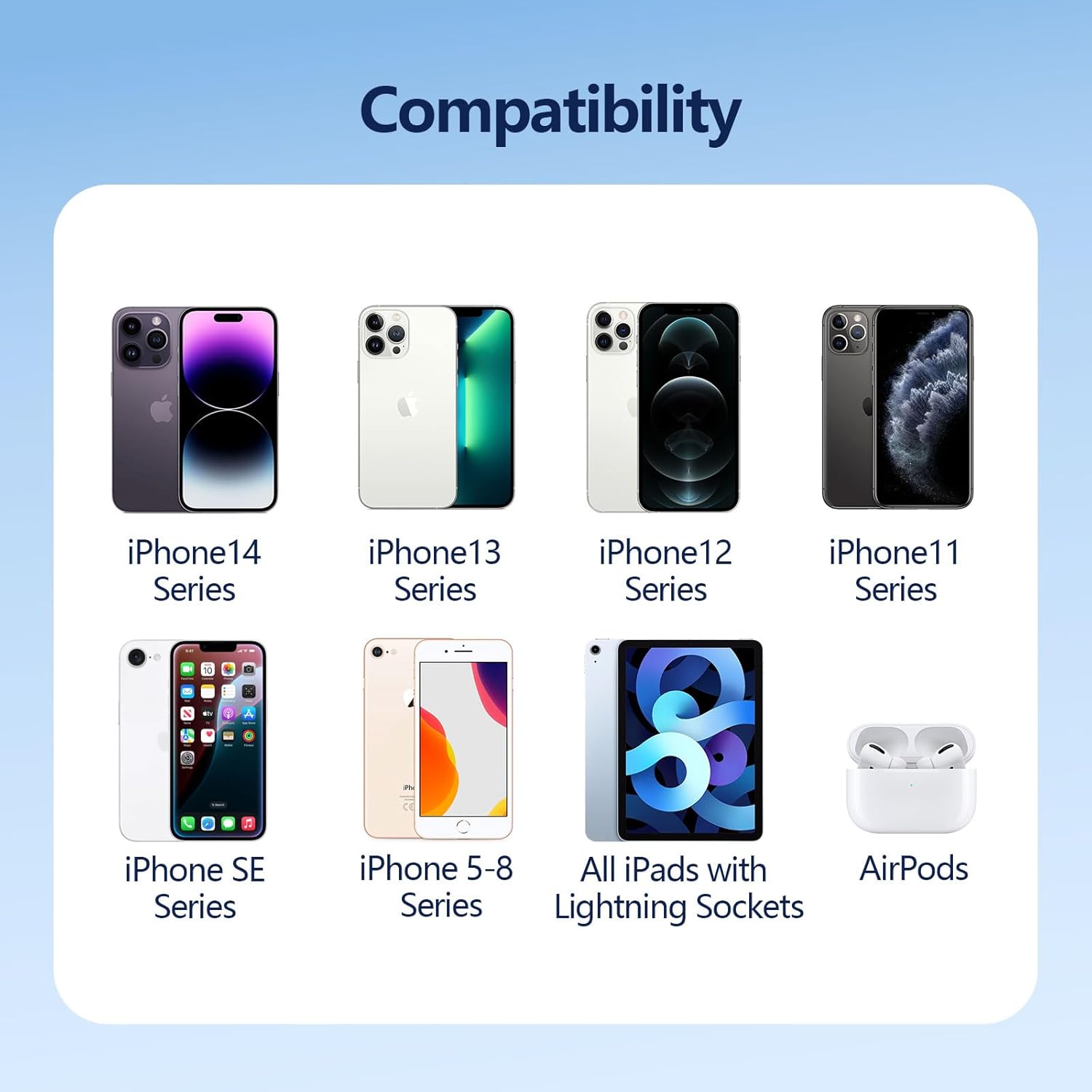
Image: A chart detailing compatible Apple devices, including iPhone, iPad, and AirPods series.
Garantija ir palaikymas
The AGVEE 1.5ft Coiled USB-C to Lightning Charging Cable is backed by a 24 mėnesių garantija. For any product inquiries, technical assistance, or warranty claims, please contact AGVEE customer support. Support is US-based.
You can find more information and contact details on the official AGVEE store page: AGVEE Store.