
1. Produktas baigtasview
The Magcubic Smart Projector HY350GT is a portable projector designed for versatile entertainment and presentation needs. It features 4K support, native 1080P resolution, and a built-in 4K TV stick for direct access to streaming applications. Key functionalities include automatic focus, keystone correction, obstacle avoidance, and screen alignment, ensuring a clear and properly framed image with minimal manual adjustment. Dual-band Wi-Fi and Bluetooth 5.1 provide robust connectivity options for various devices and audio accessories.
2. Kas yra dėžutėje
- Magcubic Smart Projector HY350GT
- Maitinimo adapteris
- Nuotolinio valdymo pultas
- Vartotojo vadovas (šis dokumentas)
3. Sąrankos instrukcijos
3.1 Pradinis pastatymas ir maitinimo prijungimas
Place the projector on a stable, flat surface. The flexible rotating stand allows for projection onto walls or ceilings. Connect the power adapter to the projector's power input port and then to a power outlet.

Image: The Magcubic HY350GT projector demonstrating its flexible rotating stand for various projection angles, including walls and ceilings.
3.2 Automatic Image Correction
Upon powering on, the projector will automatically perform several corrections:
- Automatinis fokusavimas: The image will automatically sharpen.
- Auto Keystone korekcija: The image will adjust to be rectangular, even if the projector is at an angle.
- Automatinis kliūčių vengimas: The projector detects walls and barriers, adjusting the image to avoid interference.
- Automatinis ekrano lygiavimas: The image will align itself to the projection surface.
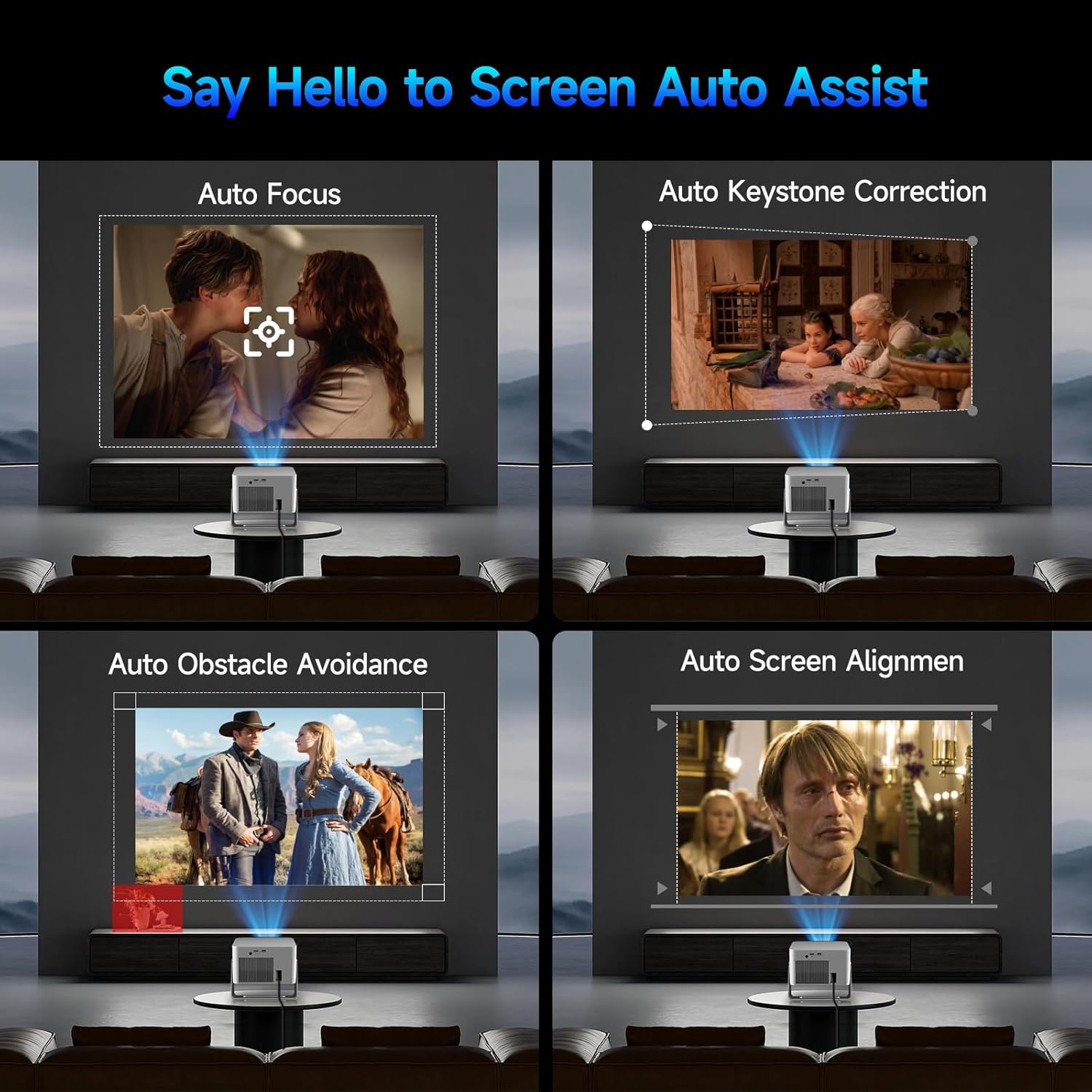
Image: Visual representation of the projector's automatic screen assist features, including auto focus, keystone correction, obstacle avoidance, and screen alignment.
3.3 Tinklo jungtis
Navigate to the 'Settings' menu using the remote control. Select 'Network settings' to connect to your Wi-Fi network (2.4G or 5G). This enables access to built-in streaming apps and online content.
4. Naudojimo instrukcijos
4.1 Nuotolinio valdymo pultas ir balso asistentas
The included remote controls both the projector and the built-in streaming stick. Utilize the Voice Assistant feature by pressing the voice command button to quickly open apps, play movies, adjust volume, or check information.
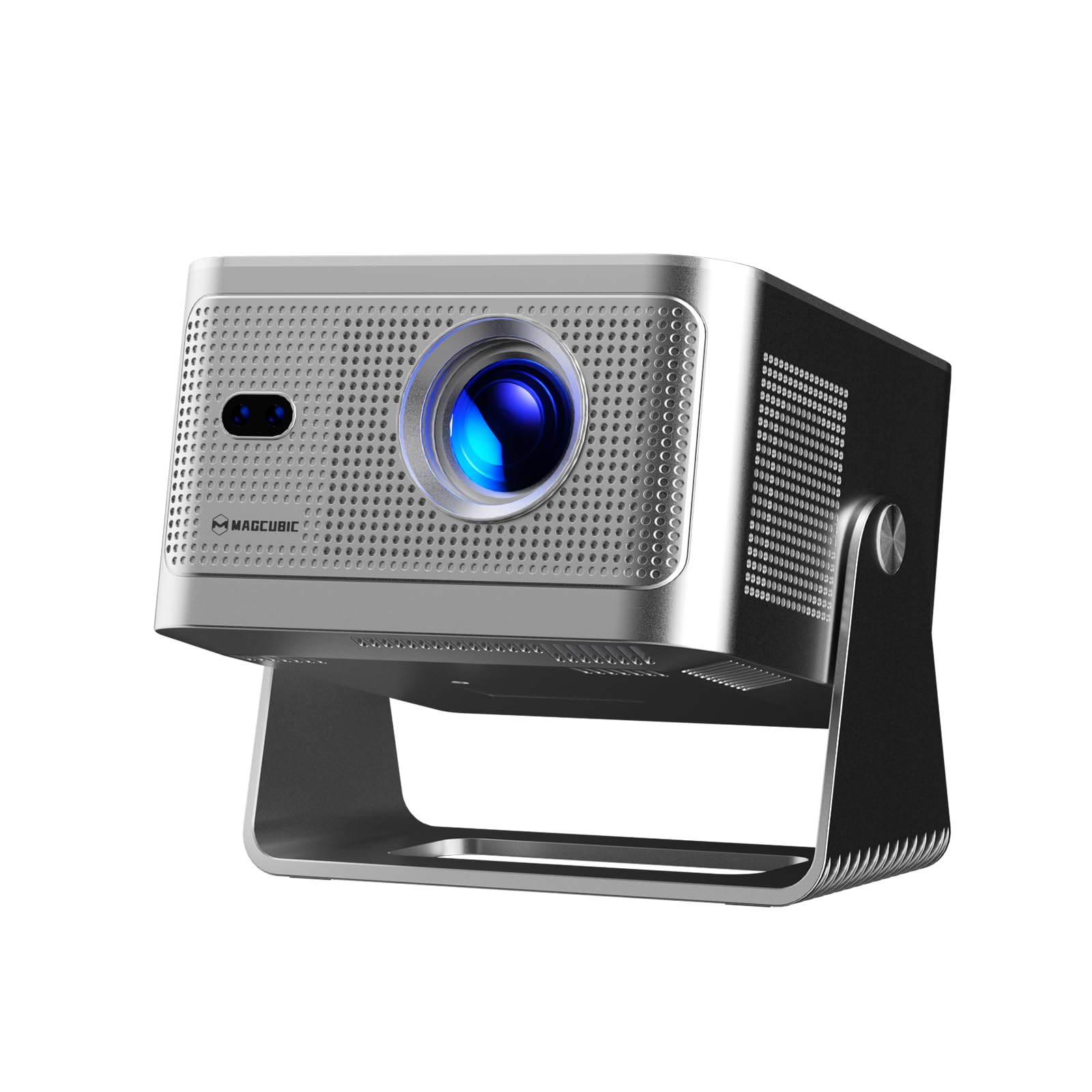
Image: The projector's main screen showing various streaming apps and the remote control, highlighting its voice assistant capabilities.
4.2 Prieiga prie programų
The projector comes with a built-in 4K TV stick, providing access to a wide range of applications. Navigate to 'My Apps' or the 'Store' to browse and download additional streaming services and utilities.

Image: The projector's interface showing pre-installed and downloadable streaming applications.
4.3 Projection Settings
In the 'Settings' menu, select 'Projection settings' to fine-tune your display:
- Įrenginio režimas: Switch between Standard and Energy Saving modes.
- Diegimo režimas: Adjust for front projection, rear projection, or ceiling mounting.
- Skaitmeninis mastelio keitimas: Adjust image size from 80% to 100%.
- Automatinis fokusavimas: Toggle automatic focus on/off.
- Auto Four Corner Correction: Enable automatic trapezoidal correction.
- Sumanus kliūčių vengimas: Enable automatic image adjustment around obstacles.
- Screen Recognition: Enable automatic screen detection and alignment.
4.4 Garso išvestis
The projector features a built-in 15W high-fidelity stereo speaker. For external audio, connect Bluetooth 5.1 compatible speakers or headphones via the 'Bluetooth' setting in the main menu.
4.5 External Connectivity
The rear panel of the projector includes:
- HDMI prievadas: Connect external devices such as laptops, gaming consoles (Switch, PS5), TV sticks, tablets, or smartphones.
- USB prievadas: Connect USB storage devices or a mouse for navigation.

Vaizdas: Išsamus view of the projector's rear ports for HDMI, USB, and power connections.
4.6 Ekrano atspindėjimas
The projector supports screen mirroring from both Android and iOS devices. Access this feature through the main menu to cast content directly from your phone or tablet.

Image: A smartphone wirelessly casting its screen to the projector, demonstrating the screen mirroring capability.
5. Priežiūra
- Objektyvo valymas: Gently wipe the projector lens with a soft, lint-free cloth. Avoid abrasive materials or harsh chemicals.
- Vėdinimas: Ensure the projector's ventilation ports are clear of obstructions to prevent overheating. Do not block the air vents during operation.
- Saugykla: Kai nenaudojate, laikykite projektorių vėsioje, sausoje vietoje, toliau nuo tiesioginių saulės spindulių ir ekstremalių temperatūrų.
6. Problemų sprendimas
- Nėra paveiksliuko: Ensure the projector is powered on and the correct input source (HDMI, USB, or internal apps) is selected. Check all cable connections.
- Neryškus vaizdas: Allow the auto-focus feature to complete. If needed, manually adjust focus via the projection settings. Ensure the projection surface is flat.
- Nėra garso: Check the volume level on both the projector and any connected external audio devices. Verify Bluetooth connection if using external speakers.
- Ryšio problemos: For Wi-Fi, ensure the network password is correct and the projector is within range. For Bluetooth, ensure the external device is in pairing mode.
- Vaizdo iškraipymas: Allow auto keystone correction to complete. If necessary, manually adjust keystone settings in the projection menu.
7. Specifikacijos
| Funkcija | Specifikacija |
|---|---|
| Prekės ženklo pavadinimas | Magkubinis |
| Modelis | HY350GT |
| Prekės svoris | 3.08 svaro |
| Pakuotės matmenys | 9.61 x 8.27 x 5.39 colio |
| Ekrano raiška | 1920 x 1080 (natūrali 1080P, 4K palaikymas) |
| Ryškumas | 650 ANSI liumenai |
| Kontrasto santykis | 10,000:1 |
| Spalvų gama | 120 % |
| Ryšio technologija | Bluetooth 5.1, Dual-Band Wi-Fi (2.4G&5G) |
| Ypatingos savybės | 15W Speaker, Auto Focus, Auto Keystone Correction, Auto Obstacle Avoidance, Auto Screen Alignment |
| Rekomenduojami naudojimo būdai | Verslas, švietimas, žaidimai, namų kinas |
8. Garantija ir palaikymas
Magcubic offers a 30-day return guarantee for this product. Additionally, 24-hour live customer support and lifetime technical support are included to assist with any inquiries or issues.