
1. Įvadas
This manual provides detailed instructions for the installation, operation, and maintenance of your SENTKENG Y05009 Indoor Camera. Please read this manual thoroughly before using the product to ensure proper function and safety. The SENTKENG Y05009 is a 1080P WiFi camera designed for indoor monitoring, featuring pan/tilt capabilities, two-way audio, IR night vision, and motion detection.
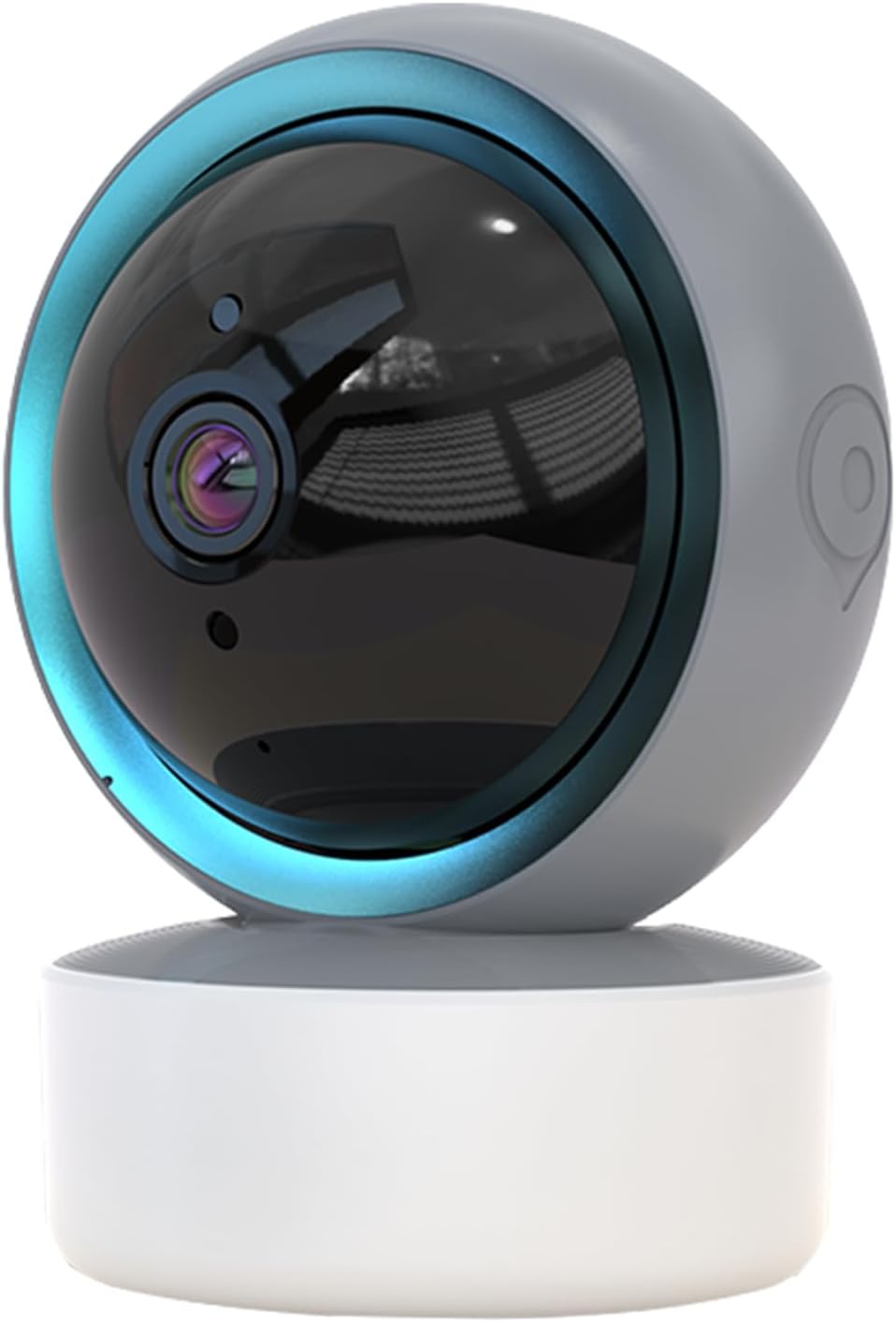
Image 1.1: SENTKENG Y05009 Indoor Camera. This image displays the compact, spherical design of the camera with its lens and base.
2. Pakuotės turinys
Prašome patikrinti, ar pakuotėje yra visi reikalingi daiktai:
- SENTKENG Y05009 Indoor Camera
- USB maitinimo laidas
- Power Adapter (not explicitly listed but implied for a plug-in device)
- Montavimo laikiklis ir varžtai
- Instrukcijų vadovas

Image 2.1: Package Contents. This image shows the camera, USB cable, mounting accessories, and the user manual included in the box.
3. Produktas baigtasview
The SENTKENG Y05009 camera features a compact design with essential components for effective indoor monitoring.
3.1 Kameros komponentai
- Objektyvas: Captures 1080P video.
- Infraraudonųjų spindulių šviesos diodai: Suteikti naktinio matymo galimybes.
- Mikrofonas: Garso įvesties ir dvipusio pokalbio funkcijai.
- Pranešėjas: Garso išvesčiai ir dvipusiam pokalbiui.
- MicroSD kortelės lizdas: Palaiko iki 128 GB talpos vietinę saugyklą (kortelė nepridedama).
- Atkūrimo mygtukas: Naudojamas gamyklinių parametrų atkūrimui arba susiejimo režimui.
- Maitinimo prievadas: USB port for connecting the power cable.
Image 3.1: Camera Component Details. This image highlights the speaker, microSD card slot, reset button, and power port on the camera.
4. Sąranka
Follow these steps to set up your SENTKENG Y05009 Indoor Camera.
4.1 Įjungimas
- Prijunkite USB maitinimo laidą prie fotoaparato maitinimo prievado.
- Prijunkite kitą USB kabelio galą prie pateikto maitinimo adapterio.
- Prijunkite maitinimo adapterį į standartinį elektros lizdą. Kamera įsijungs ir pradės paleidimo seką.
4.2 Programėlės diegimas ir paskyros sukūrimas
- Atsisiųskite InstaVision programėlę iš savo išmaniojo telefono programėlių parduotuvės („iOS“ arba „Android“).
- Open the InstaVision app and create a new account or log in if you already have one.

Image 4.1: InstaVision App Interface. This image shows the 'Welcome to InstaVision' screen on a smartphone, illustrating the initial app setup.
4.3 Prisijungimas prie „Wi-Fi“.
The camera supports 2.4GHz Wi-Fi networks only.
- In the InstaVision app, tap 'Add Device' or the '+' icon.
- Select your camera model or 'Smart Camera'.
- Follow the on-screen instructions to connect the camera to your 2.4GHz Wi-Fi network. This typically involves scanning a QR code generated by the app with the camera's lens or listening for an audio prompt.
- Prijungus, kameros indikatoriaus lemputė pasikeis ir programėlėje gausite patvirtinimą.
4.4 Įdėjimas ir montavimas
The camera can be placed on a flat surface or mounted to a ceiling.
- Tvirtinimas ant stalo: Place the camera on a stable, flat surface such as a table or shelf.
- Montavimas ant lubų: Use the provided mounting bracket and screws to secure the camera to the ceiling. Ensure the camera is oriented correctly for optimal viewing.
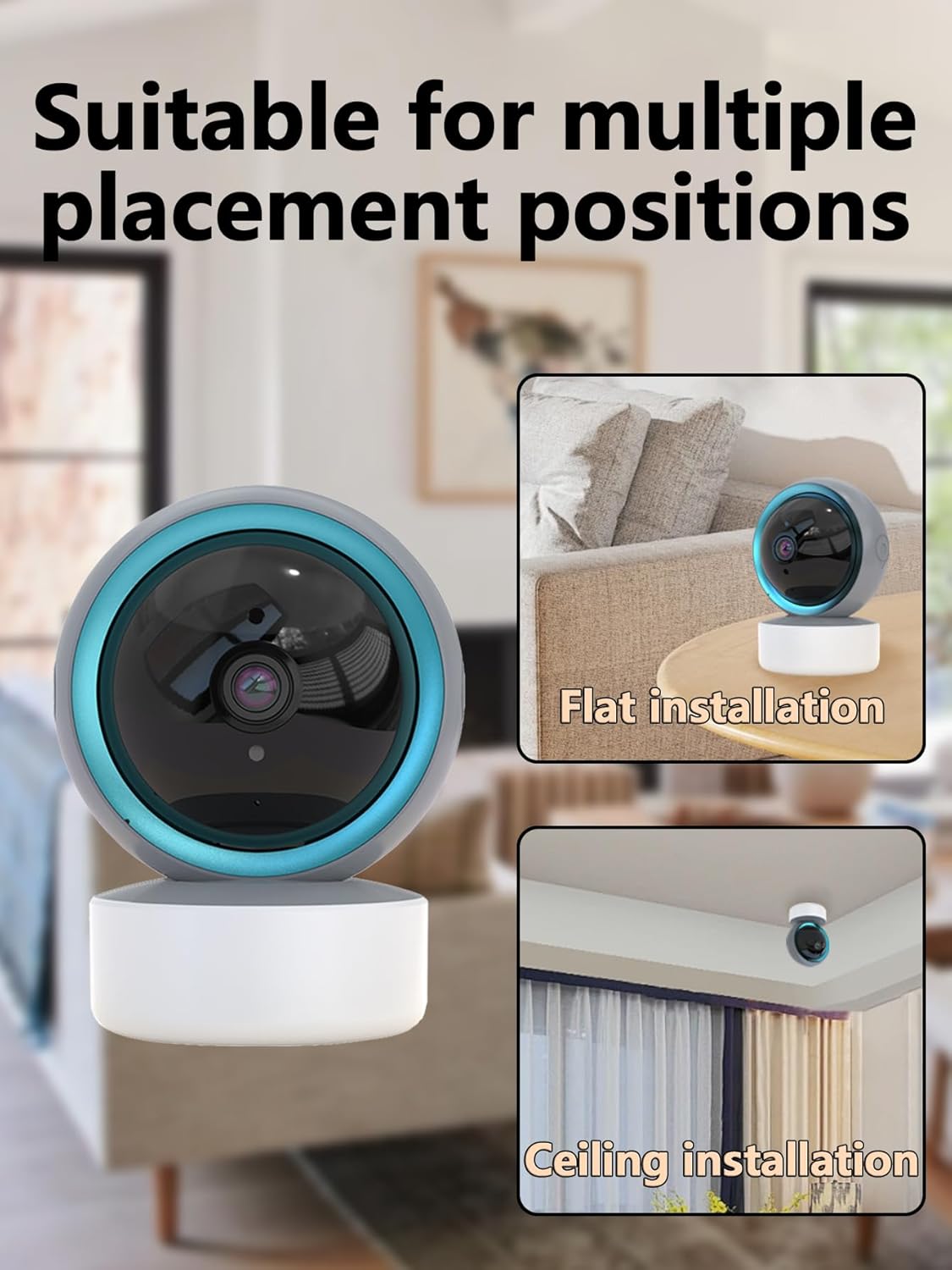
Image 4.2: Multiple Placement Positions. This image illustrates the camera placed on a flat surface and mounted on a ceiling.
5. Naudojimo instrukcijos
Learn how to use the various features of your SENTKENG Y05009 camera.
5.1 Tiesiogiai View ir panoraminio/pakreipimo valdymas
- Open the InstaVision app and select your camera from the device list.
- You will see the live video feed.
- Use the directional controls within the app to remotely rotate the camera lens: 355° horizontaliai ir 90° vertikaliai.

Image 5.1: Multi-Angle Rotation. This image demonstrates the camera's ability to rotate 355 degrees horizontally and 90 degrees vertically.
5.2 Dvipusis garsas
The camera features a built-in microphone and speaker for real-time communication.
- Kol vyksta gyvai view, programėlėje palieskite mikrofono piktogramą.
- Speak into your phone to transmit audio through the camera's speaker.
- The camera's microphone will capture audio from its surroundings, which you can hear through your phone.
5.3 Judesio aptikimas ir įspėjimai
The camera can detect motion and send instant notifications to your phone.
- Enable motion detection in the InstaVision app settings for your camera.
- Prireikus reguliuokite jautrumo lygius.
- When motion is detected, you will receive a push notification on your smartphone.
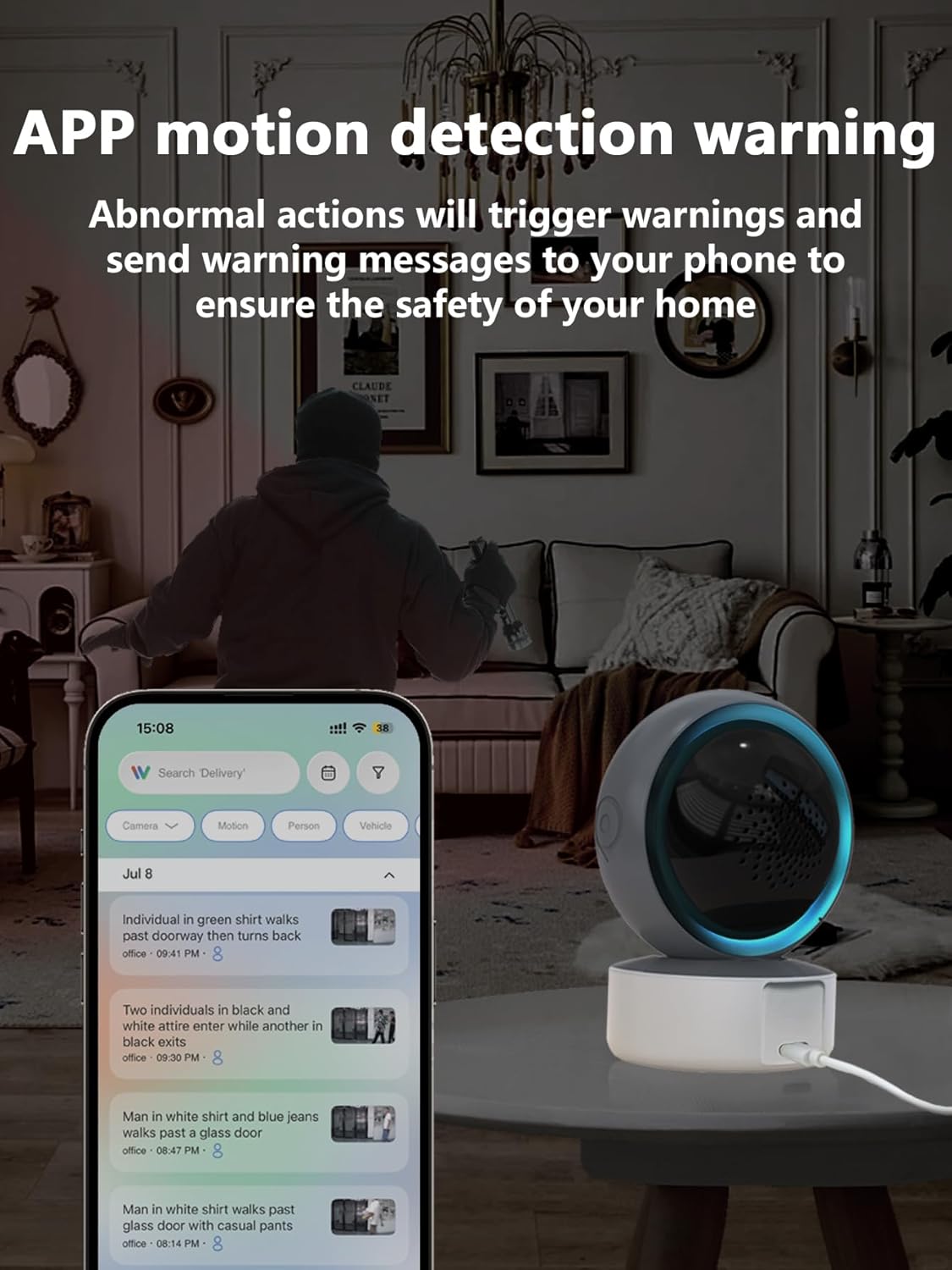
Image 5.2: APP Motion Detection Warning. This image shows a smartphone displaying motion detection alerts from the InstaVision app, with the camera monitoring a room.
5.4 IR naktinio matymo funkcija
Esant prastam apšvietimui, kamera automatiškai persijungia į infraraudonųjų spindulių naktinio matymo režimą.
- Infrared LEDs provide clear black-and-white images up to 8 meters in complete darkness.
- No manual activation is required; the camera adjusts automatically.

Image 5.3: Clear IR Night Vision. This image depicts the camera providing a clear view in a dark room, with a smartphone displaying the night vision feed.
5.5 Vaizdo įrašų saugykla
Kamera siūlo dvi įrašytos medžiagos saugojimo parinktistage:
- „MicroSD“ kortelė: Insert a microSD card (up to 128GB, not included) into the camera's slot for local storage. Recordings will be saved directly to the card.
- „Cloud Service“: An optional cloud storage subscription is available through the InstaVision app for remote and secure storage of your video recordings.

Image 5.4: Video Playback & Storage Function. This image shows the camera, a microSD card, and a smartphone displaying cloud storage icons, illustrating the dual storage options.
5.6 AI Detection (Subscription)
Advanced AI-powered detection features are available with a paid InstaVision app subscription. These features may include:
- Asmens aptikimas
- Naminių gyvūnėlių aptikimas
- Specific human action recognition
5.7 Multi-User Viewing
The InstaVision app allows multiple users to view kameros transliaciją vienu metu.
- In the app, navigate to the camera settings and find the 'Share Device' option.
- Invite other users by entering their InstaVision account details.
- Shared users will receive an invitation and can then access the camera feed.

Image 5.5: Simultaneous Online Viewing by Multiple Users. This image shows several individuals viewing the camera feed on their smartphones, indicating the family share function.
6. Priežiūra
Reguliarus techninis aptarnavimas padeda užtikrinti fotoaparato ilgaamžiškumą ir optimalų veikimą.
- Valymas: Švelniai nuvalykite fotoaparato objektyvą ir korpusą minkštu, sausu skudurėliu. Venkite naudoti stiprias chemines medžiagas ar abrazyvines medžiagas.
- Programinės įrangos atnaujinimai: Periodically check the InstaVision app for firmware updates for your camera. Keeping the firmware updated ensures you have the latest features and security enhancements.
- Maitinimo ciklas: Jei kyla problemų dėl fotoaparato veikimo, pabandykite jį 10 sekundžių atjungti nuo maitinimo šaltinio ir vėl prijungti.
7. Problemų sprendimas
If you encounter problems with your SENTKENG Y05009 camera, refer to the following common issues and solutions.
- Kamera neprisijungusi:
- Ensure the camera is properly powered on and the power adapter is securely plugged in.
- Check your Wi-Fi network connection. Ensure the camera is within range of your 2.4GHz Wi-Fi router.
- Iš naujo paleiskite fotoaparatą atjungdami ir vėl prijungdami.
- If the issue persists, try resetting the camera and re-pairing it with the app.
- Nepavyksta prisijungti prie „Wi-Fi“:
- Verify that your Wi-Fi network is 2.4GHz. The camera does not support 5GHz networks.
- Įsitikinkite, kad įvedėte teisingą „Wi-Fi“ slaptažodį.
- Move the camera closer to your Wi-Fi router during the setup process.
- Reset the camera and attempt the connection process again.
- Motion detection alerts are not received:
- Check the motion detection settings in the InstaVision app to ensure it is enabled and sensitivity is adjusted appropriately.
- Verify that your smartphone's notification settings allow alerts from the InstaVision app.
- Įsitikinkite, kad kamera turi stabilų interneto ryšį.
- Prasta vaizdo kokybė:
- Įsitikinkite, kad fotoaparato objektyvas yra švarus ir be dulkių ar dėmių.
- Check your Wi-Fi signal strength. A weak signal can affect streaming quality.
- Ensure adequate lighting for optimal daytime video.
8. Specifikacijos
| Funkcija | Specifikacija |
|---|---|
| Modelio pavadinimas | Y05009 |
| Naudojimas viduje / lauke | Vidinis |
| Vaizdo įrašymo raiška | 1080p |
| Ryšio technologija | Belaidis ryšys (2.4 GHz „Wi-Fi“) |
| Maitinimo šaltinis | Su laidu elektra |
| Panardinimo / pakreipimo diapazonas | Horizontaliai 355°, vertikaliai 90° |
| Naktinio matymo diapazonas | 8 metrai |
| Saugojimo parinktys | MicroSD Card (up to 128GB), Cloud Storage (subscription) |
| Dvipusis garsas | Taip |
| Judesio aptikimas | Taip |
| AI funkcijos | Optional (subscription required) |
| Suderinami įrenginiai | Išmanusis telefonas („iOS“, „Android“) |
| Gaminio matmenys | 3.58 x 2.97 x 4.69 colio |
| Prekės svoris | 9 uncijos |
9. Pagalbos informacija
For further assistance or technical support, please refer to the contact information provided with your product packaging or visit the official SENTKENG websvetainę.