
1. Įvadas
Thank you for choosing the ANJIELO SMART Wired Video Intercom System. This manual provides essential information for the safe and efficient installation, operation, and maintenance of your new security system. Please read this manual thoroughly before use and retain it for future reference.
2. Produktas baigtasview ir komponentai
The ANJIELO SMART Wired Video Intercom System offers enhanced home security and communication. This package includes:
- 10-inch TFT-LCD Touch Screen Monitor (Indoor Unit)
- 1080P Doorbell Camera (Outdoor Unit)
- Maitinimo adapteris monitoriui
- 4-wire connection cable (approx. 3 meters)
- RFID kortelės (5 vnt.)
- Rain Cover for Doorbell Camera
- Montavimo įranga
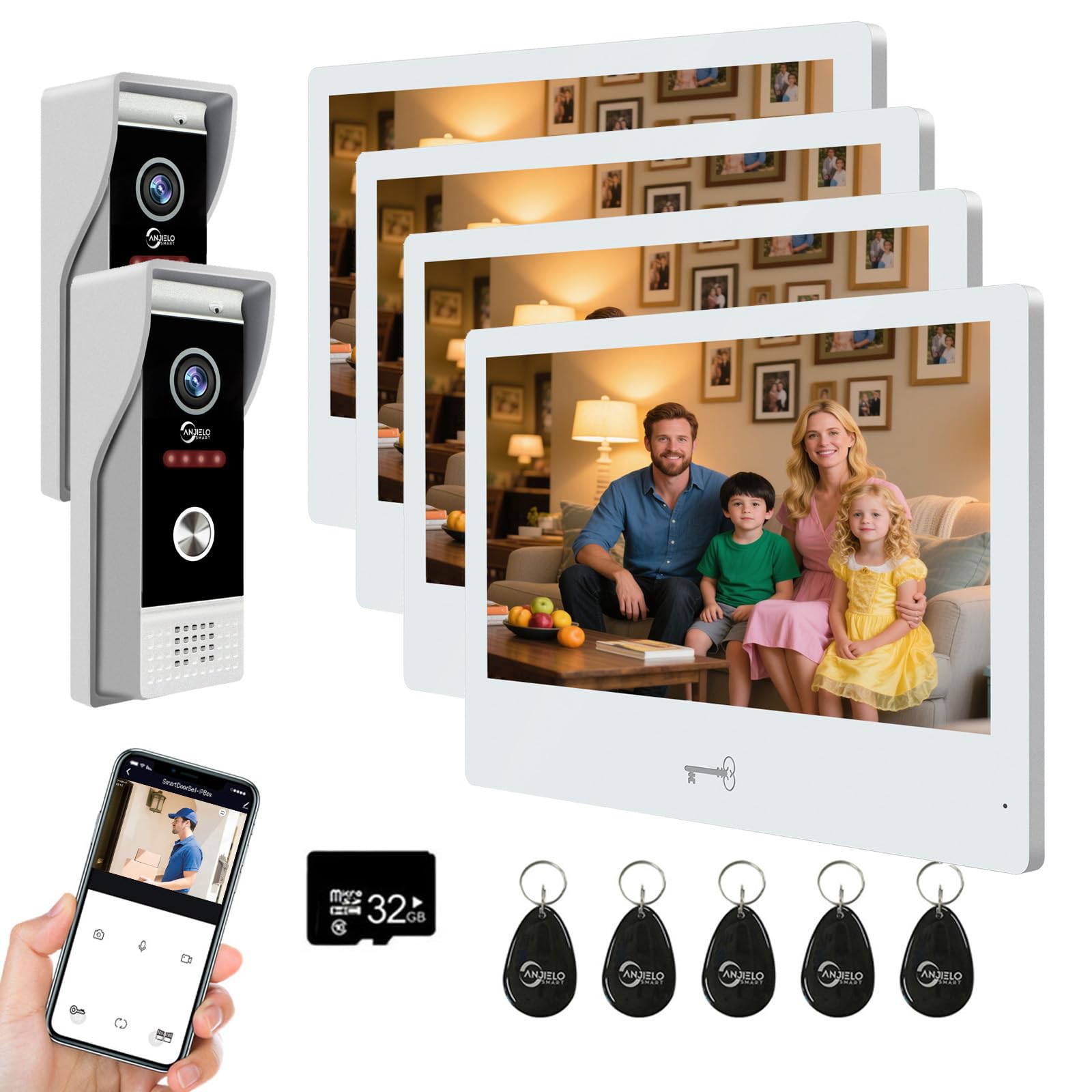
Vaizdas: Viršview of the ANJIELO SMART Wired Video Intercom System, showing the indoor monitor and outdoor doorbell unit.
3. Specifikacijos
Doorbell Camera (Outdoor Unit)
- Fotoaparato jutiklis: 1 / 2.7 CMOS
- Rezoliucija: 1080P
- Objektyvas: 3.2 mm
- Viewpakreipimo kampas: 148°
- Naktinis matymas: IR LEDs (120°)
- Energijos suvartojimas: Max 200 mA
- Maitinimas: Provided by indoor unit
- Darbinė temperatūra: -40 ℃ iki +50 ℃
- Montavimas: Paviršinis montavimas
- Matmenys: 120 mm x 52 mm x 33 mm
Vidinis monitorius
- Ekranas: 10-inch TFT-LCD Touch Screen
- Rezoliucija: 1024 x 680
- Melodijos: 7-chord melodies
- Reguliuojami nustatymai: Volume, Color
- Prisijungimo būdas: 4-wire (to doorbell), WiFi (to home network)
- WiFi Solution: TUYA App compatible (2.4 GHz band only)
- Plokštės medžiaga: Acrylic/ABS cover
- Montavimas: Paviršinis montavimas
- Įvesties tomastage: AC 100-240V 50/60Hz
- Veiklos ttage: DC 12 V, 2 A
- Matmenys: 250 mm x 182 mm x 12 mm
Bendrosios sistemos specifikacijos
- Ryšio technologija: Wired (doorbell to monitor), Wireless (monitor to WiFi)
- Kontrolės metodas: App (Tuya), Touch Screen
- Maximum Range (Wired): Up to 100 meters (using RVV4 wires)
- Palaikomi įrenginiai: Up to 2 doorbells and 6 indoor monitors
- Unlocking Compatibility: All standard 12V electronic locks
4. Saugos informacija
Prašome laikytis šių saugos priemonių:
- Jei nesate tikri, įsitikinkite, kad visus laidus atlieka kvalifikuotas elektrikas.
- Prieš atlikdami bet kokius montavimo ar techninės priežiūros darbus, atjunkite maitinimą.
- Do not expose the indoor monitor to water or high humidity.
- Naudokite tik pateiktą maitinimo adapterį.
- Saugokite gaminį nuo tiesioginių saulės spindulių ir šilumos šaltinių.
- Do not attempt to disassemble or repair the unit yourself. Contact support for assistance.
5. Sąranka
5.1. Laidų sujungimas ir montavimas
- Mount the Doorbell Camera: Choose a suitable outdoor location, preferably protected from direct heavy rain, and mount the doorbell camera using the provided hardware. Ensure the rain cover is properly installed.
- Pritvirtinkite vidinį monitorių: Select an indoor location for the monitor. It should be within reach of a power outlet and a suitable distance for the 4-wire connection to the doorbell.
- Connect Doorbell to Monitor: Use the provided 4-wire cable to connect the outdoor doorbell unit to the indoor monitor. Ensure connections are secure and follow the wiring diagram in the detailed installation guide (not provided in this summary). The maximum recommended distance for this wired connection is 100 meters using RVV4 wires.
- Prijunkite maitinimą: Plug the power adapter into the indoor monitor and then into a standard AC power outlet.
- Prijunkite elektroninę spyną (neprivaloma): If you are integrating an electronic lock, connect it to the doorbell unit according to the lock's instructions and the system's wiring diagram. The system is compatible with all standard 12V electronic locks.
5.2. WiFi and App Configuration
- Atsisiųskite „Tuya“ programą: Download and install the Tuya Smart app on your smartphone from your device's app store.
- Registruotis / Prisijungti: Sukurkite paskyrą arba prisijunkite prie „Tuya Smart“ programėlės.
- Connect Monitor to WiFi: On the indoor monitor, navigate to the WiFi settings. Select your home's 2.4 GHz WiFi network and enter the password. Note: The monitor only supports 2.4 GHz WiFi bands.
- Pridėti įrenginį programėlėje: Follow the instructions within the Tuya app to add your video intercom system as a new device. This typically involves scanning a QR code displayed on the monitor or selecting the device type manually.
- Bendrinti prieigą: The system supports sharing access with up to 5 mobile phones without requiring additional app installations on those devices.
6. Naudojimo instrukcijos
6.1. Skambučių atsiliepimas ir dvipusis garsas
- When a visitor presses the doorbell, all connected indoor monitors and your smartphone (via the Tuya app) will ring simultaneously.
- On the monitor or app, you can see and hear the visitor. Tap the answer button to initiate two-way audio communication.
- The system also functions as an intercom between indoor monitors, allowing room-to-room communication.
6.2. Durų atrakinimas
The system offers three methods for unlocking compatible electronic locks:
- RFID kortelės: Present a pre-programmed RFID card to the doorbell unit to unlock the door. Five RFID cards are included for your convenience.
- „Tuya“ programėlė: From your smartphone app, you can remotely unlock the door.
- Vidinis monitorius: Tap the unlock icon on the 10-inch touch screen monitor.
6.3. Judesio aptikimas
- The doorbell camera features customizable motion detection. By default, the entire camera view is monitored.
- To define specific monitoring areas, access the motion detection settings on the indoor monitor.
- You can tap and drag to create transparent boxes over areas you wish to exclude from motion detection, minimizing false alarms. Tap again to re-enable detection for an area.
7. Priežiūra
- Valymas: Use a soft, dry cloth to clean the monitor screen and doorbell camera lens. Do not use abrasive cleaners or solvents.
- Lauko blokas: Periodically check the doorbell camera for any obstructions or dirt that might affect its performance. Ensure the rain cover is intact.
- Laidai: Occasionally inspect visible wiring for any signs of damage or wear.
- Programinės įrangos atnaujinimai: Check the Tuya app or monitor settings for available firmware updates to ensure optimal performance and security.
8. Problemų sprendimas
- No Video/Audio from Doorbell:
- Check the 4-wire connection between the doorbell and the monitor. Ensure all wires are securely connected.
- Patikrinkite, ar monitorius įjungtas.
- Monitor Not Connecting to WiFi:
- Ensure your home router is broadcasting a 2.4 GHz WiFi signal. The monitor does not support 5 GHz networks.
- Patikrinkite savo „Wi-Fi“ slaptažodžio tikslumą.
- Move the monitor closer to the WiFi router to improve signal strength.
- Iš naujo paleiskite maršrutizatorių ir vidinį monitorių.
- RFID Card Not Unlocking:
- Ensure the RFID card is correctly programmed.
- Present the card directly to the RFID reader area on the doorbell unit.
- Verify the electronic lock is properly connected and powered.
- Judesio aptikimas neveikia:
- Check motion detection settings on the monitor to ensure it is enabled and the detection area is correctly configured.
- Įsitikinkite, kad kameros objektyvas yra švarus ir neuždengtas.
- Intercom Not Working Between Monitors:
- Verify all monitors are powered on and correctly wired to the system.
- Check intercom settings on each monitor.
9. Garantija ir palaikymas
Dėl garantijos informacijos, techninės pagalbos ar paslaugų kreipkitės tiesiogiai į pardavėją arba gamintoją. Išsaugokite pirkimo kvitą kaip pirkimo įrodymą.


