
1. Produktas baigtasview
The Cuifati 50000mAh Solar Power Bank is a robust and versatile portable charging solution designed for outdoor enthusiasts and emergency preparedness. Featuring a high-capacity battery and solar charging capabilities, it ensures your devices remain powered in various environments.
Pagrindinės funkcijos:
- Didžiulė 50,000 XNUMX mAh talpa: Provides multiple recharges for smartphones, tablets, and other USB-powered devices.
- Saulės įkrovimo galimybė: Allows for emergency recharging using sunlight, ideal for off-grid situations.
- Crush-Proof Aluminum Alloy Casing: Durable exterior offers protection against impacts and aids in heat dissipation.
- Integrated LED Campšviesa: Features high-brightness LED with constant, breathing, and SOS flashing modes for illumination and emergency signaling.
- Universalus greitas įkrovimas: Supports USB-A, Type-C, and QC Fast Charging protocols for efficient power delivery to a wide range of digital devices.
- Daugiafunkcinė apsaugos sistema: Built-in safeguards against overcharge, overvoltage, overcurrent, overpower, overdischarge, and temperature fluctuations.

1.1 vaizdas: priekis view of the Cuifati Solar Power Bank, showcasing the integrated solar panel.

1.2 paveikslėlis: Šonas view displaying the various charging ports and the LED light panel.
2. Sąranka ir pirmasis naudojimas
2.1 Išorinės baterijos įkrovimas
Before first use, fully charge the power bank using a wall adapter to ensure optimal battery performance. Solar charging is primarily for emergency use and maintaining charge, not for rapid full charging.
- Via USB Wall Adapter: Connect the included USB charging cable (or a compatible Type-C cable) to the power bank's input port and plug the other end into a USB wall adapter (not included). The indicator lights will show charging progress.
- Per saulės kolektorių: Place the power bank in direct sunlight. The solar indicator light will illuminate, indicating that solar charging is active. For best results, ensure the solar panel is clean and unobstructed.

2.1 pav.: Viršus view of the power bank, showing the solar panel and a USB charging cable.
2.2 Baterijos lygio tikrinimas
Vieną kartą paspauskite maitinimo mygtuką, kad view dabartinį akumuliatoriaus lygį, kurį rodo LED lemputės.
3. Naudojimo instrukcijos
3.1 Išorinių įrenginių įkrovimas
Connect your device's charging cable to one of the power bank's output ports (USB-A or Type-C). The power bank will automatically begin charging your device. If charging does not start, press the power button once.
3.2 Using the LED Camping Šviesa
Integruotas LED apšvietimas siūlo kelis režimus įvairioms situacijoms.
- Įjungti/išjungti: Long press the power button to turn the LED light on or off.
- Ciklo režimai: Once the light is on, short press the power button to cycle through the modes: Constant Brightness > Breathing Light > SOS Flashing > Burst Flash.

Image 3.1: The power bank demonstrating its LED bright light feature, useful for campar avarinės situacijos.
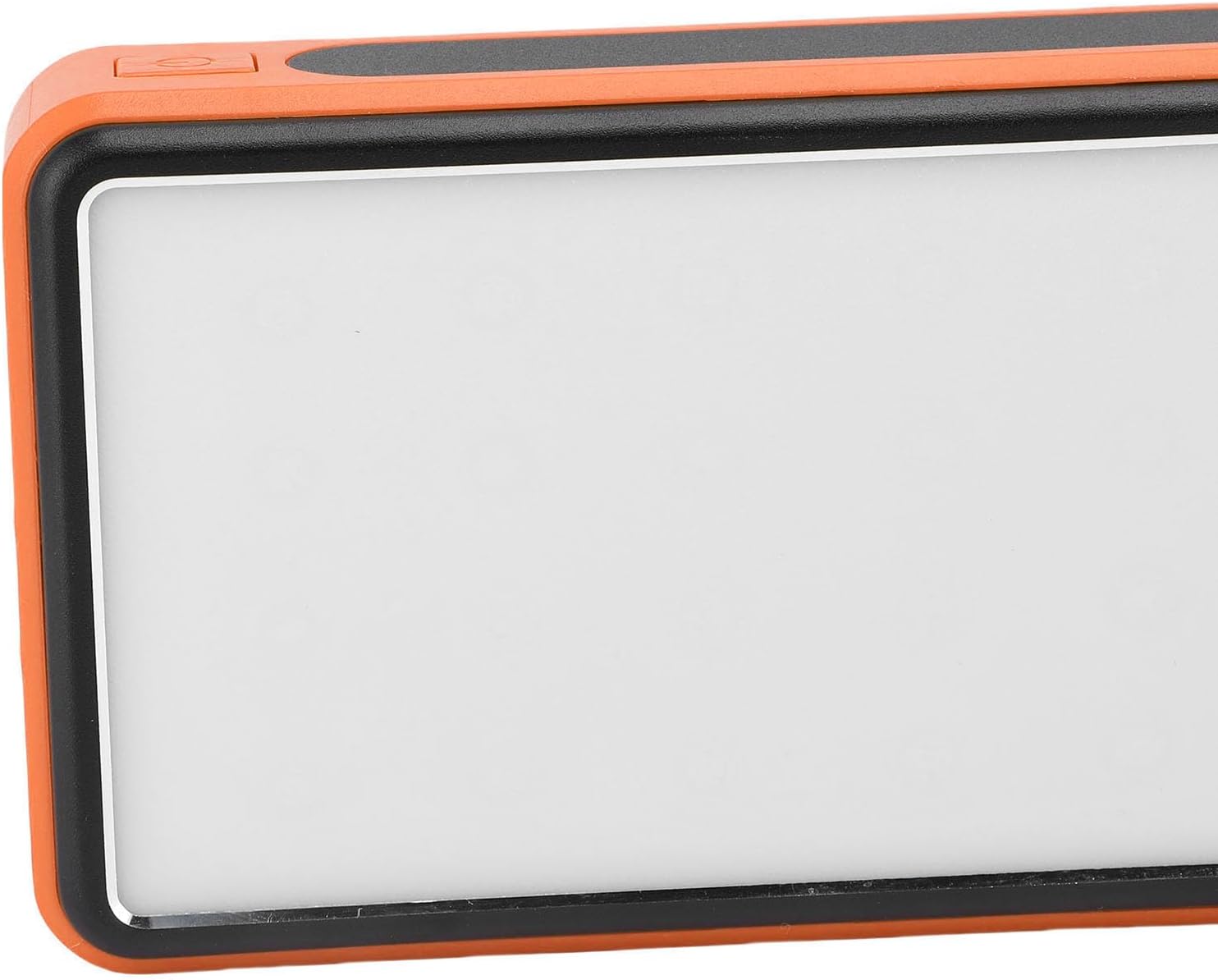
3.2 paveikslėlis: Šonas view highlighting the power button used for operating the device and LED light.
4. Priežiūra ir priežiūra
- Valymas: Wipe the power bank with a soft, dry cloth. Avoid using harsh chemicals or abrasive materials. Ensure the solar panel is clean for efficient charging.
- Saugykla: Store the power bank in a cool, dry place away from direct sunlight and extreme temperatures. For long-term storage, charge the power bank to about 50-75% every 3-6 months to preserve battery health.
- Aplinkos sąlygos: While crush-proof, avoid intentional drops or impacts. Do not expose to water or high humidity.

Image 4.1: Icons representing the power bank's multiple protection features, including overcharge, overvoltage, and temperature prevention.
5. Problemų sprendimas
- Nesikrauna išorinė baterija: Ensure the charging cable is securely connected to both the power bank and the power source. Try a different cable or wall adapter. For solar charging, ensure direct sunlight and a clean solar panel.
- Įrenginys neįkraunamas iš išorinės baterijos: Ensure the power bank has sufficient charge. Press the power button once to activate output. Try a different USB port or charging cable.
- LED lemputė neveikia: Long press the power button to turn it on. If it still doesn't work, ensure the power bank has sufficient charge.
- Lėtas įkrovimas: Ensure you are using a fast-charging compatible cable and your device supports fast charging. Solar charging is inherently slower than wall charging.
6. Specifikacijos
| Funkcija | Specifikacija |
|---|---|
| Baterijos talpa | 50,000 mAh |
| Suderinami įrenginiai | Smartphones, Tablets, USB-powered devices (including some laptops) |
| Įkrovimo protokolai | USB-A, Type-C, QC Fast Charging |
| LED šviesos režimai | Constant, Breathing, SOS Flashing, Burst Flash |
| Casing Medžiaga | Aliuminio lydinys |
| Spalva | Oranžinė |
| Pakuotės matmenys | 19 x 13 x 5 cm |
| Svoris | 552 gramų |
| Kilmės šalis | Kinija |
7. Informacija apie garantiją
This Cuifati Solar Power Bank comes with a 2 metų gamintojo garantija nuo įsigijimo datos. Ši garantija taikoma medžiagų ir gamybos defektams, atsiradusiems įprasto naudojimo sąlygomis. Ji netaikoma žalai, atsiradusiai dėl netinkamo naudojimo, nelaimingų atsitikimų, neleistinų modifikacijų ar įprasto nusidėvėjimo. Prašome išsaugoti pirkimo įrodymą garantiniams reikalavimams.
8. Parama
For technical support, warranty claims, or further inquiries, please contact Cuifati customer service. Refer to the product packaging or the retailer's websvetainė, kurioje rasite naujausią kontaktinę informaciją.
We recommend visiting the official Cuifati websvetainė, kurioje rasite produktų registraciją, DUK ir papildomus pagalbos išteklius.