
Momanas Xview M4 Pro
Momanas Xview M4 Pro Selfie Monitor User Manual
Modelis: Xview M4 Pro
1. Įvadas
This manual provides comprehensive instructions for the safe and efficient use of your Moman Xview M4 Pro Selfie Monitor. Please read this manual thoroughly before operating the device and retain it for future reference.
2. Saugos informacija
Norėdami užtikrinti saugų darbą ir išvengti žalos, laikykitės šių atsargumo priemonių:
- Saugokite monitorių nuo vandens ar per didelės drėgmės.
- Stenkitės, kad prietaisas nenumestų ar nepatirtų stipraus smūgio.
- Do not attempt to disassemble or repair the monitor yourself. Contact qualified service personnel.
- Laikykite monitorių atokiau nuo tiesioginių saulės spindulių ir šilumos šaltinių.
- Naudokite tik nurodytą maitinimo adapterį ir priedus.
3. Pakuotės turinys
Patikrinkite, ar pakuotėje yra visi reikalingi daiktai:
- Momanas Xview M4 Pro Selfie Monitor (main unit)
- USB-C įkrovimo laidas
- Vartotojo vadovas (šis dokumentas)
Note: The package contents may vary slightly depending on the region or specific bundle purchased.
4. Sąranka
4.1 Monitoriaus įkrovimas
Before first use, fully charge the Moman Xview M4 Pro monitor. Connect the provided USB-C cable to the monitor's charging port and the other end to a compatible USB power adapter (not included) or a computer's USB port.
The charging indicator light will typically show red while charging and turn green or off when fully charged.
4.2 Monitoriaus montavimas
The Moman Xview M4 Pro is designed to be mounted on various camera rigs or smartphone cages. It features a standard 1/4"-20 screw hole for attachment.
- Attach the monitor to a cold shoe mount or a compatible bracket (sold separately) using the 1/4"-20 screw.
- Securely fasten the monitor to your smartphone cage or camera setup.
- Sureguliuokite viewpagal poreikį.
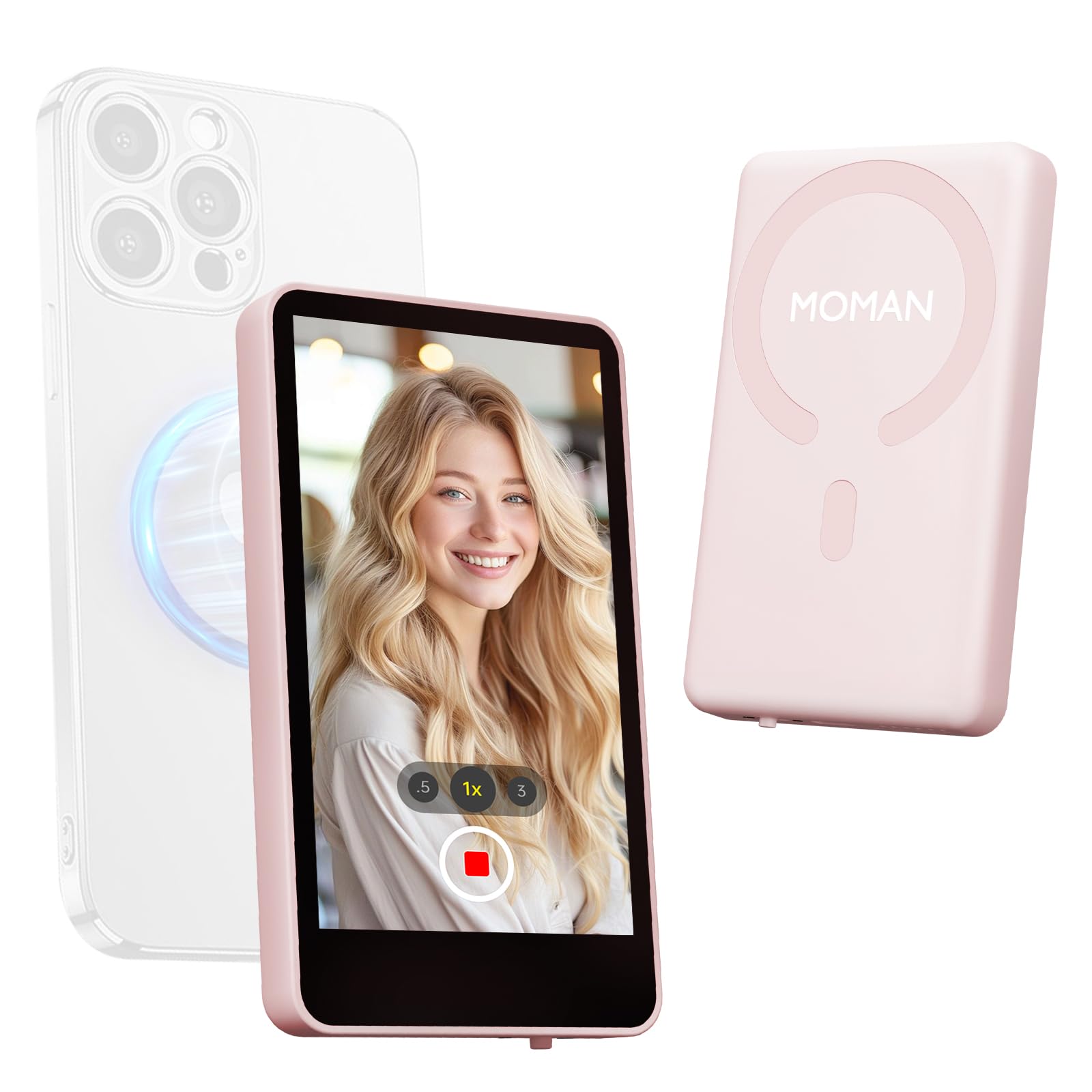
Image: The Moman Xview M4 Pro Selfie Monitor shown attached to a smartphone rig, demonstrating its compact size and mounting flexibility.
5. Naudojimo instrukcijos
5.1 Įjungimas / išjungimas
To power on the monitor, press and hold the power button located on the side/back of the device for approximately 3 seconds. The screen will illuminate. To power off, press and hold the power button again until the screen turns off.
5.2 Connecting to a Smartphone
The Moman Xview M4 Pro connects wirelessly to your smartphone (iPhone 7-17 Series & Android). Follow these steps:
- Įsitikinkite, kad jūsų išmaniajame telefone įjungti „Bluetooth“ ir „Wi-Fi“.
- Download and install the dedicated Moman Xview programėlę iš savo išmaniojo telefono programėlių parduotuvės.
- Open the Moman Xview app and follow the on-screen instructions to pair with the M4 Pro monitor. The app will guide you through the connection process, typically involving selecting the monitor from a list of available devices.
- Once connected, your smartphone's camera feed will be mirrored on the M4 Pro monitor.
For optimal performance, ensure your smartphone and the monitor are within close proximity and free from wireless interference.
5.3 Monitoriaus funkcijos
The M4 Pro monitor provides various functions to enhance your selfie and video recording experience:
- Stebėjimas realiuoju laiku: View your smartphone's camera feed in real-time.
- Ryškumo reguliavimas: Use the dedicated buttons or app controls to adjust screen brightness.
- Mirror/Flip Function: Some models or app versions may offer options to mirror or flip the display for specific shooting scenarios. Refer to the app for available features.
- Baterijos indikatorius: The monitor displays its current battery level.
6. Priežiūra
6.1 Valymas
To clean the monitor, use a soft, dry, lint-free cloth. For stubborn smudges, lightly dampen the cloth with water or a screen-cleaning solution. Do not use harsh chemicals or abrasive materials.
6.2 Saugykla
When not in use, store the monitor in a cool, dry place, away from direct sunlight and extreme temperatures. It is recommended to use the original packaging or a protective case to prevent scratches and damage.
7. Problemų sprendimas
| Problema | Galima priežastis | Sprendimas |
|---|---|---|
| Monitorius neįsijungia. | Senka baterija. | Charge the monitor using the provided USB-C cable. |
| Cannot connect to smartphone. | Bluetooth/Wi-Fi off; App not installed; Monitor not in pairing mode; Interference. | Ensure Bluetooth/Wi-Fi are on. Install Moman Xview app. Restart monitor and app. Move closer to the monitor. |
| Ekranas tuščias arba mirga. | Loose connection; Software glitch. | Ensure secure connection. Restart monitor and smartphone. Check for app updates. |
If the problem persists after trying these solutions, please contact Moman customer support.
8. Specifikacijos
| Funkcija | Detalė |
|---|---|
| Modelis | Xview M4 Pro |
| Ryšys | Wireless (Bluetooth/Wi-Fi) |
| Suderinamumas | iPhone 7-17 Series & Android smartphones |
| Matmenys | 12.19 x 9.91 x 1.9 cm (apytiksliai) |
| Svoris | 168 gramo (apytiksliai) |
| Maitinimo šaltinis | USB-C (internal rechargeable battery) |
Specifikacijos gali būti keičiamos be įspėjimo.
9. Garantija ir palaikymas
Moman products are covered by a limited warranty. For detailed warranty terms and conditions, please refer to the warranty card included with your product or visit the official Moman websvetainę.
For technical support, troubleshooting assistance, or service inquiries, please contact Moman customer support through their official websvetainėje arba kontaktinę informaciją, pateiktą jūsų produkto pakuotėje.
Moman Official Websvetainė: www.moman.co
Ask a question about this manual
Ask about setup, troubleshooting, compatibility, parts, safety, or missing instructions. Manuals+ will review the question and use this page’s manual context to help answer it.