
1. Įvadas
Thank you for choosing the Panana Standing Desk Converter. This manual provides essential information for the safe and efficient use of your new height-adjustable workstation. Please read these instructions carefully before assembly and operation, and retain them for future reference.
2. Saugos informacija
- Prieš naudodami įsitikinkite, kad visi komponentai yra tvirtai pritvirtinti.
- Neviršykite maksimalaus svorio pajėgumo – 33 kg (15 svarų).
- Reguliuodami aukštį, laikykite rankas ir pirštus atokiau nuo judančių dalių, kad išvengtumėte suspaudimo.
- Place the converter on a stable, flat surface.
- Avoid placing liquids directly on the desk surface to prevent damage.
- Do not allow children to operate the desk converter without adult supervision.
3. Pakuotės turinys
Prieš pradėdami surinkimą, patikrinkite, ar yra visos dalys:
- Main Desk Converter Unit (pre-assembled)
- Klaviatūros dėklas
- Mounting Hardware for Keyboard Tray
- Vartotojo vadovas (šis dokumentas)
4. Sąranka
The Panana Standing Desk Converter arrives almost fully assembled, requiring minimal setup.
4.1 Attaching the Keyboard Tray
- Carefully unpack the main desk converter unit and the keyboard tray.
- Align the keyboard tray with the pre-drilled holes on the underside of the main desk unit.
- Secure the keyboard tray using the provided mounting hardware (screws). Ensure it is firmly attached.

Image: The Panana Standing Desk Converter with the keyboard tray attached, illustrating its height-adjustable design. The image highlights the ease of assembly and use.
4.2 Įdėjimas
Place the assembled desk converter on your existing desk. Ensure there is sufficient space around the unit for safe operation and to accommodate your monitors and other accessories.

Image: The Panana Standing Desk Converter positioned on a desk, equipped with a laptop, smartphone, and keyboard, ready for use.
5. Operacija
5.1 Aukščio reguliavimas
The desk converter features a gas spring lift system for smooth height adjustment. To adjust the height:
- Remove any heavy items from the top surface to facilitate easier lifting.
- Locate the adjustment levers, typically on the sides of the main platform.
- Press and hold the levers to release the locking mechanism.
- Gently raise or lower the desk to your desired height.
- Release the levers to lock the desk converter securely in place.

Image: A visual representation of the strong gas spring mechanism, demonstrating the smooth and effortless height adjustment capability of the desk converter.
5.2 Using the Work Surfaces
- The top platform is designed for monitors, laptops, and other primary work items.
- The lower keyboard tray accommodates a full-size keyboard and mouse, promoting an ergonomic typing position.

Image: A user operating the desk converter while seated, showcasing the ergonomic setup with a monitor and laptop on the main platform and a keyboard on the lower tray.
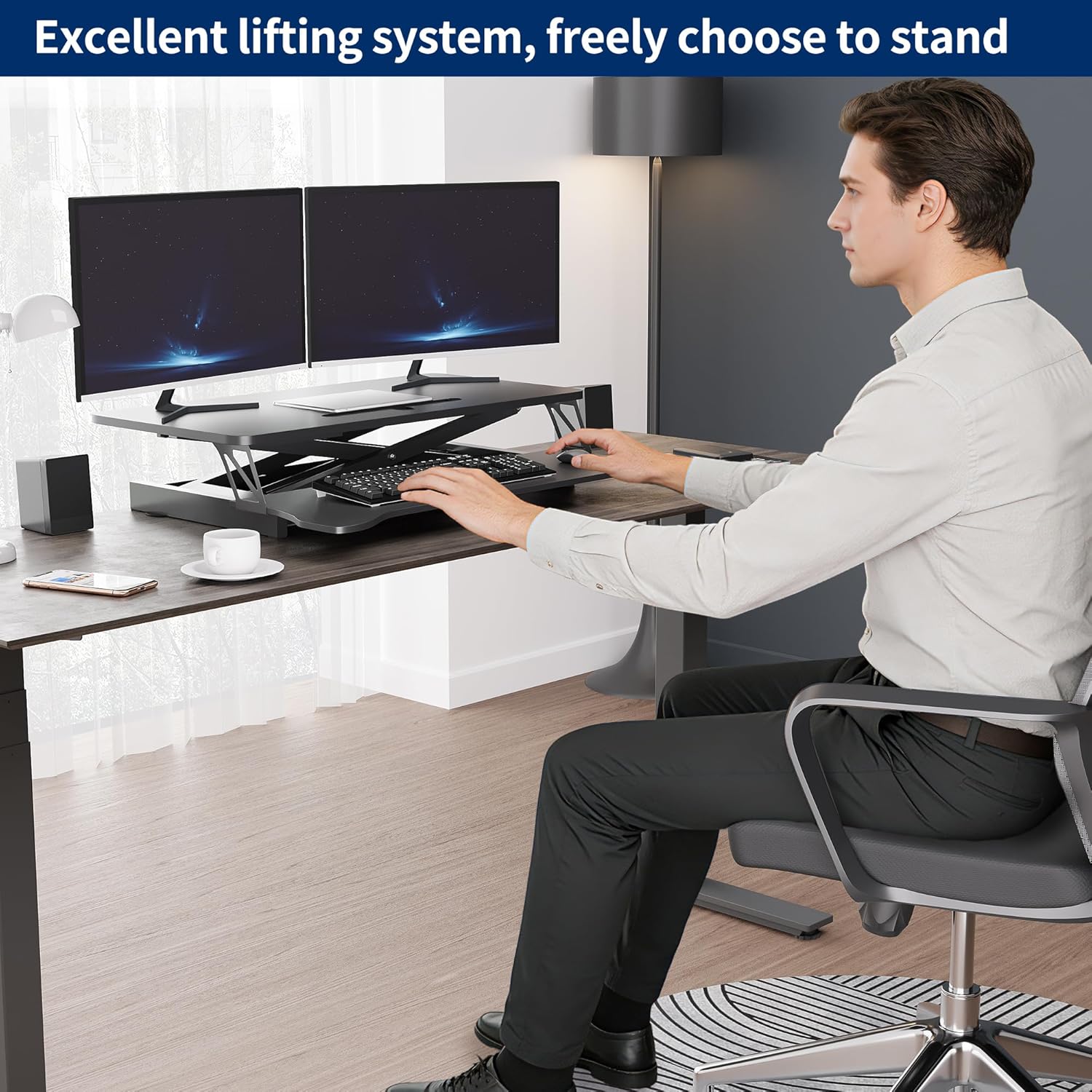
Image: A user utilizing the desk converter in a standing position, demonstrating its ability to support dual monitors for an active workspace.
6. Priežiūra
To ensure the longevity and proper function of your Panana Standing Desk Converter:
- Valymas: Wipe the surfaces with a dry cloth. Avoid abrasive cleaners or harsh chemicals that may damage the finish.
- Patikra: Periodiškai patikrinkite visus varžtus ir jungtis, kad jie būtų tvirtai priveržti. Jei reikia, priveržkite.
- Dujinė spyruoklė: The gas spring system is designed for maintenance-free operation. Do not attempt to disassemble or lubricate it.
7. Problemų sprendimas
If you encounter issues with your desk converter, refer to the following common solutions:
- Sunkumai reguliuojant aukštį: Ensure the adjustment levers are fully pressed. Check if the desk is overloaded; remove some weight and try again.
- Drebėjimas: Verify that the desk converter is placed on a flat, stable surface. Check all assembly screws, especially those for the keyboard tray, and tighten if loose.
- Neįprasti garsai: Minor sounds during adjustment are normal. If you hear loud grinding or snapping, discontinue use and contact support.
8. Specifikacijos
Detailed specifications for the Panana Standing Desk Converter:
- Modelio numeris: BOCDLYXMJ
- Prekinis ženklas: Panana
- Stalo dizainas: Stovimojo stalo keitiklis
- Spalva: Juoda
- Dydis: 26 colio
- Gaminio matmenys (G x P x A): 39.9 x 66 x 42.9 Centimetres (15.7 x 26 x 17 inches)
- Aukščio reguliavimo diapazonas: 5.1" to 20" (approx. 13 cm to 50.8 cm)
- Prekės svoris: 10.43 kg (23 svaro)
- Medžiaga: Inžinerinė mediena (viršus), legiruotas plienas (pagrindas)
- Apdailos tipas: Laminuotas
- Ypatingos savybės: Adjustable Height, Keyboard Tray Included, Monitor Stand
- Reikalingas surinkimas: Yes (Keyboard Tray)
- Didžiausia svorio talpa: 33 svarai (15 kg)

Image: A detailed diagram illustrating the key dimensions and measurements of the Panana Standing Desk Converter.

Vaizdas: Sudėtinis vaizdų demonstravimasasing key design features including rounded table corners for safety, a sturdy metal bracket, a smooth and waterproof flat tabletop, and non-slip pads for stable placement.
9. Garantija ir palaikymas
For warranty information or technical support, please refer to the product packaging or contact the retailer from whom you purchased the Panana Standing Desk Converter. Keep your purchase receipt as proof of purchase.