
1. Įvadas
Thank you for choosing the tenlamp G10-P15B-NB25 Podcast Equipment. This comprehensive kit is designed to provide studio-quality audio for podcasters, gamers, streamers, and content creators. It includes a 3.5mm condenser microphone with an articulated suspension arm and an advanced audio mixer. This manual will guide you through the setup, operation, and maintenance of your new equipment, ensuring a smooth and convenient audio experience.
2. Pakuotės turinys
Pažymėkite langelį prie šių elementų:
- G10 Audio Mixer
- Kondensatoriaus mikrofonas
- Microphone Suspension Arm
- Pop filtras
- 3.5mm TRS Headphone Cable
- USB OTG kabelis
- 3.5 mm TRRS garso kabelis
- USB kintamosios srovės laidas
- Vartotojo vadovas (šis dokumentas)

Vaizdas: Viršview of the tenlamp G10 Podcast Equipment and its included accessories.
3. Produktas baigtasview
The tenlamp G10 audio mixer features an intuitive interface with various controls for sound customization and live streaming. The condenser microphone captures clear audio, and the suspension arm provides flexible positioning.
3.1 Key Components and Controls
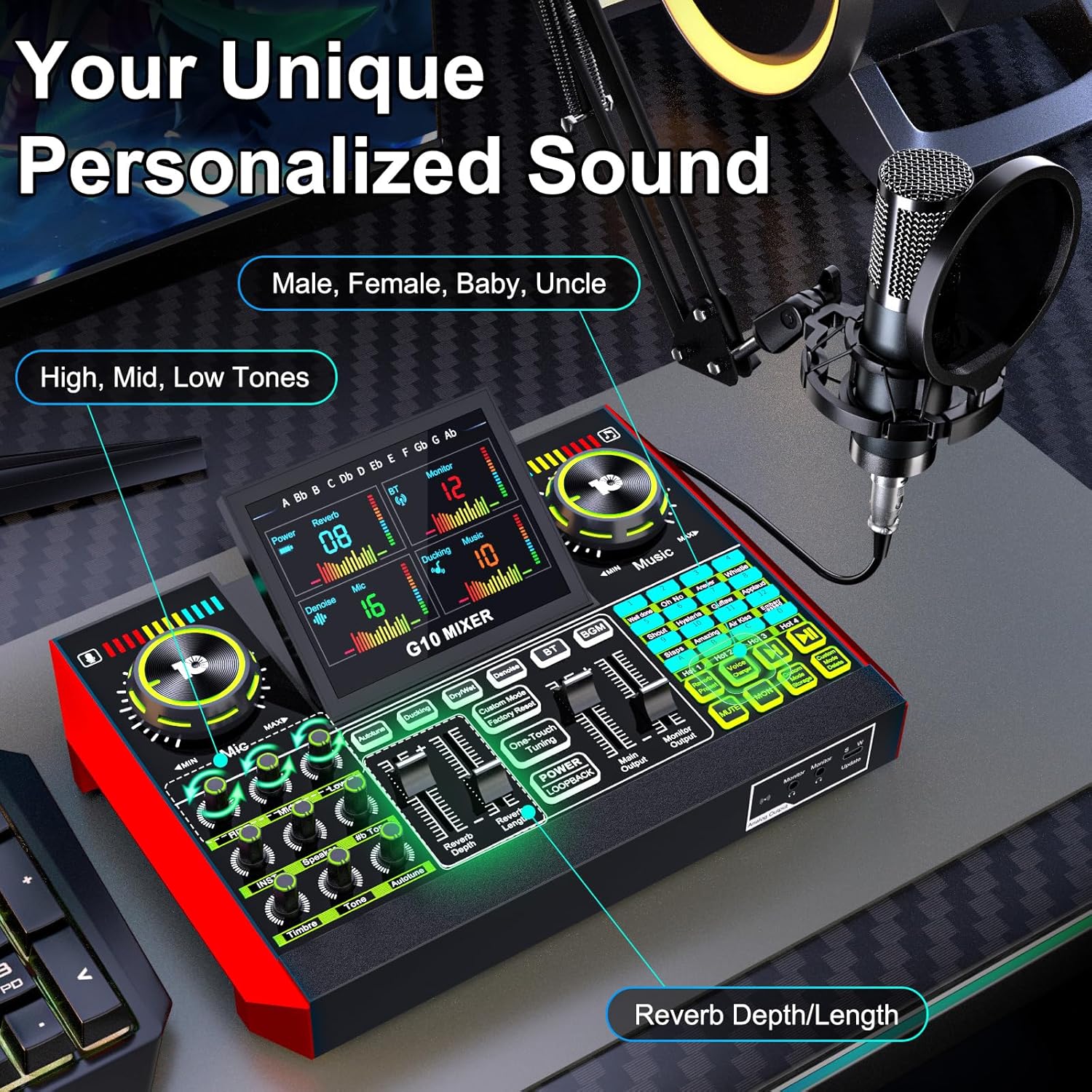
Vaizdas: Išsamus view of the G10 mixer's control panel, highlighting voice and music adjustments.
- Mikrofono įvestis: Connect the condenser microphone.
- Garsumo valdikliai: Independent knobs for microphone, music, and monitor levels.
- Tonų reguliavimas: Bass, Mid, and Treble controls for microphone.
- Reverb valdikliai: Adjust reverb depth and length.
- Sound Effect Pads: Trigger various built-in sound effects.
- Balso keitiklis: Buttons for different voice modes (Male, Female, Baby, Uncle, etc.).
- Triukšmo mažinimas: Dedicated button to activate noise reduction.
- Nutildymo funkcija: Mute microphone input.
- Prisijungimo prievadai: USB-C, 3.5mm TRRS, XLR, Bluetooth.

Image: Detailed connection diagram of the G10 mixer's ports.
4. Sąranka
Follow these steps to set up your tenlamp G10 Podcast Equipment:
- Assemble the Microphone Arm: Securely attach the suspension arm to your desk using the clamp. Mount the condenser microphone onto the arm and attach the pop filter.
- Prijunkite mikrofoną: Plug the microphone cable into the designated XLR or 3.5mm microphone input on the G10 mixer. Ensure a secure connection.
- Maitinimas: Connect the G10 mixer to a power source using the provided USB-C cable. The mixer is battery-powered and can be charged via USB-C.
- Prisijunkite prie įrenginio:
- Kompiuteris / nešiojamas kompiuteris: Use the USB-C cable to connect the mixer to your computer. The mixer will be recognized as an audio device.
- Išmanusis telefonas / planšetinis kompiuteris: Use the 3.5mm TRRS audio cable or USB OTG cable to connect to your mobile device.
- Bluetooth: Activate Bluetooth on your mobile device and pair with the G10 mixer for wireless music input.
- Prijunkite stebėjimo ausines: Plug your headphones into the 'Monitor' output for real-time audio monitoring.
- Garsiakalbių prijungimas (nebūtina): If desired, connect external speakers to the 'Speaker' output.
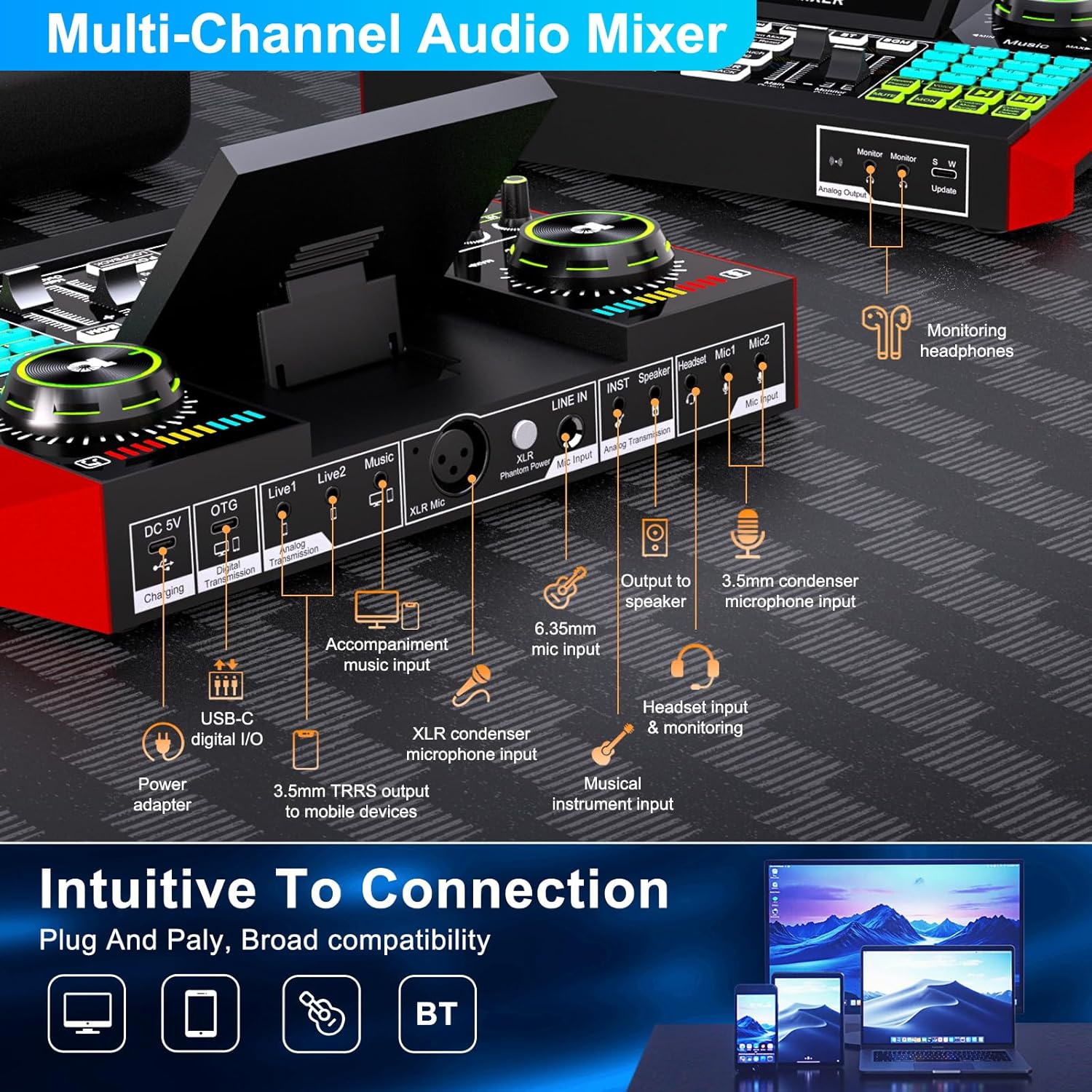
Image: Intuitive connection options for the G10 mixer.

Image: Demonstrating the Bluetooth connectivity feature.
5. Naudojimo instrukcijos
5.1 Pagrindinis garso valdymas
- Mikrofono garsumas: Adjust the 'Mic' knob to control your microphone input level.
- Muzikos garsumas: Adjust the 'Music' knob to control the background music level.
- Monitoriaus garsumas: Adjust the 'Monitor' knob to control the headphone output volume.
- Tono reguliavimas: Use the 'Bass', 'Mid', and 'Treble' sliders to fine-tune your vocal sound.
- Reverb: Use the 'Reverb Depth' and 'Reverb Length' controls to add echo effects to your voice.

Image: Customizing your sound and scene with the G10 mixer.
5.2 Ypatingos savybės
Balso keitiklis
The G10 mixer includes a built-in voice changer. Press the dedicated buttons to instantly transform your voice into various modes such as Male, Female, Baby, or Uncle. You can further customize these voices using the bass and reverb settings.
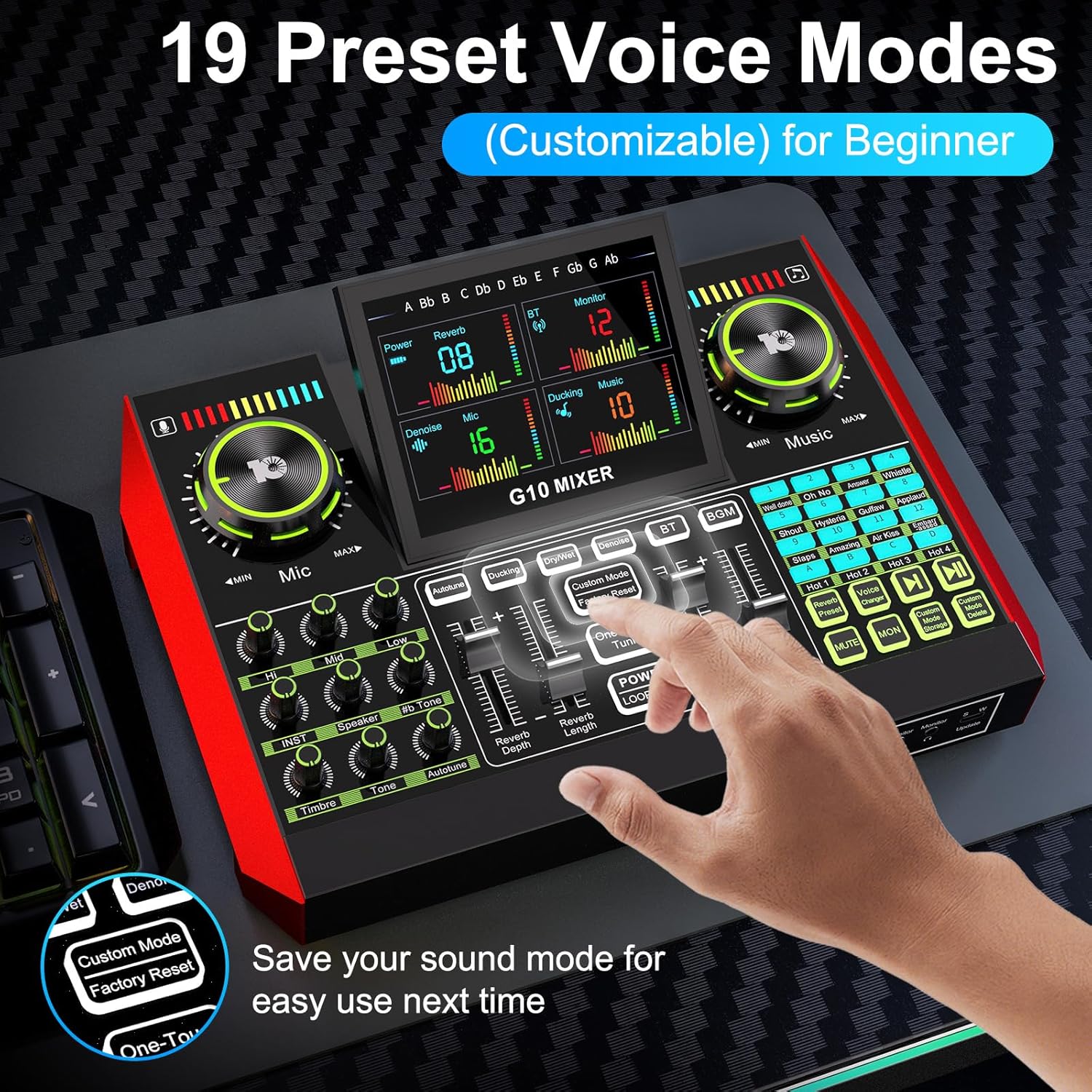
Image: Exploring the 19 preset voice modes for beginners.
Garso efektai
The sound effects panel offers 12 built-in effects, including applause, laughter, and more, to enhance your live broadcasts and make them more interactive. Simply press the corresponding pad to trigger an effect.
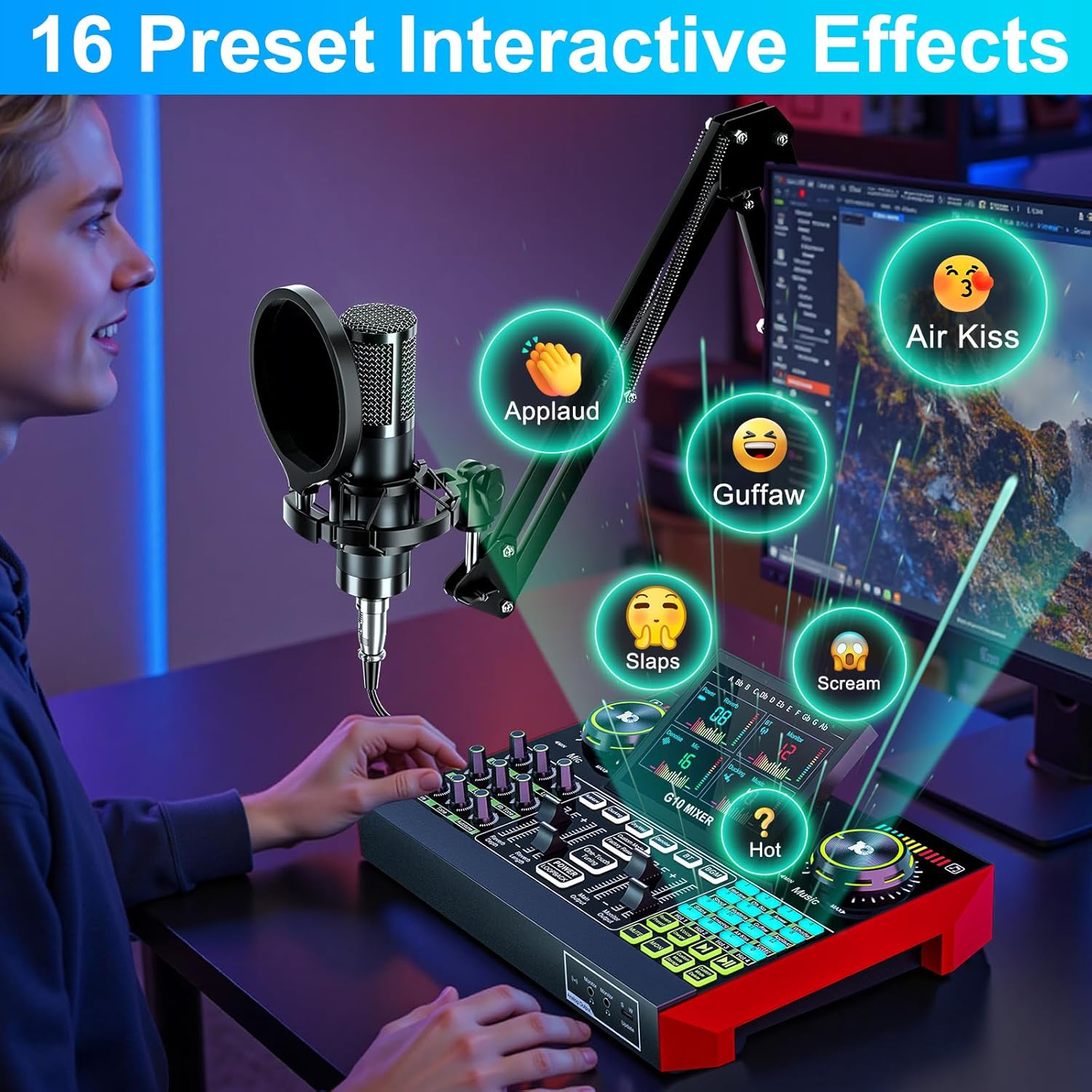
Image: Activating 16 preset interactive effects on the G10 mixer.
Triukšmo mažinimas
The G10 audio mixing console is equipped with a noise reduction system. Activate this feature to ensure crystal-clear voice by minimizing background noise, ideal for podcasts, voice-overs, and live streaming.
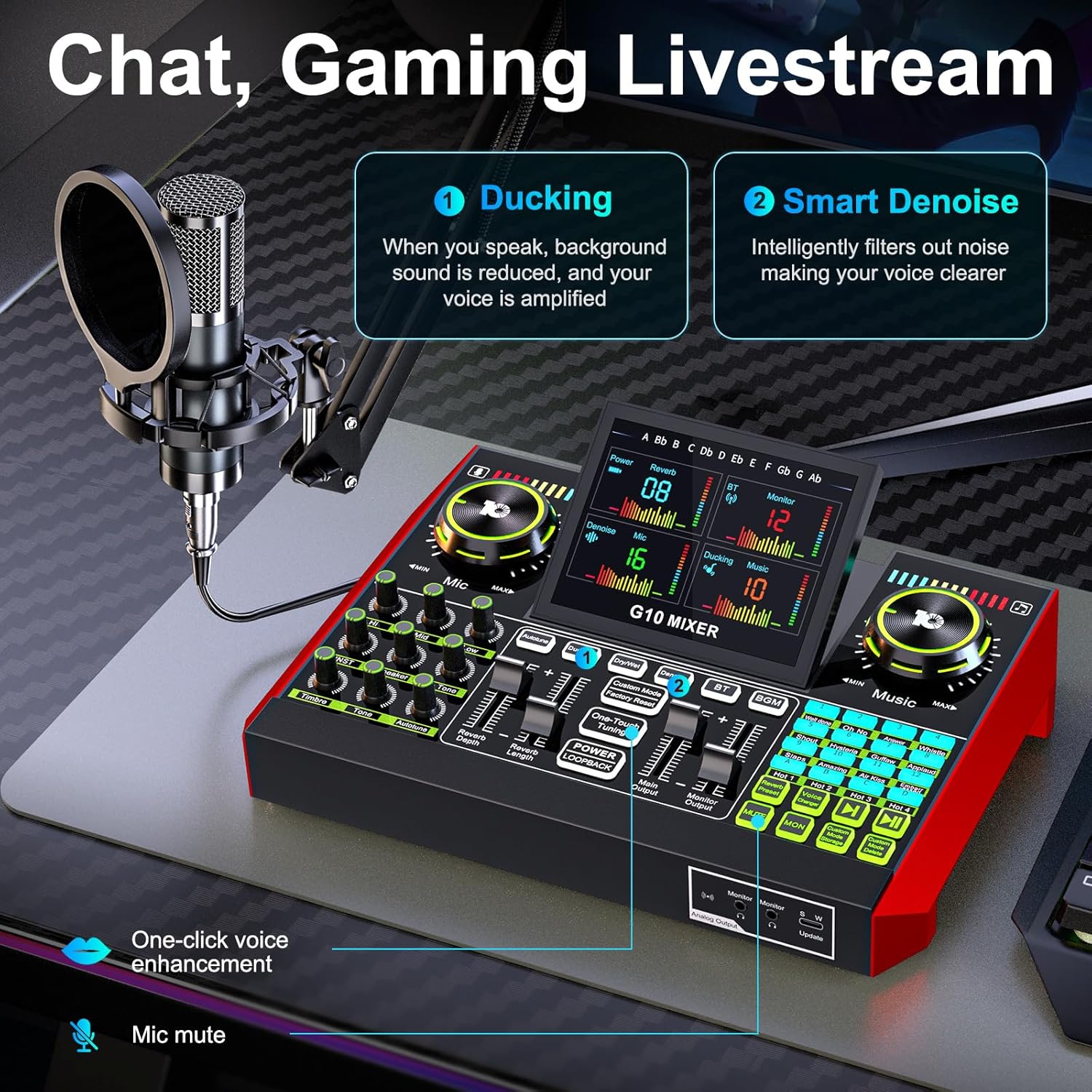
Image: Chat and Gaming Livestream features: Ducking and Smart Denoise.
Reverb režimai
The mixer offers 5 preset reverb modes: Original, KTV, Chat, Livestream, and MC. Select the mode that best suits your content type for optimal audio ambiance.
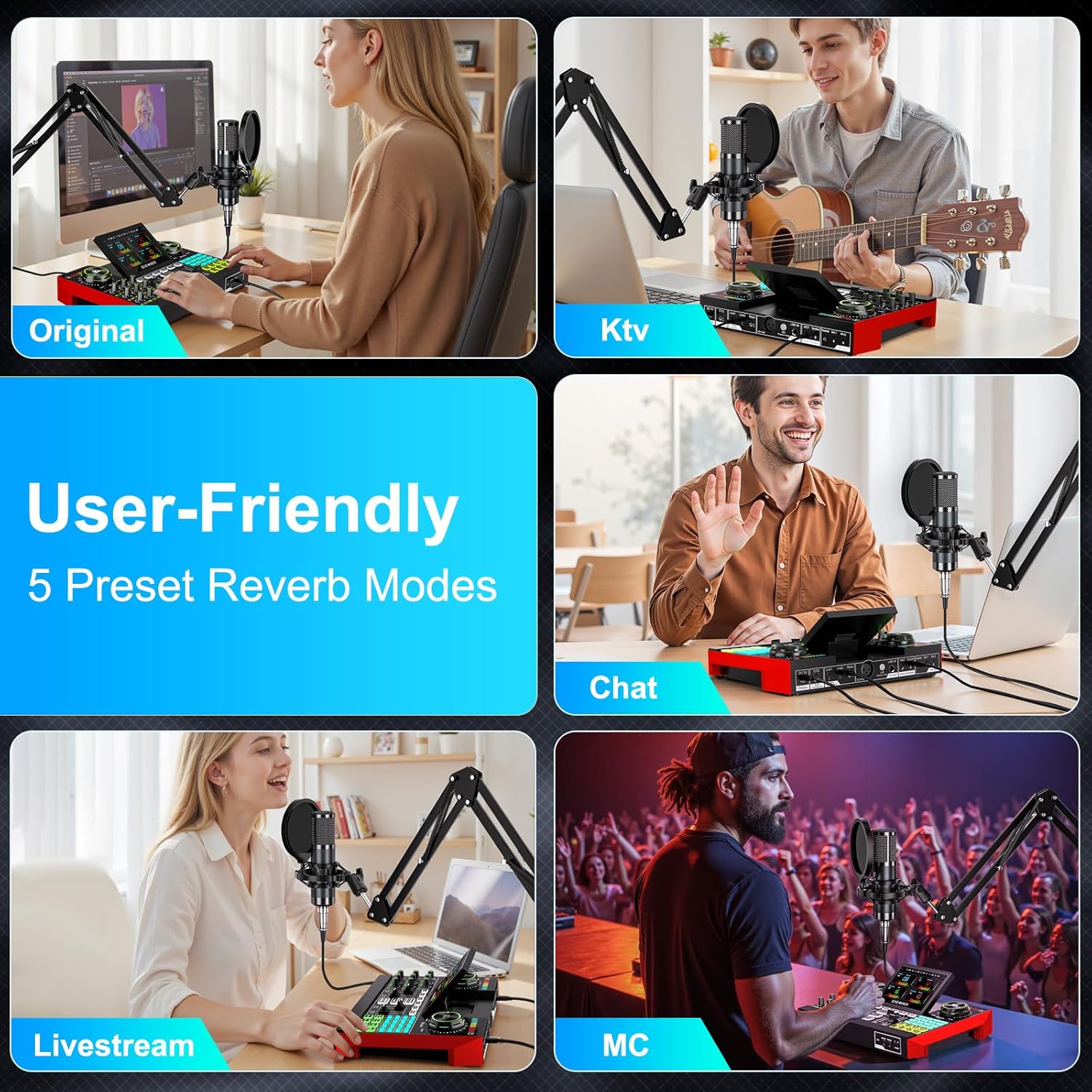
Image: User-friendly 5 preset reverb modes.
5.3 Tiesioginis transliavimas ir įrašymas
The G10 mixer supports various applications for live streaming and recording:
- Chat/Gaming Livestream: Utilize the 'Ducking' feature where background sound is reduced when you speak, and your voice is amplified. The 'Smart Denoise' intelligently filters out noise for clearer voice.
- Singing Livestream: Features like 'Follow Singing' allow you to continuously hear original vocals, while 'Remove Vocal' can eliminate original vocals from a song, letting the audience hear only your voice and the accompaniment.
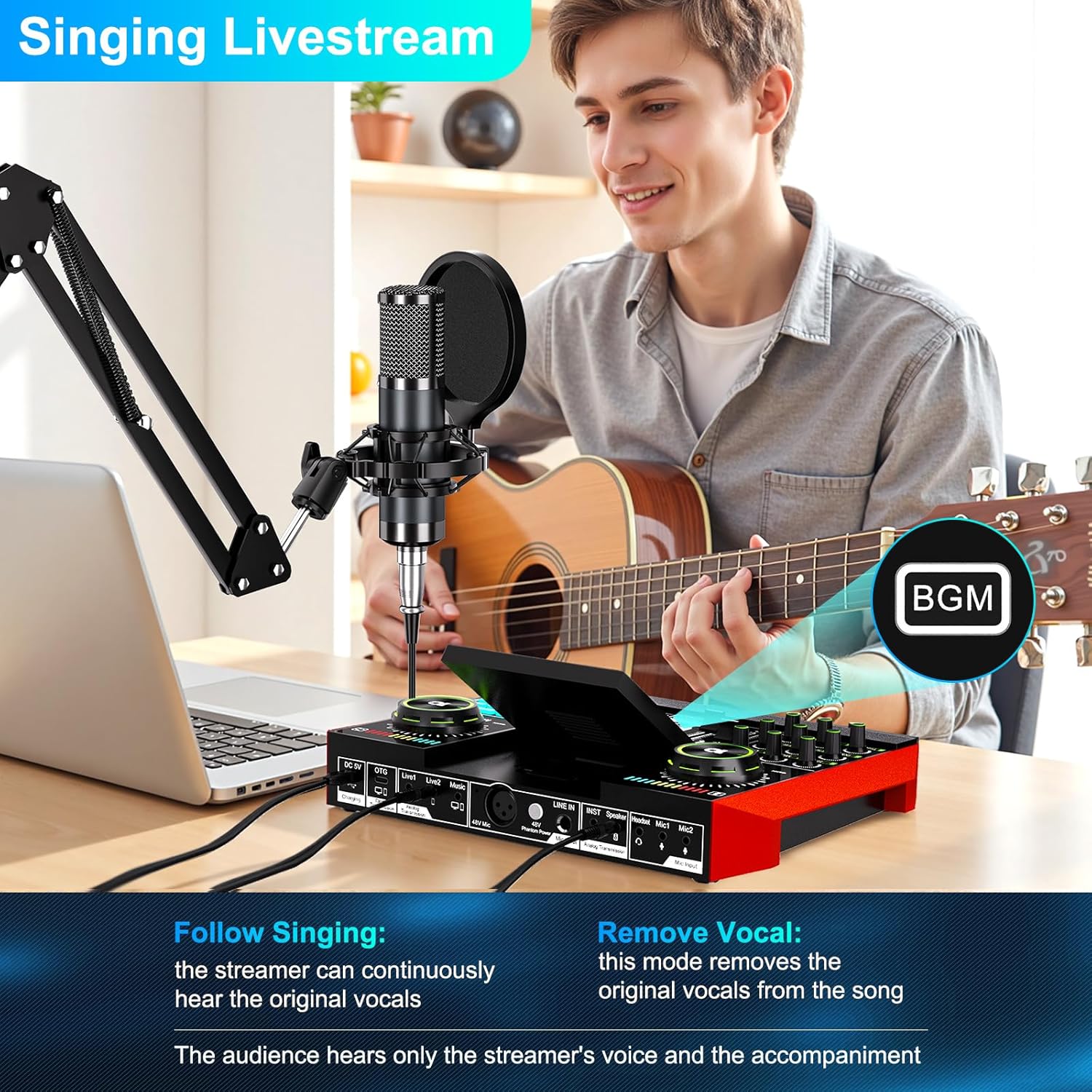
Image: Singing Livestream features: Follow Singing and Remove Vocal.

Image: Multi-channel audio mixer supporting 1-3 people for live streaming.
6. Priežiūra
To ensure the longevity and optimal performance of your tenlamp G10 Podcast Equipment, follow these maintenance guidelines:
- Valymas: Use a soft, dry cloth to wipe down the mixer and microphone. Avoid using liquid cleaners or abrasive materials.
- Saugykla: Įrangą laikykite vėsioje, sausoje vietoje, apsaugotoje nuo tiesioginių saulės spindulių ir ekstremalių temperatūrų.
- Kabelio priežiūra: Avoid bending or twisting cables excessively. Disconnect cables by pulling the plug, not the wire.
- Baterija: The mixer is powered by an internal battery. Charge it regularly to maintain battery health. The mixer offers up to 12 hours of usage on a full charge.

Image: The G10 mixer is built for creators with up to 12 hours of live streaming usage.
7. Problemų sprendimas
If you encounter issues with your tenlamp G10 Podcast Equipment, refer to the following common problems and solutions:
- Nėra garso išvesties:
- Check all cable connections (microphone, headphones, speakers, device).
- Ensure volume knobs (Mic, Music, Monitor) are turned up.
- Verify the mixer is powered on and charged.
- Confirm the G10 mixer is selected as the input/output device in your computer's sound settings or mobile app.
- Prasta garso kokybė / triukšmas:
- Activate the 'Noise Reduction' feature on the mixer.
- Adjust microphone gain and tone settings (Bass, Mid, Treble).
- Ensure the microphone is positioned correctly and the pop filter is used.
- Patikrinkite, ar netrukdo kiti elektroniniai prietaisai.
- Balso keitiklis neveikia:
- Ensure the microphone is properly connected and receiving input.
- Press the voice changer buttons firmly.
- „Bluetooth“ ryšio problemos:
- Ensure Bluetooth is enabled on both the mixer and your device.
- Atjunkite įrenginius ir vėl juos suporuokite.
- Move devices closer to each other to reduce interference.
8. Specifikacijos
| Prekės ženklas | dešimtamp |
| Modelio pavadinimas | G10-P15B-NB25 |
| Ryšio technologija | Pagalbinis, „Bluetooth“, USB, XLR |
| Jungties tipas | 3.5mm Jack, USB Type-C |
| Ypatingos savybės | Volume control, Echo control, Mute function, Noise reduction |
| Suderinami įrenginiai | Headphones, Personal computer, Laptop, Smartphone, Tablet |
| Sudedamosios dalys | Microphone, Audio Mixer |
| Prekės svoris | 1200 gramų |
| Mikrofono formos faktorius | Studijinis kondensatorius |
| Maitinimo šaltinis | Maitinamas baterijomis (pridedama 1 A baterija) |
| Aparatinės įrangos platforma | Computer, Laptop, Smartphone |
| Kanalų skaičius | 4 |
| Dažnio atsakas | 20 KHz |
| Vidinė medžiaga | Plastikiniai |
9. Garantija ir palaikymas
The tenlamp G10-P15B-NB25 Podcast Equipment comes with a 1 metų garantija for spare parts availability. For technical support, troubleshooting assistance, or warranty claims, please contact tenlamp customer service through your purchase platform or the official tenlamp websvetainę.