
1. Įvadas
Ačiū, kad pirkoteasing the Aiwa BST-130RD Bluetooth Speaker. This portable speaker features Bluetooth 5.3 connectivity, vibrant RGB lighting, FM radio, and multiple playback options including USB and TF card. This manual provides essential information for the safe and efficient use of your device. Please read it thoroughly before operation and retain it for future reference.
2. Pakuotės turinys
Įsitikinkite, kad pakuotėje yra visi daiktai:
- Aiwa BST-130RD Bluetooth Speaker
- C tipo USB įkrovimo laidas
- Instrukcijų vadovas
3. Produktas baigtasview
Susipažinkite su garsiakalbio valdikliais ir prievadais.
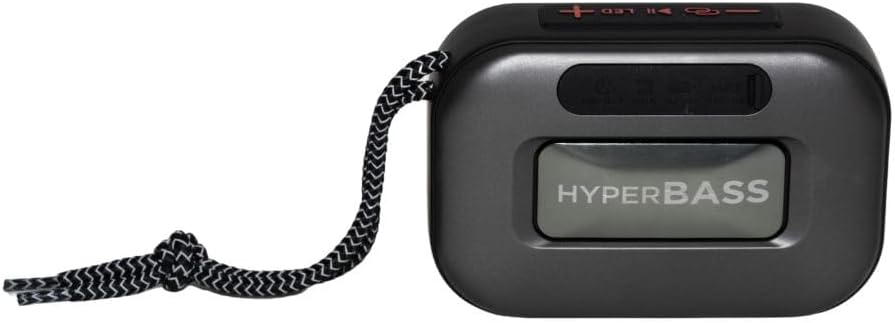
3.1 paveikslas: Priekyje view of the Aiwa BST-130RD Bluetooth Speaker, showcasing the speaker grille and RGB light ring.

3.2 paveikslas: Close-up of the tactile control buttons located on the top panel of the speaker. These include power, play/pause, volume, mode, and LED light controls.

3.3 paveikslas: Galinis view of the speaker, illustrating the USB-A port, Micro SD (TF) card slot, AUX-IN port, and USB Type-C charging port.
Valdikliai:
- Maitinimo mygtukas: Paspauskite ir palaikykite, kad įjungtumėte/išjungtumėte garsiakalbį.
- Atkūrimo / pristabdymo mygtukas: Leisti arba pristabdyti garsą. Atsiliepti / baigti skambučius „Bluetooth“ režimu.
- Garsumo padidinimas (+): Increase volume. Long press for next track/FM station.
- Sumažinti garsumą (-): Decrease volume. Long press for previous track/FM station.
- Režimo mygtukas (M): Switch between Bluetooth, FM Radio, USB, TF Card, and AUX-IN modes.
- LED mygtukas: Keisti RGB apšvietimo režimus.
Prievadai:
- USB-A prievadas: USB atmintinės įrašų atkūrimui.
- TF kortelės lizdas: Skirta „Micro SD“ kortelės atkūrimui.
- AUX-IN prievadas (3.5 mm): Laidiniam garso prijungimui.
- C tipo USB įkrovimo prievadas: Garsiakalbio įkrovimui.
4. Sąranka
4.1 Garsiakalbio įkrovimas
- Prijunkite pridėtą USB C tipo įkrovimo laidą prie garsiakalbio įkrovimo prievado.
- Connect the other end of the cable to a 5V DC USB power adapter (not included).
- Įkrovimo indikatoriaus lemputė užsidegs įkrovimo metu ir užges, kai bus visiškai įkrauta.
- Pilnas įkrovimas paprastai trunka maždaug 2–3 valandas.
4.2 Maitinimo įjungimas/išjungimas
- Norėdami įjungti: Press and hold the Power button for 2-3 seconds until you hear an audible prompt and the RGB lights activate.
- Norėdami išjungti: Press and hold the Power button for 2-3 seconds until you hear an audible prompt and the RGB lights deactivate.
5. Naudojimo instrukcijos
5.1 Bluetooth poravimas
- Ensure the speaker is powered on and in Bluetooth mode (indicated by an audible prompt or LED status). If not, press the Mode button to switch to Bluetooth mode.
- Įjunkite „Bluetooth“ savo išmaniajame telefone, planšetiniame kompiuteryje ar kitame įrenginyje su „Bluetooth“ palaikymu.
- Ieškokite available devices and select "AIWA BST-130RD" from the list.
- Once paired, the speaker will emit an audible confirmation.
- Dabar galite leisti garsą iš savo įrenginio per garsiakalbį.
5.2 Tikrojo belaidžio stereo (TWS) susiejimas
The TWS function allows you to connect two Aiwa BST-130RD speakers for a stereo sound experience.
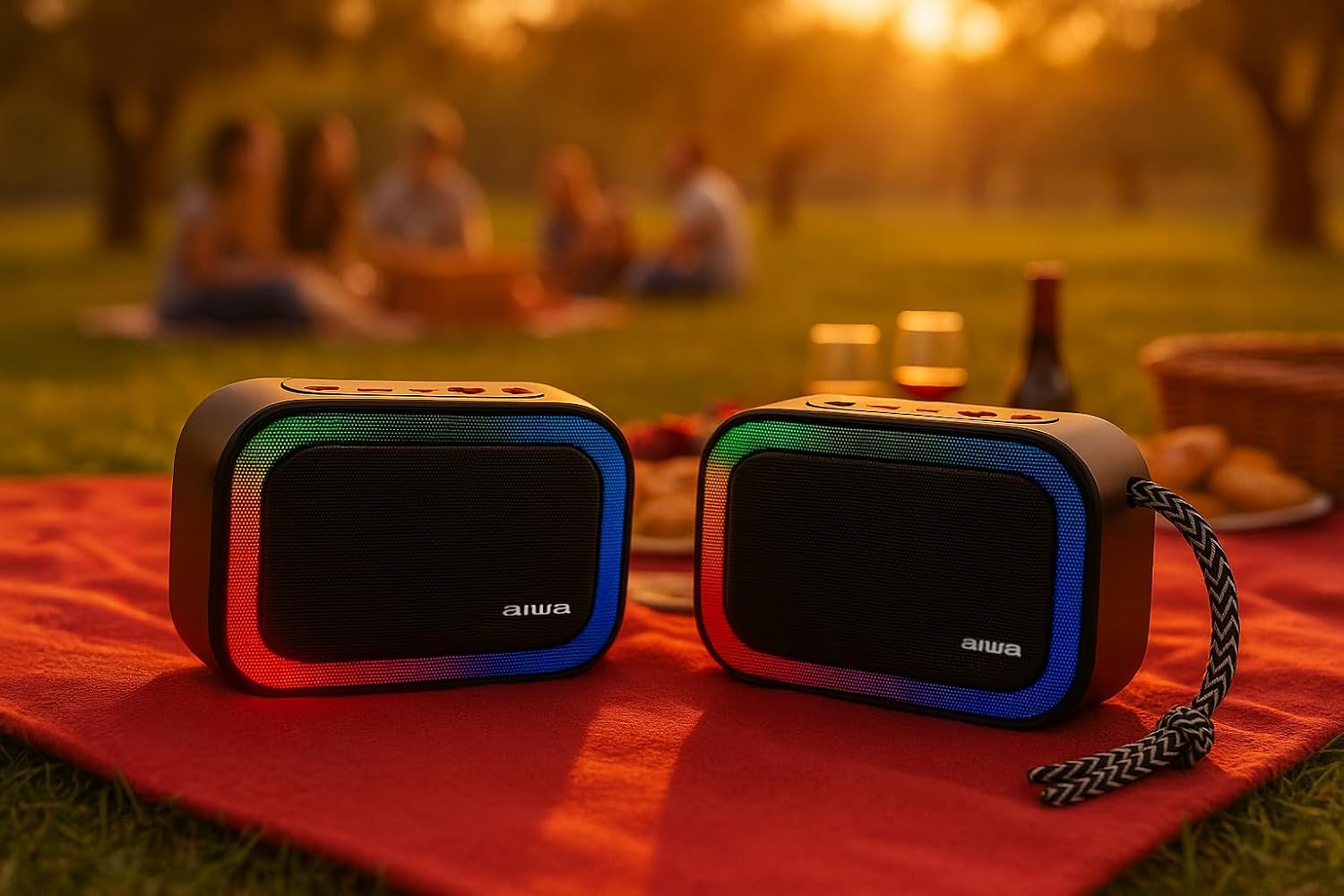
5.1 paveikslas: Two Aiwa BST-130RD speakers operating in True Wireless Stereo (TWS) mode, providing a wider soundstage.
- Ensure both BST-130RD speakers are powered on and in Bluetooth mode, but not yet paired to any device.
- On one of the speakers (this will be the primary speaker), double-press the Play/Pause button. The speaker will search for another BST-130RD.
- Once connected, you will hear an audible confirmation. The primary speaker will act as the left channel, and the secondary speaker as the right channel.
- Now, pair your Bluetooth device to the primary speaker as described in Section 5.1.
5.3 FM radijo veikimas
- Pakartotinai spauskite režimo mygtuką, kol įjungsite FM radijo režimą.
- Press the Play/Pause button once to initiate an automatic station scan. The speaker will scan and save available FM stations.
- Use the Volume Up (+) and Volume Down (-) buttons (long press) to navigate between saved stations.
5.4 USB / TF kortelių atkūrimas
- Insert a USB flash drive into the USB-A port or a TF (Micro SD) card into the TF card slot.
- The speaker will automatically switch to the corresponding mode and begin playing MP3 files. If not, press the Mode button to select USB or TF mode.
- Use the Play/Pause button to control playback. Use the Volume Up (+) and Volume Down (-) buttons (long press) to skip tracks.
5.5 AUX-IN režimas
- Connect one end of a 3.5mm audio cable (not included) to the speaker's AUX-IN port.
- Kitą galą prijunkite prie išorinio įrenginio (pvz., MP3 grotuvo, kompiuterio) garso išvesties.
- Press the Mode button to switch to AUX-IN mode.
- Garsas dabar bus grojamas per garsiakalbį. Valdykite atkūrimą iš išorinio įrenginio.
5.6 Laisvų rankų funkcija
Prijungus garsiakalbį prie išmaniojo telefono per „Bluetooth“, jį galima naudoti skambučiams laisvų rankų įranga.
- Atsiliepti į skambutį: Vieną kartą paspauskite paleidimo/pauzės mygtuką.
- Baigti skambutį: Skambučio metu vieną kartą paspauskite mygtuką „Paleisti / pristabdyti“.
- Atmesti skambutį: Paspauskite ir 2 sekundes palaikykite paleidimo/pauzės mygtuką.
5.7 RGB apšvietimo valdymas
The speaker features a dynamic RGB lighting system.

5.2 paveikslas: The Aiwa BST-130RD speaker displaying its vibrant RGB lighting effects.
- Paspauskite LED mygtuką, kad perjungtumėte skirtingus RGB apšvietimo režimus.
- Press and hold the LED button to turn the RGB lighting On/Off.
6. Priežiūra
- Garsiakalbį valykite minkšta, sausa šluoste. Nenaudokite abrazyvinių valiklių ar tirpiklių.
- Saugokite garsiakalbį nuo ekstremalių temperatūrų, tiesioginių saulės spindulių ar didelės drėgmės.
- Nemerkite garsiakalbio į vandenį. Jis nėra atsparus vandeniui.
- When not in use for extended periods, charge the battery at least once every three months to prolong its lifespan.
7. Problemų sprendimas
| Problema | Galima priežastis | Sprendimas |
|---|---|---|
| Garsiakalbis neįsijungia. | Senka baterija. | Įkraukite garsiakalbį naudodami pridėtą USB C tipo laidą. |
| Nėra garso. | Volume too low; incorrect mode; device not paired. | Increase volume on speaker and connected device. Ensure correct mode is selected. Re-pair Bluetooth device. |
| „Bluetooth“ susiejimas nepavyksta. | Garsiakalbis neįjungtas susiejimo režimu; įrenginys per toli; trukdžiai. | Įsitikinkite, kad garsiakalbis veikia „Bluetooth“ susiejimo režimu. Perkelkite įrenginį arčiau garsiakalbio. Išjunkite kitus „Bluetooth“ įrenginius. |
| Prastas FM radijo priėmimas. | Silpnas signalas; aplinkos trukdžiai. | Perkelkite garsiakalbį į kitą vietą. Dar kartą atlikite automatinį nuskaitymą. |
8. Specifikacijos
- Modelis: BST-130RD
- Bluetooth versija: V5.3
- Išėjimo galia: 5 W RMS (10 % THD)
- Garsiakalbio tvarkyklė: 5 cm (Full Range), 3 Ohm Impedance
- Dažnio atsakas: 80 Hz–18 kHz
- Signalo ir triukšmo santykis: ≥ 85 dB
- Jautrumas: 490 mV (1 kHz)
- Įėjimai: Bluetooth, USB MP3, TF MP3, FM Scanner, AUX-IN (3.5mm Stereo)
- Maitinimo įvestis: 5V DC USB Type-C
- Baterija: 1200mAh, 3.7V Lithium (with protection circuit)
- Įkrovimo ttage: 5V 1A
- Savybės: TWS (True Wireless Stereo), RGB Lighting, Hands-free Function
- Matmenys: 133 x 89 x 47.5 mm
- Svoris: 0.314 kg
9. Saugos informacija
- Neardykite, netaisykite ir nemodifikuokite įrenginio.
- Keep the device away from water, moisture, and flammable substances.
- Venkite ilgai klausytis dideliu garsumu, kad nepažeistumėte klausos.
- Dispose of the battery and device responsibly according to local regulations.
10. Garantija ir palaikymas
„Aiwa“ produktai yra sukurti ir pagaminti laikantis aukščiausių kokybės standartų. Informacijos apie garantiją ir techninę pagalbą ieškokite garantijos kortelėje, pridėtoje prie pakuotės, arba apsilankykite oficialioje „Aiwa“ svetainėje. websvetainė jūsų regionui.