
ARENTI B0G38ZFRC5
ARENTI 1080p PTZ Video Baby Monitor with 5-inch Screen and 2 Cameras User Manual
Model: B0G38ZFRC5 | Brand: ARENTI
Įvadas
This manual provides detailed instructions for the setup, operation, and maintenance of your ARENTI 1080p PTZ Video Baby Monitor. This system includes a 5-inch display unit and two cameras, offering comprehensive monitoring capabilities for your child. Please read this manual thoroughly before using the product to ensure safe and optimal performance.
Kas yra dėžutėje
Your ARENTI 1080p PTZ Video Baby Monitor system includes the following components:
- Camera Units (x2)
- Monitoriaus blokas (x1)
- Power Adapters (x3, typically one for each camera and one for the monitor)
- Mounting Brackets (x2, one for each camera)
- Screws (x1 set)
- Atstatyti PIN kodą (x1)
- Trumpas vadovas (x1)

Sąrankos instrukcijos
- Įkraukite monitorių: Connect the monitor unit to a power outlet using the provided power adapter. Allow it to fully charge before first use.
- Position the Camera(s): Place the camera unit(s) in a location that provides a clear view of your baby. Ensure it is out of reach of children. The camera can be placed on a flat surface, mounted on a wall, or on the ceiling.
- Power On the Camera(s): Connect each camera unit to a power outlet using the provided power adapters. The cameras will power on automatically.
- Įjunkite monitorių: Press and hold the power button on the monitor unit to turn it on.
- Poravimas (jei reikia): The cameras and monitor are typically pre-paired. If the connection is not established automatically, refer to the "Pairing Camera" section in the Quick Guide or on the manufacturer's websvetainę.
- App Connectivity (Optional): For remote monitoring, download the ARENTI app on your iOS or Android device. Follow the in-app instructions to connect your monitor system to your home Wi-Fi network. This allows for remote viewvaldymas.

Naudojimo instrukcijos
Monitoriaus valdikliai
The 5-inch monitor unit provides access to all features. Use the navigation buttons (Up, Down, Left, Right) and the OK/Menu button to navigate through the settings.

Pan, Tilt, and Zoom (PTZ)
Use the navigation buttons on the monitor to remotely adjust the camera's view. The camera can pan 355° horizontally and tilt 93° vertically, providing a wide coverage area. The monitor also supports 4x digital zoom to view detales.


Dvipusis garsas
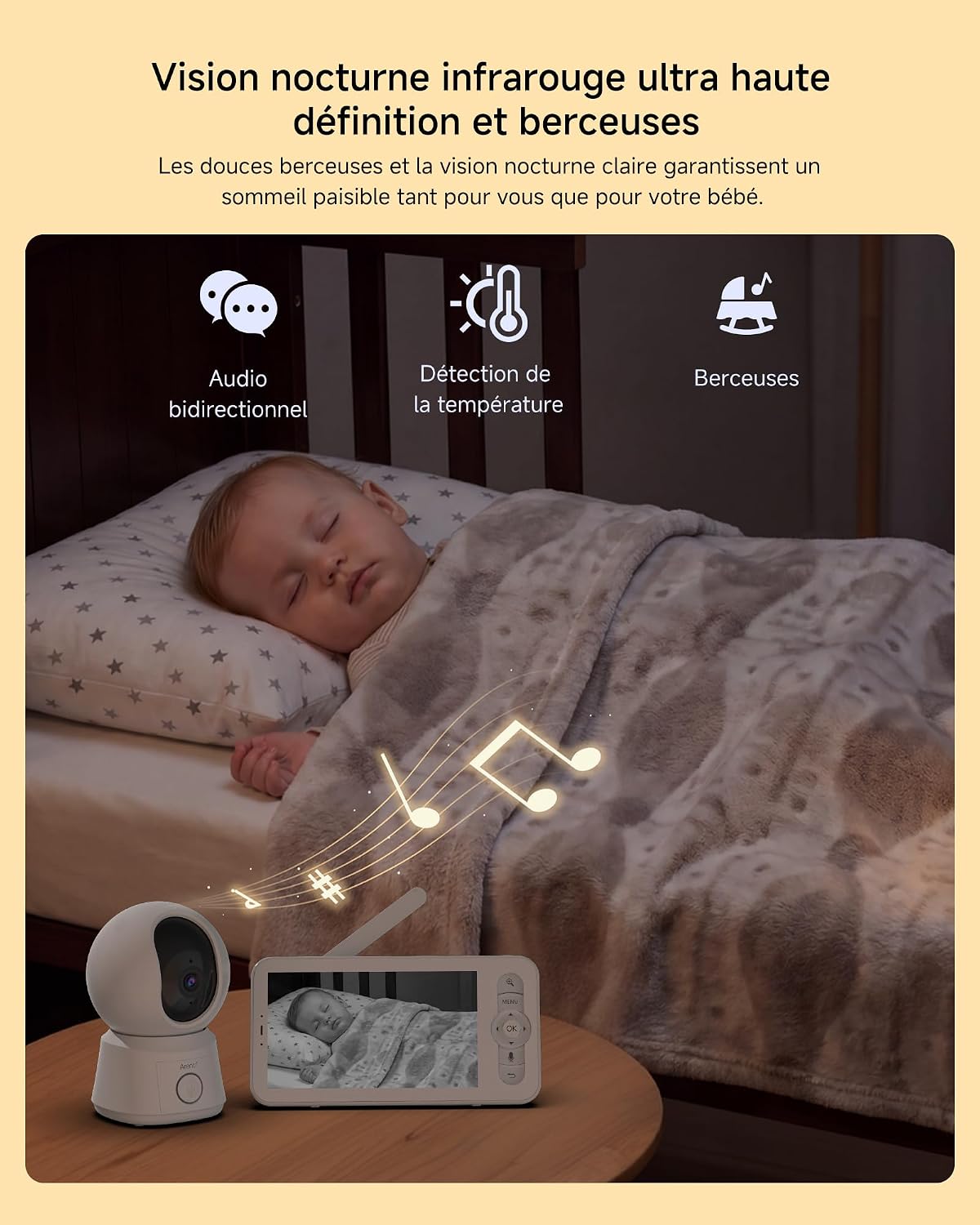
Press and hold the talk button on the monitor to speak to your baby through the camera's speaker. Release the button to listen. This feature allows for clear communication with your child.


VOX Mode (Voice Operated Exchange)
Activate VOX mode to conserve battery life. In this mode, the monitor screen will turn off, but the audio will remain active. The screen will automatically turn on when the camera detects sound above a certain threshold (e.g., your baby crying or making noise). You can adjust the sensitivity of the VOX mode in the monitor settings.

Temperatūros stebėjimas
The camera includes a temperature sensor that displays the room temperature on the monitor. You can set alerts for temperature ranges to be notified if the room becomes too hot or too cold.
Lopšinės
Select from a variety of pre-programmed lullabies to help soothe your baby to sleep. This feature can be activated and controlled from the monitor unit.
Padalintas ekranas View (with 2 Cameras)
If you are using two cameras, activate the split-screen view on the monitor to see both camera feeds simultaneously. You can also use scan mode to cycle between camera views.
Automatic Tracking and Custom Detection Zones
The camera can automatically track movement within its field of view. You can also define specific "dangerous zones" or custom detection areas within the camera's view. If movement is detected in these zones, you will receive an instant alert on your monitor or connected app.


Skambutis vienu paspaudimu
The monitor supports a one-touch call feature, allowing for quick communication or alerts. Refer to the monitor's menu for configuration.

Naktinis matymas
The camera is equipped with infrared night vision, providing clear video feed even in low-light or dark conditions, up to 33 feet.

Remote Monitoring via App
Once connected to the ARENTI app, you can monitor your baby remotely from anywhere with an internet connection. The app provides real-time video, two-way audio, and access to camera controls.

Saugykla ir atkūrimas
The system supports optional SD card storage for recording video. Up to 256GB for the camera and 128GB for the screen. Cloud storage is also available, offering a free 7-day loop of 6-second event recordings.

Alexa integracija
The ARENTI baby monitor is compatible with Amazon Alexa. You can use voice commands to check on your baby from anywhere in your home, for example, by saying "Alexa, show me the baby room."

Privatumas ir saugumas
The system features secure 256-bit AES encryption for data transmission and supports OTA updates for continuous security enhancements. A privacy mode can be activated to manage monitoring times.

Priežiūra
- Valymas: Use a soft, dry cloth to clean the camera lens and monitor screen. Do not use liquid cleaners or aerosols.
- Akumuliatoriaus priežiūra: To prolong battery life, avoid fully discharging the monitor's battery frequently. Charge it regularly. If storing for an extended period, charge the battery to about 50% and store in a cool, dry place.
- Programinės įrangos atnaujinimai: Ensure your device's firmware is up to date for optimal performance and security. Check the ARENTI app or websvetainę, kurioje rasite galimų naujinimų.
Trikčių šalinimas
- No image or signal on the monitor:
- Ensure both the camera(s) and monitor are powered on and fully charged or connected to power.
- Check if the camera(s) and monitor are within range (up to 300m outdoors, 45m indoors).
- If using multiple cameras, ensure the correct camera is selected or try re-pairing.
- Reset both units by powering them off and on again.
- Image delay or poor video quality:
- Ensure there are no obstructions (thick walls, large appliances) between the camera and monitor that could interfere with the signal.
- Sumažinkite atstumą tarp kameros ir monitoriaus.
- Check for other 2.4GHz devices that might cause interference.
- Nėra garso arba garso kokybė prasta:
- Increase the volume on the monitor.
- Ensure the camera's microphone is not blocked.
- Patikrinkite, ar netrukdo kiti elektroniniai prietaisai.
- Monitor battery drains quickly:
- Activate VOX mode to conserve battery life.
- Sumažinkite ekrano ryškumą.
- Ensure the battery is fully charged before use. Battery life is approximately 7 hours continuous use or 11 hours in ECO mode.
- Programėlės ryšio problemos:
- Ensure your home Wi-Fi network is stable and the camera is within range of the router.
- Verify that the ARENTI app is updated to the latest version.
- Restart your router, camera, and smartphone.
Specifikacijos
| Funkcija | Detalė |
|---|---|
| Modelis | B0G38ZFRC5 |
| Prekės ženklas | ARENTI |
| Ekrano dydis | 5 colių |
| Kameros raiška | 1080 pikselių |
| „Pan“ kampas | 355 laipsnių |
| Pakreipimo kampas | 93 laipsnių |
| Kamerų skaičius | 2 |
| Monitoriaus akumuliatoriaus talpa | 3350 mAh |
| Battery Life (Continuous) | 7 valandos |
| Baterijos veikimo laikas (ECO režimas) | 11 valandos |
| Lauko diapazonas | 300 metrų (apie 1000 pėdas) |
| Vidinis diapazonas | 45 metrų |
| Įspėjimo tipas | Tik judėjimas |
| Saugojimo palaikymas | SD Card (up to 256GB for camera, 128GB for screen), Cloud Storage |
| Suderinamumas | iOS, Android, Amazon Alexa |
| Pakuotės matmenys | 23.9 x 19.7 x 10.6 cm; 1.1 kilogramo |

Saugos informacija
- Keep all cables and cords out of reach of children (at least 3 feet / 1 meter away).
- Never place the camera or monitor inside a crib or playpen.
- Ensure proper ventilation for both units to prevent overheating.
- Naudokite tik pateiktus maitinimo adapterius.
- Nebandykite patys atidaryti ar taisyti įrenginio. Pagalbos kreipkitės į klientų aptarnavimo tarnybą.
- Šis gaminys nepakeičia atsakingos suaugusiųjų priežiūros.
Garantija ir palaikymas
For warranty information, technical support, or customer service, please refer to the official ARENTI website or contact their customer support directly. The quick guide included in your package may also contain specific warranty details and contact information.
Gamintojas: ARENTI
Ask a question about this manual
Ask about setup, troubleshooting, compatibility, parts, safety, or missing instructions. Manuals+ will review the question and use this page’s manual context to help answer it.