
1. Įvadas
This manual provides essential information for the proper handling, installation, and testing of your Ygpmoiki LCD Touch Screen Digitizer Assembly. This replacement part is designed for the Samsung Galaxy A07 4G, specifically compatible with models SM-A075F, SM-A075F/DS, SM-A075M, and SM-A075M/DS.
Svarbi atsargumo priemonė: The screen panel contact is highly fragile. Installation of this component should only be performed by professional personnel. Prior to any permanent installation, the display must be thoroughly tested.
2. Produktas baigtasview
The Ygpmoiki LCD Touch Screen Digitizer Assembly is a complete replacement unit for your device's display. It includes the LCD panel, touch screen digitizer, and associated flex cables, designed to resolve issues such as poor touch response, abnormal display, or a broken screen.
2.1 Pakuotės turinys
- 1x Ygpmoiki LCD Touch Screen Digitizer Assembly for Samsung Galaxy A07 4G (6.7 inches)
- 1x Set of Installation Tools
2.2 Suderinamumas
This display assembly is compatible with the following Samsung Galaxy A07 4G models:
- SM-A075F
- SM-A075F/DS
- SM-A075M
- SM-A075M/DS
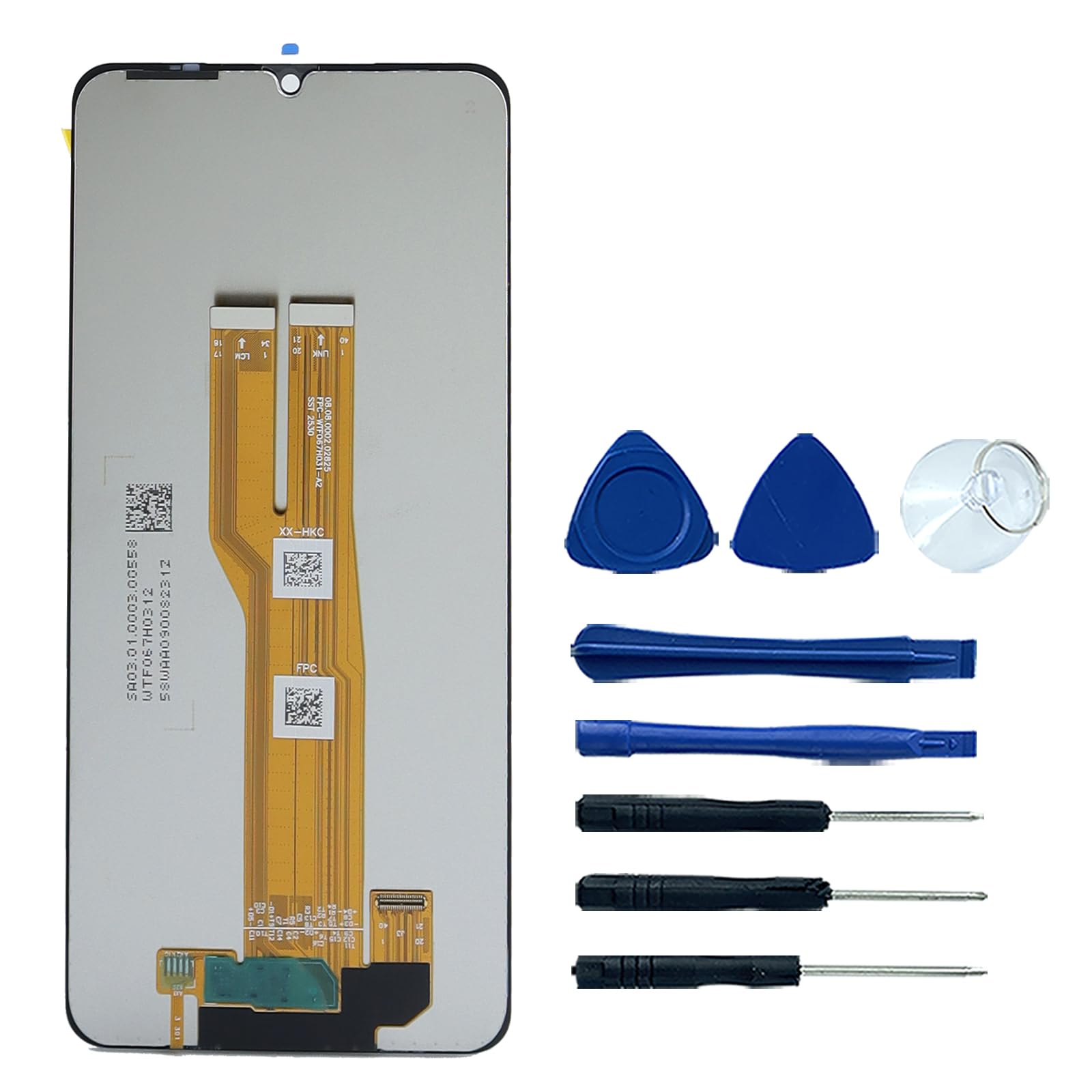
2.1 vaizdas: priekis view of the Ygpmoiki LCD Touch Screen Digitizer Assembly, showing the full display and notch.
3. Sąranka ir diegimas
The display assembly is provided without a front frame. Professional installation is strongly recommended due to the delicate nature of the components.
3.1 Testavimas prieš diegimą
Before proceeding with full installation, it is crucial to test the new display assembly. This step ensures the component is fully functional and prevents potential issues after assembly.
- Atjunkite maitinimą: Ensure the device is completely powered off and the battery is disconnected before handling any internal components.
- Prijunkite lanksčius kabelius: Carefully connect the display's flex cables to the corresponding connectors on the device's motherboard. Do not apply excessive force.
- Temporary Power On: Reconnect the battery and temporarily power on the device.
- Bandymo funkcionalumas: Check the display for any abnormalities such as dead pixels, lines, color distortions, or flickering. Test the touch screen responsiveness across the entire surface.
- Išjungti: If the display functions correctly, power off the device and disconnect the battery before proceeding with the full installation. If issues are observed, do not proceed with installation and contact support.

Image 3.1: Close-up of the display's flex cables, which connect to the motherboard for testing and installation.

3.2 vaizdas: galinis view of the display assembly, highlighting the delicate flex cable connections.
4. Operating (Post-Installation)
Once the display assembly is fully installed, the device should operate as normal. The LCD provides visual output, and the digitizer enables touch input.
4.1 Pradinis įjungimas
After completing the installation, power on your device. The screen should display the boot-up sequence clearly. Verify that all touch functions are working correctly by navigating through menus and typing.
4.2 Jutiklinio ekrano funkcionalumas
Test the touch screen by opening an application that allows drawing or precise touch input. Ensure there are no 'dead spots' or areas where touch input is unresponsive or inaccurate.
5. Priežiūra
To ensure the longevity and optimal performance of your new display, follow these general maintenance guidelines:
- Valymas: Naudokite minkštą, nepūkuotą šluostę, šiek tiek sudrėkintąampened with water or a screen-specific cleaner, to gently wipe the screen. Avoid harsh chemicals or abrasive materials.
- Apsauga: Apsvarstykite galimybę naudoti ekrano apsaugą ir apsauginį dėklą, kad apsaugotumėte nuo įbrėžimų ir smūgių.
- Venkite slėgio: Nespauskite ekrano per stipriai, nes galite pažeisti LCD skydelį arba skaitmenintuvą.
- Temperatūra: Avoid exposing the device to extreme temperatures, which can affect screen performance and lifespan.
6. Problemų sprendimas
Jei po įdiegimo kyla problemų, apsvarstykite šiuos trikčių šalinimo veiksmus:
- No Display or Abnormal Display:
- Įsitikinkite, kad visi lankstūs kabeliai yra tvirtai prijungti prie pagrindinės plokštės.
- Patikrinkite, ar nėra matomų lanksčiųjų laidų ar jungčių pažeidimų.
- Re-perform the pre-installation test if possible.
- Nereaguojantis jutiklinis ekranas:
- Verify the touch screen flex cable is properly seated.
- Iš naujo paleiskite įrenginį.
- Ensure there is no debris or liquid between the screen and your finger/stylus.
- Flickering or Discolored Screen:
- Patikrinkite, ar nėra laisvų jungčių.
- Ensure the display is not under physical stress from the device's frame.
If these steps do not resolve the issue, it is recommended to seek assistance from a qualified technician.
7. Specifikacijos
| Prekės tipas | LCD Touch Screen Digitizer Assembly |
| Ekrano tipas | LCD |
| Ekrano dydis | 6.7 colio (17 cm) |
| Rezoliucija | 720 x 1600 pikselių |
| Spalva | Juoda |
| Gaminio matmenys | 16.26 x 73.66 x 0.76 cm |
| Prekės svoris | 110 gramų |
| Modelio numeris | for Samsung Galaxy A07 4G SM-A075F |
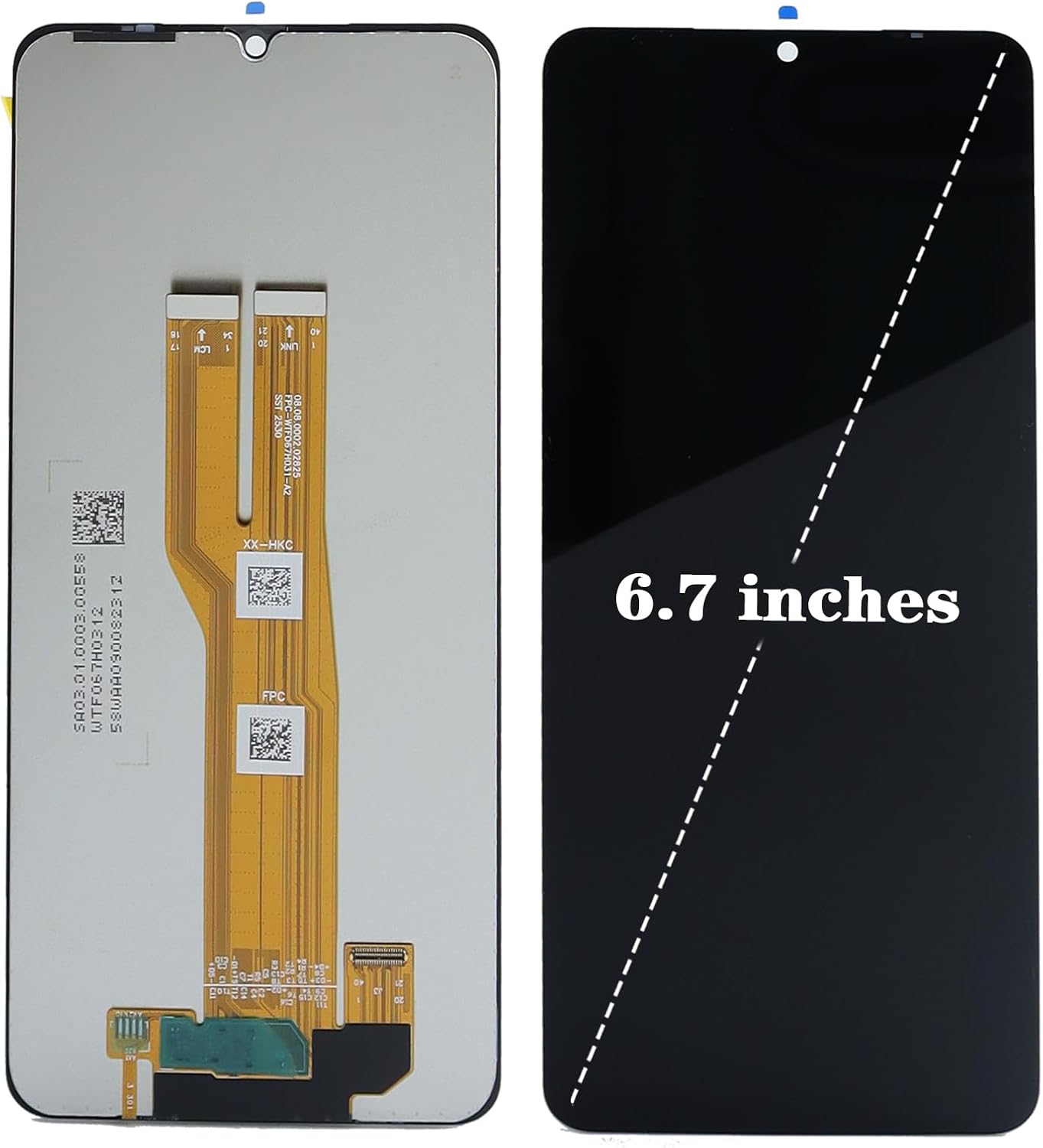
Image 7.1: The display assembly, illustrating its 6.7-inch diagonal screen size.
8. Garantija ir palaikymas
Specific warranty terms for this product are provided by the seller or manufacturer at the time of purchase. Please refer to your purchase documentation or contact the seller directly for detailed warranty information.
For technical support or assistance with installation, please contact the retailer or manufacturer from whom you purchased this product. Ensure you have your purchase details and product model number readily available.