
1. Įvadas
Thank you for choosing the OMOTON TP06 Magnetic Phone Tripod. This versatile accessory is designed to enhance your mobile photography and videography experience, offering multiple modes for stable viewing and recording. Please read this manual carefully to ensure proper use and maintenance of your device.
2. Pakuotės turinys
- OMOTON TP06 Magnetic Phone Tripod
- Dedicated Lanyard
- Magnetic Metal Ring (for non-MagSafe compatible phones/cases)
- Vartotojo vadovas
3. Pagrindinės savybės
- Daugiafunkcinis dizainas: Functions as a desktop stand, handheld selfie stick, and mantis-hook mount.
- Stiprus magnetinis tvirtinimas: Features N52 super-strong built-in magnets for secure attachment to MagSafe-compatible devices and metal surfaces.
- Lankstus reguliavimas: Offers 360° rotation and three-axis adjustable arms (210°+360°+180°) for diverse shooting angles.
- Expandable Compatibility: Extends up to 10.83 inches for handheld use and includes a universal 1/4" screw and Arca-Swiss base for tripod compatibility.
- Patvarus ir nešiojamas: Constructed from high-quality aluminum alloy, weighing 112g, and folds to 2.3cm for easy portability.
- Platus įrenginių suderinamumas: Compatible with iPhone 12-17 series (Pro Max, Pro, Air, Plus, mini) and MagSafe cases. Includes a magnetic metal ring for all Android phones and non-magnetic cases.
4. Sąranka ir surinkimas
4.1 Virvelės pritvirtinimas
The dedicated lanyard can be attached to the designated loop on the tripod for convenient carrying. This allows you to secure the tripod to a belt loop, bag, or other personal items.
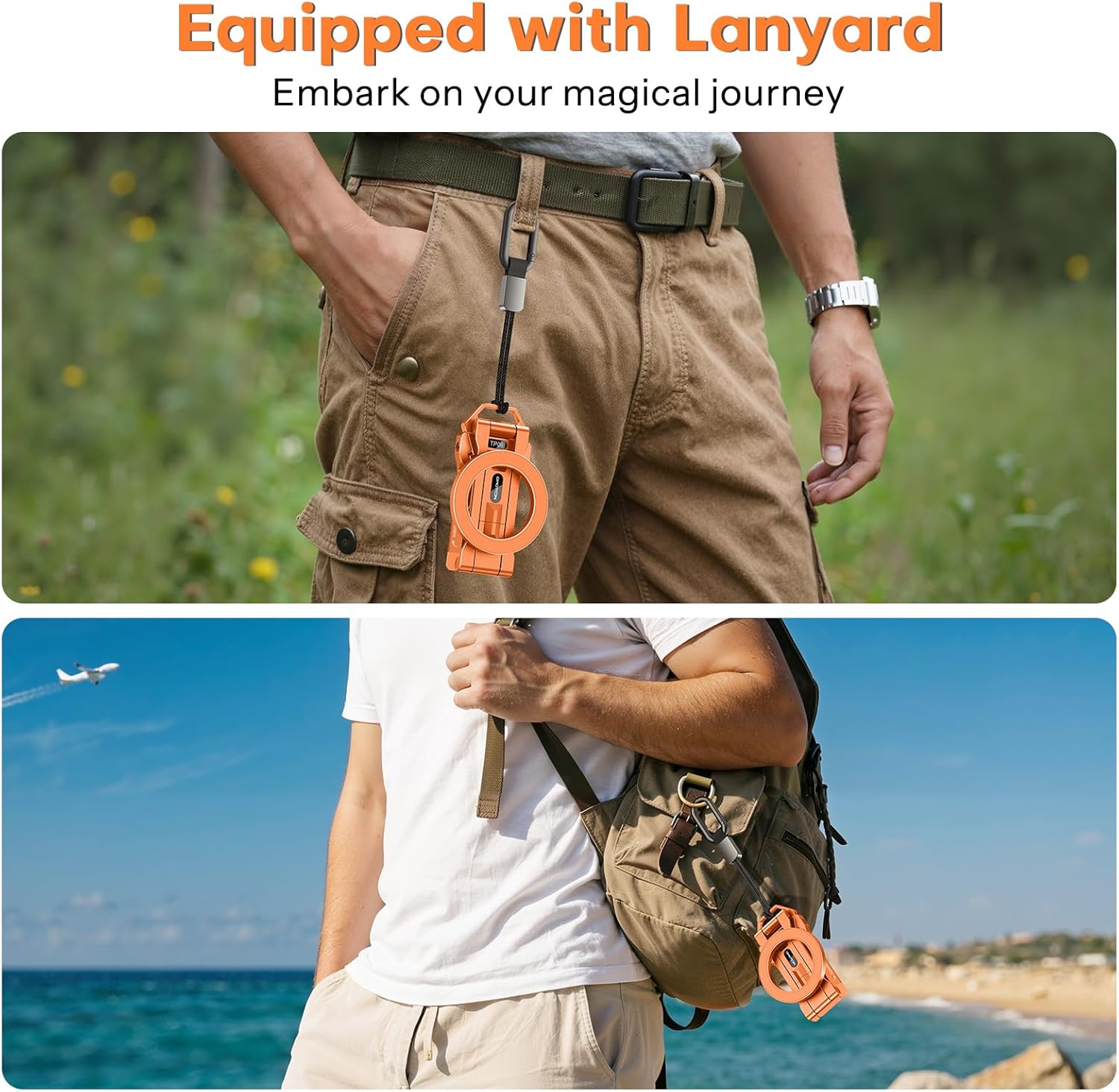
Image: The OMOTON TP06 tripod shown attached to a belt loop and a backpack via its lanyard, demonstrating portability.
4.2 Using the Magnetic Metal Ring (for non-MagSafe devices)
If your phone or phone case is not MagSafe compatible, use the included magnetic metal ring to enable magnetic attachment. Clean the back of your phone or case thoroughly before applying the ring. Use the match-up card (if included) to ensure proper placement for optimal magnetic connection.

Image: Illustration of MagSafe compatibility for iPhone 12-17 series and the use of the magnetic metal ring for Android phones and non-MagSafe cases.
5. Naudojimo instrukcijos
5.1 Desktop Stand Mode
Unfold the tripod legs and adjust the arms to achieve your desired viewing angle on a flat surface. The 3-axis adjustable arms allow for precise positioning.
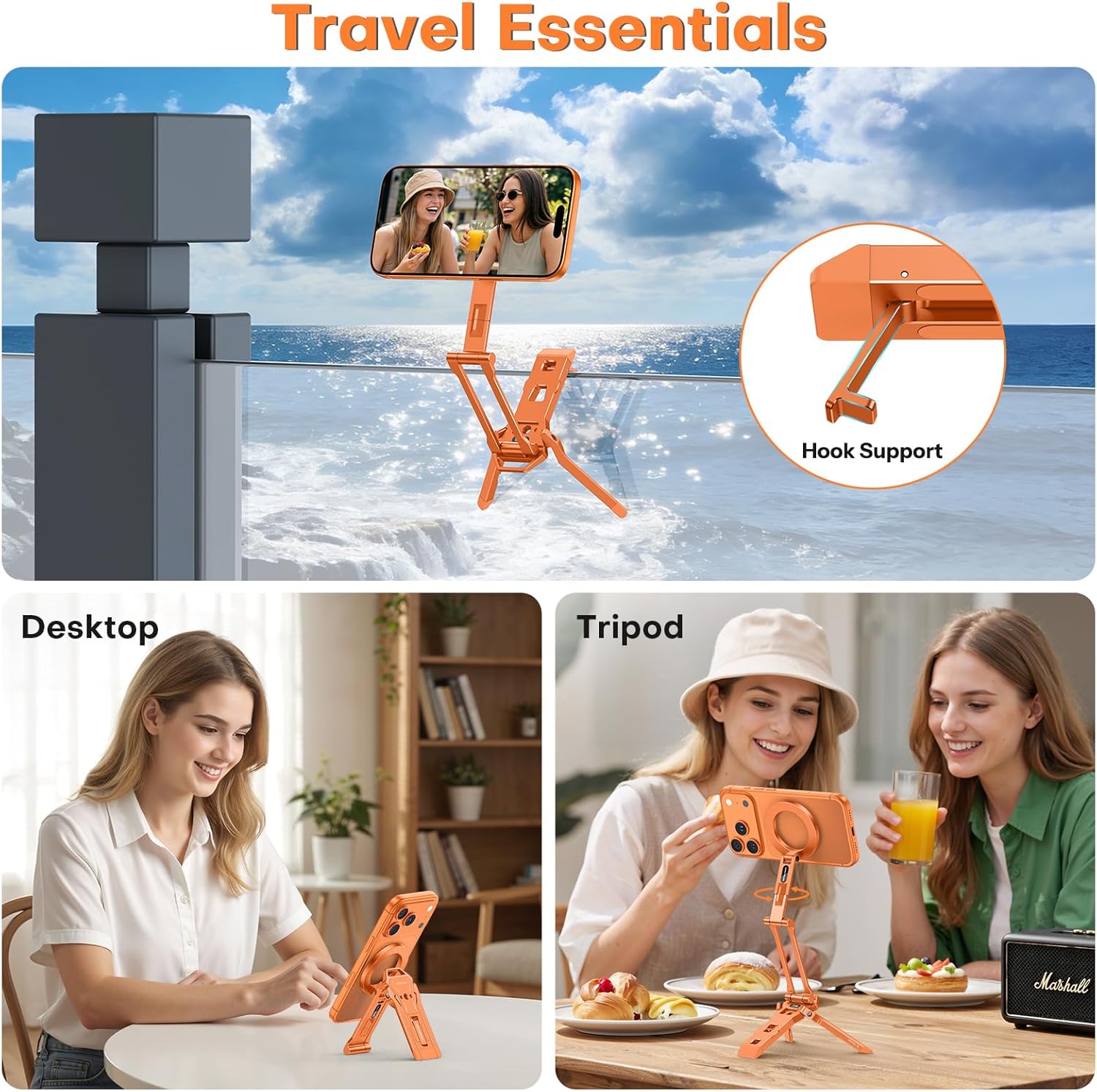
Image: The OMOTON TP06 tripod configured as a desktop stand, with a phone attached, demonstrating its use for hands-free viewing.
Video: Demonstrates the OMOTON TP06 being set up as a desktop stand and used for hands-free viewing.
5.2 Handheld Selfie Stick Mode
Extend the tripod arms to their full length (up to 10.83 inches) to use it as a selfie stick. The ergonomic design helps reduce arm fatigue during extended use.

Image: A woman using the OMOTON TP06 as a handheld selfie stick to capture a moment while walking outdoors.
Video: Illustrates the OMOTON TP06 being used as a selfie stick in various outdoor settings.
5.3 Mantis-Hook Mount Mode
Utilize the integrated hook to mount your phone on various surfaces like fences, gym equipment, or even tree branches for unique angles. The magnetic back also allows direct attachment to metal surfaces such as refrigerators or forklifts.

Image: The OMOTON TP06 tripod demonstrating its magnetic and hook capabilities by attaching to gym equipment, a refrigerator, a forklift, and a golf cart.
Video: Illustrates the OMOTON TP06 being used in mantis-hook mode, attaching to various surfaces for hands-free recording.
5.4 Tripod Compatibility (1/4" Screw & Arca-Swiss Base)
The OMOTON TP06 features a standard 1/4" screw hole and an Arca-Swiss compatible base, allowing it to be mounted on larger tripods or other camera accessories for enhanced stability and professional setups.

Image: The OMOTON TP06 tripod shown mounted on a larger tripod using its Arca-Swiss plate and 1/4" screw hole, providing a stable platform for photography.
Video: Demonstrates how to attach the OMOTON TP06 to a standard tripod using its Arca-Swiss base.
6. Priežiūra ir priežiūra
- Keep the tripod clean by wiping it with a soft, dry cloth.
- Avoid exposing the tripod to extreme temperatures or harsh chemicals.
- Ensure all moving parts are free of debris to maintain smooth operation.
- Store the tripod in a dry place when not in use.
7. Problemų sprendimas
| Problema | Galima priežastis | Sprendimas |
|---|---|---|
| Phone does not attach magnetically. | Not MagSafe compatible or metal ring not applied correctly. | Ensure your phone/case is MagSafe compatible. If not, apply the included magnetic metal ring to the center of your phone/case. |
| Trikojis nestabilus. | Legs not fully extended or placed on an uneven surface. | Fully extend all tripod legs and place on a flat, stable surface. Adjust arm angles for better balance. |
| Arms are stiff to adjust. | Minor friction or debris in joints. | Apply gentle, even pressure. Ensure no foreign objects are obstructing the joints. Avoid excessive force. |
8. Specifikacijos
| Funkcija | Detalė |
|---|---|
| Prekės ženklas | OMOTON |
| Modelio pavadinimas | TP06 |
| Formos faktorius | Mobiliojo telefono trikojis |
| Medžiaga | Aluminum Alloy, Acrylonitrile Butadiene Styrene, Polycarbonate |
| Item Dimensions (Folded) | 11.22 x 2.32 x 0.83 inches (approx. 2.3cm thickness) |
| Svoris | 112g |
| Rotacija | 360° |
| Reguliuojamos rankenos | 210° + 360° + 180° (3-axis) |
| Max Extension (Selfie Stick) | 10.83 colių |
| Montavimo tipas | Magnetic, Tabletop, Tripod (1/4" Screw, Arca-Swiss) |
| Suderinamumas | MagSafe-compatible iPhones (12-17 series), All Android Phones (with metal ring) |
9. Garantija ir palaikymas
For warranty information and customer support, please refer to the official OMOTON websvetainėje arba susisiekite tiesiogiai su jų klientų aptarnavimo tarnyba. Išsaugokite pirkimo kvitą garantiniams reikalavimams.
10. Saugos informacija
- Do not expose the product to extreme heat or open flames.
- Laikyti mažiems vaikams nepasiekiamoje vietoje.
- Avoid placing heavy objects on the tripod when in use.
- Ensure the phone is securely attached before use, especially when using the mantis-hook or selfie stick modes.