
1. Įvadas
The OnRetul V519 OBD2 Scanner is a diagnostic tool designed to assist in vehicle maintenance and troubleshooting. It provides access to vehicle diagnostic information, allowing users to read and clear diagnostic trouble codes (DTCs), view live data streams, and perform various system tests. This manual provides instructions for the proper use and care of your V519 scanner.
2. Produktas baigtasview
The V519 OBD2 Scanner features a 2.8-inch color screen, an ergonomic design, and a durable ABS housing. It connects directly to your vehicle's OBD2 port for power and data transfer.

Figure 2.1: OnRetul V519 OBD2 Scanner. The device features a screen, navigation buttons, function keys (F1, F2, EXIT, OK, Up, Down, Left, Right), and an integrated OBD2 connector cable.
Pagrindinės funkcijos:
- Reads and clears engine fault codes (P0, P1, P2, P3 series).
- Rodo akumuliatoriaus įkrovą realiuoju laikutage, RPM, and engine load.
- Monitors critical metrics with live data plotting and recording.
- Performs one-click I/M Readiness tests for emissions.
- Built-in DTC library with over 35,901 fault codes for instant definitions.
- Supports all OBD2-compliant vehicles (1996+ US, 2000+ EU, and global models).
- No external power source required; powered directly from the vehicle's OBD2 port.
3. Sąranka
The V519 scanner is designed for plug-and-play operation. No batteries or external power adapters are needed.
- Raskite automobilio 16 kontaktų duomenų perdavimo jungtį (DLC). Ši jungtis paprastai yra po prietaisų skydeliu vairuotojo pusėje.
- Ensure the vehicle's ignition is in the "OFF" position.
- Firmly plug the V519 scanner's OBD2 connector into the vehicle's DLC.
- Turn the vehicle's ignition to the "ON" position (engine can be running or off, depending on the desired diagnostic function). The scanner will power on automatically.
- Skaitytuvas dabar paruoštas naudoti.
Figure 3.1: Connecting the V519 scanner to the vehicle's OBD2 port. The scanner draws power directly from the vehicle.
4. Naudojimo instrukcijos
This section details the primary functions of the V519 scanner.
4.1. Diagnostinių gedimų kodų (DTC) skaitymas ir ištrynimas
The V519 can read current, pending, and permanent DTCs, and clear them to turn off the Check Engine Light.
- From the main menu, select "OBD/EOBD" and press OK.
- Pasirinkite „Skaityti kodus“, kad view stored DTCs.
- To clear codes, select "Erase Codes" and confirm the action. Įspėjimas: Clearing codes will erase all diagnostic data. Ensure you have recorded any necessary information before proceeding.
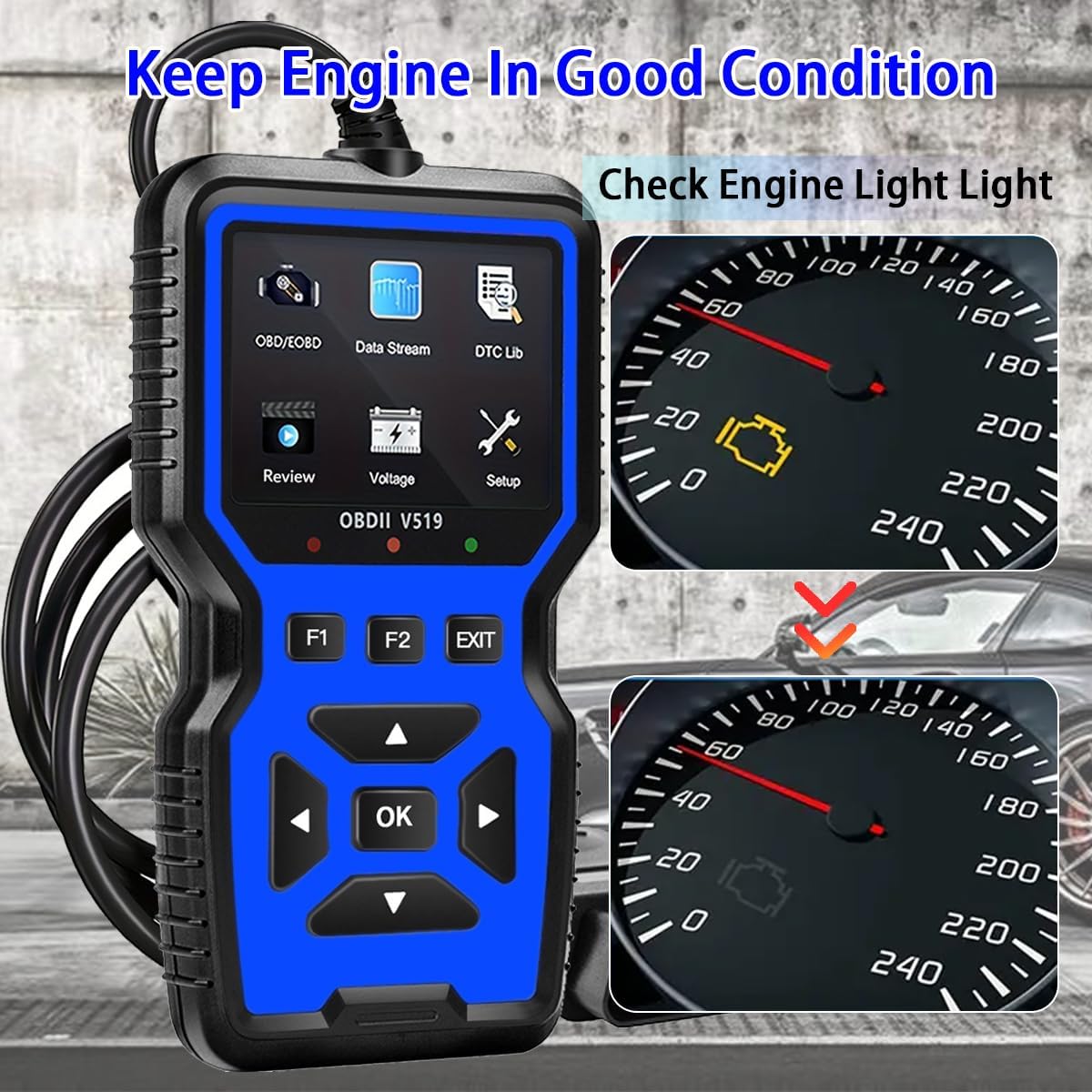
Figure 4.1: The V519 scanner can help diagnose and clear the Check Engine Light, indicating a return to good engine condition.
4.2. Tiesioginis duomenų srautas
View real-time operational parameters of the vehicle's engine, such as RPM, vehicle speed, engine coolant temperature, and calculated load value.
- From the main menu, select "Data Stream" and press OK.
- Use the arrow buttons to scroll through various data parameters.
- The scanner can also display this data in a graphical format for easier trend analysis.

Figure 4.2: Live data stream displayed on the V519, showing real-time curves for various engine parameters.
4.3. I/M Readiness Test
This function checks the readiness of the emission-related monitoring systems on the vehicle. It is useful for determining if the vehicle is ready for an emissions test.
- From the main menu, select "OBD/EOBD" and press OK.
- Select "I/M Readiness" and press OK.
- The screen will display the status of various monitors (e.g., MIL, MIS, FUE, CCM, CAT, EVAP, O2S). A green checkmark indicates the monitor is complete, while a red 'X' indicates it is incomplete.

Figure 4.3: The V519's I/M Readiness screen, showing the status of emission monitors. This helps determine if a vehicle is ready for an emissions test.
4.4. DTC paieška
The built-in DTC library allows you to look up definitions for diagnostic trouble codes directly on the device.
- From the main menu, select "DTC Lib" and press OK.
- Enter the DTC using the arrow buttons and OK mygtuką.
- The scanner will display the definition of the code.
4.5. Kitos funkcijos
The V519 also supports the following diagnostic functions:
- Fiksuoto kadro duomenys: Užfiksuoja transporto priemonės eksploatavimo sąlygų momentinę nuotrauką tuo metu, kai nustatomas gedimo kodas.
- O2 jutiklio testas: Gauna O2 jutiklio monitoriaus bandymo rezultatus.
- Borto monitoriaus testas (6 režimas): Gauna su išmetamųjų teršalų kiekiu susijusių jėgos agregato komponentų ir sistemų, kurie nėra nuolat stebimi, bandymų rezultatus.
- EVAP sistemos bandymas (8 režimas): Pradeda garavimo išmetimo kontrolės sistemos bandymą.
- Informacija apie transporto priemonę: Retrieves the Vehicle Identification Number (VIN), Calibration ID (CID), and Calibration Verification Number (CVN).
- ttage testas: Rodo esamą baterijos talpątage.

4.4 pav. Baigtaview of the V519's full OBD II functions, including Read Codes, Erase Codes, Live Data, Freeze Frame, I/M Readiness, O2 Sensor Test, EVAP System Test, Vehicle Info, DTC Lookup, and Voltage. testas.

Figure 4.5: The V519 uses color-coded visual indicators (Red, Orange, Green) to quickly communicate vehicle status or required actions.
5. Priežiūra
To ensure the longevity and proper functioning of your V519 scanner, follow these maintenance guidelines:
- Valymas: Naudokite minkštą, damp cloth to clean the exterior of the scanner. Do not use abrasive cleaners or solvents.
- Saugykla: Laikykite prietaisą sausoje, vėsioje vietoje, toliau nuo tiesioginių saulės spindulių ir ekstremalių temperatūrų.
- Kabelio priežiūra: Avoid bending or crimping the OBD2 cable excessively. Always grasp the connector when plugging or unplugging, not the cable itself.
- Programinės įrangos atnaujinimai: Patikrinkite gamintojo websvetainėje, ar nėra galimų programinės įrangos atnaujinimų, kad būtų užtikrintas optimalus našumas ir suderinamumas.
6. Problemų sprendimas
If you encounter issues with your V519 scanner, refer to the following common troubleshooting steps:
| Problema | Galima priežastis | Sprendimas |
|---|---|---|
| Skaitytuvas neįsijungia. | Loose connection to DLC; vehicle ignition off; blown fuse in vehicle's OBD2 circuit. | Ensure the OBD2 connector is firmly seated. Turn vehicle ignition to "ON". Check vehicle's fuse box for a blown fuse related to the OBD2 port. |
| "Link Error" message displayed. | Communication failure with vehicle; incorrect protocol detected; vehicle not OBD2 compliant. | Verify the vehicle is OBD2 compliant (1996+ US, 2000+ EU). Ensure the connection is secure. Try connecting to a different OBD2 compliant vehicle to rule out scanner issue. |
| Nepavyksta išvalyti kodų. | Vehicle ignition not in "ON" position; underlying fault still present. | Ensure ignition is "ON" (engine off). If codes persist, the underlying issue causing the code has not been resolved. Address the vehicle fault first. |
7. Specifikacijos
| Funkcija | Detalė |
|---|---|
| Prekės ženklas | OnRetul |
| Modelio numeris | V519 |
| Maitinimo šaltinis | Laidinis elektrinis (per OBD2 prievadą) |
| Gaminio matmenys (I x P x A) | 6 colio x 1 colio x 3.4 colio (15.24 cm x 2.54 cm x 8.64 cm) |
| Ekrano dydis | 2.8 colių |
| Tinkamo automobilio tipas | Universalus pritaikymas (OBD2 suderinamiems automobiliams) |
| Darbinė temperatūra | -4°F iki 158°F (nuo -20°C iki 70°C) |
| Įtraukti komponentai | V519 OBD2 Scanner, User Manual |

Figure 7.1: Physical dimensions of the OnRetul V519 OBD2 Scanner.
8. Garantija ir palaikymas
The OnRetul V519 OBD2 Scanner comes with a 3 mėnesių gamintojo garantija nuo pirkimo datos. Ši garantija apima medžiagų ir gamybos defektus normaliai naudojant.
For technical support, warranty claims, or further assistance, please contact OnRetul customer service through the retailer where the product was purchased or refer to the contact information provided in the product packaging.