
1. Produktas baigtasview
The G-Force MH-60 INCR is a 2.4GHz 4-channel electric radio-controlled helicopter designed with a tactical, special forces aesthetic. It incorporates advanced features such as optical flow technology for enhanced stability and precise hovering, making it suitable for both delicate maneuvers and aggressive flight. The helicopter boasts a realistic matte black finish with injection-molded details, a powerful brushless main motor, and a high-voltage LiPo battery for extended flight performance. Its 4-blade rotor design mimics a real aircraft, and the included 2.4GHz transmitter offers switchable operating modes. Weighing just 99g (including battery), it is exempt from certain aviation law regulations, allowing for versatile indoor flight. A dedicated display stand and landing pad are also included.

Vaizdas: Iš viršaus į apačią view of the G-Force MH-60 INCR Helicopter, showcasing its tactical design and rotor blades.
2. Saugos įspėjimai
Please read all safety warnings carefully before operating the helicopter to prevent injury or damage.
- Šis gaminys nėra žaislas. Laikykite vaikams nepasiekiamoje vietoje.
- Indoor flight is recommended for optimal control and safety.
- The rotors rotate at high speed and are extremely dangerous. Exercise extreme caution during operation.
- During flight, ensure that the helicopter does not make contact with people's faces or hands.
- Direct contact with eyes can cause severe injury, including blindness.
- The flight characteristics of the product are not guaranteed under all conditions.
- Only use the specified charging device for the battery. Using an unspecified charger may lead to overheating, fire, or battery rupture, which is extremely dangerous.
- Always charge the battery in a visible area, away from any flammable materials or objects.
- Always handle lithium batteries strictly according to the instructions provided in this manual.
- This product does not use or contain fuel.
- This product does not contain paint, adhesives, oil, or grease.
3. Pakuotės turinys
Patikrinkite, ar pakuotėje yra visi toliau išvardyti daiktai:
- MH-60 INCR Main Unit
- 2.4 GHz 4 kanalų siųstuvas
- Flight Li-Po Battery (3.8V 800mAh 20C)
- USB įkrovimo laidas
- Spare Parts (Rotor Blades, Tail Blades, Main Gear)
- Tools (Phillips Screwdriver, Hex Wrench)
- Ekrano stovas
- Nukreipimo padas
- Instrukcijų vadovas
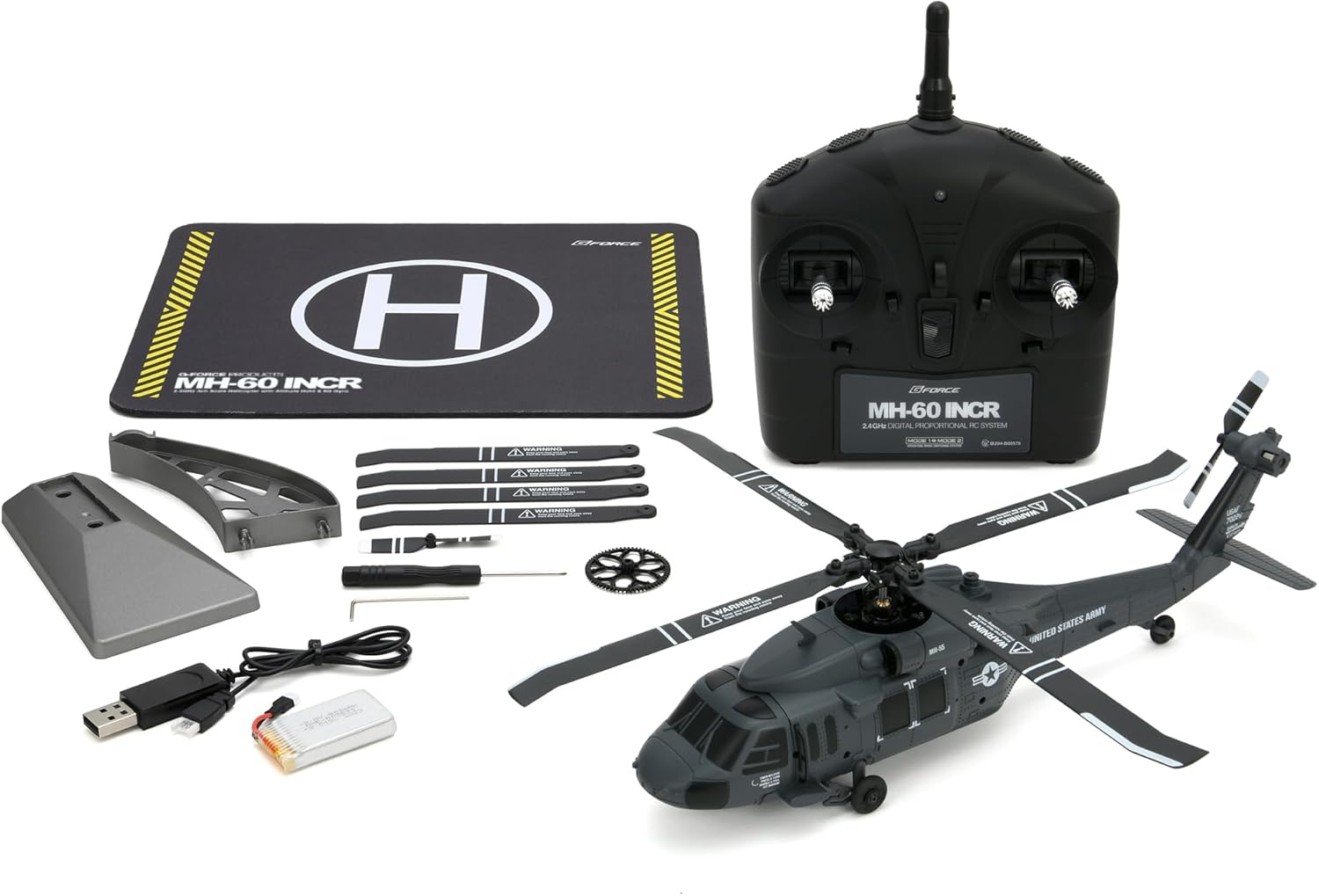
Image: All components included in the G-Force MH-60 INCR Helicopter package, laid out for inspection.
4. Gaminio specifikacijos
| Funkcija | Specifikacija |
|---|---|
| Siųstuvas | 2.4GHz 4ch |
| Bendras ilgis | 265 mm |
| Bendras aukštis | 72 mm |
| Svoris (su baterija) | 99g |
| Pagrindinio rotoriaus skersmuo | 260 mm |
| Uodegos rotoriaus skersmuo | 56 mm |
| Baterija | 3.8V 800mAh 20C Li-Po |
| Skrydžio laikas | apytiksliai 8 minučių |
| Įkrovimo laikas | apytiksliai 120 minučių |
| Pagrindinis variklis | 1106 m. variklis be šepetėlių |
| Uodegos variklis | 0720 branduolys variklis |
| Medžiaga | Plastikiniai |
| Spalva | Juoda |
| Valdymo tipas | Nuotolinio valdymo pultas |
| Belaidė technologija | Radijo dažnis (RF) |
| Ypatingos savybės | Optical Flow Equipped |
5. Sąrankos vadovas
5.1. Skrydžio akumuliatoriaus įkrovimas
- Carefully remove the flight Li-Po battery from the helicopter.
- Connect the provided USB charging cable to the battery.
- Plug the USB cable into a compatible USB power source (e.g., computer, USB wall adapter).
- The LED indicator on the battery will illuminate during charging. It will turn off once charging is complete.
- Charging time is approximately 120 minutes. Do not overcharge.
5.2. Siųstuvo baterijų įdėjimas
- Open the battery compartment cover on the back of the 2.4GHz transmitter.
- Insert 6 AAA alkaline batteries (not included) into the compartment, ensuring correct polarity.
- Saugiai uždarykite akumuliatoriaus skyriaus dangtelį.
5.3. Attaching Weapon Units (Optional)
The MH-60 INCR comes with detachable weapon units for enhanced realism. These can be easily attached to the sides of the fuselage.
- Locate the attachment points on both sides of the helicopter fuselage.
- Align the weapon units with these points and gently push until they click into place.

Vaizdas: Šoninė view of the G-Force MH-60 INCR Helicopter, showing the detailed fuselage and potential attachment points for accessories.
6. Naudojimo instrukcijos
6.1. Įjungimas ir priskyrimas
- Place the helicopter on a flat, stable surface.
- Press and hold the power switch on the helicopter until the LED indicator illuminates.
- Turn on the transmitter by sliding the ON/OFF switch. The transmitter's LED will flash.
- To bind the helicopter to the transmitter, push the throttle stick (left stick) all the way up, then all the way down.
- Once bound, the LED on the helicopter will change from flashing to solid, indicating a successful connection.
6.2. Pagrindiniai skrydžio valdymo įtaisai
The 2.4GHz 4ch transmitter allows for precise control over the helicopter's movements:
- Droselis (kairė vairasvirtė aukštyn/žemyn): Controls ascent and descent.
- Vairas (kairė svirtis kairėn/dešinėn): Valdo posūkį (sukimąsi aplink vertikalią ašį).
- Liftas (dešinė svirtis aukštyn/žemyn): Valdo judėjimą pirmyn ir atgal.
- Eleronas (dešinė svirtis kairė/dešinė): Controls left and right slide (sideways movement).
6.3. One-Key Takeoff and Landing
The MH-60 INCR features a one-key takeoff and landing function for ease of use:
- Pakilimas vienu klavišu: After binding, press the one-key takeoff button on the transmitter. The helicopter will automatically ascend to a stable hovering height.
- Nusileidimas vienu klavišu: During flight, press the one-key landing button. The helicopter will automatically descend and land gently.
6.4. Giroskopo kalibravimas
If the helicopter exhibits unstable flight, perform a gyro calibration:
- Pastatykite sraigtasparnį ant lygaus, horizontalaus paviršiaus.
- Ensure the helicopter and transmitter are powered on and bound.
- Refer to the specific instructions in the included manual for the exact button combination or stick movement to initiate gyro calibration. Typically, this involves holding both control sticks to a specific corner for a few seconds.
- The helicopter's LEDs will flash during calibration and become solid once complete.
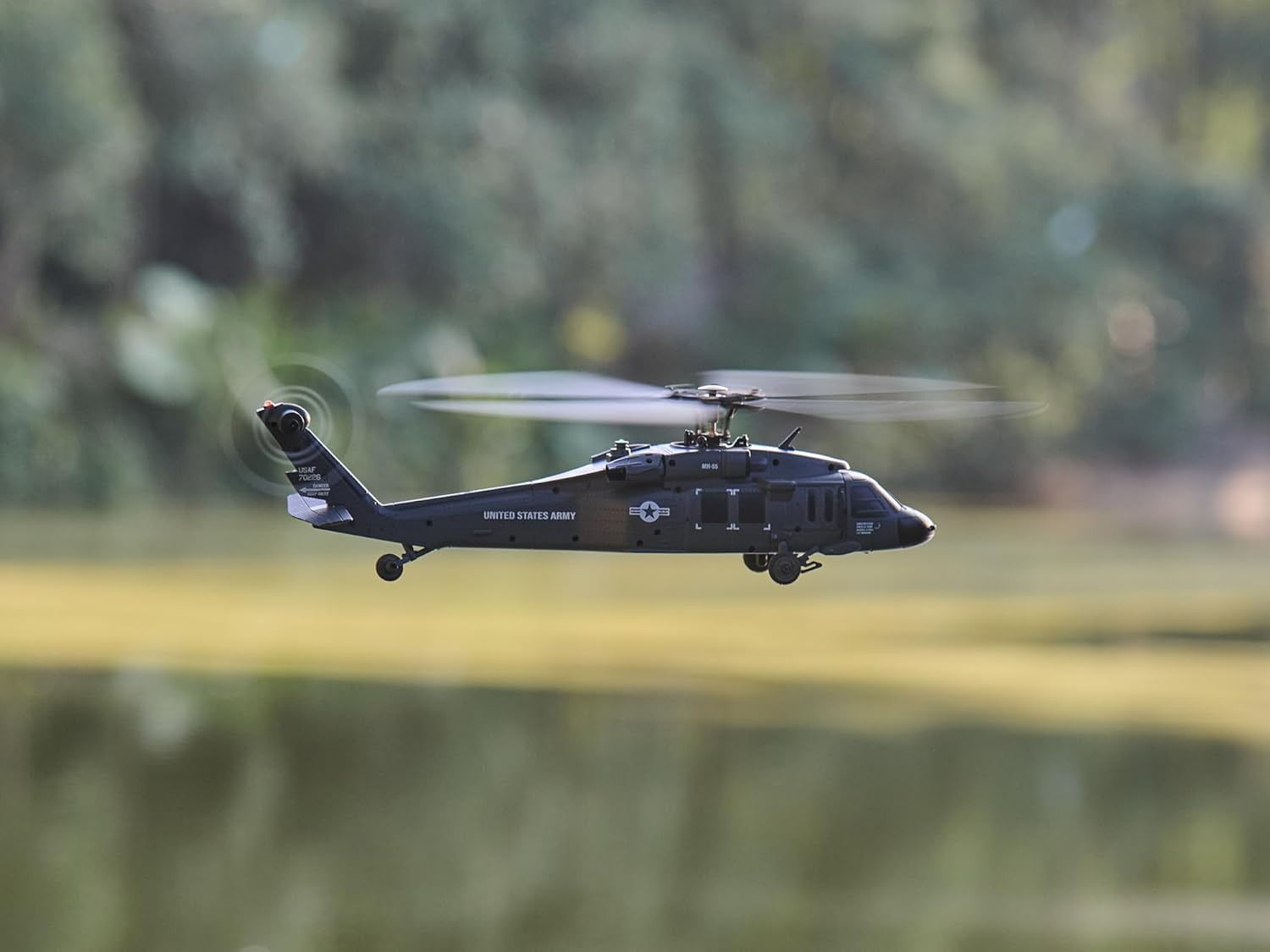
Image: The G-Force MH-60 INCR Helicopter in stable flight, demonstrating its capabilities.
7. Priežiūra
Regular maintenance ensures the longevity and optimal performance of your G-Force MH-60 INCR Helicopter:
- Valymas: Use a soft, dry cloth to clean the helicopter and transmitter. Avoid using solvents or harsh chemicals.
- Rotoriaus mentės: Inspect rotor blades for any damage (cracks, bends) before and after each flight. Replace damaged blades immediately using the provided spare parts.
- Akumuliatoriaus priežiūra: Always disconnect the flight battery from the helicopter after use. Store the battery in a cool, dry place, away from direct sunlight and extreme temperatures. Do not store fully charged or fully discharged for extended periods.
- Saugykla: When not in use, store the helicopter and its components in a safe, dry place, preferably in its original packaging or a protective case.
8. Problemų sprendimas
If you encounter issues with your helicopter, refer to the following common problems and solutions:
| Problema | Galima priežastis | Sprendimas |
|---|---|---|
| Sraigtasparnis nereaguoja į siųstuvą. | Not bound, low battery (helicopter/transmitter), out of range. | Re-bind the helicopter. Charge helicopter battery. Replace transmitter batteries. Ensure within operating range. |
| Nestabilus skrydis / dreifavimas. | Gyro not calibrated, damaged rotor blades, uneven surface for takeoff. | Perform gyro calibration on a flat surface. Inspect and replace damaged rotor blades. |
| Rotoriai sukasi, bet sraigtasparnis nepakyla. | Low flight battery, damaged main gear/rotors. | Charge flight battery. Inspect and replace main gear or rotors. |
| Trumpas skrydžio laikas. | Baterija nėra iki galo įkrauta, sensta. | Įsitikinkite, kad akumuliatorius yra visiškai įkrautas. Jei akumuliatorius senas, apsvarstykite galimybę jį pakeisti. |
9. Garantija ir palaikymas
Information regarding product warranty and customer support is typically provided in the separate warranty card or on the manufacturer's official website. Please refer to those resources for details on warranty coverage, return policies, and technical assistance.
For further assistance, please contact G-Force customer support through their official channels.