
1. Produktas baigtasview
The HP Laptop 15-fd2353la is a versatile and efficient computing device designed for everyday tasks, entertainment, and productivity. It features an Intel Core Ultra 5 processor, a vibrant 15.6-inch Full HD display, ample memory, and fast solid-state storage. This manual will guide you through the setup, operation, and maintenance of your new laptop.

Priekyje view of the HP Laptop 15-fd2353la, highlighting its Intel Core Ultra 5 processor, 24 GB RAM, 512 GB SSD, and 15.6-inch Full HD display.
2. Sąranka
2.1 Išpakavimas
Atsargiai išimkite nešiojamąjį kompiuterį ir visus priedus iš pakuotės. Įsitikinkite, kad yra šie daiktai:
- HP Laptop 15-fd2353la
- Maitinimo adapteris ir laidas
- Dokumentacija (greito paleidimo vadovas, garantijos informacija)
2.2 Maitinimo adapterio prijungimas
Before first use, connect the power adapter to the laptop's power port and then plug it into a wall outlet. Allow the battery to charge for a few hours, or until fully charged, before initial use.
2.3 Pradinis įjungimas ir „Windows“ sąranka
Press the power button located on the keyboard to turn on the laptop. Follow the on-screen instructions to complete the Windows 11 Home setup process. This includes selecting your language, connecting to a Wi-Fi network, and creating a user account.
3. Naudojimo instrukcijos
3.1 Įjungimas / išjungimas ir miego režimas
- Maitinimas: Paspauskite maitinimo mygtuką.
- Išjungti: Spustelėkite mygtuką Pradėti, tada Maitinimas > Išjungti.
- Miegojimo rezimas: Uždarykite dangtelį arba spustelėkite mygtuką „Pradėti“, tada „Maitinimas“ > „Miego režimas“.
3.2 Klaviatūros ir jutiklinės planšetės naudojimas
The laptop features a full-size Spanish QWERTY keyboard and a precision touchpad. Use the touchpad for navigation, clicking, and multi-touch gestures. Refer to Windows settings for touchpad customization.
3.3 Prisijungimas prie „Wi-Fi“.
Norėdami prisijungti prie belaidžio tinklo:
- Užduočių juostoje spustelėkite „Wi-Fi“ piktogramą.
- Iš sąrašo pasirinkite norimą tinklą.
- Jei būsite paraginti, įveskite tinklo slaptažodį ir spustelėkite „Prisijungti“.
4. Pagrindinės savybės
The HP Laptop 15-fd2353la offers a range of features designed to enhance your computing experience:
- Procesorius: Intel Core Ultra 5 225U (up to 4.8 GHz with Intel Turbo Boost Technology, 12 MB L3 Cache, 12 cores, 14 threads) for efficient multitasking.
- Saugykla: 512 GB PCIe NVMe M.2 Solid State Drive for fast boot times and application loading.
- Atmintis: 24 GB DDR5-5600 MT/s RAM for smooth performance across demanding applications.
- Ekranas: 15.6-inch Full HD (1920 x 1080) IPS anti-glare display with 250 nits brightness and 62.5% sRGB for clear visuals.
- Operacinė sistema: Iš anksto įdiegta „Windows 11 Home“.
- Baterijos veikimo laikas: Up to 9 hours and 45 minutes of AI-optimized battery life, with HP Fast Charge capable of recharging 50% in approximately 30 minutes.
- Webkamera ir garsas: Integruota webcam with a privacy shutter and a clear microphone featuring external noise reduction for improved video calls.
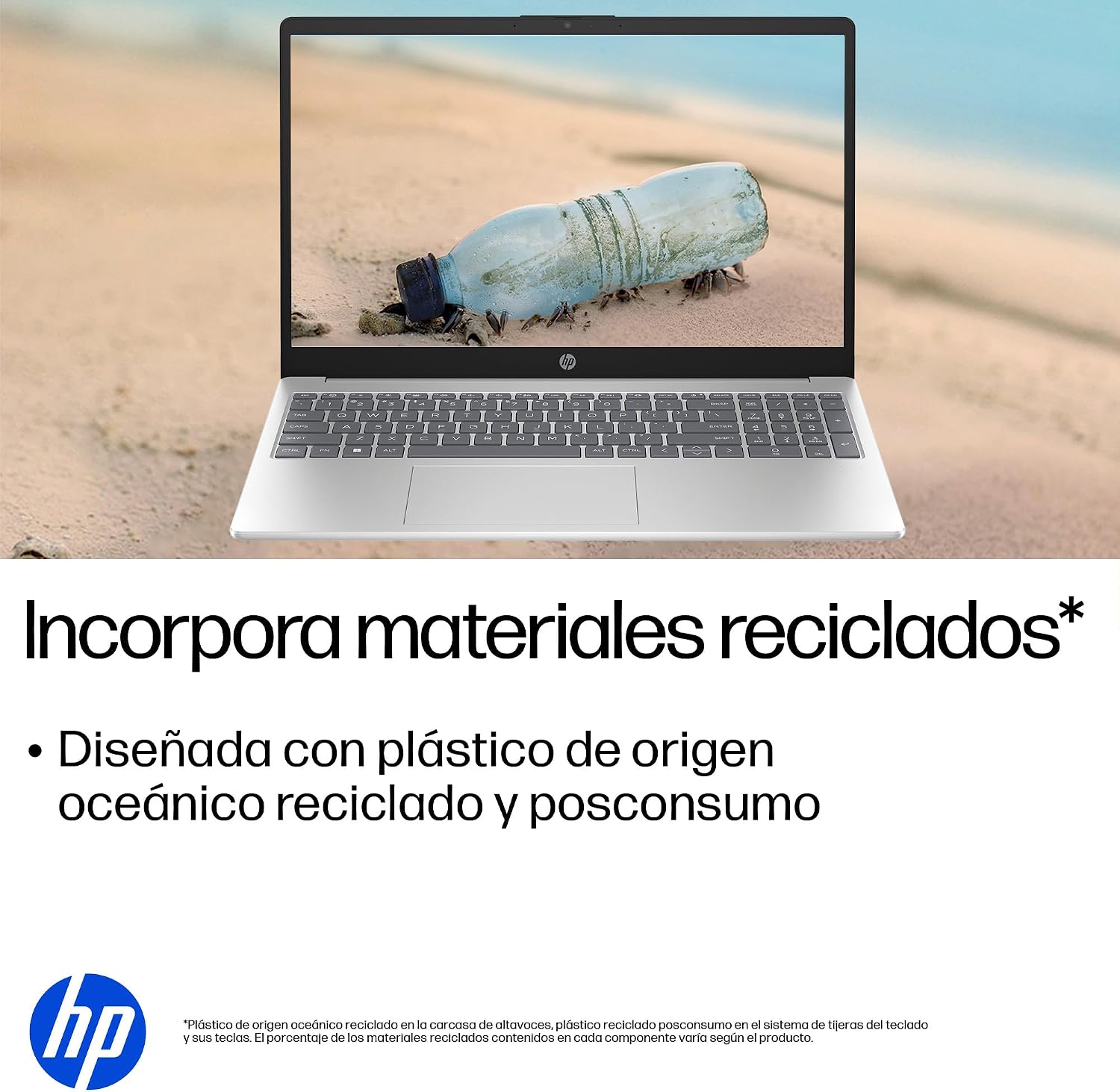
- Tvarus dizainas: Constructed with ocean-bound and post-consumer recycled plastics in various components.

The laptop features an integrated webcam shutter for privacy and a clear microphone with external noise reduction.

Experience an immersive visual display with an 85% screen-to-body ratio and an anti-glare Full HD screen.

Enjoy extended use with up to 9 hours and 45 minutes of AI-optimized battery life, and quickly recharge 50% in 30 minutes with HP Fast Charge.

This laptop incorporates recycled materials, including ocean-bound and post-consumer plastics, in its design.
5. Prievadai ir ryšiai
Your HP Laptop 15-fd2353la is equipped with various ports for connecting peripherals and external devices:

Diagram illustrating the location and type of ports on the HP Laptop 15-fd2353la.
- Kairė pusė:
- 1 x USB Type-A 5 Gbps signaling rate port
- 1x HDMI prievadas
- 1 x USB Type-C 5 Gbps signaling rate port
- 1 x Headphone/Microphone combo jack
- Dešinė pusė:
- 1 x USB Type-A 5 Gbps signaling rate port
- 1 x Power connector
6. Specifikacijos
| Funkcija | Specifikacija |
|---|---|
| Prekės ženklas | HP |
| Modelio pavadinimas | 15-fd2353la |
| Ekrano dydis | 15.6 colių |
| Maksimali ekrano skiriamoji geba | 1920 x 1080 pikselių (Full HD) |
| Ekrano tipas | IPS, Anti-glare LCD |
| Spalva | Sidabras |
| CPU modelis | Intel Core Ultra 5 225U |
| Procesoriaus greitis | Iki 4.8 GHz |
| RAM dydis | 24 GB |
| RAM technologija | DDR5-5600 MT/s |
| Kietojo disko dydis | 512 GB SSD (PCIe NVMe M.2) |
| Operacinė sistema | Windows 11 Home |
| Grafikos koprocesorius | „Intel“ integruota grafika |
| USB prievadai | 3 (2x USB Type-A, 1x USB Type-C) |
| HDMI prievadai | 1 |
| Baterijos tipas | Ličio jonas |
| Baterijos energijos kiekis | 41 vatvalandės |
| Klaviatūros išdėstymas | QWERTY (Spanish) |
| Svoris | 1.65 kilogramo |
| Matmenys (I x P x A) | 23.6 x 36 x 1.9 cm |
Visual representation of the laptop's dimensions and weight.
7. Priežiūra
7.1 Nešiojamojo kompiuterio valymas
- Šiek tiek naudokite minkštą, be pūkelių šluostę dampvandeniu arba ekrano valikliu ekranui valyti.
- Klaviatūrai ir korpusui valyti naudokite minkštą šluostę. Venkite stiprių cheminių medžiagų ar abrazyvinių medžiagų.
- Norėdami išvalyti dulkes nuo klaviatūros klavišų ir ventiliacijos angų, naudokite suslėgtą orą.
7.2 Akumuliatoriaus priežiūra
- Venkite ekstremalių temperatūrų.
- Neiškraukite akumuliatoriaus dažnai iki galo.
- Jei nešiojamąjį kompiuterį ketinate laikyti ilgą laiką, įsitikinkite, kad akumuliatorius įkrautas iki maždaug 50 %.
7.3 Programinės įrangos naujiniai
Reguliariai atnaujinkite „Windows“ operacinę sistemą ir tvarkykles, kad užtikrintumėte optimalų našumą ir saugumą. „Windows Update“ galite pasiekti per „Nustatymai“ > „Windows Update“.
7.4 Saugojimo valdymas
Periodiškai review ir ištrinkite nereikalingus files to maintain sufficient free space on your 512 GB SSD, which helps in sustaining system performance.
8. Problemų sprendimas
8.1 Maitinimo problemos
- Nešiojamasis kompiuteris neįsijungia: Įsitikinkite, kad maitinimo adapteris yra tvirtai prijungtas tiek prie nešiojamojo kompiuterio, tiek prie veikiančio maitinimo lizdo. Patikrinkite, ar maitinimo lizdas veikia.
- Baterija nekraunama: Verify the power adapter is correctly connected. Try a different power outlet.
8.2 Ekrano problemos
- Ekrane nėra vaizdo: Connect an external monitor to the HDMI port to check if the issue is with the laptop's display or the graphics card.
- Blankus arba mirgantis ekranas: Adjust screen brightness using the keyboard function keys. Update display drivers.
8.3 Ryšio problemos
- „Wi-Fi“ neprisijungia: Ensure Wi-Fi is enabled. Restart your router and modem. Check network settings in Windows.
- USB įrenginiai neatpažįstami: Pabandykite prijungti įrenginį prie kito USB prievado. Įsitikinkite, kad įdiegtos įrenginio tvarkyklės.
8.4 Našumo problemos
- Lėtas veikimas: Close unnecessary applications. Check for background processes consuming high resources (Task Manager). Ensure sufficient free storage space.
- Sistema užstringa: Restart the laptop. Check for recent software installations or updates that might be causing conflicts.
9. Garantija ir palaikymas
9.1 Informacija apie garantiją
Your HP Laptop 15-fd2353la comes with a 1 metų ribota garantija. This warranty covers manufacturing defects and hardware failures under normal use conditions. Please refer to the warranty documentation included with your product for full terms and conditions.
9.2 Techninė pagalba
For technical assistance, warranty claims, or service inquiries, please visit the official HP support website or contact HP customer service. Have your product model number (15-fd2353la) and serial number ready when contacting support.
You can find more information and support resources at the official HP websvetainė: www.hp.com/support