
GNCC GP6
GNCC GP6 2K Indoor Pan/Tilt Security Camera User Manual
Model: GP6 | Brand: GNCC
Įvadas
Thank you for choosing the GNCC GP6 2K Indoor Pan/Tilt Security Camera. This manual provides essential information for setting up, operating, and maintaining your camera. Please read it thoroughly before use to ensure proper functionality and safety. This camera is designed for indoor use, offering advanced monitoring capabilities for your home, children, or pets.
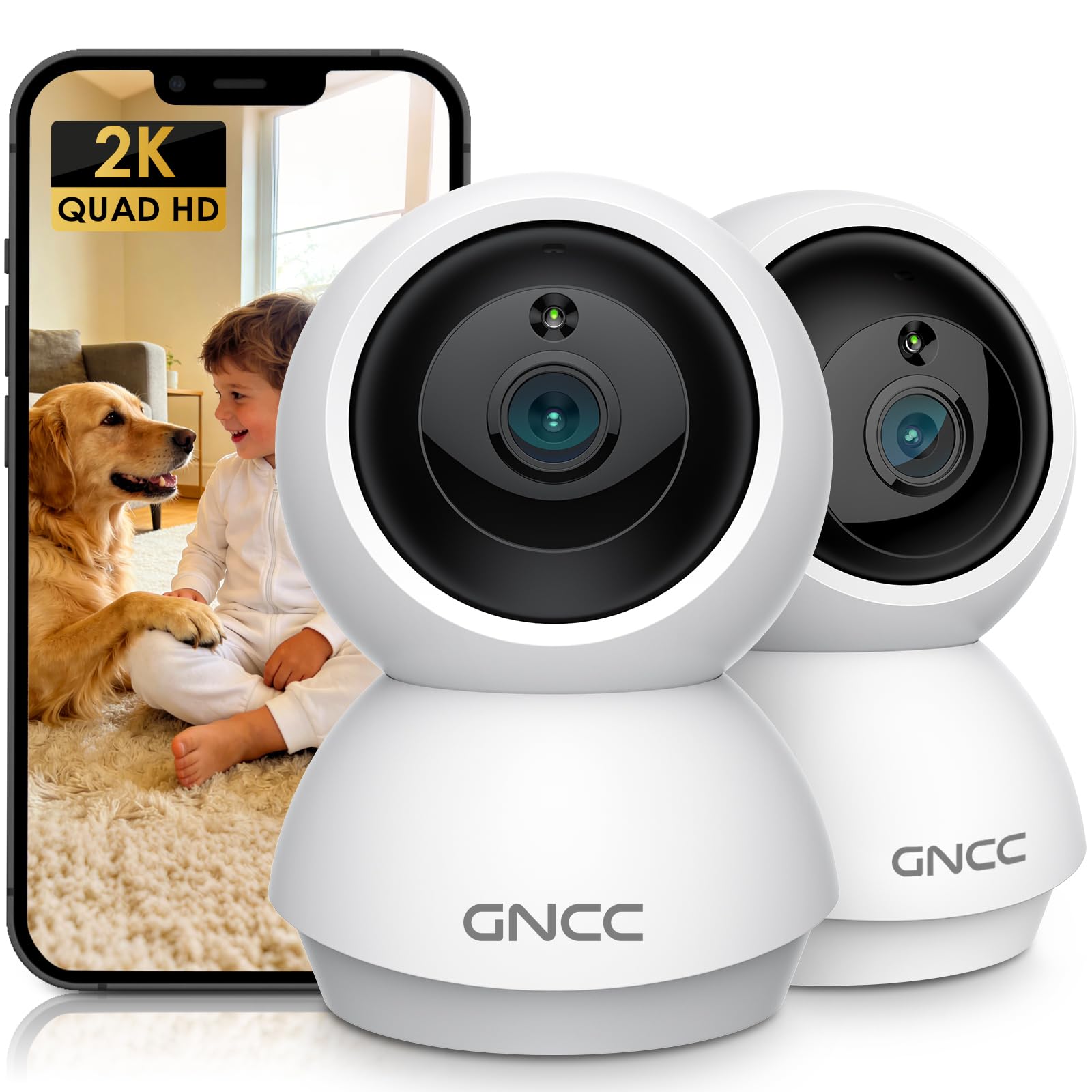
Image: GNCC GP6 2K Indoor Pan/Tilt Security Camera
Kas yra dėžutėje
Please check the package contents carefully. If any items are missing or damaged, contact GNCC support.
- GNCC Indoor Camera (x2)
- Maitinimo adapteris
- Įkrovimo kabelis
- Montavimo varžtas
- Instrukcijų vadovas

Image: GNCC GP6 2K Indoor Pan/Tilt Security Camera box contents
Pagrindinės savybės
2K Ultra HD & 10m Night Vision
Equipped with 2K Full HD resolution, this indoor security camera delivers sharp, detailed live video for baby/pet monitoring and home security. It features 10-meter clear night vision, allowing you to monitor what matters most anytime, anywhere, even in low light conditions.

Image: 2K Quality Video
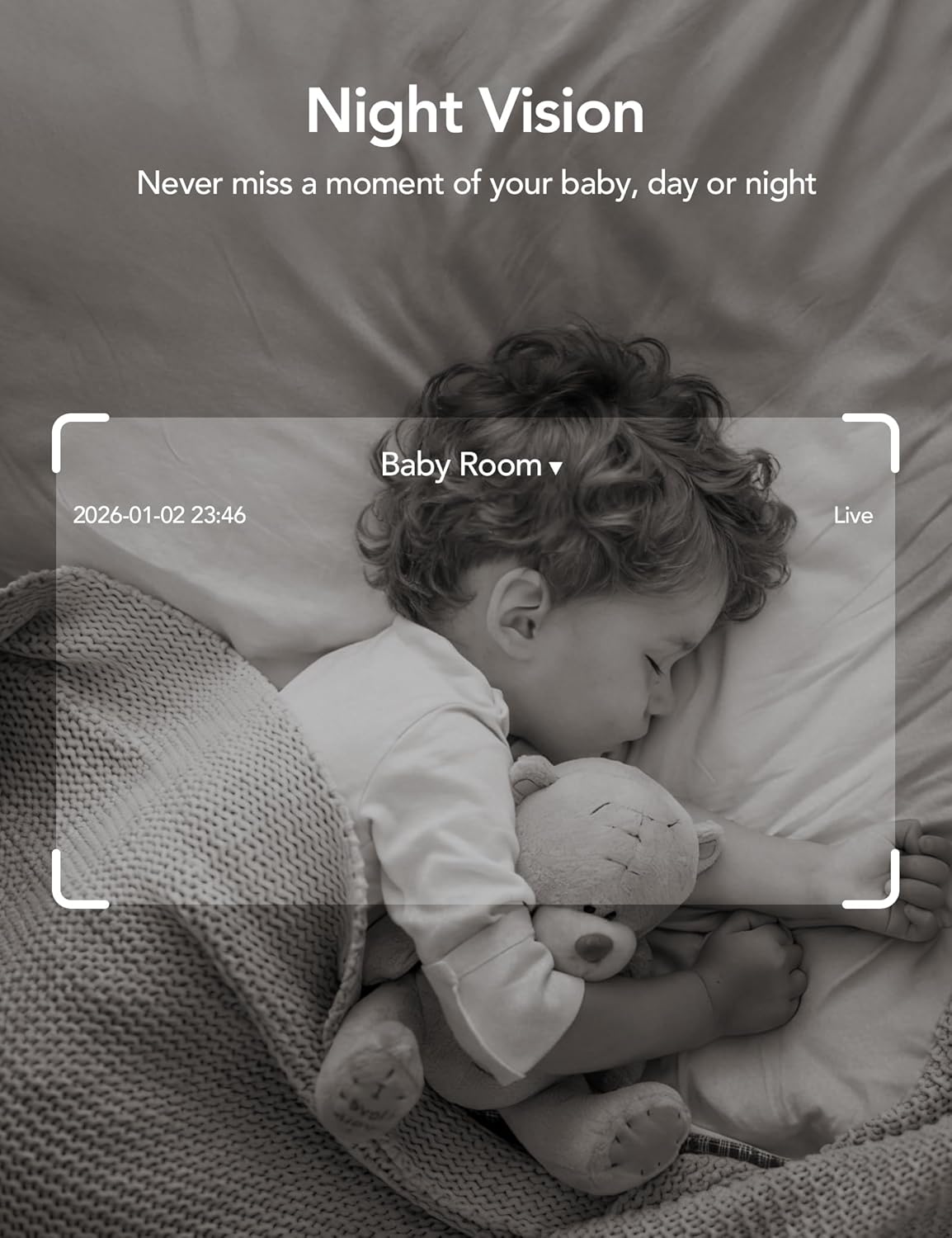
Image: Night Vision
Dual-Band 2.4G/5GHz WiFi & Bluetooth Pairing
Effortlessly connect based on dual WiFi signals (2.4GHz and 5GHz) for more stable signals and smooth live viewing. Setup takes just minutes with Bluetooth pairing, requiring no complicated configurations.

Image: Dual-Band 2.4GHz/5GHz Wi-Fi
AI Motion Tracking & Wide-Angle View
With 340° horizontal and 80° vertical pan/tilt rotation, the indoor camera features advanced AI motion tracking. It covers every corner of your room, monitoring your home security comprehensively and capturing all key moments.

Image: 360° Coverage

Image: Smart AI Motion Tracking
Smart Motion Detection & Customizable Zones
This security camera can detect motion or sounds. On the Osaio app, you can customize monitoring zones to target key areas, ensuring you receive alerts about what matters most, providing reliable peace of mind.
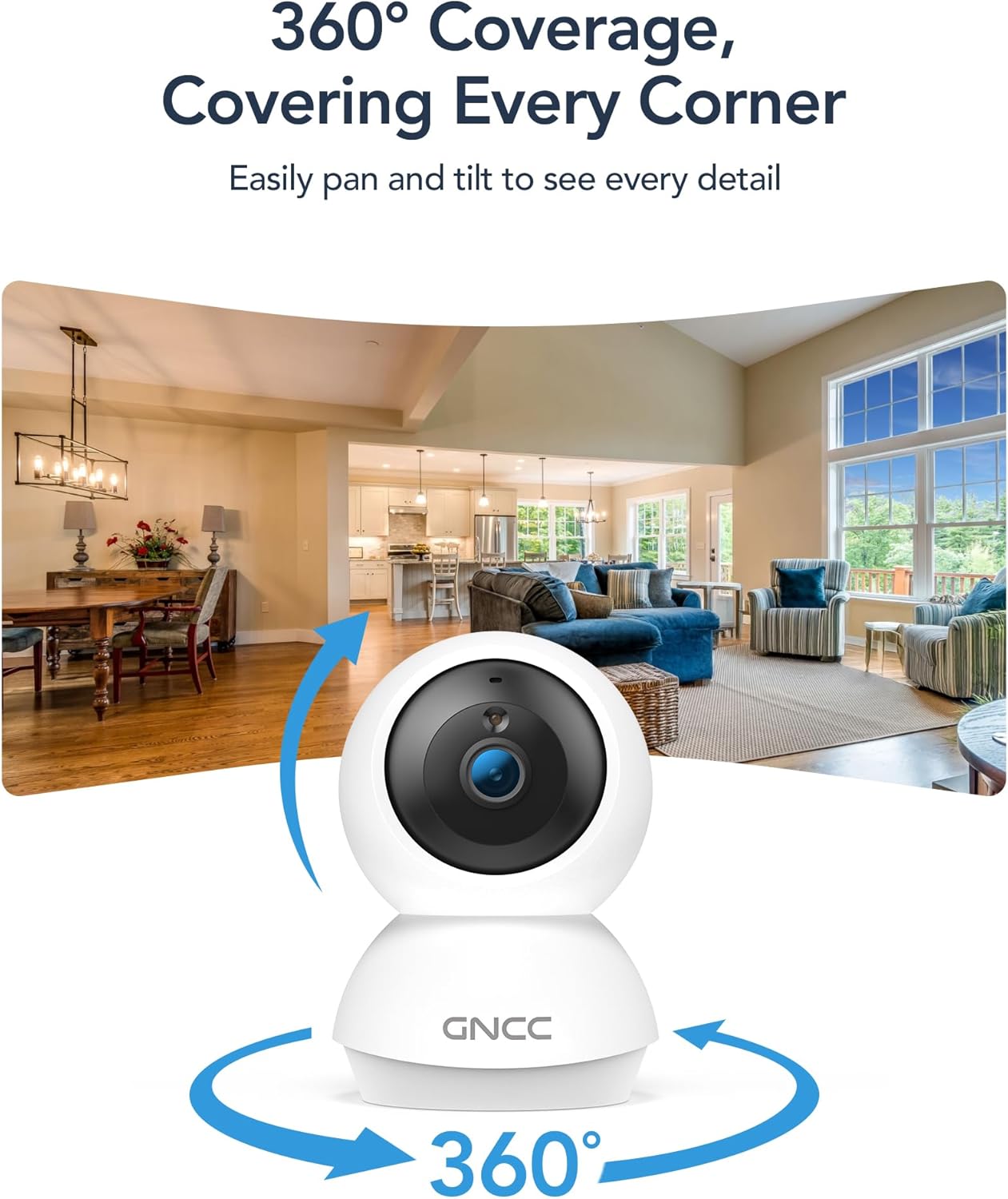
Image: Smart Detection & Instant Alerts
Two-Way Audio & Alexa Compatibility
A built-in high-fidelity microphone and speaker enable real-time communication. Comfort your crying baby, soothe your pet, or greet family members from anywhere. The camera works with Alexa/Google Assistant to view live feeds with voice control.

Image: Two-Way Audio

Image: Alexa/Google Assistant Compatibility
Flexible Options for Cloud/SD Card Storage
The GNCC indoor camera supports both Cloud storage (with a 14-day free trial) and Local storage (SD card not included, up to 128GB) to keep your footage safe. It supports 24/7 continuous recording on an SD card, while Cloud storage offers convenient access to footage iš bet kur.

Image: Flexible Optional Storage
All-in-Osaio App & One-Tap Simplicity
Designed with universal compatibility, the Osaio app works seamlessly with all GNCC home camera models, building a home security ecosystem for you. Packed with integrated functions, it offers easy setup, control, and monitoring of your home security in minutes.
Sąrankos vadovas
Follow these steps to set up your GNCC GP6 camera:
- Išpakuokite fotoaparatą: Carefully remove all components from the packaging. Ensure you have both cameras, power adapters, charging cables, mounting screws, and the user manual.
- Maitinimas: Connect the camera to a power source using the provided power adapter and charging cable. The camera will power on and indicate readiness for pairing.
- Download the Osaio App: Scan the QR code in the manual or search for "Osaio" in your smartphone's app store (iOS or Android). Download and install the app.
- Užregistruokite paskyrą: Open the Osaio app and follow the on-screen instructions to register a new account or log in if you already have one.
- Pridėti įrenginį: In the Osaio app, tap the "+" icon to add a new device. Select your camera model (GP6) and follow the in-app instructions for Bluetooth pairing. Ensure your phone's Bluetooth is enabled and close to the camera.
- Prisijunkite prie „Wi-Fi“: During the pairing process, you will be prompted to connect the camera to your home Wi-Fi network. The camera supports both 2.4GHz and 5GHz bands for a stable connection.
- Įrenginio pavadinimas: Assign a recognizable name to your camera (e.g., "Living Room Camera," "Baby's Room").
- Mount the Camera (Optional): Use the included mounting screws to securely attach the camera to a wall or ceiling if desired. The camera can also be placed on a flat surface.

Image: Osaio App Setup Steps
Sąrankos vaizdo įrašas
Video: Unboxing and Easy Setup Guide for GNCC Indoor Cameras (3:40)
Naudojimo instrukcijos
Tiesiogiai View ir panoraminio/pakreipimo valdymas
Access the live feed of your camera through the Osaio app. Use the on-screen joystick or swipe gestures to remotely control the camera's pan (340° horizontal) and tilt (80° vertical) functions to view skirtingose jūsų kambario vietose.
Dvipusis garsas
Tap the microphone icon in the app to speak through the camera's built-in speaker. Tap the speaker icon to listen to audio from the camera's environment. This allows for real-time communication.
Judesio aptikimas ir sekimas
The camera automatically detects motion and sounds. Enable AI Motion Tracking in the app settings to have the camera automatically follow detected movement. You will receive instant notifications on your phone when motion or sound is detected.
Pritaikomos veiklos zonos
In the Osaio app settings, you can define specific areas within the camera's view as activity zones. This helps reduce unnecessary alerts by focusing detection on critical areas.
Įrašymas ir saugojimas
The camera supports continuous recording to a local Micro SD card (up to 128GB, not included) or event-based recording to optional cloud storage. Access recorded footage via the Osaio app.
Naktinis matymas
The camera automatically switches to night vision mode in low-light conditions, providing clear black-and-white video up to 10 meters.
Privatumo režimas
Activate Privacy Mode via the Osaio app to temporarily disable monitoring and recording, ensuring your privacy when needed.
Priežiūra
- Valymas: Use a soft, dry cloth to clean the camera lens and body. Avoid harsh chemicals or abrasive materials.
- Firmware atnaujinimai: Regularly check the Osaio app for firmware updates. Keeping your camera's firmware up-to-date ensures optimal performance and security.
- Vieta: Įsitikinkite, kad kamera pastatyta stabilioje vietoje, atokiau nuo tiesioginių saulės spindulių, šilumos šaltinių ir drėgmės.
- SD kortelės tvarkymas: If using an SD card, periodically check its status in the app and consider formatting it every few months to maintain performance.
Trikčių šalinimas
- Fotoaparatas neprisijungęs: Check your Wi-Fi connection and ensure the camera is powered on. Restart the camera and your router if necessary. Verify Wi-Fi signal strength in the camera's location.
- Nepavyksta prisijungti prie programėlės: Ensure Bluetooth is enabled on your phone during initial setup. Confirm you are connecting to the correct Wi-Fi network. Try resetting the camera and repeating the setup process.
- Prasta vaizdo kokybė: Check your internet speed. A stable and fast internet connection is crucial for 2K streaming. Ensure the camera lens is clean.
- Judesio aptikimas neveikia: Verify that motion detection is enabled in the Osaio app settings. Adjust sensitivity levels and check activity zone configurations.
- No Sound/Two-Way Audio Issues: Check the volume settings on your phone and in the Osaio app. Ensure the camera's microphone and speaker are not obstructed.
- SD kortelė neįrašo: Ensure the SD card is inserted correctly and is not full. Format the SD card via the app if issues persist. Use a compatible SD card (Class 10 or higher, up to 128GB).
Specifikacijos
| Funkcija | Detalė |
|---|---|
| Modelio pavadinimas | Indoor Camera (GP6) |
| Vaizdo įrašymo raiška | 2K (1920p) |
| Ryšio technologija | Wireless (Bluetooth, Wi-Fi 2.4G/5GHz) |
| Ypatingos savybės | 2-Way Audio, HD Resolution, Image Sensor, Night Vision, PTZ Technology, AI Motion Tracking, Customizable Zones |
| Naudojimas lauke viduje | Vidinis |
| Suderinami įrenginiai | Smartphone (Osaio App), Amazon Alexa, Apple HomeKit |
| Montavimo tipas | Sieninis laikiklis, laisvai pastatomas |
| Įspėjimo tipas | Garsas ir judesys |
| Viewing kampas | 340 laipsnių (sukimas horizontaliai), 80 laipsnių (pakreipimas) |
| Naktinio matymo diapazonas | 10 metrai |
| „Flash“ atminties palaikomas maksimalus dydis | 128 GB (micro SD kortelė) |
| Maitinimo šaltinis | Su laidu elektra |
| Prekės matmenys | 2.95 x 2.95 x 4.77 colio |
Garantija ir palaikymas
Informacija apie garantiją
Your GNCC GP6 camera comes with a 12 mėnesių garantija nuo įsigijimo datos. Ši garantija taikoma gamybos defektams ir užtikrina, kad jūsų gaminys veikia taip, kaip numatyta, esant įprastam naudojimui. Išsaugokite pirkimo įrodymą, jei galėtumėte pateikti pretenzijas dėl garantijos.
Pagalba klientams
For technical assistance, troubleshooting, or warranty inquiries, please contact GNCC customer support:
- El. paštas: support@gncchome.com
- Palaikymas internetu: Visit the official GNCC webDUK ir papildomų išteklių svetainė.
Our support team is dedicated to providing prompt and helpful assistance.
Ask a question about this manual
Ask about setup, troubleshooting, compatibility, parts, safety, or missing instructions. Manuals+ will review the question and use this page’s manual context to help answer it.