
1. Įvadas
Thank you for choosing the VOCOO 15.7" Digital Wall Timer and Clock. This device is designed to provide clear time display, versatile countdown and count-up timer functions, and customizable alarm settings for various environments such as offices, homes, kitchens, gyms, and classrooms. Please read this manual carefully to ensure proper setup and operation.
2. Kas įskaičiuota
Patikrinkite, ar pakuotėje yra visi komponentai:
- VOCOO 15.7" Digital Wall Timer and Clock
- Nuotolinio valdymo pultas
- 16.4 pėdų maitinimo laidas
- 5V/2A maitinimo adapteris
- 3 x AAA Batteries (for memory backup)
- 2 x AAA baterijos (nuotolinio valdymo pultui)
- Vartotojo vadovas (šis dokumentas)
3. Sąranka
3.1 Maitinimo jungtis
- Connect the 16.4ft power cord to the DC 5V input port on the back of the timer.
- Plug the 5V/2A power adapter into a standard electrical outlet. The timer will power on automatically.
3.2 Memory Backup Battery Installation
The timer uses 3 AAA batteries (included) to retain settings during power outages. This ensures that time, colors, and alarms are preserved without reprogramming.
- Raskite baterijų skyrių laikmačio gale.
- Atidarykite skyriaus dangtelį.
- Įdėkite 3 AAA tipo baterijas, laikydamiesi teisingo poliškumo (+/-).
- Saugiai uždarykite akumuliatoriaus skyriaus dangtelį.

Image: Illustration of memory backup battery installation. The diagram shows the timer connected to power and the location for AAA batteries to preserve settings during power loss.
3.3 Nuotolinio valdymo pulto baterijų įdėjimas
The remote control requires 2 AAA batteries (included).
- Atidarykite baterijų skyrių, esantį nuotolinio valdymo pulto gale.
- Įdėkite 2 AAA baterijas, užtikrindami teisingą poliškumą.
- Uždarykite skyriaus dangtį.
3.4 Montavimas ir išdėstymas
The timer can be wall-mounted or placed on a desk.
- Montavimas ant sienos: Use the keyhole slots on the back of the timer to hang it securely on screws (not included) in your desired wall location.
- Stalo vieta: Place the timer on a flat, stable surface.
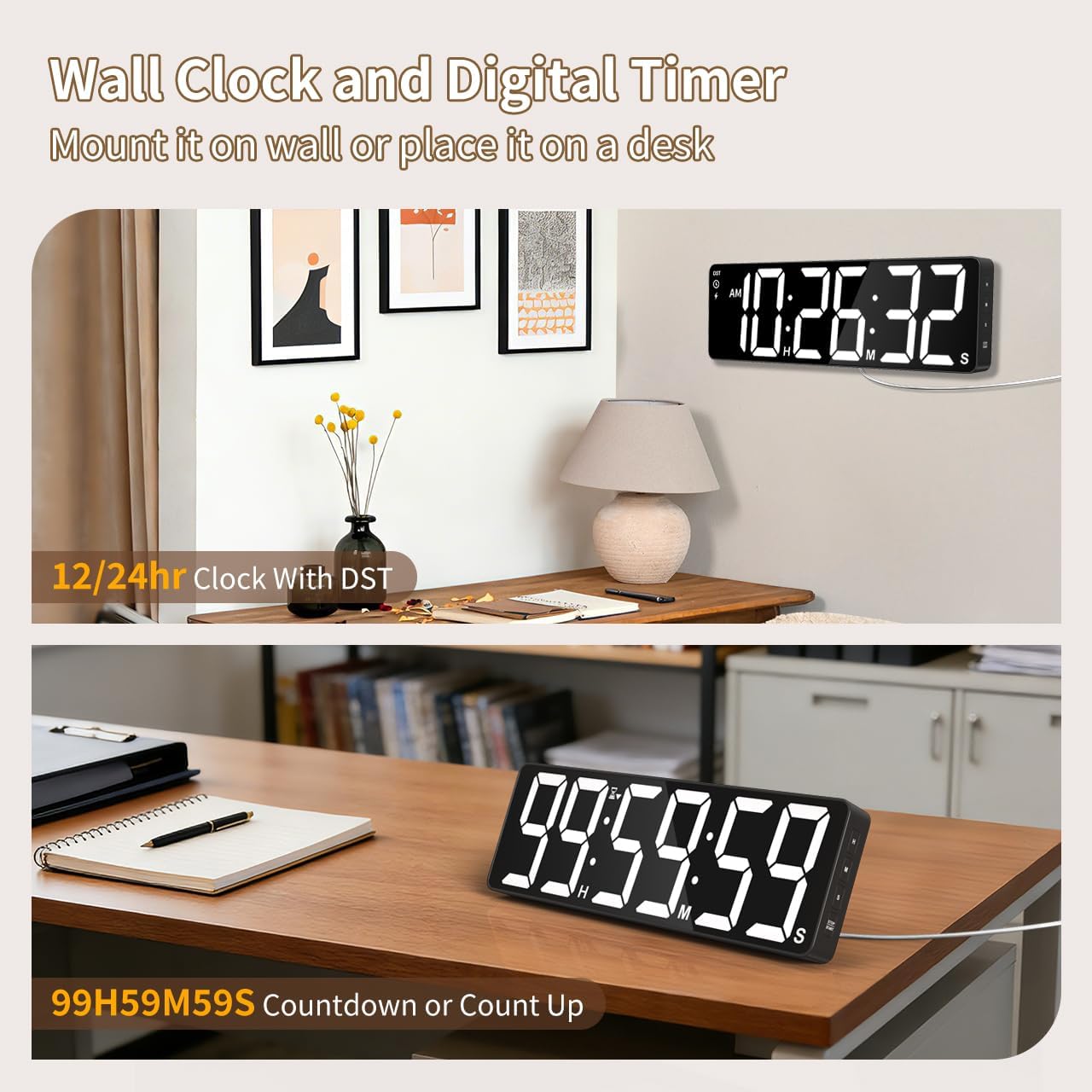
Vaizdas: pvzamples of the digital timer's placement, showing it mounted on a wall and resting on a desk, illustrating its versatility.
4. Naudojimo instrukcijos
The timer can be operated using the buttons on the device or the included remote control.

Vaizdas: Viršview of the timer's physical buttons and the remote control, highlighting their functions for easy operation.
4.1 Basic Clock Settings
Upon initial power-on or after a full power loss without backup batteries, the clock may need to be set.
- Nustatyti laiką: Paspauskite NUSTATYTI button on the remote or device. Use the number buttons (0-9) on the remote or the AUKŠTYN/ŽEMYN buttons on the device to adjust hours and minutes. Press NUSTATYTI dar kartą patvirtinti.
- 12/24 valandų formatas: Paspauskite 12/24H button on the remote to switch between 12-hour (with AM/PM indicator) and 24-hour formats.
- Vasaros laikas (DST): The timer features automatic DST adjustment. Ensure the DST setting is enabled if your region observes it. Refer to the remote control for a dedicated DST button or a combination key press.
4.2 Ryškumo reguliavimas
The display has 3 brightness levels.
- Paspauskite RYŠKUMAS button on the remote or device to cycle through the available brightness levels (Dim, Medium, Bright).
4.3 Spalvų pasirinkimas
Choose from 18 color options for the display digits.
- Paspauskite ŠVIESA SPALVA button on the remote or device to cycle through 8 solid colors, 3 RGB fixed colors, and 7 RGB gradient colors.

Image: Visual representation of the 18 color options and 3 brightness levels (Dim, Medium, Bright) available for the timer's display.
4.4 Timer Functions (Countdown/Count Up)
The timer supports both countdown and count-up modes, up to 99 hours, 59 minutes, and 59 seconds.
- Set Countdown: Paspauskite LAIKMATIS on the remote. Use the number buttons (0-9) to input the desired time (HH:MM:SS). Press PRADĖTI / PAUZĖ pradėti.
- Count Up (Stopwatch): Paspauskite LAIKMATIS ir tada IŠVALYTI to set the timer to 00:00:00. Press PRADĖTI / PAUZĖ kad pradėtų skaičiuoti.
- Pristabdyti / tęsti: Paspauskite PRADĖTI / PAUZĖ during an active timer to pause or resume.
- Atstatyti: Paspauskite RESET to clear the current timer setting.
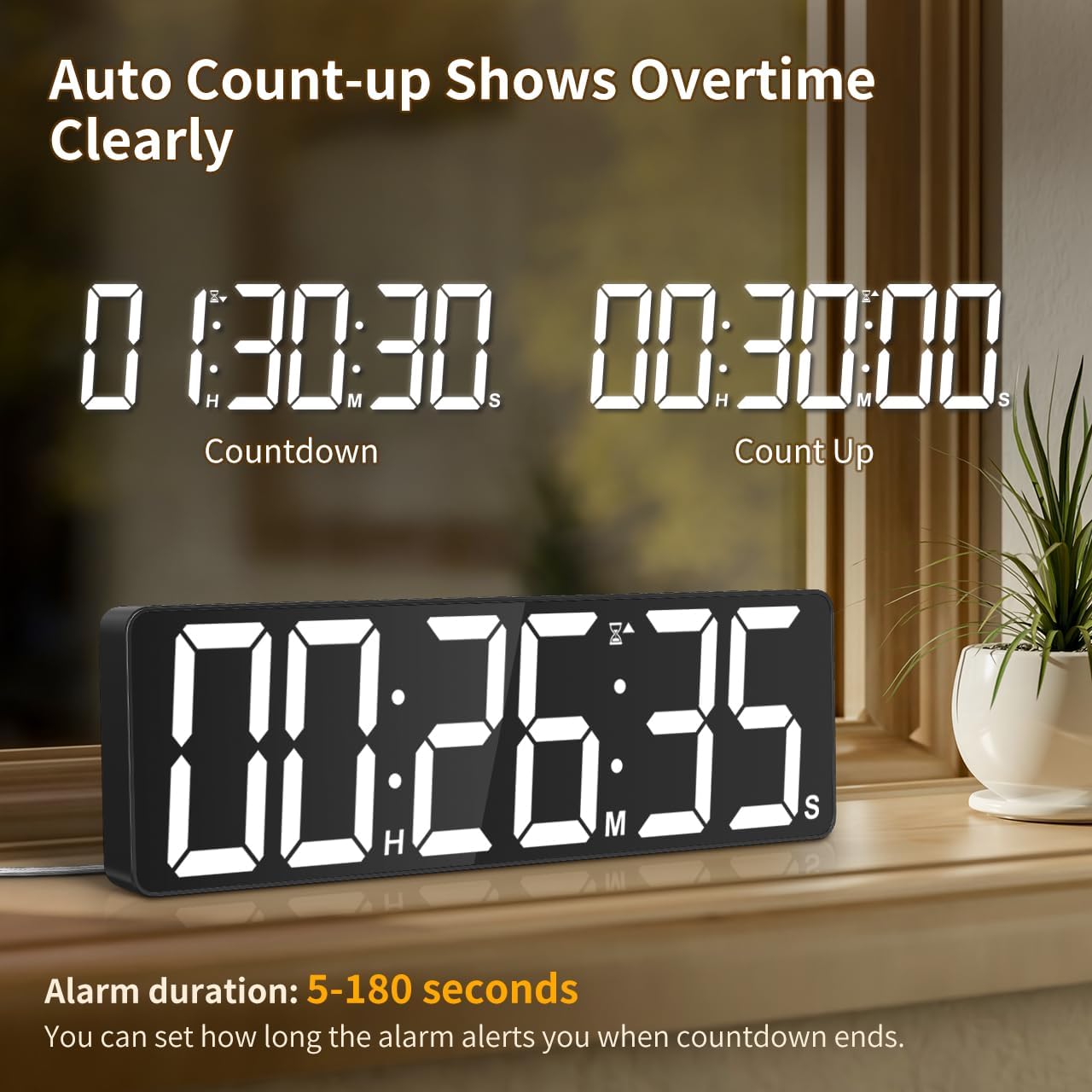
Image: The timer showing a countdown from 01:30:30 and an automatic count-up to 00:30:00 after a countdown finishes, indicating overtime tracking.
4.5 Quick-Set Shortcuts
The remote control includes 6 one-touch shortcut buttons for common timer durations:
- 3 minučių
- 5 minučių
- 15 minučių
- 25 minučių
- 30 minučių
- 5 valandos
Press the desired shortcut button to instantly set and start a countdown.
4.6 Signalizacijos nustatymai
The timer offers 6 distinct ringtones and 4 adjustable volume levels.
- Nustatyti zadintuva: Paspauskite SIGNALAS on the remote. Use number buttons to set the alarm time. Press SIGNALAS dar kartą patvirtinti.
- Select Ringtones: Paspauskite Skambėjimo tonas button on the remote to cycle through the 6 available tones (Buzzer, Melody 1-5).
- Reguliuoti garsumą: Paspauskite TOMAS button on the remote to cycle through 4 volume levels (L01-L04) or L00 for silent mode (digits flash).
- Signalizacijos trukmė: The alarm duration can be set from 5 to 180 seconds. Refer to the remote control for specific buttons or combination presses to adjust this setting.
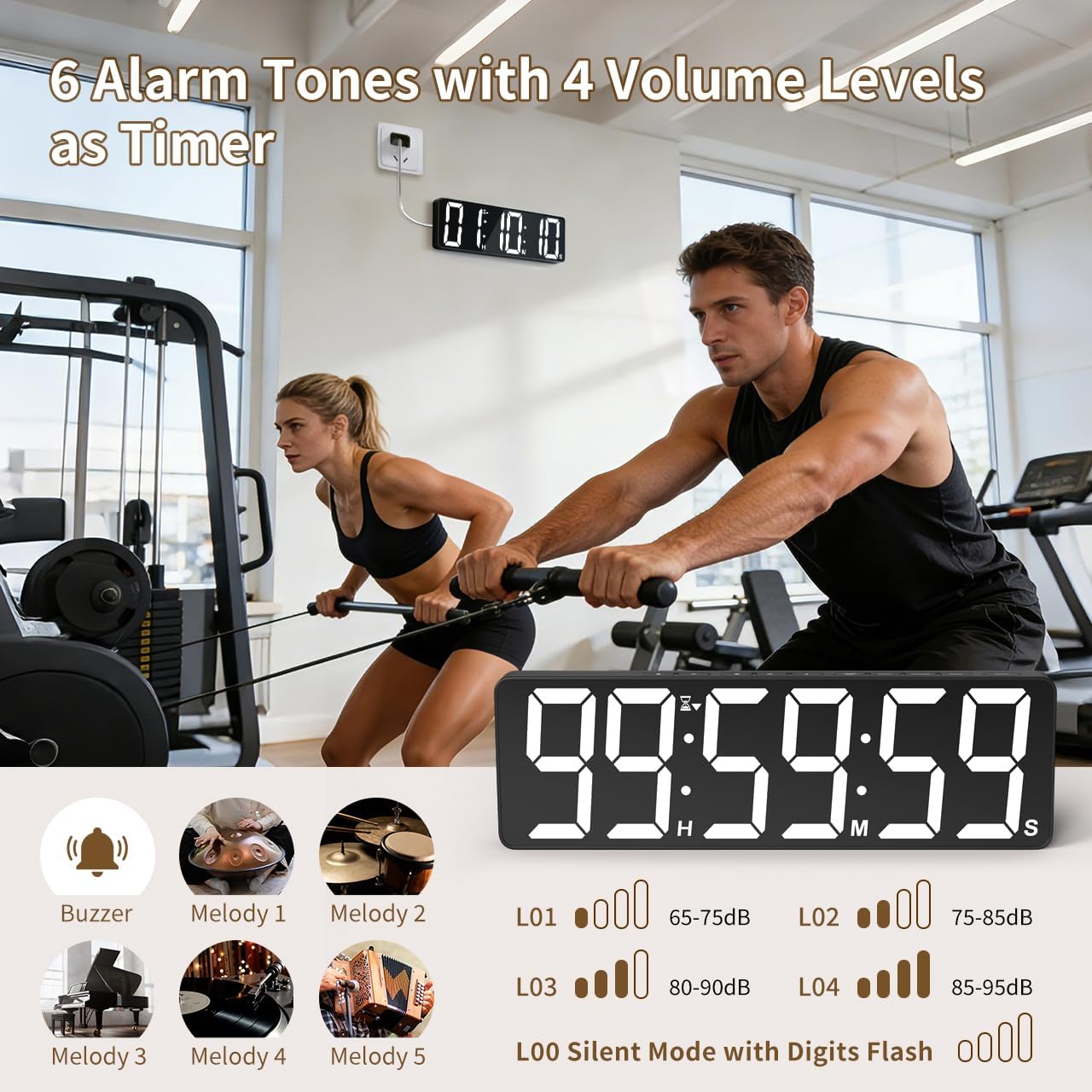
Image: Visual guide to the 6 alarm tones (Buzzer, Melody 1-5) and 4 volume levels (L01-L04), including a silent mode (L00) with flashing digits.
5. Priežiūra
5.1 Valymas
To clean the timer, gently wipe the display and casinminkštu, sausu skudurėliu. Nenaudokite abrazyvinių valiklių, tirpiklių ir nepurkškite tiesiai ant įrenginio.
5.2 Akumuliatoriaus keitimas
- Memory Backup Batteries: Replace the 3 AAA batteries in the main unit annually or if you notice settings are not retained during power outages.
- Nuotolinio valdymo pulto baterijos: Replace the 2 AAA batteries in the remote control when its range or responsiveness decreases.
Visada išmeskite panaudotas baterijas laikydamiesi vietinių taisyklių.
6. Problemų sprendimas
- Laikmatis neįsijungia: Ensure the power adapter is securely connected to both the timer and a working electrical outlet. Check if the outlet is functional.
- Nuotolinio valdymo pultas neveikia: Check if the remote control batteries are correctly installed and not depleted. Ensure there are no obstructions between the remote and the timer. The remote has a range of 30ft+.
- Nustatymai prarasti išjungus maitinimątage: Verify that the 3 AAA memory backup batteries are installed correctly and are not depleted. Replace them if necessary.
- Display is dim or colors are incorrect: Adjust the brightness level using the RYŠKUMAS button. Cycle through color options using the ŠVIESA SPALVA mygtuką.
- Alarm not audible: Check the alarm volume setting using the TOMAS button on the remote. Ensure it is not set to L00 (silent mode).
7. Specifikacijos
| Modelio numeris | 6247 |
| Ekrano tipas | LED |
| Ekrano dydis | 15.7 colių |
| Skaitmenų aukštis | 4.1 colių |
| Spalvų parinktys | 18 (8 solid, 3 RGB fixed, 7 RGB gradients) |
| Ryškumo lygiai | 3 |
| Laikmačio diapazonas | Up to 99 hours, 59 minutes, 59 seconds |
| Signalizacijos melodijos | 6 |
| Signalizacijos garsumo lygiai | 4 + Silent Mode |
| Signalizacijos trukmė | 5-180 sekundžių |
| Maitinimo įvestis | 5V/2A DC |
| Maitinimo laido ilgis | 16.4 ft (5 metrai) |
| Atminties atsarginė kopija | 3 x AAA baterijos (pridedamos) |
| Nuotolinio valdymo pulto baterijos | 2 x AAA baterijos (pridedamos) |
| Nuotolinio valdymo pulto diapazonas | 30ft+ |
| Gaminio matmenys (D x P x A) | 3.7G x 38P x 12A centimetrų |
| Prekės svoris | 820 gramų |
| Medžiaga | Akrilnitrilo butadieno stirenas |
8. Garantija ir palaikymas
For warranty information or technical support, please refer to the contact details provided with your purchase or visit the official VOCOO websvetainę. Išsaugokite pirkimo čekį garantiniams reikalavimams.