
Ulefone RugKing Pad Pro
Ulefone RugKing Pad Pro Android 16 Rugged Tablet User Manual
Model: RugKing Pad Pro | Brand: Ulefone
1. Įvadas
This manual provides essential instructions for setting up, operating, and maintaining your Ulefone RugKing Pad Pro rugged tablet. Please read this manual thoroughly before using the device to ensure proper function and longevity.
2. Pakuotės turinys
Patikrinkite, ar jūsų prekės pakuotėje yra visi šie daiktai:
- Ulefone RugKing Pad Pro Tablet x 1
- AC Charger (100~240V) x 1
- Type-C Data Cable (100 cm) x 1
- Protective Film (Pre-installed) x 1
- Metal Pry Opener x 1
- Portable Strap x 1
- Varžtai x 2
- Multilingual User Manual x 1
- Charging Instruction Card x 1
- Safety Warning Declaration x 1

Figure 2.1: Contents of the Ulefone RugKing Pad Pro package.
3. Produktas baigtasview
The Ulefone RugKing Pad Pro is a rugged tablet designed for durability and performance. Familiarize yourself with its physical components.
3.1 Fiziniai komponentai
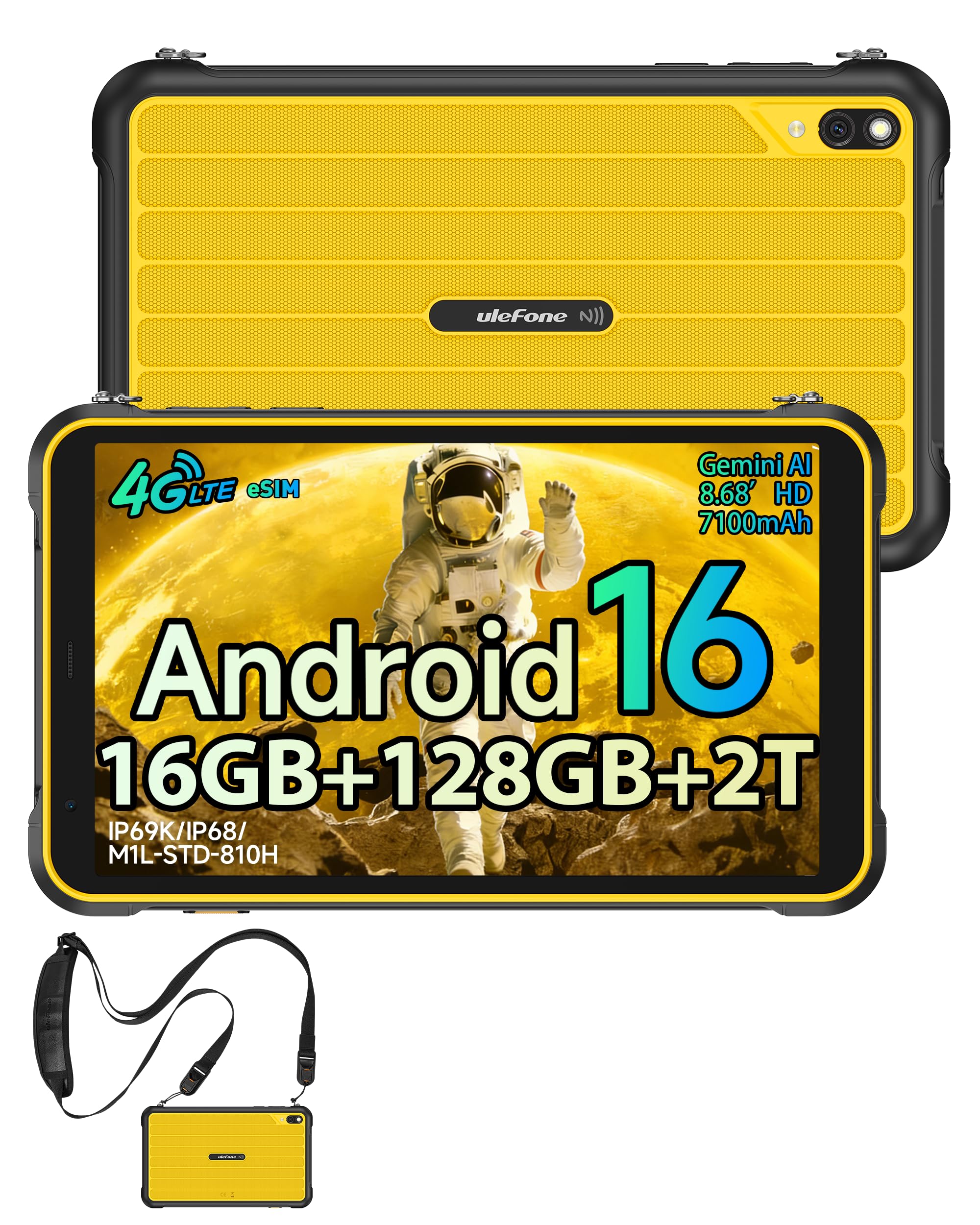
3.1 pav.: priekis view of the Ulefone RugKing Pad Pro.

3.2 pav.: šonas view with buttons and ports.
- Ekranas: 8.68-inch, 90Hz refresh rate, Corning Gorilla Glass.
- Maitinimo mygtukas: Esantis šone, naudojamas įrenginiui įjungti / išjungti arba pažadinti / užmigdyti.
- Garsumo mygtukai: Sureguliuokite garso lygius.
- C tipo USB prievadas: Įkrovimui ir duomenų perdavimui.
- Garsiakalbių grotelės: Dual stereo speakers for audio output.
- Kamera: 16 MP galinė kamera, 8 MP priekinė kamera.
- Žibintuvėlis: Integrated 133 lumen Super Torch.
- SIM / „MicroSD“ kortelės lizdas: Supports dual SIM and up to 2TB microSD expansion.
- „uSmart“ išplėtimo jungtis: For compatible peripherals like endoscopes.
- 3.5 mm ausinių lizdas: For audio accessories.
4. Sąranka
4.1 Pradinis įjungimas
- Paspauskite ir palaikykite Maitinimo mygtukas until the Ulefone logo appears.
- Vykdykite ekrane pateikiamus nurodymus, kad pasirinktumėte kalbą, regioną ir prisijungtumėte prie „Wi-Fi“ tinklo.
- Prisijunkite naudodami „Google“ paskyrą arba sukurkite naują, kad galėtumėte pasiekti „Google Play“ parduotuvę ir kitas paslaugas.
4.2 SIM kortelės ir eSIM sąranka
The RugKing Pad Pro supports dual physical SIM cards and eSIM functionality for 4G LTE connectivity.

Figure 4.1: Triple card slot for SIM and MicroSD.
4.2.1 Physical SIM Card Installation
- Planšetinio kompiuterio šone raskite SIM kortelės dėklą.
- Use the provided metal pry opener to eject the tray.
- Place your Nano-SIM cards into the designated slots.
- Atsargiai įstatykite dėklą atgal į planšetinį kompiuterį.
4.2.2 eSIM aktyvinimas
To activate eSIM, navigate to Nustatymai > Tinklas ir internetas > SIM kortelės and follow the instructions to add a new mobile plan. You will typically need a QR code or activation code from your network provider.

Figure 4.2: eSIM connectivity feature.
5. Naudojimo instrukcijos
5.1 „Android 16“ operacinė sistema
The RugKing Pad Pro runs on Android 16, offering a dynamic and fluid user interface with enhanced security and usability features. Enjoy desktop-like window views for multitasking and smarter notification management.

Figure 5.1: Android 16 user interface.
5.2 Rodymas ir sąveika
The 8.68-inch display with a 90Hz refresh rate provides smooth navigation and streaming. With 860 nits peak brightness, the screen is readable even in bright sunlight. Corning Gorilla Glass offers enhanced scratch resistance.

Figure 5.2: Display features including 90Hz refresh rate and Gorilla Glass.
5.2.1 Pirštinių režimas
For use in cold environments or industrial settings, enable Glove Mode in settings to allow touch input while wearing gloves. Note that some leather gloves may not be compatible due to material differences.

Figure 5.3: Tablet operation with gloves enabled.
5.3 Camera and Flashlight
The tablet features a 16MP rear camera for clear photos and document scanning, and an 8MP front camera for video calls. The integrated 133 lumen Super Torch provides bright illumination in low-light conditions.

Figure 5.4: Camera and Super Torch features.
5.4 Ryšys ir navigacija
- 4G LTE: Stay connected with dual SIM or eSIM.
- NFC: Supports Google Pay and other NFC functions for identification and authentication.
- GPS: Integrated GPS, GLONASS, BeiDou, and Galileo for accurate navigation.
- „Wi-Fi“: Supports 802.11b/g/n standards.
- Bluetooth: Skirta belaidžių priedų prijungimui.

Figure 5.5: NFC enabled device for various applications.

Figure 5.6: GPS navigation in a vehicle.
5.5 Ypatingos savybės
- Pasirinktinis raktas: Assign specific functions to a programmable key for quick access.
- Veido ID: Atrakinkite įrenginį naudodami veido atpažinimo funkciją.
- FM radijas: Listen to FM radio without headphones.
- „uSmart“ išplėtimo jungtis: Connect compatible external peripherals such as endoscopes (uSmart E01, E02) or digital microscopes (uSmart C01).

Figure 5.7: uSmart expansion connector and peripherals.
6. Patvarumo savybės
The RugKing Pad Pro is built to withstand extreme conditions, certified with IP68, IP69K, and MIL-STD-810H standards.
- IP68: Dustproof and resistant to continuous immersion in water up to 2 meters for 30 minutes.
- IP69K: Protected against high-pressure, high-temperature jet sprays.
- MIL-STD-810H: Military-grade standard ensuring reliable resistance to shocks, vibrations, and extreme temperatures.

Figure 6.1: Rugged design and certifications.

Figure 6.2: Dust, water, and drop resistance tests.
7. Baterijos valdymas
The RugKing Pad Pro is equipped with a 7100 mAh battery, offering extended usage. It supports 492 hours of standby time or 10 hours of video playback on a single charge.
7.1 Įkrovimas
- Standartinis įkrovimas: Connect the provided Type-C cable and AC charger to the tablet.
- „Pogo Pin“ įkrovimas: The tablet is compatible with Pogo Pin charging docks (sold separately) for convenient charging.
- Reverse Charging (OTG): Use the tablet as a power bank to charge other devices via an OTG cable (sold separately).

Figure 7.1: Battery capacity and charging methods.
8. Saugojimas ir našumas
Powered by an Unisoc T7250 Octa-core processor, the RugKing Pad Pro handles complex applications and demanding tasks efficiently. It comes with 16GB RAM (8GB physical + 8GB virtual) and 128GB internal storage, expandable up to 2TB via microSD card.

Figure 8.1: Octa-core processor for uninterrupted flow.

Figure 8.2: Memory and storage specifications.
*MicroSD card is sold separately for storage expansion. Dynamic RAM activation is user-configurable in Settings.
9. Priežiūra
9.1 Prietaiso valymas
- Ekranui ir korpusui valyti naudokite minkštą, nepūkuotą šluostę.
- Įsisenėjusiam purvui šiek tiek pamirkykiteampNuvalykite šluostę vandeniu. Venkite stiprių cheminių medžiagų ar abrazyvinių medžiagų.
- Ensure all port covers are securely closed before cleaning with liquids to maintain water resistance.
9.2 Programinės įrangos naujiniai
Regularly check for software updates to ensure optimal performance, security, and access to new features. Navigate to Nustatymai > Sistema > Sistemos naujinimas , kad patikrintumėte, ar yra atnaujinimų, ir įdiegtumėte juos.
9.3 Saugojimo valdymas
Periodiškai review jūsų saugoma files and applications. Delete unnecessary data to free up space and maintain device speed. Utilize the microSD card slot for large media files.
10. Problemų sprendimas
| Problema | Sprendimas |
|---|---|
| Įrenginys neįsijungia. | Įsitikinkite, kad akumuliatorius įkrautas. Prijunkite įkroviklį ir palaukite kelias minutes, prieš bandydami vėl įjungti. |
| Ekranas nereaguoja. | Perform a forced restart by holding the Power button for 10-15 seconds. If the issue persists, ensure Glove Mode is not causing interference if not needed. |
| Nepavyksta prisijungti prie „Wi-Fi“. | Check if Wi-Fi is enabled in settings. Restart your router and the tablet. Verify the Wi-Fi password. |
| SIM kortelė neaptikta. | Įsitikinkite, kad SIM kortelė tinkamai įdėta į dėklą. Paleiskite planšetinį kompiuterį iš naujo. Patikrinkite, ar SIM kortelė aktyvi pas jūsų operatorių. |
| Baterija greitai išsikrauna. | Reduce screen brightness, close unused apps, disable unnecessary connectivity features (Bluetooth, GPS, Wi-Fi) when not in use. Check for background app activity. |
11. Specifikacijos
| Funkcija | Detalė |
|---|---|
| Modelio pavadinimas | Ulefone RugKing Pad Pro |
| Operacinė sistema | Android 16 |
| Procesorius | „Unisoc T7250“ aštuonių branduolių procesorius |
| RAM | 16 GB (8 GB fizinės + 8 GB virtualios) |
| Vidinė saugykla | 128 GB |
| Išplečiama saugykla | Iki 2 TB per „microSD“ kortelę |
| Ekrano dydis | 8.68 colių |
| Ekrano raiška | 1400 x 800 pikselių (HD+) |
| Atnaujinimo dažnis | 90 Hz |
| Ekrano apsauga | Corning Gorilla Glass |
| Galinė kamera | 16 MP |
| Priekinė kamera | 8 MP |
| Vaizdo įrašymas | FHD 1080p |
| Baterijos talpa | 7100 mAh (ličio polimeras) |
| Baterijos veikimo laikas (vidutinis) | 13 Days (standby), 10 Hours (video playback) |
| Ryšys | 4G LTE (Dual SIM, eSIM), Wi-Fi (802.11b/g/n), Bluetooth, NFC |
| Navigacija | GPS, GLONASS, BeiDou, Galileo |
| Patvarumo įvertinimai | IP68, IP69K, MIL-STD-810H |
| Apsaugos funkcijos | Veido ID |
| Matmenys (I x P x A) | 20 x 10 x 1 cm |
| Svoris | 450 gramų |
12. Garantija ir palaikymas
12.1 Informacija apie garantiją
The Ulefone RugKing Pad Pro comes with a 2 metų gamintojo garantijaŠi garantija taikoma medžiagų ir gamybos defektams, atsiradusiems įprasto naudojimo sąlygomis. Išsaugokite pirkimo įrodymą, jei galėtumėte pateikti pretenzijas dėl garantijos.


Figure 12.1: Ulefone brand and 2-year warranty indication.
12.2 Pagalba klientams
For technical assistance, warranty claims, or further inquiries, please contact Ulefone customer support. A service center is available in Europe.
- Refer to the official Ulefone websvetainė, kurioje rasite kontaktinius duomenis.
- Consult the "Multilingual User Manual" included in your package for additional information.
- The tablet includes a "Service Center 2.0" application for intelligent support.
Ask a question about this manual
Ask about setup, troubleshooting, compatibility, parts, safety, or missing instructions. Manuals+ will review the question and use this page’s manual context to help answer it.