
1. Įvadas
This manual provides detailed instructions for the installation, operation, and maintenance of your JOOAN 4G Solar Security Camera. This outdoor wireless surveillance camera is designed for areas without traditional power or network infrastructure, utilizing 4G cellular connectivity and solar power for continuous operation. Please read this manual thoroughly before use to ensure proper setup and functionality.

Image 1.1: JOOAN 4G Solar Security Camera with its solar panel and a smartphone displaying the camera's live feed, highlighting its 4MP/5MP HD resolution capability.
2. Produkto ypatybės
- 4G ryšys: Operates independently using a SIM card, ideal for remote locations.
- Varomas saulės energija: Equipped with a solar panel for continuous charging, reducing the need for external power sources.
- Didelės raiškos skiriamoji geba: Įrašo aiškų vaizdo įrašątage for effective surveillance.
- Spalvotas naktinis matymas: Offers multiple night vision modes including infrared, full-color, and smart color night vision for enhanced visibility in low-light conditions up to 10 meters.
- Vietinė ir debesies saugykla: Supports up to 256GB SD card storage and optional cloud storage for recorded footage.
- Lengvas montavimas: Designed for straightforward setup and mounting.
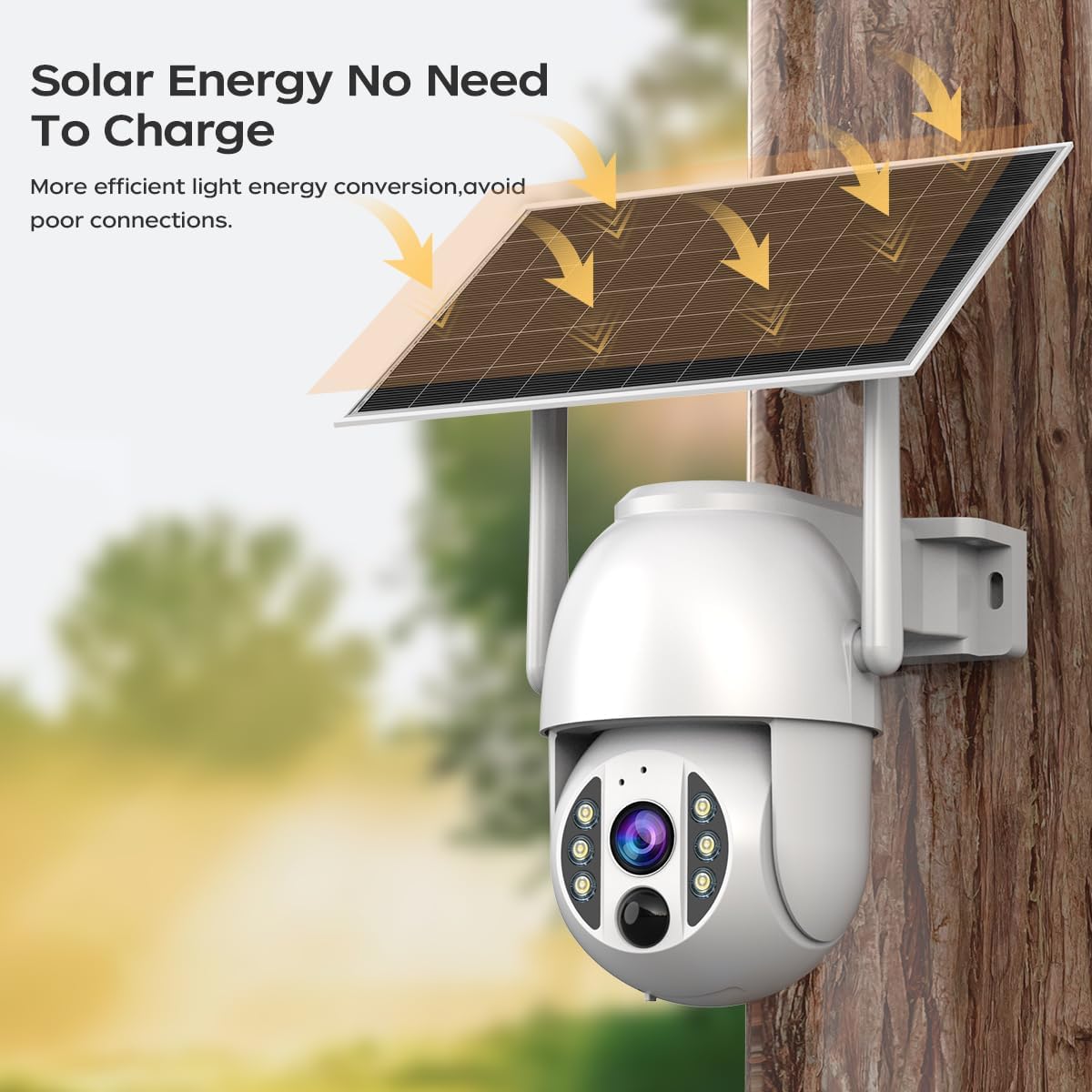
Image 2.1: The JOOAN 4G Solar Security Camera mounted with its solar panel, illustrating its solar energy capability for efficient light energy conversion and avoiding poor connections.
3. Sąranka ir diegimas
3.1. SIM ir SD kortelių įdėjimas
Before mounting, install a 4G SIM card (not included) and an SD card (up to 256GB, not included) into the designated slots on the camera. Ensure the camera is powered off before inserting or removing cards.

3.1 pav.: Stambus planas view of the JOOAN camera's SD card slot, indicating support for cloud storage and a maximum 256GB SD card.
3.2. Montavimo žingsniai
- Positioning and Punching: Select a suitable location for the camera and solar panel. Mark the drilling points on the wall. Use a drill to create holes at the marked positions.
- Įdėkite išsiplėtimo varžtus: Gently tap the expansion screws into the drilled holes until they are flush with the surface.
- Sumontuokite fotoaparatą: Align the camera bracket with the expansion screws and secure it using the provided screws.
- Pilnas montavimas: Attach the solar panel to the camera bracket or mount it separately in a location with ample sunlight. Ensure all connections are secure.

Image 3.2: Visual guide showing the four installation steps: 1. Positioning and punching, 2. Inserting expansion screws, 3. Mounting the camera with screws, and 4. Completing the installation with the solar panel.
3.3. Programėlės ryšys
Download the official JOOAN app from your smartphone's app store. Follow the in-app instructions to add your camera. There are typically two methods:
- Add APP Phone Code: Scan the QR code displayed on your mobile phone APP with the camera lens from a distance of 20-30cm to add the distribution network.
- Add Camera Body Code: Scan the QR code located on the camera body using the mobile phone APP to add the distribution network.

Image 3.3: Illustration of the two connection methods: scanning the APP phone code or scanning the camera body code to establish a network connection.
4. Operacija
4.1. Įjungimas/išjungimas
The camera automatically powers on when sufficient solar power is available or when connected to a power source. To power off, disconnect the power source and allow the battery to deplete, or use the app if a power-off function is available.
4.2. Gyvai View ir Įrašymas
Once connected to the app, you can access the live video feed. The camera supports continuous recording to the SD card or cloud storage (subscription may be required). You can also manually record video or capture screenshots from the live view.
4.3. Judesio aptikimas ir įspėjimai
Configure motion detection sensitivity and alert settings within the app. The camera will send notifications to your smartphone when motion is detected. Recorded events can be reviewed in the app's playback section.
4.4. Naktinio matymo režimai
The camera offers three night vision modes, selectable via the app:
- Infraraudonųjų spindulių nakties vizija: Pateikia aiškius nespalvotus vaizdus visiškoje tamsoje.
- Spalvotas naktinis matymas: Utilizes built-in spotlights to provide color images in low-light conditions.
- Išmanusis spalvotas naktinis matymas: Automatically switches from infrared to full-color vision upon detection of motion or specific events.

Image 4.1: Comparison of the three night vision modes: Infrared night vision, Full color night vision, and Smart color night vision, demonstrating the camera's ability to pick out details in darkness up to 10 meters away.
5. Priežiūra
- Objektyvo valymas: Reguliariai valykite kameros objektyvą minkštu, sausu skudurėliu, kad užtikrintumėte ryškią vaizdo kokybę. Venkite abrazyvinių valiklių.
- Saulės baterijų valymas: Keep the solar panel free from dust, dirt, and debris to maximize charging efficiency. Clean with a damp audinys pagal poreikį.
- Firmware atnaujinimai: Check the app periodically for available firmware updates to ensure optimal performance and security.
- Baterijos būklė: Ensure the solar panel receives adequate sunlight to maintain battery charge. Prolonged periods without sunlight may require temporary charging via a USB power adapter (not included).
6. Problemų sprendimas
6.1. Camera Not Connecting to 4G Network
- Įsitikinkite, kad SIM kortelė tinkamai įdėta ir aktyvuota su galiojančiu duomenų planu.
- Patikrinkite 4G signalo stiprumą kameros vietoje.
- Restart the camera by briefly disconnecting and reconnecting its power.
6.2. No Video Feed or Poor Quality
- Verify the camera has sufficient power.
- Check the 4G signal strength.
- Nuvalykite fotoaparato objektyvą.
6.3. Saulės baterija neįkraunama
- Įsitikinkite, kad saulės baterijos modulis yra pastatytas taip, kad jį kasdien kelias valandas gautų tiesioginiai saulės spinduliai.
- Clean any dirt or obstructions from the solar panel surface.
- Patikrinkite jungiamąjį laidą tarp saulės baterijos ir kameros.
6.4. SD Card Not Recording
- Įsitikinkite, kad SD kortelė tinkamai įdėta ir suformatuota programoje.
- Patikrinkite, ar SD kortelėje yra pakankamai laisvos vietos.
- Patikrinkite įrašymo nustatymus programėlėje.
7. Specifikacijos
| Funkcija | Detalė |
|---|---|
| Prekės ženklas | JOOAN |
| Modelis | B0GCFGYCLX |
| Maitinimo šaltinis | Varomas saulės energija |
| Ryšio protokolas | 4G Cellular (SIM card required), Wi-Fi (for initial setup/local access if applicable) |
| Rekomenduojami naudojimo būdai | Indoor/Outdoor Surveillance |
| Ypatinga funkcija | Lengva montuoti |
| Sandėliavimas | Supports up to 256GB SD card, Cloud Storage (subscription may apply) |
8. Garantija ir palaikymas
For warranty information and technical support, please refer to the JOOAN official websvetainėje arba susisiekite tiesiogiai su jų klientų aptarnavimo tarnyba. Išsaugokite pirkimo kvitą kaip pirkimo įrodymą.
Jei reikia daugiau pagalbos, apsilankykite: JOOAN Store on Amazon