
1. Sąranka
This section guides you through the initial setup of your CHUWI CoreBook X laptop.
1.1 Išpakavimas ir pradinis įjungimas
- Atsargiai išimkite nešiojamąjį kompiuterį ir visus priedus iš pakuotės.
- Connect the provided USB-C power adapter to the laptop's USB-C port (PD Charging/USB 2.0) and then to a power outlet.
- Open the laptop lid. The laptop may power on automatically or you may need to press the power button located on the keyboard.
- Vykdykite ekrane pateikiamus nurodymus, kad atliktumėte pradinę „Windows 11 Pro“ sąranką, įskaitant kalbos pasirinkimą, tinklo ryšį ir vartotojo paskyros kūrimą.
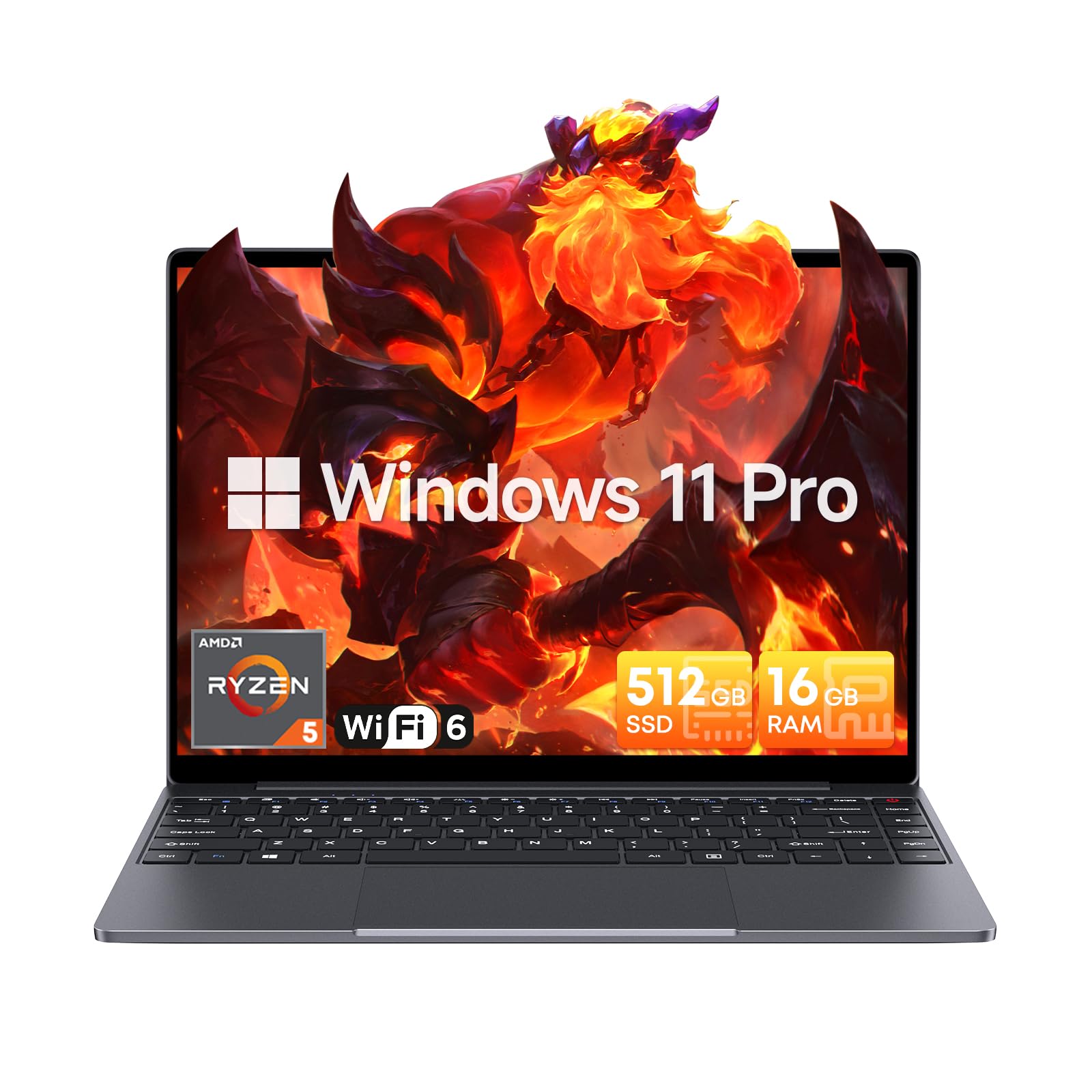
Image: The CHUWI CoreBook X laptop open on a desk, ready for use.
1.2 Išorinių įrenginių prijungimas
- USB įrenginiai: Connect USB mice, keyboards, or external storage devices to the available USB 3.0 ports.
- Išorinis ekranas: Use the HDMI 1.4 port or the full-featured USB Type-C port to connect an external monitor.
- Garso įrenginiai: Prijunkite ausines arba išorinius garsiakalbius prie 3.5 mm garso lizdo.
- TF kortelė: Insert a TF card into the TF card slot for additional storage.

Vaizdas: Išsamus view of the laptop's ports, including TF Card Slot, 3.5mm Headphone Jack, USB 3.0 Port, Lock Slot, USB Type-C (PD Charging/USB 2.0), HDMI 1.4, and Full-featured USB Type-C Port.
1.3 Network and Bluetooth Connection
- „Wi-Fi 6“: Norėdami prisijungti prie belaidžio tinklo, užduočių juostoje spustelėkite „Wi-Fi“ piktogramą, pasirinkite savo tinklą ir įveskite slaptažodį.
- "Bluetooth 5.2": To pair Bluetooth devices, go to Windows Settings > Bluetooth & devices, turn on Bluetooth, and select your device to pair.
2. Operacinis
This section covers the basic operation of your CHUWI CoreBook X laptop.
2.1 Energijos valdymas
- Maitinimas: Paspauskite maitinimo mygtuką.
- Miegojimo rezimas: Close the lid or select "Sleep" from the Start menu.
- Išjungti: Select "Shut down" from the Start menu.
- Paleisti iš naujo: Select "Restart" from the Start menu.
2.2 Klaviatūra ir jutiklinė planšetė
- The laptop features a full-sized backlit keyboard with white illumination. Use the function keys (Fn) in combination with other keys for shortcuts like adjusting brightness, volume, or toggling the backlight.
- The large touchpad supports multi-touch gestures for navigation. Refer to Windows settings for customizing touchpad gestures.

Vaizdas: Stambus planas view of the laptop's backlit keyboard and large touchpad, highlighting its navigation features.
2.3 Ekranas ir garsas
- The 14-inch IPS display offers a 2160*1440 resolution. Adjust display settings (brightness, resolution, scaling) through Windows Display Settings.
- The laptop is equipped with stereo speakers. Volume can be controlled via the keyboard function keys or the Windows sound settings.
- HD webcam is integrated for video conferencing.

Image: The laptop's 14-inch 2K IPS display showcasing vibrant colors and a comparison of 3:2 and 16:9 aspect ratios.
2.4 Vaizdo perdavimasview
Video: An official product video demonstrating various features and usage scenarios of the CHUWI CoreBook X laptop, including its performance, display, and connectivity options.
3. Priežiūra
Tinkama priežiūra užtikrina nešiojamojo kompiuterio ilgaamžiškumą ir optimalų veikimą.
3.1 Valymas
- Ekranui valyti naudokite minkštą, nepūkuotą šluostę. Jei dėmės sunkiai įveikiamos,ampŠluostę šiek tiek sudrėkinkite vandeniu arba ekranui saugiu valikliu.
- Wipe the chassis and keyboard with a soft, dry cloth. Avoid using harsh chemicals or abrasive materials.
- Periodically use compressed air to clear dust from the vents to maintain efficient cooling.
3.2 Akumuliatoriaus priežiūra
- Avoid fully discharging the battery frequently. Charge the laptop when the battery level is low.
- Jei nešiojamąjį kompiuterį ilgesnį laiką nenaudojate, laikykite jį vėsioje, sausoje vietoje, o akumuliatorių įkraukite iki maždaug 50–70 %.
- Use only the original or certified compatible USB-C PD charger.
3.3 Saugyklos ir atminties atnaujinimai
The laptop supports RAM and SSD upgrades.
- The 16GB DDR4 RAM can be expanded up to 64GB via 2 SODIMM slots.
- The 512GB PCIe SSD can be expanded up to 2TB using the M.2 2280 PCIe slot.
- A convenient detachable bottom cover allows for easier access to upgrade components without removing the entire back panel.

Image: The underside of the laptop with the detachable cover removed, revealing the dual-channel SO-DIMM slot for RAM upgrades.
4. Problemų sprendimas
Šiame skyriuje pateikiami dažniausiai pasitaikančių problemų, su kuriomis galite susidurti, sprendimai.
4.1 Bendrosios problemos ir sprendimai
- Nešiojamasis kompiuteris neįsijungia:
- Įsitikinkite, kad maitinimo adapteris yra tvirtai prijungtas tiek prie nešiojamojo kompiuterio, tiek prie veikiančio maitinimo lizdo.
- Patikrinkite, ar maitinimo lizdas veikia.
- Pabandykite palaikyti maitinimo mygtuką 10–15 sekundžių, kad atliktumėte griežtą atkūrimą.
- Ekrano problemos (nėra vaizdo, mirga):
- Ekrano ryškumo reguliavimas naudojant funkcinius klavišus.
- Jei prijungtas išorinis monitorius, pabandykite jį atjungti.
- Iš naujo paleiskite nešiojamąjį kompiuterį.
- „Wi-Fi“ arba „Bluetooth“ ryšio problemos:
- Įsitikinkite, kad „Windows“ nustatymuose įjungtas „Wi-Fi“ / „Bluetooth“.
- Iš naujo paleiskite maršrutizatorių / modemą, jei kyla „Wi-Fi“ problemų.
- Pašalinkite ir iš naujo suporuokite „Bluetooth“ įrenginius.
- Update network and Bluetooth drivers through Device Manager.
- Lėtas veikimas:
- Uždarykite nereikalingas programas, veikiančias fone.
- Patikrinkite, ar nėra „Windows“ naujinimų ir tvarkyklių naujinimų.
- Įsitikinkite, kad SSD diske yra pakankamai laisvos vietos.
- Paleiskite kenkėjiškų programų nuskaitymą.
If you encounter issues not covered here or require further assistance, please refer to the Support section.
5. Specifikacijos
Detailed technical specifications for the CHUWI CoreBook X laptop.

Image: An illustration of the AMD Ryzen 5 processor, highlighting its core count, threads, and clock speed.
| Funkcija | Specifikacija |
|---|---|
| Modelio pavadinimas | Corebook X |
| Procesorius | AMD Ryzen 5 (6 Cores, 12 Threads, up to 4.3 GHz) |
| Grafika | AMD Radeon Graphics (1800MHz, Max 2GB Memory) |
| RAM | 16GB DDR4 (Expandable up to 64GB via 2 SODIMM slots) |
| Sandėliavimas | 512GB PCIe SSD (Expandable up to 2TB via M.2 2280 PCIe slot) |
| Ekranas | 14-inch IPS, 2160*1440 Resolution, 100% sRGB Color Gamut |
| Operacinė sistema | Windows 11 Pro |
| Ryšys | „Wi-Fi 6“ (802.11ax), „Bluetooth 5.2“ |
| Uostai | USB Type-C (PD Charging/USB 2.0), USB 3.0, HDMI 1.4, Full-featured USB Type-C, 3.5mm Audio Jack, TF Card Slot, Lock Slot |
| Baterija | 46.2Wh Lithium-Ion Battery, 65W USB-C PD Fast Charging |
| Klaviatūra | Full-sized Backlit Keyboard with White Illumination |
| Jutiklinė dalis | Large Touchpad, Multi-touch |
| Webkumštelis | HD Webkumštelis |
| Matmenys | 12.2"L x 9"W x 0.67"Th (17mm thin) |
| Svoris | 2.2 svarai (1.4 kg) |
6. Garantija
The CHUWI CoreBook X laptop comes with a 1 metų gamintojo garantija.
This warranty covers defects in materials and workmanship under normal use. It does not cover damage caused by accidents, misuse, unauthorized repairs, or modifications. Please retain your proof of purchase for warranty claims.
7. Parama
For technical assistance, warranty claims, or further inquiries, please contact CHUWI customer support.
- Gamintojo palaikymas: Visit the official CHUWI websvetainė, kurioje rasite pagalbos išteklių, DUK ir kontaktinės informacijos.
- Pardavėjo palaikymas: If purchased through a retailer, you may also contact the seller for assistance.