
1. Įvadas
This manual provides detailed instructions for the Donner DEK-630 61-Key Electronic Keyboard. Please read this manual thoroughly before using the instrument to ensure proper operation and to maximize your musical experience. The DEK-630 is designed for beginners and music enthusiasts, featuring lighted keys, various tones and rhythms, and learning modes to support your musical journey.

Image 1.1: The Donner DEK-630 61-Key Electronic Keyboard Set, including the keyboard, Z-stand, and bench.
2. Kas yra dėžutėje
Patikrinkite, ar pakuotėje yra visi komponentai:
- Donner DEK-630 Electric Keyboard
- Z-shaped Stand
- Piano suoliukas
- Muzikos poilsis
- Užrašų lipdukai
- Maitinimo adapteris
- Instrukcijų vadovas (šis dokumentas)
3. Sąranka
3.1 Assembling the Z-shaped Stand
- Unfold the main frame of the Z-stand.
- Attach the horizontal support bars to the vertical frames using the provided screws and knobs. Ensure they are securely tightened.
- Adjust the height of the stand to your preferred playing position using the adjustment knobs.
Video 3.1: Official Donner Music video demonstrating the assembly of the DEK-630 keyboard stand.
3.2 Assembling the Piano Bench
- Unfold the legs of the piano bench.
- Ensure all locking mechanisms are engaged for stability.
3.3 Placing the Keyboard and Music Rest
- Carefully place the DEK-630 keyboard onto the assembled Z-stand. Ensure it is stable and centered.
- Insert the music rest into the designated slots on the top panel of the keyboard.

Image 3.1: The Donner DEK-630 keyboard fully set up with the Z-stand and piano bench.
3.4 Maitinimo jungtis
- Connect the provided power adapter to the DC 12V input jack (8) on the rear panel of the keyboard.
- Įjunkite maitinimo adapterį į standartinį elektros lizdą.

Image 3.2: Close-up of the DEK-630's rear panel, highlighting the power adapter input and other connectivity options.
4. Naudojimo instrukcijos
4.1 Maitinimo įjungimas/išjungimas
Paspauskite GALIA button located on the control panel to turn the keyboard on or off. The LCD display will illuminate upon power-on.
4.2 LCD ekranasview
The LCD display provides visual feedback on the current tone, rhythm, tempo, and learning mode status. Use the navigation buttons to browse through options.

Image 4.1: The DEK-630's LCD display, showing active settings for tones, rhythms, and learning modes.
4.3 Tone Selection (300 Tones)
To select a tone:
- Paspauskite TONAS mygtuką.
- Naudokite skaičių klaviatūrą arba +/- buttons to select from 300 available tones. The selected tone number and name will appear on the LCD.
4.4 Rhythm Selection (256 Rhythms)
To select a rhythm:
- Paspauskite RITMAS mygtuką.
- Naudokite skaičių klaviatūrą arba +/- buttons to select from 256 available rhythms.
- Paspauskite START/STOP , kad pradėtumėte arba užbaigtumėte ritmo atkūrimą.
4.5 Demo Songs (40 Songs)
The keyboard includes 40 demo songs for listening and practice.
- Paspauskite DEMO Daina mygtuką.
- Naudokite +/- buttons to cycle through the demo songs.
- Paspauskite ŽAISTI to start the selected demo song.
4.6 Mokymosi režimai
The DEK-630 offers built-in learning modes to assist beginners, including lighted keys, auto-chord, and metronome functions.
- Apšviesti klavišai: Keys illuminate to guide you during learning exercises.
- Auto-Chord: Automatically plays chords based on single key presses, simplifying accompaniment.
- Metronomas: Provides a steady beat to help develop rhythm and timing. Activate by pressing the METRONOMAS mygtuką.

Image 4.2: A user's hands playing the DEK-630, demonstrating the lighted key feature for learning.
4.7 Įrašymas ir atkūrimas
To record your performance:
- Paspauskite REC button. The REC indicator will light up.
- Grokite norimą melodiją.
- Paspauskite ŽAISTI to stop recording and listen to your recorded performance.
4.8 Dual Keyboard / Split Functions
- Dual Keyboard: Allows two different voices to be layered and played simultaneously.
- Padalijimo funkcija: Divides the keyboard into two sections, each with its own tone, allowing two different instruments to be played at once. Refer to the full manual for detailed activation steps.
4.9 Garsumo valdymas
Reguliuokite pagrindinį garsumą naudodami PAGRINDINIS GARSAS knob or buttons on the control panel.
4.10 Ryšio parinktys
The DEK-630 offers various ports for expanded functionality:
- Sustain Pedal Jack (1): Connect an optional sustain pedal for expressive playing.
- MIDI Port (2): Connect to computers or other MIDI devices for music production and learning software.
- USB prievadas (3): For USB MIDI connectivity.
- Audio Input Line (4): Connect external audio sources (e.g., MP3 player) to play along.
- Output (L/R) (5): Prisijunkite prie išorinio amplifiers or mixing consoles.
- Mic Jack (6): Prijunkite mikrofoną vokalo akompanimentui.
- Ausinių lizdas (7): Connect headphones for private practice. Headphones need to be purchased separately.
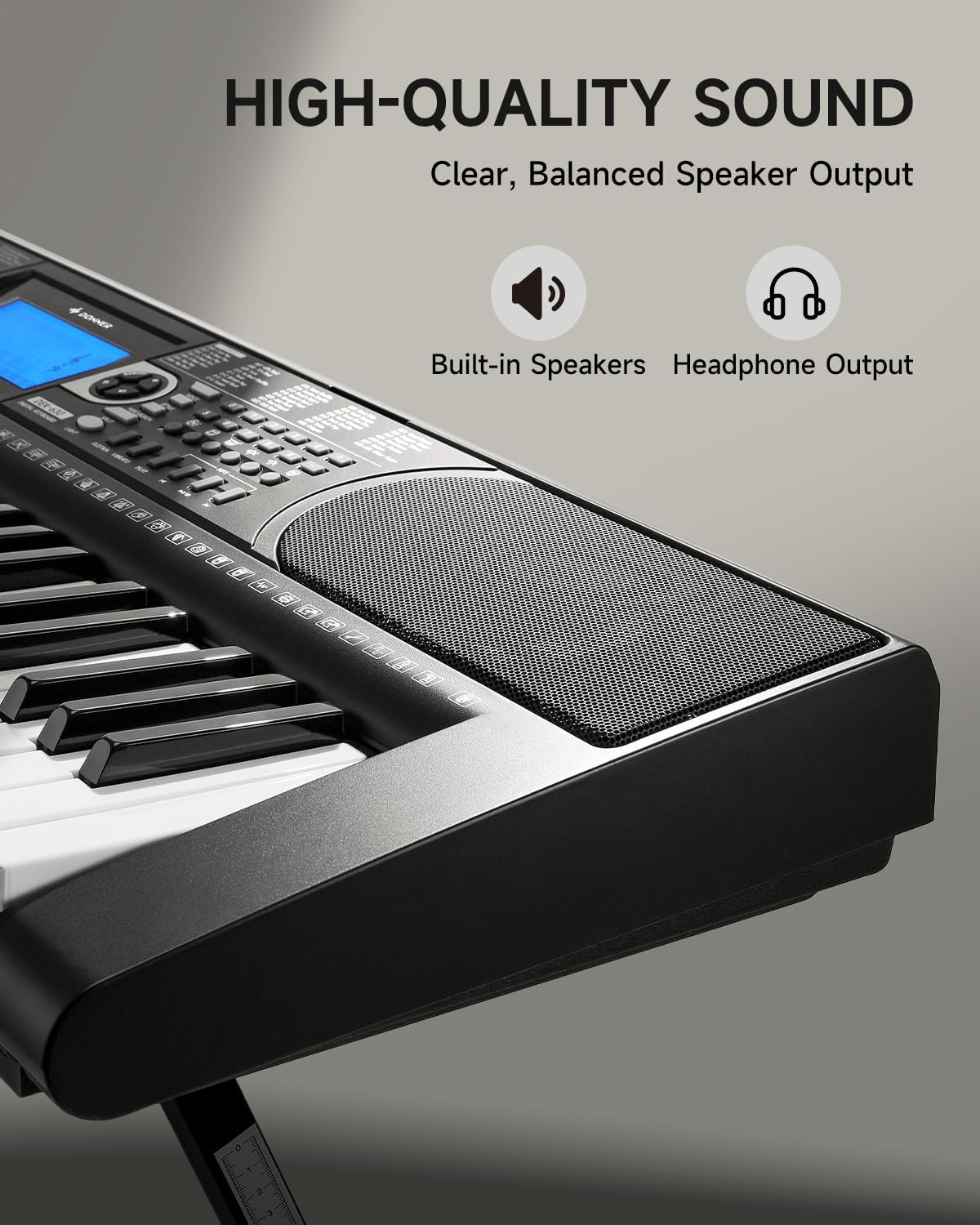
Image 4.3: The DEK-630's built-in speaker and headphone output for versatile sound options.
5. Priežiūra
5.1 Valymas
- Wipe the keyboard and stand with a soft, dry cloth.
- Pritvirtinusius nešvarumus naudokite šiek tiek damp skudurėliu ir tada gerai išdžiovinkite.
- Avoid using abrasive cleaners, solvents, or waxes, as these can damage the finish.
5.2 Saugykla
- Klaviatūrą laikykite vėsioje, sausoje vietoje, apsaugotoje nuo tiesioginių saulės spindulių ir ekstremalių temperatūrų.
- Jei ilgesnį laiką sandėliuosite, atjunkite maitinimo adapterį.
6. Problemų sprendimas
| Problema | Galima priežastis | Sprendimas |
|---|---|---|
| Nėra garso |
|
|
| Raktai nereaguoja |
|
|
| LCD ekranas tuščias |
|
|
7. Specifikacijos
- Modelis: DEK-630
- Raktų skaičius: 61
- Tonai: 300
- Ritmai: 256
- Demonstracinės dainos: 40
- Ypatingos savybės: Built-In Speaker, Lighted Keys, Portable, LCD Display, Learning Modes (Auto-Chord, Metronome)
- Ryšys: USB MIDI, Audio Input, Output (L/R), Mic Jack, Headphone Jack, Sustain Pedal Jack
- Galia: DC 12V maitinimo adapteris
- Dimensions (Keyboard without stand): 37.80 x 11.81 x 3.54 colio (96 x 30 x 9 cm)
- Įtraukti komponentai: Electric Keyboard, Z-shaped Stand, Piano Bench, Music Rest, Note Stickers
8. Garantija ir palaikymas
8.1 Informacija apie garantiją
The Donner DEK-630 Electronic Keyboard comes with a 2 metų garantija nuo įsigijimo datos. Ši garantija taikoma gamybos defektams ir gedimams įprasto naudojimo metu. Išsaugokite pirkimo įrodymą, jei galėtumėte pateikti pretenzijas dėl garantijos. Garantija netaikoma žalai, atsiradusiai dėl netinkamo naudojimo, nelaimingų atsitikimų, neleistinų modifikacijų ar įprasto nusidėvėjimo.
8.2 Pagalba klientams
For technical assistance, troubleshooting, or warranty inquiries, please contact Donner customer support. Visit the official Donner websvetainėje, kurioje rasite kontaktinę informaciją ir papildomus išteklius.
Donnerio oficialus Websvetainė: www.donnerdeal.com