
1. Produktas baigtasview
The Hunter ZenTech 52 Inch Smart Ceiling Fan (Model 53638) is designed for both indoor and covered outdoor spaces, offering quiet, efficient performance with advanced smart home integration. This 5-blade fan features a slim DC motor, adjustable LED lighting with TrueLight technology, and Wi-Fi connectivity for control via the HunterSMART app, Amazon Alexa, Google Assistant, and Apple HomeKit. It is ENERGY STAR certified and damp-rated for versatile use.
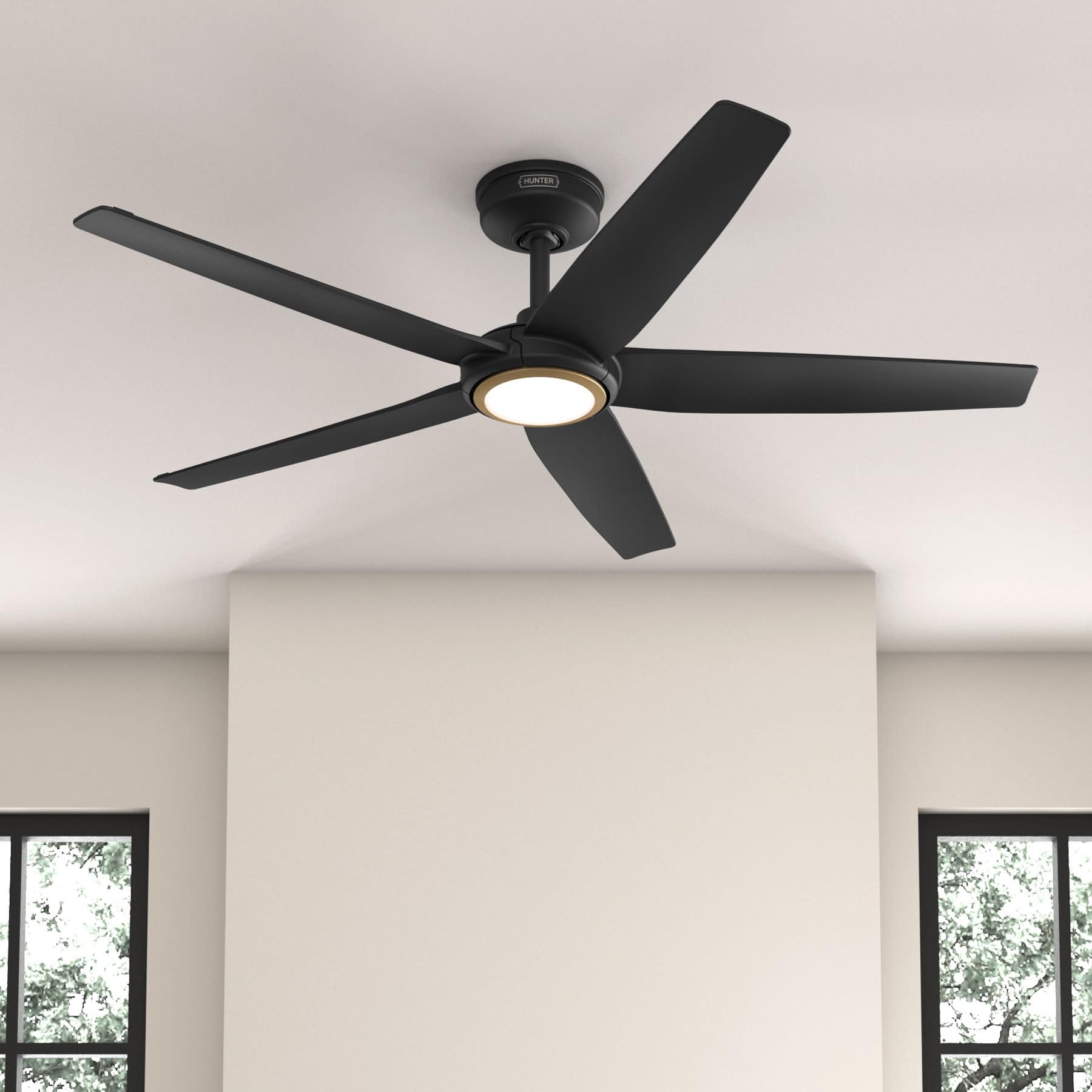
Figure 1: Hunter ZenTech 52 Inch Smart Ceiling Fan (Matte Black)
Pagrindinės funkcijos:
- Išplėstinis dizainas: Ultra-slim DC motor for powerful, quiet airflow and a modern aesthetic.
- Išmaniųjų namų integracija: HunterSMART technology for app and voice control via Amazon Alexa, Google Assistant, and Apple HomeKit.
- Reguliuojamas LED apšvietimas: TrueLight LED offers 10 brightness levels and 10 color temperatures, protected by a durable Duralight lens.
- SureSpeed Guarantee: Delivers strong, consistent airflow with quiet, wobble-free performance.
- Energiją taupantis: ENERGY STAR certified reversible 6-speed DC motor.
- Damp Įvertinta: Suitable for indoor and covered outdoor areas.
2. Svarbios saugos instrukcijos
Prieš pradėdami montuoti, atidžiai perskaitykite visas instrukcijas. Nesilaikant šių instrukcijų, gali kilti elektros smūgis, gaisras arba kūno sužalojimas.
- Prieš montuodami ar atlikdami techninę priežiūrą, visada atjunkite maitinimą nuo pagrindinio jungiklio.
- Įsitikinkite, kad visos elektros jungtys atitinka vietinius kodeksus ir potvarkius. Jei nesate susipažinę su elektros instaliacija, pasitarkite su kvalifikuotu elektriku.
- Tvirtinimo konstrukcija turi būti pajėgi išlaikyti ventiliatoriaus svorį (maždaug 14.11 svaro).
- Do not bend blade brackets during installation or cleaning.
- Kai ventiliatorius veikia, laikykite rankas atokiai nuo ventiliatoriaus menčių.
- Šis ventiliatorius yra damp-rated for use in covered outdoor areas but should not be exposed directly to water.
3. Pakuotės turinys
Prieš pradėdami diegimą, patikrinkite, ar pakuotėje yra visi toliau išvardyti komponentai.
- Lubų ventiliatoriaus variklio korpusas
- 5 ventiliatoriaus mentės
- Light Kit with Duralight Lens
- 6 colių žemyn nukreiptas strypas
- Stogelis ir tvirtinimo laikiklis
- Rankinis nuotolinio valdymo pultas
- Aparatūros paketas (varžtai, poveržlės, vielinės veržlės)

Figure 2: ZenTech 52 Inch Fan Components
4. Diegimo vadovas
Professional installation is recommended. Ensure the power is OFF at the circuit breaker before starting.
4.1 Ventiliatoriaus montavimas
- Pritvirtinkite tvirtinimo laikiklį prie lubų jungiamosios dėžutės. Jungiamoji dėžutė turi būti nurodyta kaip tinkama ventiliatoriaus atramai.
- Assemble the downrod (6-inch included, compatible with up to 24-inch downrods) to the fan motor housing.
- Pakabinkite ventiliatoriaus mazgą nuo tvirtinimo laikiklio.
- Complete electrical wiring connections as per the wiring diagram provided in the full manual.
- Pritvirtinkite ventiliatoriaus mentes prie variklio korpuso.
- Install the light kit and Duralight lens.

Figure 3: ZenTech Fan installed in a covered outdoor space
5. Naudojimo instrukcijos
The ZenTech fan can be operated using the included handheld remote control or through the HunterSMART app.
5.1 Nuotolinio valdymo pulto valdymas
- Ventiliatoriaus įjungimas/išjungimas: Paspauskite ventiliatoriaus mygtuką, kad įjungtumėte arba išjungtumėte ventiliatorių.
- Ventiliatoriaus greitis: Norėdami perjungti 6 ventiliatoriaus greičius, naudokite greičio mygtukus.
- Šviesos įjungimas / išjungimas: Norėdami įjungti arba išjungti šviesą, paspauskite šviesos mygtuką.
- Šviesos pritemdymas: Hold the light button to dim or brighten the light.
- Spalvos temperatūra: Press the color temperature button to cycle through different color temperatures (warm to cool).
- Atvirkštinė funkcija: Press the reverse button to change the fan's direction for seasonal use.
5.2 LED Light Control (TrueLight Technology)
The TrueLight LED system allows for precise control over your lighting environment. You can select from 10 brightness levels and 10 color temperatures to match your preference.

Figure 4: TrueLight LED Technology for adjustable lighting
6. Išmaniųjų namų integracija
The ZenTech fan features HunterSMART technology, enabling seamless integration with popular smart home ecosystems.
6.1 Connecting to HunterSMART App
- Download the HunterSMART app from your device's app store.
- Follow the in-app instructions to create an account and add your ZenTech fan.
- Ensure your fan is powered on and your mobile device is connected to a 2.4 GHz Wi-Fi network during setup.
6.2 Voice Control Compatibility
Once connected to the HunterSMART app, you can link your fan to:
- Amazon Alexa
- „Google“ padėjėjas
- Apple HomeKit
Refer to the respective smart home platform's instructions for linking smart devices.

Figure 5: HunterSMART Control Options
7. Priežiūra ir priežiūra
Reguliarus valymas užtikrina optimalų jūsų lubų ventiliatoriaus veikimą ir ilgaamžiškumą.
- Valymas: Dust the fan blades and motor housing periodically with a soft, lint-free cloth. For damp-rated areas, wipe down with a slightly damp cloth, then dry thoroughly. Do not use abrasive cleaners or solvents.
- Sandarumo patikrinimas: Annually, check all screws and connections for tightness. Vibrations can cause them to loosen over time.
- Šviesos rinkinys: The LED light source is designed for long life and is not user-serviceable.
8. Trikčių šalinimo vadovas
If you encounter issues with your ZenTech ceiling fan, refer to the table below for common problems and solutions.
| Problema | Galima priežastis | Sprendimas |
|---|---|---|
| Ventiliatorius neįsijungia | Ventiliatorius negauna maitinimo; Atsilaisvinusios laidų jungtys; Išsikrovusi nuotolinio valdymo pulto baterija. | Patikrinkite grandinės pertraukiklį; Įsitikinkite, kad visi laidai yra tvirtai sujungti; Pakeiskite nuotolinio valdymo pulto bateriją. |
| Šviesa neveikia | No power to the light kit; Loose wire connection; Light kit malfunction. | Check circuit breaker; Verify light kit wiring; Contact customer support if LED is faulty. |
| Ventiliatoriaus virpėjimas | Loose blades or blade holders; Improperly balanced blades; Loose mounting bracket. | Ensure all blade screws are tight; Use a blade balancing kit (not included); Tighten mounting bracket screws. |
| Smart features not connecting | Incorrect Wi-Fi network (not 2.4 GHz); Incorrect app setup; Router issues. | Ensure connection to 2.4 GHz Wi-Fi; Re-attempt app setup; Restart router and fan. |
9. Techninės specifikacijos
| Specifikacija | Detalė |
|---|---|
| Prekės ženklas | Medžiotojas |
| Modelio pavadinimas | ZenTech |
| Modelio numeris | 53638 |
| Dydis | 52 colių |
| Spalva | Matinė juoda |
| Gaminio matmenys | 52 "D x 52" P x 11.78" A |
| Prekės svoris | 14.11 svaro |
| Ašmenų skaičius | 5 |
| Variklio tipas | DC |
| Greičių skaičius | 6 |
| Oro srauto talpa | 5443.94 kubinės pėdos per minutę |
| Vattage | 17 vatų |
| ttage | 120 voltų |
| Naudojimas viduje / lauke | Indoor, Covered Outdoor (Damp Įvertintas) |
| Ypatingos savybės | LED Light, Quiet Operation, Water Resistant, Wi-Fi Enabled |
| Valdiklio tipas | Programėlių valdymas, nuotolinis valdymas |
| Sertifikatai | ETL, Energy Star, FCC |
| Žemyno ilgis | 6 colių (įskaičiuota) |
10. Informacija apie garantiją
The Hunter ZenTech 52 Inch Smart Ceiling Fan is backed by Hunter's commitment to quality. It includes a limited lifetime motor warranty, ensuring long-term confidence in your product. For full warranty details and terms, please refer to the documentation included with your fan or visit the official Hunter Fan Company websvetainę.
11. Pagalba klientams
If you require further assistance, have questions about installation, operation, or troubleshooting that are not covered in this manual, please contact Hunter Fan Company customer support. You can typically find contact information on the official Hunter Fan Company websvetainėje arba produkto pakuotėje.