
1. Įvadas
This manual provides detailed instructions for the safe and efficient operation of your NIIMBOT B1Pro Label Printer. The B1Pro is a high-resolution 300 DPI thermal label printer designed for various labeling needs, including text, barcodes, QR codes, and photo printing. It supports two-color printing (red and black) with compatible labels and connects wirelessly via Bluetooth to your smartphone or PC.
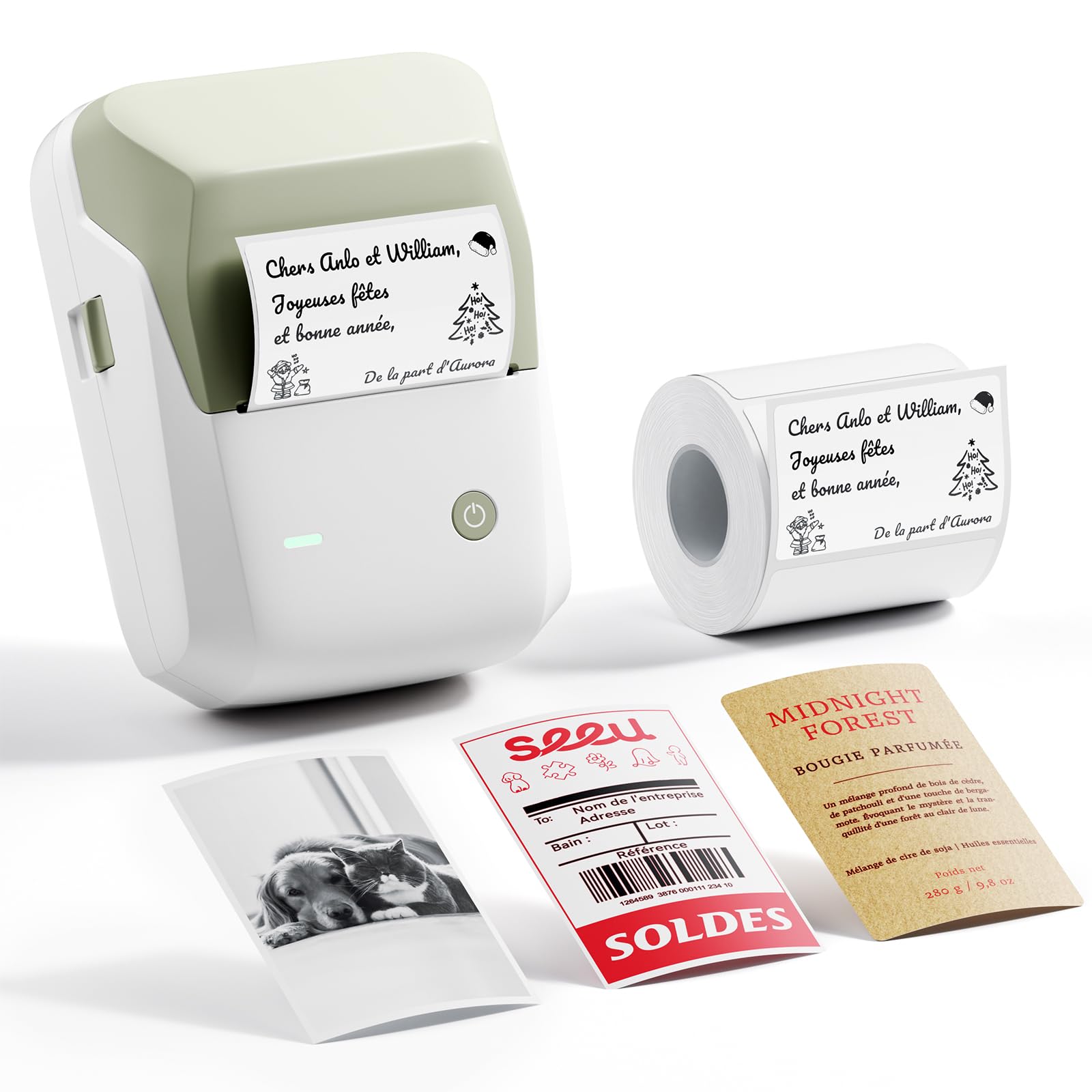
Image 1.1: The NIIMBOT B1Pro Label Printer, a compact and portable thermal printer.
2. Kas yra dėžutėje
Patikrinkite, ar pakuotėje yra visi reikalingi daiktai:
- NIIMBOT B1Pro Label Printer
- 1x White Label Roll (50 x 30 mm)
- USB įkrovimo laidas
- Vartotojo vadovas (šis dokumentas)
3. Produkto ypatybės
The NIIMBOT B1Pro offers advanced features for versatile labeling:
- High Resolution (300 DPI): Produces sharp, clear text and detailed graphics, even at small sizes.
- Dviejų spalvų spausdinimas: Supports printing in red and black simultaneously with special compatible labels, enhancing visibility and impact.
- Photo Printing Capability: Allows printing of photos on specialized photo labels, capturing moments with clarity.
- Belaidis ryšys: Connects via Bluetooth to smartphones (Android/iOS) and PCs for convenient printing.
- Intuitive App: The NIIMBOT app provides extensive customization options, including over 60 fonts, 100 borders, 1000 templates, and 1600 icons.
- Be rašalo terminis spausdinimas: Utilizes thermal technology, eliminating the need for ink cartridges and reducing operational costs.

Image 3.1: Comparison highlighting the B1Pro's superior 300 DPI resolution, photo printing, and two-color output compared to the standard B1 model.

Image 3.2: Visual demonstration of 300 DPI print clarity versus 203 DPI, showing sharper text and QR codes.
4. Sąrankos vadovas
4.1 Įrenginio įkrovimas
Before first use, fully charge the NIIMBOT B1Pro using the provided USB cable. Connect the cable to the printer's charging port and a standard USB power adapter (not included). The indicator light will show charging status.
4.2 Etikečių ritinėlio įdėjimas
- Open the printer cover by gently pushing the release button or lifting the designated area.
- Insert the label roll into the compartment, ensuring the labels face upwards and the leading edge is aligned with the print head.
- Close the printer cover firmly until it clicks into place. The printer will automatically detect the label type and size.

Image 4.1: Proper installation of the label roll, with an automatic self-tightening guide to prevent printing misalignment.
4.3 Downloading and Connecting the App
- Download the official NIIMBOT app from the App Store (iOS) or Google Play Store (Android). For PC, download the NIIMBOT software from the official websvetainę.
- Ensure your printer is powered on and Bluetooth is enabled on your smartphone or PC.
- Open the NIIMBOT app and follow the on-screen instructions to connect to your B1Pro printer via Bluetooth. The app will typically detect nearby NIIMBOT devices.

Image 4.2: The NIIMBOT B1Pro supports wireless Bluetooth connection with both smartphones and PCs, allowing simultaneous connections.
5. Naudojimo instrukcijos
5.1 Etikečių kūrimas ir spausdinimas
The NIIMBOT app provides a user-friendly interface for label creation:
- Open the NIIMBOT app and select a template or start a new blank label.
- Add text, numbers, dates, barcodes, or QR codes using the app's editing tools.
- Customize fonts, sizes, styles, and alignment.
- Preview savo etiketę, kad ji atrodytų taip, kaip pageidaujate.
- Tap the print button. Adjust the number of copies if necessary, then confirm to print.
5.2 Photo Printing
To print photos, ensure you are using special photo-compatible labels:
- Load a photo label roll into the printer.
- In the NIIMBOT app, select the photo printing option.
- Choose an image from your device's gallery.
- Adjust the image as needed within the label boundaries.
- Print the photo label.

5.1 pav.: pvz.amples of photo labels for memos, notes, and personal images, demonstrating the B1Pro's photo printing capability.
5.3 Two-Color Printing
The B1Pro supports two-color printing (red and black) with specific label types. When using these labels, the app will automatically detect the capability and allow you to assign elements to either red or black ink.

Image 5.2: Various applications of two-color red and black labels, including bakery pricing, reminder tags, product prices, and date labels.
5.4 NIIMBOT programėlės naudojimas
The NIIMBOT app is a powerful tool for label customization:
- Šablonai: Access a library of over 1000 pre-designed templates for various uses.
- Šriftai: Choose from over 60 fonts to personalize your text.
- Piktogramos ir rėmeliai: Enhance your labels with over 1600 icons and 100 decorative borders.
- Tinkinimas: Adjust text size, alignment, add images, and integrate QR/barcodes.

Image 5.3: The NIIMBOT app offers extensive customization options, including a wide selection of icons, templates, fonts, and borders.
6. Label Types and Applications
The NIIMBOT B1Pro supports a wide range of label types and is suitable for numerous applications:
- Standard Thermal Labels: Rectangular, round, white, colored, transparent.
- Photo Labels: For printing images and graphics.
- Two-Color Labels: For red and black printing.
- Specialty Labels: Including Kraft paper, double-row, and various sizes.
Įprastos programos apima:
- Home organization (spice jars, storage boxes)
- Office organization (files, documents, asset tags)
- Retail (price tags, product information, expiration dates)
- Amatai ir „pasidaryk pats“ projektai
- School supplies and study notes
- Medicine labeling

Image 6.1: A selection of available label styles, including standard thermal, photo-compatible, and two-color options.

Image 6.2: The B1Pro supports a diverse range of label types for different needs, from basic text to photo and specialty labels.
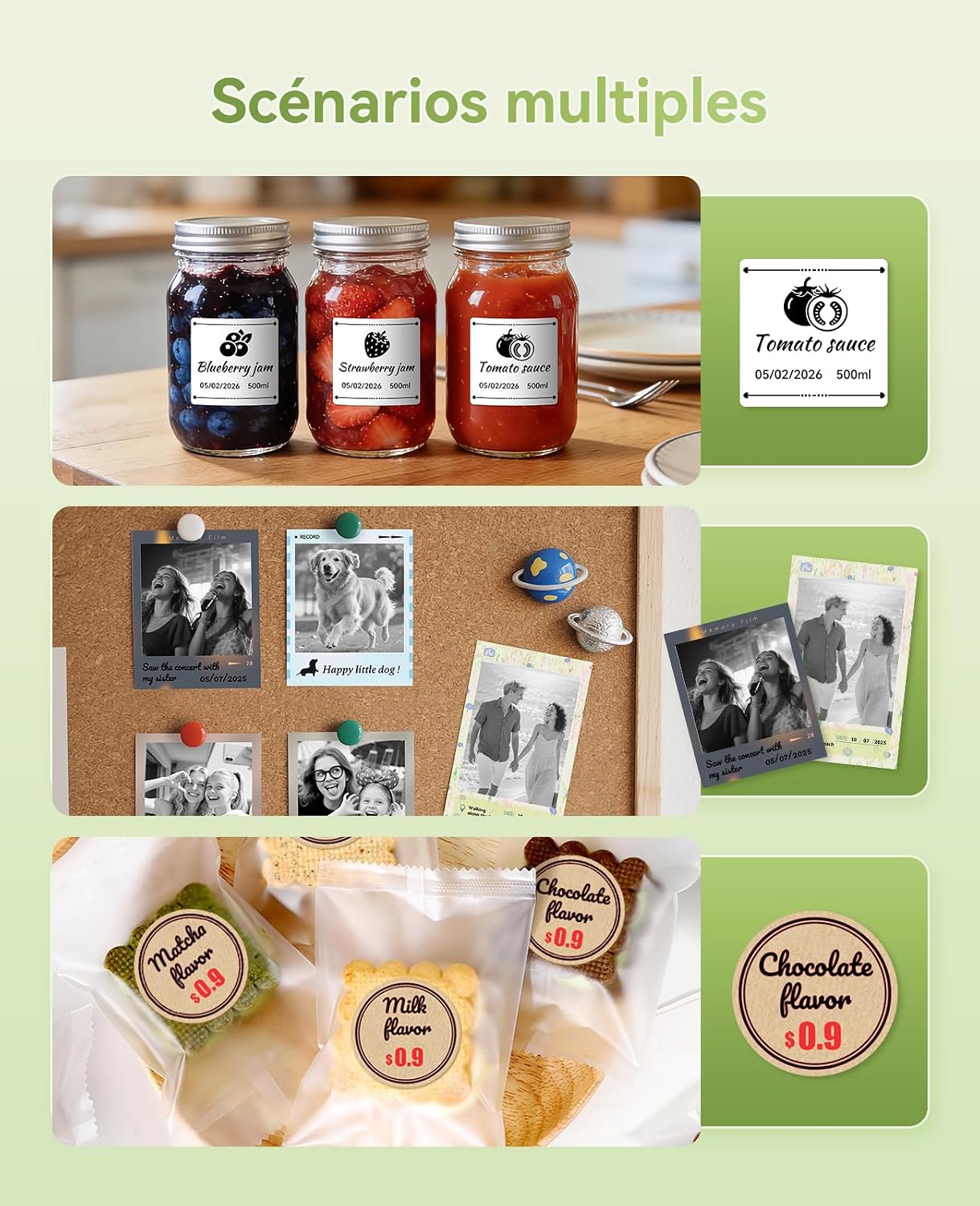
6.3 pav.: pvz.amples of the B1Pro in various settings, including kitchen organization, personal photo displays, and small business product labeling.
7. Priežiūra
To ensure optimal performance and longevity of your NIIMBOT B1Pro printer:
- Valymas: Reguliariai valykite spausdinimo galvutę minkštu, nepūkuotu audiniu, sudrėkintu izopropilo alkoholiu. Prieš valydami įsitikinkite, kad spausdintuvas yra išjungtas ir atvėsęs.
- Saugykla: Spausdintuvą laikykite vėsioje, sausoje vietoje, apsaugotoje nuo tiesioginių saulės spindulių ir ekstremalių temperatūrų.
- Etikečių rulonai: Use only genuine NIIMBOT label rolls to prevent damage to the print head and ensure optimal print quality.
- Akumuliatoriaus priežiūra: For prolonged storage, charge the battery to about 50% every three months to maintain battery health.
8. Problemų sprendimas
If you encounter issues with your NIIMBOT B1Pro, refer to the following common solutions:
| Problema | Galima priežastis | Sprendimas |
|---|---|---|
| Spausdintuvas neįsijungia | Išsikrovęs akumuliatorius; netinkamai paspaustas maitinimo mygtukas | Charge the printer; Press and hold the power button for a few seconds |
| Prasta spausdinimo kokybė | Nešvari spausdinimo galvutė; Neteisingas etiketės tipas; Išsikrovusi baterija | Clean the print head; Ensure correct NIIMBOT labels are used; Charge the printer |
| Nepavyksta prisijungti per Bluetooth | „Bluetooth“ išjungtas; spausdintuvo nepavyksta aptikti; programėlės problema | Ensure Bluetooth is on for both devices; Restart printer and app; Reinstall app |
| Etiketės netinkamai tiekiamos | Label roll improperly installed; Labels jammed | Reinstall label roll, ensuring it's straight; Clear any jammed labels carefully |
| Two-color printing not working | Not using two-color compatible labels | Ensure you are using NIIMBOT BR series (red and black) labels |
If the problem persists, please contact NIIMBOT customer support for further assistance.
9. Specifikacijos
| Funkcija | Detalė |
|---|---|
| Prekės ženklas | NIIMBOT |
| Modelio pavadinimas | B1Pro |
| Ryšio technologija | Bluetooth |
| Spausdinimo technologija | Šiluminis |
| Spausdinimo raiška | 300 DPI (taškų colyje) |
| Išvesties tipas | Color (with compatible labels) |
| Rašalo spalva | Red, Black (with compatible labels) |
| Gaminio matmenys | 6P x 9lx 13H centimetrų |
| Maksimalus laikmenos dydis | 50 x 30 mm (included roll) |
| Medijos tipas | Etiketės |
| Dvipusis spausdinimas | Ne (vienpusis) |
| Ypatingos savybės | High-resolution printing, color and photo printing, Bluetooth connectivity, customizable app |
| Kilmės šalis | Kinija |
10. Garantija ir palaikymas
The NIIMBOT B1Pro Label Printer comes with a limited warranty. For specific warranty terms and conditions, please refer to the documentation included with your purchase or visit the official NIIMBOT websvetainę.
For technical support, product inquiries, or warranty claims, please contact NIIMBOT customer service through their official websvetainėje arba kontaktinę informaciją, pateiktą jūsų produkto pakuotėje.